1
Contents
Introduction
Important Safety Instructions ......................................... 2
Precautions....................................................................... 3
Standard Accessories ..................................................... 5
Using Remote Control .................................................... 5
Features ............................................................................ 6
Connections
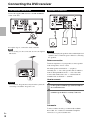
Connecting the DVD receiver.......................................... 8
FM Antenna Connection................................................. 8
Speaker Connection....................................................... 8
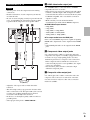
Connection to a TV......................................................... 9
Connection to Audio Components etc.......................... 10
Identifying the Parts....................................................... 11
Main Unit ...................................................................... 11
Remote Control ............................................................ 12
Discs................................................................................ 14
iPod ................................................................................. 16
USB flash drive compatibility ....................................... 17
Listening to the FM Radio
Listening to the FM Radio ............................................. 29
Preset Tuning ............................................................... 29
RDS (Display Setting of the FM)
– excluding North American models .......................... 29
Listening to an External Source.................................... 30
Sleep Timer .................................................................. 30
Wake Up Timer............................................................. 30
Troubleshooting
Troubleshooting ............................................................. 31
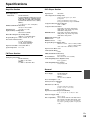
Specifications ................................................................. 33
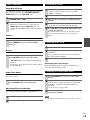
Basic Operation
Basic Operation.............................................................. 18
Setting the Clock .......................................................... 18
Basic Operation............................................................ 19
Listening to a Disc ........................................................ 19
Listening to an iPod...................................................... 19
Listening to a USB Flash Drive .................................... 19
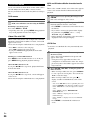
On-screen Menu........................................................... 20
Basic Operations for iPod, Disc
and USB Flash Drive ................................................. 21
Skipping Playback ........................................................ 21
Searching for a part of a chapter or track..................... 21
Selecting a Chapter or Track........................................ 21
Selecting the menu item (iPod) .................................... 21
Selecting Video Output (iPod) ...................................... 21
Selecting Audio ............................................................ 21
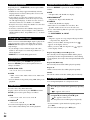
Selecting Subtitles........................................................ 22
Changing Camera Angle .............................................. 22
Picture Zoom ................................................................ 22
Slow Motion.................................................................. 22
Repeat and Shuffle Playback ....................................... 22
A-B Repeat Playback ................................................... 22
Changing the Display Mode ......................................... 23
Time Search (VCD/CD)................................................ 23
Time Search (MP3/WMA) ............................................ 23
Chapter Search/Time Search (DVD)............................ 23
Chapter Search/Time Search (DivX®).......................... 23
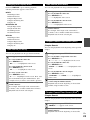
Programmed Playback (DVD/VCD/CD) ....................... 24
Programmed Playback (MP3/WMA) ............................ 24
Programmed Playback (DivX®) .................................... 24
Settings
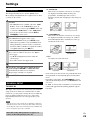
Settings ........................................................................... 25
Introduction................................................................... 25
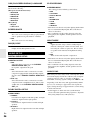
GENERAL SETUP ....................................................... 25
AUDIO SETUP ............................................................. 26
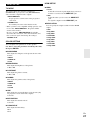
VIDEO SETUP ............................................................. 27
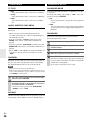
PREFERENCE............................................................. 28
PASSWORD SETUP ................................................... 28
En
7