1
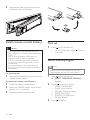
Tunr on/off max sound
1
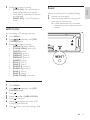
Adjust volume
1
Press 6281'.
» The current setting displays
» [MAX ON]: The maximum sound
(max sound) function is on.
Turn clockwise/anticlockwise to
increase/decrease volume.
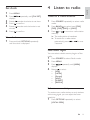
Mute
English
6 Adjust sound
» [MAX OFF]: The maximum sound
function is off.
Switch music listening zone
You can turn off the sound of your audio.
1
During play, press .
• To resume sound, press
again.
Turn Full Sound on/off
The unit offers a pre-configured sound setting
called FullSound™. The FullSound™ feature
restores sonic details to compressed music and
provides a full sound experience without any
distortion.
1
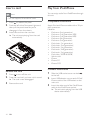
Philips’ innovative Zone technology enables
driver or passengers to enjoy music with the
best speakers balance and experience more
vivid spacial effect as the artist is intended to
create. You can switch the music listening zone
from driver to passengers for the best speaker
sound settings in car.
1
Press MENU/ZONE over 3 seconds.
» The current setting displays
2
Press /
to switch the zones:
• [ZONE ALL]
• [FRONT]
• [F. LEFT] (Front left)
• [F. RIGHT] (Front right)
3
Press OK to confirm the selection and
exit the menu.
Press Full Sound to toggle the
FullSound™ feature off and on (default).
Select preset equalizer
1
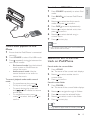
Press EQ/Audio.
» Current Equalizer setting is displayed.
Other sound settings
2
Press EQ/Audio again to select a preset
EQ setting:
• [OPTIMAL] (optimal)
• [FLAT] (flat)
• [POP] (pop)
• [USER] (user)
• [TECHNO] (techno)
• [ROCK] (rock)
• [CLASSIC] (classic)
• [JAZZ] (jazz)
You can also adjust the preset EQ/Audio settings.
1
2
Press EQ/Audio for 3 seconds.
Press /
repeatedly to select the item
to be adjusted:
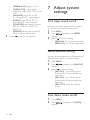
• [BASS LEVEL] range: -7 to +7
• [BASS CFQ] (bass center frequency)
range: 60, 80, 100, 200.
• [MIDDLE LEVEL] range:-7 to +7
• [MIDDLE CFQ] (middle center
frequency) range: 0.5k, 1.0k, 1.5k, 2.5k.
EN
17