1
1-8
MC31XX Series Mobile Computer User Guide
Battery Charging
CAUTION
Ensure that you follow the guidelines for battery safety described in Battery Safety Guidelines on page 5-2.
Use the mobile computer cradles, cables and spare battery chargers to charge the mobile computer main battery.
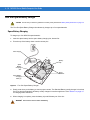
The main battery can be charged before insertion into the mobile computer or after it is installed. There are two
main batteries for the MC31XX, the Standard Battery (1X) and the Extended Life Battery (2X). The standard
capacity battery ships from the factory in all MC31X0-R configurations. The Extended Life Battery ships from the
factory in all MC31X0-S and MC31X0-G configurations. To install an Extended Life Battery in the MC31X0-R
configurations, purchase an Extended Life Battery and a Brick Extended Life Battery door. Use one of the spare
battery chargers to charge the main battery (out of the mobile computer) or one of the cradles to charge the main
battery while it is installed in the mobile computer.
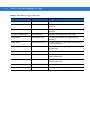
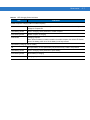
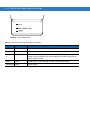
Before using the mobile computer for the first time, fully charge the main battery until the amber Charge LED
Indicator remains lit (see Table 1-1 on page 1-9 for charge status indications). The Standard Battery fully charges in
less than five hours and the Extended Life Battery fully charges in less than eight hours.
The mobile computer is equipped with a memory backup battery which automatically charges from the main
battery whether or not the mobile computer is operating or is in suspend mode. The memory backup battery retains
data in memory for at least 30 minutes when the mobile computer’s main battery is removed or fully discharged.
When the mobile computer is used for the first time or after the memory backup battery has fully discharged, the
memory backup battery requires approximately 15 hours to fully charge. Do not remove the main battery from the
mobile computer for 15 hours to ensure that the memory backup battery fully charges. If the main battery is
removed from the mobile computer or the main battery is fully discharged, the memory backup battery completely
discharges in several hours.
When the main battery reaches a very low battery state, the combination of main battery and backup battery
retains data in memory for at least 72 hours.
NOTE
Do not remove the main battery within the first 15 hours of use. If the main battery is removed before the
backup battery is fully charged, data may be lost.
Batteries must be charged within the 0° to +40° C (32° to 104° F) ambient temperature range.
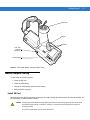
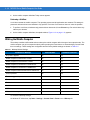
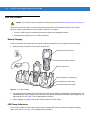
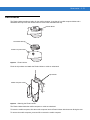
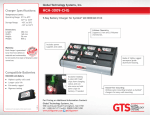
The following accessories can be used to charge batteries:
• Cradles (and a power supply):
• Single Slot Serial/USB Cradle
• Four Slot Cradles.
• Cables (and a power supply):
• USB Client Charge Cable
• Serial (RS232) Charge Cable.
• Spare Battery Chargers (and a power supply):
• Single Slot Serial/USB Cradle
• Four Slot Spare Battery Charger
• Universal Battery Charger (UBC) Adapter.
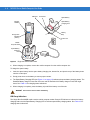
To charge the mobile computer using the cradles: