1
Chapter 3 — SR61T Interfaces
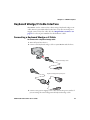
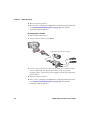
4 Turn on the host device.
5 If necessary, use the configuration bar codes in the next section to
configure your SR61T serial parameters to match the PC.
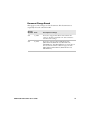
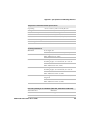
The default serial parameters for the SR61T are:
Serial Parameter
Default Setting
Baud rate
57600
Data bits
8
Parity
None
Stop bits
1
Setting up the RS-232 Interface
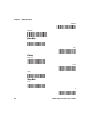
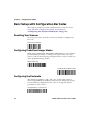
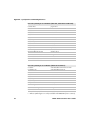
This section provides configuration bar codes for a basic setup. All bar
codes marked with (*) indicate the default value. For more
configuration options see Chapter 4, "Configuring the SR61T” on
page 31.
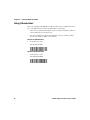
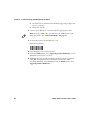
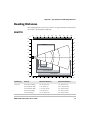
Baud Rate
38400
57600 (*)
115200
128000
230400
SR61T Tethered Scanner User’s Guide
25