1
Chapter 5 — Troubleshooting and Maintaining the SR61T
Get sub-system version
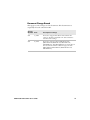
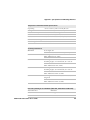
Problems and Possible Solutions
Use this section to find possible solutions to problems you may have.
Problems and Possible Solutions
Problem
Possible Solution
You pull the trigger, but The SR61T receives power from either a host or an
nothing happens.
external power supply through an accessory cable.
Make sure:
• You are using the appropriate cable. For more
information, see “Required Accessories” on
page 5.
• The cable is connected to the appropriate port
on the host computer.
• The universal power supply (if necessary) is
properly plugged in.
You pull the trigger, the Try these possible solutions:
red scanning beam
• Make sure that the SR61T is configured for the
turns on, but you
symbology you are scanning.
cannot successfully scan
• Make sure that the SR61T is at the appropriate
a bar code.
scanning distance from the bar code. Move the
SR61T closer and farther away to find the
appropriate distance.
• Make sure that the SR61T is configured for the
type (1D, 2D, etc.) of bar code you are scanning.
• The bar code you are trying to scan may be
poorly printed or too small. Scan a known good
bar code to make sure that the SR61T is
working properly.
For more information, see “Scanning Bar Codes”
on page 13.
SR61T Tethered Scanner User’s Guide
39