1
Contents
Introduction
Important ....................................................................................... 4
Copyright Information ................................................................... 4
Usage Notice of Audio .................................................................. 4
Trademark Information ................................................................. 4
Conventions .................................................................................. 4
WebView Livescope Overview ................................................. 5
Viewer Overview ....................................................................... 6
Viewer for Java ............................................................................. 6
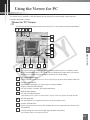
Viewer for PC ................................................................................ 7
Operating Environment ............................................................. 8
Viewer for Java ............................................................................. 8
Viewer for PC ................................................................................ 8
Chapter 1 Viewer for Java
Preparations for Using the Viewer for Java ............................ 10
Using Internet Explorer ............................................................... 10
Using Netscape .......................................................................... 11
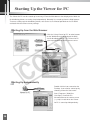
Starting Up the Viewer for Java .............................................. 15
Using the Viewer for Java ....................................................... 16
“LiveApplet” Screen .................................................................... 16
Panorama Window ................................................................................ 17
Starting Camera Control ............................................................. 18
Controlling the Camera .............................................................. 19
Changing the Camera Angle ................................................................. 19
Changing the Camera Zoom Ratio ....................................................... 20
Selecting the Camera ............................................................................ 21
Using Presets ........................................................................................ 21
Adjusting Backlight ................................................................................ 22
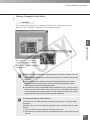
Taking a Snapshot of the Video ............................................................ 23
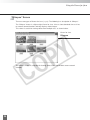
“Glimpse” Screen ........................................................................ 24
Chapter 2 Viewer for PC
Preparations for Using the Viewer for PC .............................. 26
Installing the Viewer for PC ........................................................ 26
Using Browsers Other Than the Recommended
Products ................................................................................ 27
Starting Up the Viewer for PC ................................................ 28
Starting Up from the Web Browser ............................................ 28
Starting Up Independently .......................................................... 28
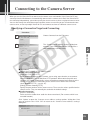
Connecting to the Camera Server .......................................... 29
Specifying a Connection Target and Connecting ....................... 29
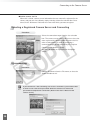
Selecting a Registered Camera Server and Connecting ........... 30
Disconnecting ............................................................................. 30
2