1
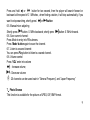
Start / Stop recording
On recording mode, press „Play‟ button to stop.
4、Play music
4.1、Steps:
Put earphone into earphone jack
Turn power on to enter into master menus, press „MENU‟ button to enter into music mode ,and
then press „play‟ button you will listen to wonderful music
Select music:
next music;
Previous music.
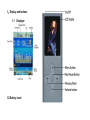
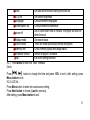
Volume adjusts: when the music is playing, press „VOL‟ to enter into volume mode and press
button to decrease volume,
button to increase volume.
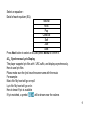
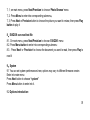
4.2、Equalizer Mode
In playing state
Press MENU button to enter into submenu;
Press Next button to choose Equalizer Mode;
Press MENU button to enter into „Equalizer‟ submenu.
5