1
32/92
M12 Camera Manual Part 1
2.7 Determining Where to Mount the Camera
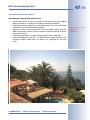
Before attempting to mount the camera to a wall or ceiling, make sure that you
have found the best camera position. It is important that the camera's field of view
is not obstructed in any way.
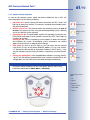
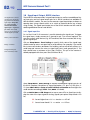
Once the camera has been mounted to a wall or ceiling, you can fine-tune its
position. Thanks to the design of the SecureFlex mount, the camera can be turned
horizontally and tilted vertically until the built-in stops are reached.
The camera can be turned/tilted within the following ranges (see section 2.11,
Mounting the MOBOTIX M12 to a Wall or Ceiling):
•
•
horizontally: approx. 180°
vertically: approx. 70°
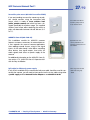
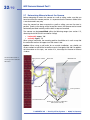
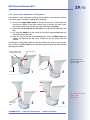
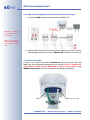
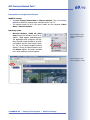
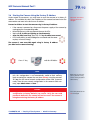
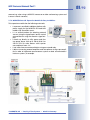
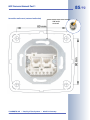
When using a wall outlet, the mounting position should be set in such a way that
the wall outlet touches the upper rim of the mount's foot.
Caution: When using a wall outlet for an outside installation, you should use
silicone sealant to seal off the SecureFlex mount's foot against the wall. For additional information on this topic, see section 2.14, Mounting the Camera to Different
Surfaces.
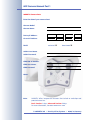
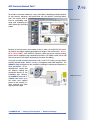
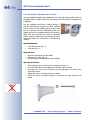
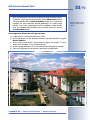
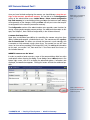
The SecureFlex mount covers and protects an RJ45
wall outlet
Apply silicone sealant!
Wall outlet
MOBOTIX M12
CAT5 cable
Insect protection
SecureFlex wall mount
Drain holes for exit of condensation
water (never seal off!)
© MOBOTIX AG • Security-Vision-Systems • Made in Germany
www.mobotix.com • [email protected]