1
UKV-048OSD/088OSD/0168OSD Rackmount KVM Switch
User Manual
Rev. 1.8
Aug 26, 2003
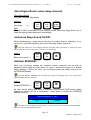
enabled by this OSD option. Then next time when you will leave your admin desk, you can then
press reset hotkey sequence: ScrLk + ScrLk + End (or by pressing the last button for over 2
seconds). Then the KVM Switch will go reset and next user will be asked for correct password to
gain access to KVM operation, thus your local console security cannot be compromised anymore
even when you are not present.
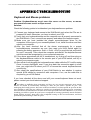
<Password Change>
OSD
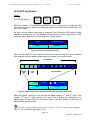
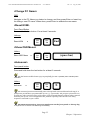
Navigate with cursor keys downward to the PWD CHANGE option and then hit
Enter key or Insert key to select. A Prompt will appear on screen to request for old
password. Type in the old password and a new prompt will appear to request for
your new password. Type in the new password and press Enter for confirmation.
The password length is up to 8 characters long.
PWD CHANGE
--------
ENTER PASSWORD
ESC
QUIT
QUIT
Enter
SELECT
SELECT
ENTER NEW PASSWORD
ESC
QUIT
QUIT
Enter
-------SELECT
SELECT
RETYPE NEW PASSWORD
ESC
QUIT
QUIT
Enter
-------SELECT
SELECT
Page 27
Chapter 3 Operation