1
Troubleshooting
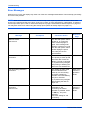
Error Messages
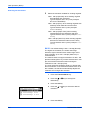
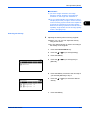
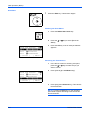
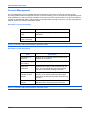
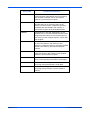
When an error occurs, the display may show one of the error messages listed below. These will help you identify
and correct the problem.
NOTE: When a transmission error occurs, a sent/receipt result report is produced. Check the error code
shown in the report and refer to the Error Code List on page 13 of the Appendix for a description. To print the
sent/receipt result report, refer to Send Result Reports on page 5-5 and FAX RX Result Reports on page 5-6.
You may also check error codes using the activity report. (Refer to Activity Report on page 5-7.)
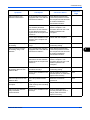
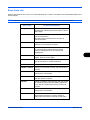
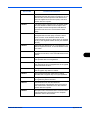
Message
Checkpoint
Corrective Action
Reference
Page
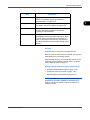
Machine failure.
Call service.
–
Turn the main power switch
off and on, or unplug the
power cord and plug it in
again. If the message still
appears, note the error code.
Turn the main power switch
off and unplug the power
cord. Call your service
representative.
–
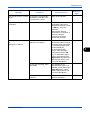
Sub address/Polling limit
exceeded.
–
Sub address box or polling
box capacity is used up with
document data. Press the
OK key. The job is canceled.
Try to perform the job again
after printing or deleting the
data in the sub address box.
4-23
Job Accounting restriction
exceeded.
–
The number of paper used
has exceeded the limit
preset by Job Accounting.
No further operation is
possible. Press the OK key.
The job is canceled.
Try to perform the job again
after resetting the limit for
paper use.
Refer to the
machine’s
Operation
Guide.
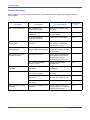
Job Accounting restriction
exceeded.
Cannot scan.
–
Fax transmission is
prohibited by Job
Accounting. No further
operation is possible. Press
the OK key. The job is
canceled.
Check the setting for Job
Accounting.
Refer to the
machine’s
Operation
Guide.
8-4
OPERATION GUIDE