1
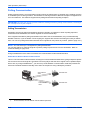
Entering Characters
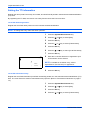
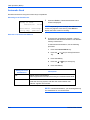
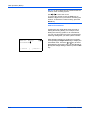
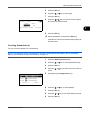
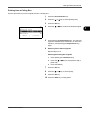
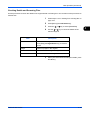
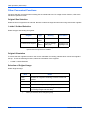
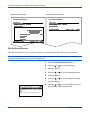
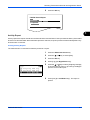
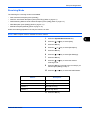
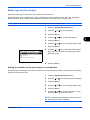
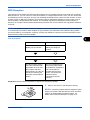
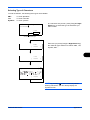
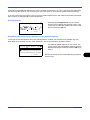
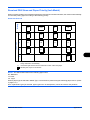
After selecting a character type, use the procedure below to enter characters.
Entering Alphabets and Numerals
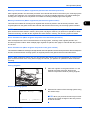
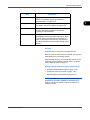
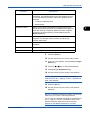
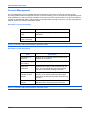
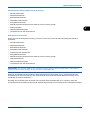
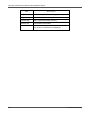
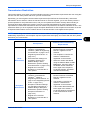
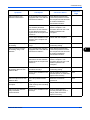
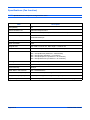
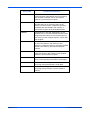
Referring to the table below, press the key corresponding to the character you want to enter until it is displayed.
Key
†.
Appendix-4
Entry mode
Available characters
Alphabetic/Symbol
.@-_/:~1
Numeric
1
Alphabetic/Symbol
abcABC2
Numeric
2
Alphabetic/Symbol
defDEF3
Numeric
3
Alphabetic/Symbol
ghiGHI4
Numeric
4
Alphabetic/Symbol
jklJKL5
Numeric
5
Alphabetic/Symbol
mnoMNO6
Numeric
6
Alphabetic/Symbol
pqrsPQRS7
Numeric
7
Alphabetic/Symbol
tuvTUV8
Numeric
8
Alphabetic/Symbol
wxyzWXYZ9
Numeric
9
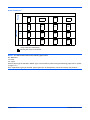
Alphabetic/Symbol
. , - _ ’ ! ? (space) 0
Numeric
0
Alphabetic/Symbol
Switch between upper-/lowercase
Numeric
* or . (decimal point)†
Alphabetic/Symbol
Numeric
#
'*' is entered when [123] is selected in the character type selection,
or '.' is entered when only numerals are entered and no character
type is selected.
OPERATION GUIDE