1
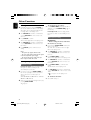
Playing JPEG Picture CD
General operation
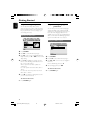
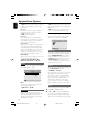
1
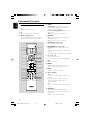
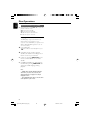
To enter the remote key function menu
● Use 1 2 3 4 to highlight “Menu” and press
OK.
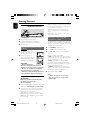
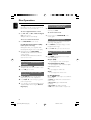
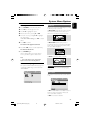
Load a JPEG Picture CD.
➜ The data disc menu appears on the TV
screen.
2
Use 3 4 to select a folder and press OK to
open the folder.
3
Press 3 4 or use the Numeric Keypad (09) to highlight a picture file.
4
Press OK to confirm.
➜ The playback will start from the selected
picture to the end of the folder.
Playback selection
During playback, you can:
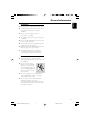
● Press ¡ / ™ (CH +/- ¡ / ™ on the remote) to
select another file in the current folder.
● Use 1 2 3 4 on the remote to rotate/flip the
picture files.
● Press ÉÅ repeatedly to pause/resume playback.
● Press DISC MENU on the remote to switch
between Folder and Filelist.
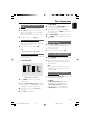
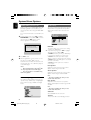
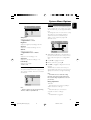
To display the other pictures on the
previous/next page
● Press ¡ / ™ (CH +/- ¡ / ™ on the remote).
● Use 1 2 3 4 to highlight “Prev” or “Next”
and press OK.
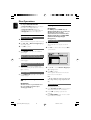
Zoom picture (JPEG)
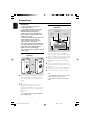
● During playback, press ZOOM repeatedly to
display the picture with different scales.
● Use 1 2 3 4 to view the zoomed picture.
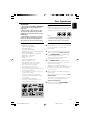
Slide show playback modes (JPEG)
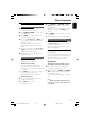
● During playback, press PROG on the remote
repeatedly to select different slide-show playback
modes:
Special JPEG features
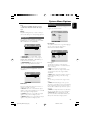
Preview function (JPEG)
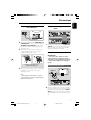
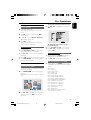
This function shows the content of the current
folder or the whole disc.
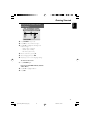
1
2
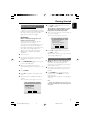
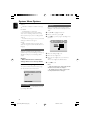
Press PRESET-/9 (9 on the remote) during
playback.
➜ Thumbnails of 12 pictures appears on the TV
screen.
Mode 0: None
Mode 1: Wipe Top
Mode 2: Wipe Bottom
Mode 3: Wipe Left
Mode 4: Wipe Right
Mode 5: Diagonal Wipe Left Top
Mode 6: Diagonal Wipe Right Top
Mode 7: Diagonal Wipe Left Bottom
Mode 8: Diagonal Wipe Right Bottom
Mode 9: Extend From Center H
Mode 10: Extend From Center V
Mode 11: Compress To Center H
Mode 12: Compress To Center V
Mode 13: Window H
Mode 14: Window V
Mode 15: Wipe From Edge To Center
Mode 16: Move In From Top
Use 1 2 3 4 to highlight one of the pictures/
”Slide Show” and press OK to start playback/
slide show.
25
pg 001-039_MCD759_98_Eng
25
2006.9.21, 15:05
English
Disc Operations