1
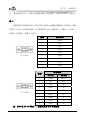
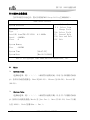
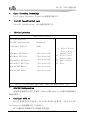
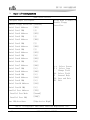
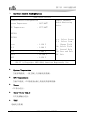
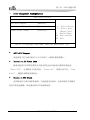
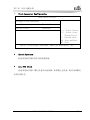
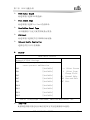
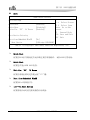
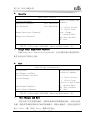
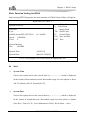
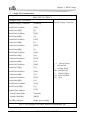
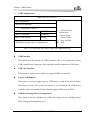
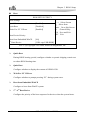
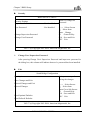
第三章 BIOS 功能介绍 USB Configuration BIOS SETUP UTILITY Enables USB host controllers. USB Configuration USB Devices Enabled : 1 Keyboard, 1 Drive USB Function USB 2.0 Controller [8 USB Ports] [Enabled] Legacy USB Support [Auto] USB Mass Storage Device Configuration ←→ ↑↓ + F1 F10 ESC Select Screen Select Item Change Field General Help Save and Exit Exit V02.57 (c)Copyright 1985-2004, American Megatrends, Inc. USB Function 此选项设置USB控制器的数量,即确定支持几个USB控制器,通常一个控制 器有两个USB接口。 USB 2.0 Controller 此选项用来选择是否支持USB 2.0 控制器。 Legacy USB Support 此选项用于支持传统的USB设备(键盘,鼠标,存储设备等),当该项设为 Enabled时,即使不支持USB的操作系统如DOS下也能使用USB设备。 USB Mass Storage Device Configuration 此选项用于配置USB块存储设备,其中包括Reset 延时设置及枚举类型。 EC7-1813CLD2NA SERIES - 35 -