1
Chapter 3 – Commissioning Symbol PocketBrowser
Chapter 3
Commissioning Symbol PocketBrowser
Introduction
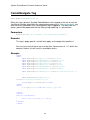
This section covers the considerations and the process required to customise the
installation of Symbol PocketBrowser on a terminal.
As part of the installation of the software on your PC you had the option to install the
Commissioning files, these files are the contents of the CAB file which is transferred
and run on your Pocket PC. You will need to add and remove some of these files to
make a package which more suits your needs.
CAB File Contents
CAB files are a bit like zip files in that they hold compressed information about the
files that will be installed by a set-up program. Information on CAB files is readily
available on the internet.
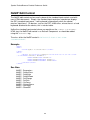
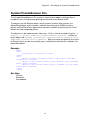
The Symbol PocketBrowser CAB file contains the following compressed files:
SymbolPB.EXE
gx.dll
NoSIP.dll
pwrdll.dll
SymbolBrowser.dll
SIE.cpy
Sample HTML Files
Symbol.JPG
SIE.reg
The Symbol PocketBrowser program.
This file must be included in the CAB file.
System Library.
This file must be included in the CAB file.
Program Library.
This file must be included in the CAB file.
Program Driver.
This file must be included in the CAB file.
Program Library.
This file must be included in the CAB file.
Copies the program files to the
appropriate locations.
This file must be included in the CAB file.
Demonstration offline website.
These files can be optionally included.
Demonstration offline website.
This file can be optionally included.
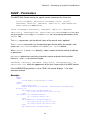
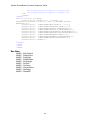
Registry settings for the program.
67