1
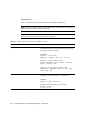
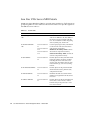
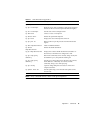
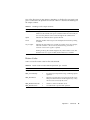
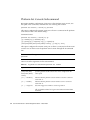
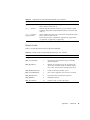
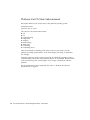
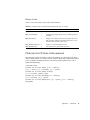
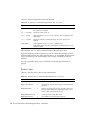
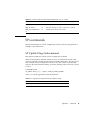
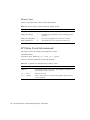
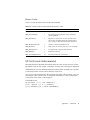
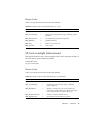
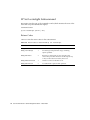
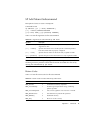
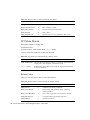
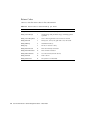
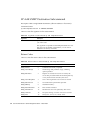
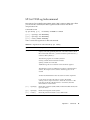
TABLE 2-2
Expressions and Parameters for IPMItool (2 of 4)
Expression
Parameter
chaninfo
[channel]
Sub-parameter
Description and examples
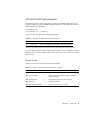
Displays information about the selected channel. If no
channel is specified, the command displays information
about the channel currently being used.
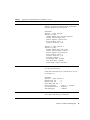
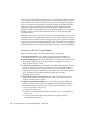
EXAMPLES:
ipmitool -I open chaninfo
Channel 0xf info:
Channel Medium Type: System Interface
Channel Protocol Type: KCS
Session Support: session-less
Active Session Count: 0
Protocol Vendor ID: 7154
ipmitool -I open chaninfo 7
Channel 0x7 info:
Channel Medium Type: 802.3 LAN
Channel Protocol Type: IPMB-1.0
Session Support: multi-session
Active Session Count: 1
Protocol Vendor ID: 7154
Alerting: enabled
Per-message Auth: enabled
User Level Auth: enabled
Access Mode: always available
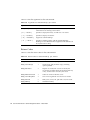
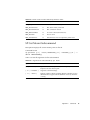
userinfo
<channel>
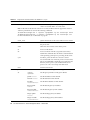
Displays information about configured user information
on a specific LAN channel.
NOTE: This command fails on system interfaces. You can
try channel 6 or 7.
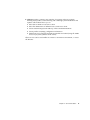
EXAMPLE:
ipmitool -I open userinfo 6
Maximum User IDs
: 4
Enabled User IDs
: 1
Fixed Name User IDs : 1
Access Available
: call-in / callback
Link Authentication : disabled
IPMI Messaging
: enabled
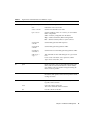
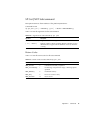
chassis
status
Returns information about the high-level status of the
server chassis and main power subsystem.
Chapter 2
IPMI Server Management
25