1
Mode (Continue)
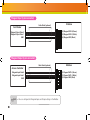
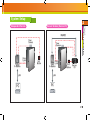
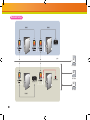
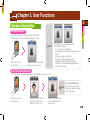
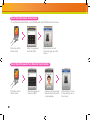
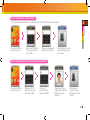
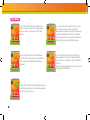
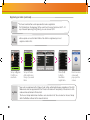
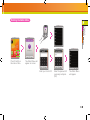
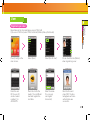
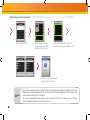
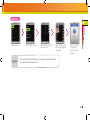
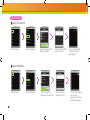
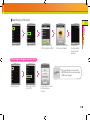
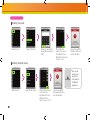
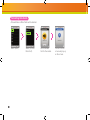
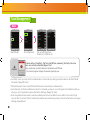
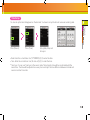
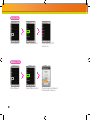
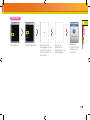
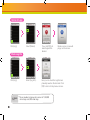
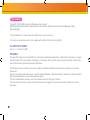
You can set up a T&A for the terminal.
■
Note
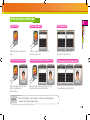
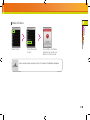
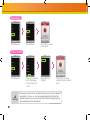
Select [T&A].
Select [T&A].
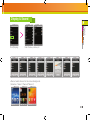
efer to the detail T&A mode
R
[Chapter 3.User Functions >2.T&A
Authorization>T&A mode] for details.
(page 33)
Press [OK] after
selecting a T&A mode.
55
Chapter 4.
T&A Management
4
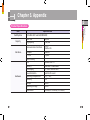
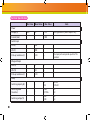
Admin Menu
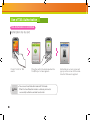
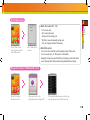
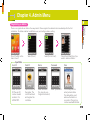
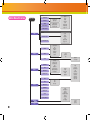
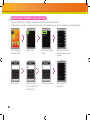
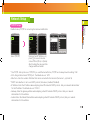
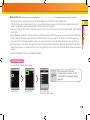
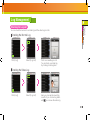
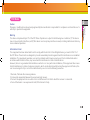
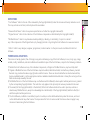
Card Mode: Set the card type used on the terminal. (Settings: Use CSN/Use Data Card/Not Use)
-CSN Card: After the terminal reads the card’s id number and saves it, every time the terminal compares the card id
number successfully with the saved number, authorization will be granted.
-Data Card: The user ID and other data will be saved on the card, and if the card is touched to the terminal, it will read the
card’s data.
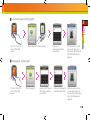
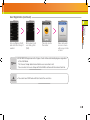
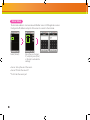
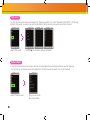
● Server Matching: enable this setting to perform card ID matching at the BioStar server, instead of the device. When this
mode is enabled, the devices will send the card ID to the server to verify a match. This mode is useful when you have
more users than can be downloaded to a device or user’s information cannot be distributed due to security concerns.
● Matching timeout: Sets up the waiting time for Server Matching and Face Detection. (Settings: 5sec/10sec/15sec/20sec/
30sec)In case there is no answer from the server during Matching Time or the face cannot be detected, the authorization
will fail.
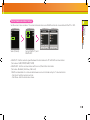
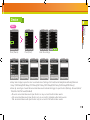
● Individual Auth Mode: Sets up individual Auth Modes.