1
Network Setup
4
Chapter 4.
Admin Menu
TCP/IP Setup
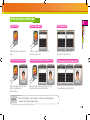
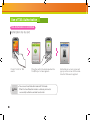
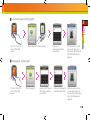
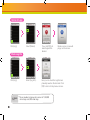
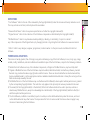
Enable to setup TCP/IP for connecting the terminal and BioStar.
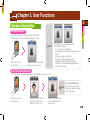
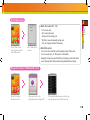
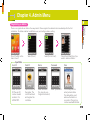
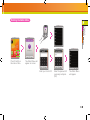
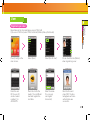
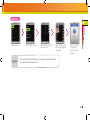
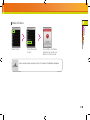
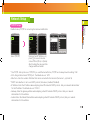
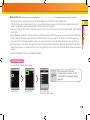
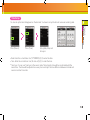
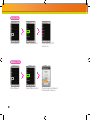
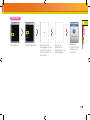
Select [TCP/IP].
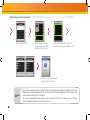
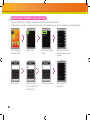
Enter port and IP Address, etc.,
press [↓] to move to the next
screen.PPress [Prev] or [Home]
after finishing the setup and the
changes will be activated.
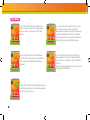
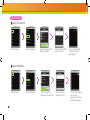
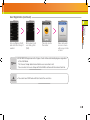
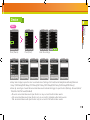
Use TCP/IP: Sets up the use of TCP/IP. If you use Ethernet with Zone, TCP/IP has to always have the setting ‘USE’.
Port: Assigns the terminal TCP/IP port. The default value is ‘1470’.
● Max Conn.: Sets the number of BioStar that can be connected to the terminal. (Set value: 1,4,6,8 and 16)
● DHCP: Sets whether or not to use DHCP protocol (Set values; Enabled / Disabled).
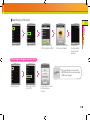
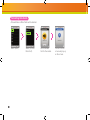
● IP Address: Enter the IP address when adopting a fixed IP instead of DHCP protocol. Ask your network administrator
for the IP address. The default value is 127.0.0.1.
● Gateway: Enter the gateway address when adopting a fixed IP instead of DHCP protocol. Ask your network
administrator for the address.
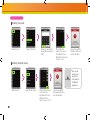
● Subnet: Enter the Subnet Mask address when adopting a fixed IP instead of DHCP protocol, Ask your network
administrator for the address.
●
●
51