1
Chapter 5: Advanced Setup
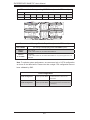
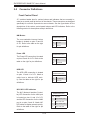
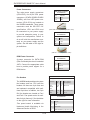
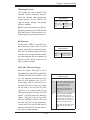
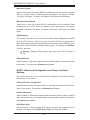
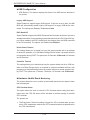
TPM Support Enable
JPT1 allows the user to enable TPM
(Trusted Platform Modules) support,
which will enhance data integrity and
TPM Support Enable
Jumper Settings
system security. See the table on the
right for jumper settings. The default
setting is enabled.
Note: For more information on IPMI con-
Jumper Setting
Definition
1-2
Enabled
2-3
Disabled
figuration, please refer to the WPCM 450
IPMI BMC User's Guide posted on our
Website @ http://www.supermicro.com.
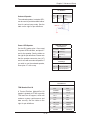
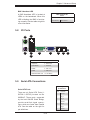
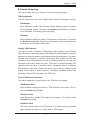
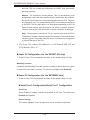
ME Recovery
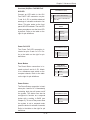
Close jumper JPME1 to use ME Firmware Recovery mode, which will limit
system resources for essential functionality use only without putting restrictions
on power use. In single operation mode,
an online upgrade will be available via
Recovery mode. See the table on the
right for jumper settings.
ME Recovery Select
Jumper Settings
Jumper Setting
Definition
Open
Normal (Default)
Closed
Manufacture Mode
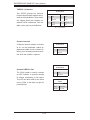
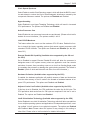
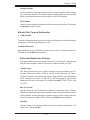
JUID_OW1 (UID_Overwriting)
When the jumper JUID_OW1 is set to
Off (default), the red LED (Overheat/Fan
Fail/PWR Fail/UID LED) located on pin
8 of JF1 will take precedence over the
blue UID_LED located on pin 7 of JF1.
In this case, when the red LED is on,
the blue LED will be turned off. When
the red LED is off, the blue UID_LED
can be on or off. In other words, the red
LED signal overwrites the blue UID_LED
signal if J_UID-OW is set to off. When the
jumper J_UID_OW is On, the red LED
(OH/Fan Fail/PWR Fail/UID LED) and
the blue_UID_LED work independently
of each other. The red LED will have no
effect on the blue LED. See the table on
the right for jumper settings.
5-19
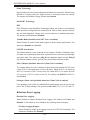
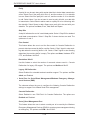
UID_Overwriting
Jumper Settings
Jumper
Definition
Off
Red OH/Fan Fail/PWR Fail LED
(pin 8 of JF1) takes precedence
over (overwrites) the blue
UID_LED (pin 7 of JF1).
Red LED: On, Blue LED: Off,
Red LED: Off, Blue LED: On
or Off
On
Red LED (OH/Fan Fail/PWR
Fail LED) and the blue UID_
LED function independently. The
red LED does not overwrite the
blue LED. The red LED has no
effect on the blue_UID LED
Red LED: On, Blue LED: On,Off
Red LED: Off, Blue LED: On,
Off