1
Chapter 7: BIOS
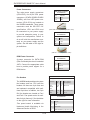
Memory Correctable Error Threshold
This feature allows the user to enter the threshold value for memory correctable
errors. The default setting is 10.
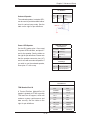
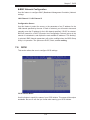
XSATA Configuration
When this submenu is selected, the AMI BIOS automatically detects the presence
of the SATA devices and displays the following items:
•
SATA Port0/SATA Port1/SATA Port2/SATA Port3/SATA Port4/SATA Port5
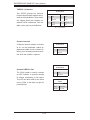
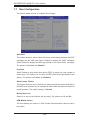
SATA Mode
Use this feature to set the SATA mode for a SATA port selected by the user. Select
IDE mode to configure the SATA drive as an IDE drive. Select AHCI Mode to enable
the SATA drive to support AHCI Interface (Advanced Host Controller Interface).
Select RAID Mode to enable the SATA drive for RAID support. The options are IDE
Mode, AHCI Mode and RAID Mode.
When AHCI is selected, the item-AHCI CodeBase will display:
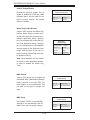
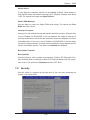
AHCI CodeBase (Available when RAID or AHCI is selected)
Select BIOS Native Module to use the BIOS Native Mode for the AHCI Interface.
Select Intel AHCI ROM to use the Intel AHCI ROM for the AHCI Interface. (Take
caution when using this function for this mode is for advanced programmers
only.)
When RAID is selected, the items: "AHCI CodeBase" (above), and "ICH RAID
Code Base" will appear.
ICH RAID Code Base (Available when the option-RAID is selected)
Select Intel to use Intel SATA RAID firmware for Intel SATA RAID configuration.
Select Adaptec to use Adaptec firmware for Adaptec SATA RAID configuration.
The options are Intel and Adaptec.
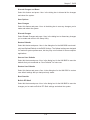
SATA Port0 Configuration/SATA Port1 Configuration/SATA Port2
Configuration/SATA Port3 Configuration//SATA Port4 Configuration//SATA
Port51 Configuration
These submenus allow the user to configure the following item for a SATA port
selected by the user.
eSATA Port Support
Select Enabled to enable a SATA port specified by the user for external SATA connection support. The options are Enable and Disabled.
7-11