1
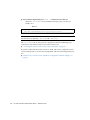
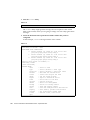
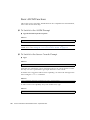
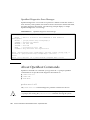
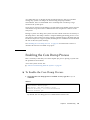
Note – The process of synchronizing a drive may take up to 60 minutes.
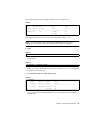
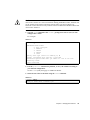
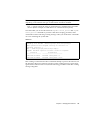
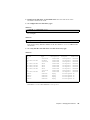
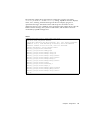
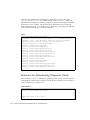
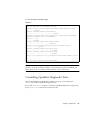
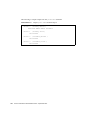
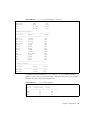
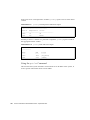
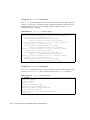
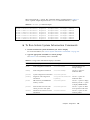
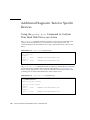
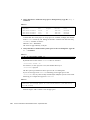
The example below shows that the RAID mirror is completely restored and online.
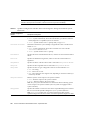
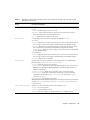
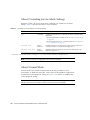
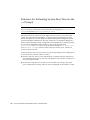
TABLE 6-7
# raidctl
RAID
RAID
RAID
Disk
Volume
Status
Disk
Status
-----------------------------------c1t0d0
OK
c1t0d0
OK
c1t1d0
OK
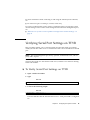
Under RAID 1 (disk mirroring), all data is duplicated on both drives. If a disk fails,
replace it with a working drive and restore the mirror. For instructions, see:
■
“Performing a Mirrored Disk Hot-Plug Operation” on page 134
For more information about the raidctl utility, see the raidctl(1M) man page.
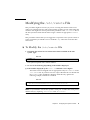
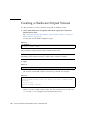
Creating a Hardware Mirrored Volume
of the Default Boot Device
Due to the volume initialization that occurs on the disk controller when a new
volume is created, the volume must be configured and labeled using the
format(1M) utility prior to use with the Solaris Operating System (see “Configuring
and Labeling a Hardware RAID Volume for Use in the Solaris Operating System” on
page 129). Because of this limitation, raidctl(1M) blocks the creation of a hardware
RAID volume if any of the member disks currently have a file system mounted.
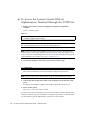
This section describes the procedure required to create a hardware RAID volume
containing the default boot device. Since the boot device always has a mounted file
system when booted, an alternate boot medium must be employed, and the volume
created in that environment. One alternate medium is a network installation image
in single-user mode (refer to the Solaris 10 Installation Guide for information about
configuring and using network-based installations).
126
Sun Fire V445 Server Administration Guide • September 2007