1
SECTION 3: SYSTEM SETUP
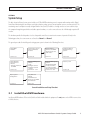
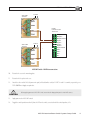
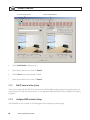
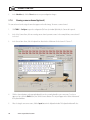
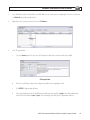
Select: Enable Sensors and Controls
Select: Sensor 1
Select: Camera 1
Sensor Recording Time = Sensor Active Duration
Recording Mode = Normal
Sensor Type = N/O
2.
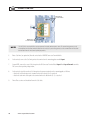
In the Sensor/Control tab, click the following parameters to select them:
– Select the Enable Sensors and Controls checkbox
– In the Sensor frame, select the sensor 1 icon. When selected, the sensor 1 icon will be marked as shown above.
– In the Camera associated with selected Sensor frame, select the icon for camera channel 1. When selected,
the camera channel 1 icon will be highlighted as shown above.
– In the Sensor Recording Time frame, select: Sensor Active Duration
– In the Recording Mode frame, select: Normal
– In the Sensor Type frame, select: N/O (Normally Open)
3.
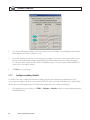
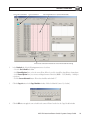
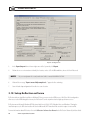
Click Close to save the configuration setup for Room 1.
4.
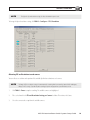
Click TOOLS > Configure > Sensors/Controls again to setup switch 2 for Room 2.
AVSI-IP2 Interview Room Switch Systems Setup Guide
19