1
Contents
Preface
1.
vii
Setting Up the Server Hardware
1
Installation Overview and Terms
1
Inserting the Server Module
▼
2
To Insert the Server Module
3
Powering On and Powering Off the Server Module
▼
To Apply Standby Power for Initial Service Processor Configuration
▼
To Power on Main Power for All Server Module Components
▼
To Shut Down Main Power Mode
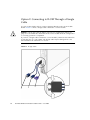
Using a Dongle Cable for Testing
▼
2.
5
Setting Up the Server Software
11
Integrated Lights Out Manager
11
7
8
12
About the Preconfigured Administrator Account
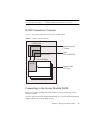
ILOM Connection Overview
5
8
To Use a Dongle Cable for Testing
What Is a Service Processor?
5
12
13
Connecting to the Server Module ILOM
13
iii