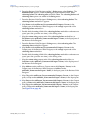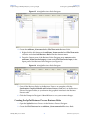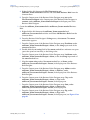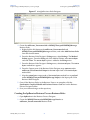
1
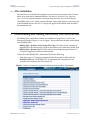
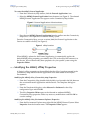
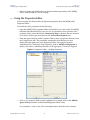
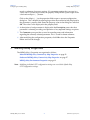
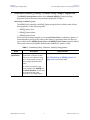
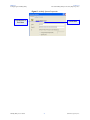
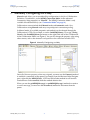
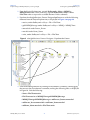
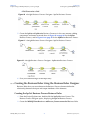
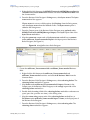
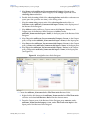
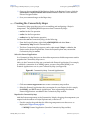
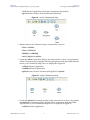
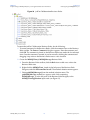
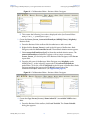
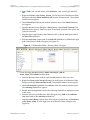
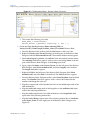
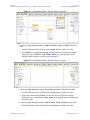
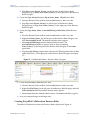
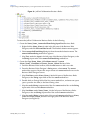
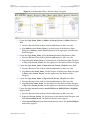
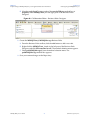
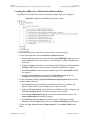
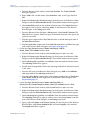
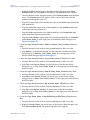
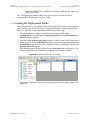
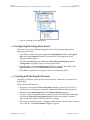
Chapter 4 Implementing an MSMQ eWay Project using eInsight Section 4.5 Creating the prjMSMQBPM Project 2 From the Project Explorer tree, expand SeeBeyond > eWays > MSMQ > MSMQClient nodes. In the same way, expand SeeBeyond > eWays > File > FileClient nodes to expose the available Business Process elements. 3 Populate the eInsight Business Process Designer bpGet canvas with the following elements from the Project Explorer tree, as displayed in Figure 9 on page 44: receive, under SeeBeyond > eWays > File > FileClient getWMSMQMessage under SeeBeyond > eWays > MSMQ > MSMQClient unmarshal under Person_Person marshal under Name_Name write, under SeeBeyond > eWays > File > FileClient Figure 9 eInsight Business Process Designer - Populate the Canvas 4 Link the modeling elements by clicking on the element’s connector, and dragging the cursor to the next element’s connector, making the following links as displayed in Figure 10. Link the following: Start to FileClient.receive FileClient.receive to MSMQClient.getWSMSMQMessage MSMQClient.getWSMSMQMessage to otdPerson_Person.unmarshal otdPerson_Person.unmarshal to otdName_Name.marshal otdName_Name.marshal to FileClient.write MSMQ eWay User’s Guide 44 Sun Microsystems, Inc.