1
Appendix- Command Line Interface
Start-up and Terminal configuration
To start-up the command line interface, please connect a PC COM port to
the RS-232 connector and activate a terminal emulation software (e.g.
HyperTerminal of Windows).
The terminal emulation software should be started as the following
configuration:
1.
2.
3.
4.
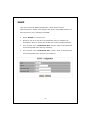
Data rate: 115200 baud.
Data format: 8 data bits, 1 stop bit and no parity.
Flow control: none.
Click the property icon, select settings, make sure that:
“The Function, arrow, and ctrl keys act as”: Terminal keys.
“Emulation”: VT100.
Login/Logout Procedures
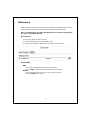
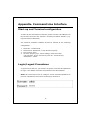
To get access to the CLI, you will have to get the username and password
for login. The default username and password are admin/admin.
Note: We recommend users to configure a new username/password to
prevent unauthorized users from accessing to the device.
32