1
NetBackup 3.2 Media Manager Device Configuration Guide for UNIX
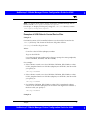
Example 3
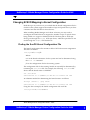
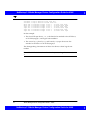
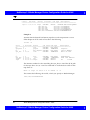
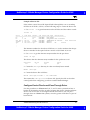
Using the above sgscan output, if the SCSI robotic control for an STK 9710 is
connected to SCSI ID 6 of adapter 8 and you want to use TLD robotics, you use
the following path:
/dev/sg/c8t6l0
Example 4
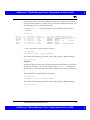
If the SCSI robotic control for a DLT2700, DLT4700, or HP C1560B was
connected to SCSI ID 5 of adapter 0, you use the following path:
/dev/sg/c0t5l1
Note that logical unit number 1 is used for those devices. The sg driver
configuration can be modified so sgscan lists LUN 1 devices. In the sgscan
output shown above, the configuration was not modified.
Example 5
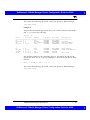
Using the above sgscan output, even if the SCSI robotic control for an STK
9740 is connected to SCSI ID 3 of adapter 8, you would not enter any path to
configure ACS robotic control. Instead, assuming ACS control over the
network, enter the appropriate ACSLS Host name. (If you want to use TLD
robotics to control the 9740, specify the path /dev/sg/c8t3l0)
Example 6 (IBM 3570 B-series Stackers)
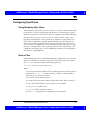
If there is one drive in the stacker, the robotic control is LUN 1 of the drive’s
SCSI ID. If there are two drives in the stacker, the robotic control is LUN 1 of
the Drive 1 SCSI ID. The SCSI ID’s are setable and viewable using the front
panel on the stacker.
The robotic control for the IBM 3570 B01/B02 is TLD, so if there are two drives,
they may be connected to different host systems. If this is the case, the host
system which is connected to drive 1 must also have the robotic control. Also,
the library should be in RANDOM mode and BASE configuration. See the
Operator’s Guide supplied with the unit for information on setting library
mode and configuration.
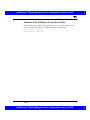
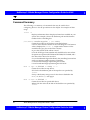
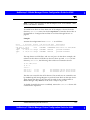
Assume a configuration as follows:
# /usr/openv/volmgr/bin/sgscan
Sun4/SPARC Running Solaris 2.5/2.5.1/2.6/7.0
NetBackup 3.2 Media Manager Device Configuration Guide for UNIX
35