1
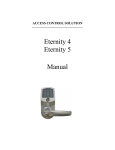
Eternity User Guide
Table of Contents
Chapter 1 System Information
1.1 Installation Diagram
1.2 Important Information
Model Spec
Manufacture Settings
LED and Audio Indicator
1.3 System Requirement
1.4 Hardware Spec
1.5 Software Spec
1.6 Manually Setup iButton Keys and Keycode
Manually Setup iButton Keys
Manually Setup Keycode
Chapter 2 Getting Start the Software
2.1 Installing the Software
Operating System
Install 1-Wire USB Driver
Install the Eternity Software
2.2 Running the Software
Login
Set Lock System Password
1-Wire Connection Error
Set Lock Type
Chapter 3 Using Software
3.1 Adding Locks to the Database
3.2 Adding Keys to Database
3.3 Add / Delete Keys to Lock
Single-Lock Key Assignment
Multi-Lock Key Assignment
Permanent Code Setting
Temporary Code Setting
Terminated a lost Access Code
2