1
MODIFYING USER OPTIONS
The User Option menu contains options for
arming, disarming and door latching for the
optional Card Reader interface. If your
CyberSuite™ system is not equipped with a
Card Reader interface, changes to these
options will have no effect.
Modifying User Options
• Enter SETUP LOGIN mode if you have not done so
already (see page 6 for details)
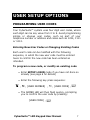
• Enter the following key press sequence:
,
, [USER NUMBER]
,
• You will now be presented with NUMBER LED’s that
are lit which correspond to the current user options
that are ENABLED. To toggle an option on or off,
press the number corresponding to the option
required from the list on the following pages, and
once all options are correct press
to confirm
the selection.
The available options are described below.
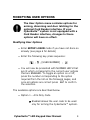
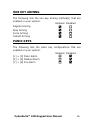
• Option 1 – Arm Only Code
5
Enabled allows the user code to be used
only for arming the CyberSuite™ system.
CyberSuite™ LED Keypad User Manual
9