1
4.18
The Output Effect Section
51
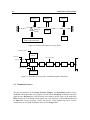
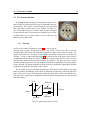
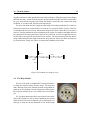
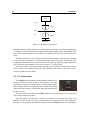
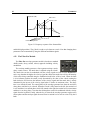
In the first configuration, the Chorus module is first applied, then the Delay and finally the
Reverb module. In the second configuration, the signal is first processed by the Delay, then by the
Chorus and the Reverb module.
Note that each of the effects can be muted by selecting the Bypass preset in its respective
algorithm selection drop down menu.
4.18.6
The Output Module
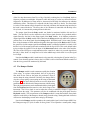
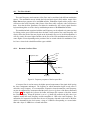
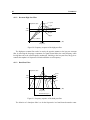
This module is used to monitor levels of the left and right channels. It is located at the of Panel A
and Panel B. The overall level is adjusted with the Level knob. The best dynamic range is obtained
when the level meters are around 0 dB for loud sounds.
4.18.7
The Recorder Module
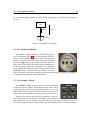
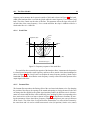
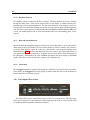
This module is used to record the output of String Studio to a stereo 16-bit wave or aiff file. The
File display, is used to choose the name and location of the destination file. One should always use
this before starting a recording. The Rec and Stop buttons are used to start or stop the recording.
On Windows systems the sampling rate will match that of the Audio Settings of the Preferences
command of the Edit menu. On Mac systems, the specific settings are determined by QuickTime.