1
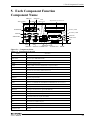
5. Each Component Function
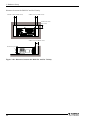
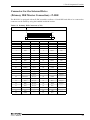
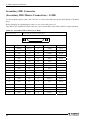
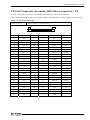
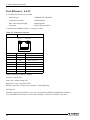
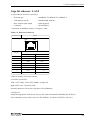
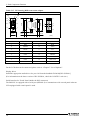
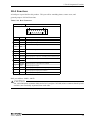
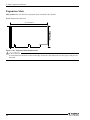
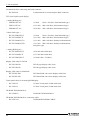
Table 5.17. DVI-Analog RGB conversion adapter
Connector
DVI-I 29pin
C5
C4
C3
C2
C1
6
17
39.40
8
24
33.00
16
1
11
5
15
1
10
15.00
6.20
30.00
5.80
[mm]
Analog RGB signals
Pin No.
Signal name
Pin No.
1
RED
9
Signal name
HPD
2
GREEN
10
GND
3
BLUE
11
N.C.
4
N.C.
12
DDC DATA
HSYNC
5
GND
13
6
GND
14
VSYNC
7
GND
15
DDC CLK
8
GND
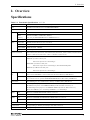
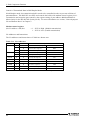
For the LCDs that can be connected, please refer to “Chapter7 List of Options”.
Display driver
Install the appropriate audio driver for your OS from the bundled CD-ROM [IPC-SLIB-01].
(For information on the latest version of IPC-SLIB-01, check the CONTEC's web site.)
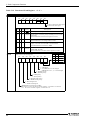
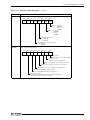
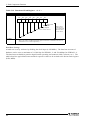
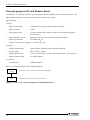
Serial Interface for Touch Panel (Inside the DVI connector)
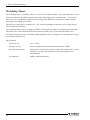
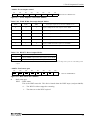
The BOX-PC is equipped with a serial port (SERIAL5) to communicate with a touch panel when an
LCD equipped with a touch panel is used.
72
User’s Manual