1
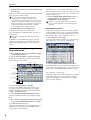
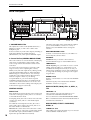
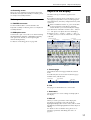
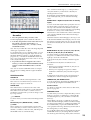
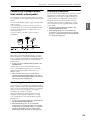
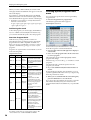
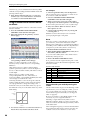
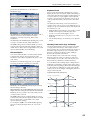
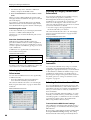
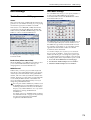
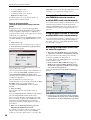
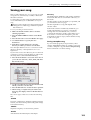
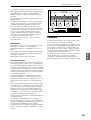
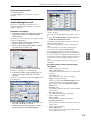
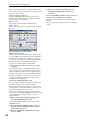
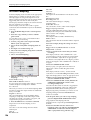
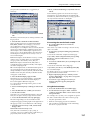
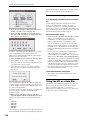
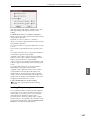
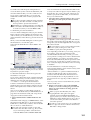
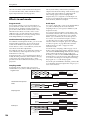
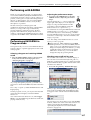
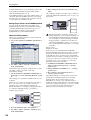
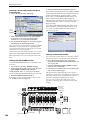
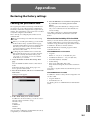
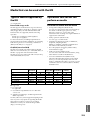
Character Set Selects
the type of character.
Cursor
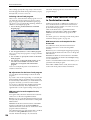
You can also modify the category names for programs
and combinations.
Sample
Program category/
Global P4: Program Category
sub category
Combination category/
Global P4: Combination Category
sub category
KARMA GE category/
Global P4: GE Category
sub category
Global P5 menu command: Rename
Drum Kit
Drum Kit
Media Save: Save All…Save Audio CD
Track List, Media Utility menu
File
command: Rename
Prog, Combi, Seq, Sampling P0 menu
command: Select Directory
Media Edit WAVE menu command:
WAVE Parameter
Save WAVE Parameter
Prog, Combi, Seq, Sampling P8, 9
Effect preset
menu command: Write FX Preset
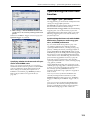
Clear button
Delete all characters
of the text.
Cancel button, OK button
If you are satisfied with
the text that you input,
press the OK button. If you
wish to discard your input
and exit the text edit box,
press the Cancel button.
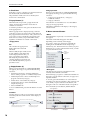
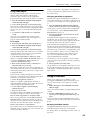
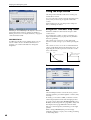
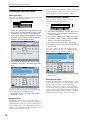
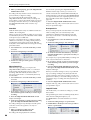
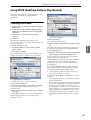
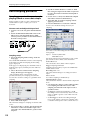
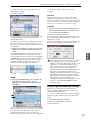
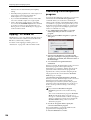
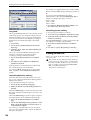
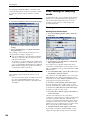
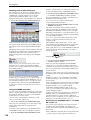
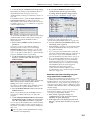
2. We’ll use “M3 Program01” as an example.
• Press the Clear button.
• Press the Shift button to switch to uppercase
characters, and press M.
• Press the Shift button once again to switch to
lowercase characters, and press the characters 3.
Global
Multisample
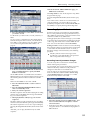
Space button
Insert a space at
the cursor location.
Delete button
Deletes the
character to the
left of the cursor.
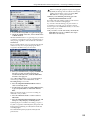
• Press the Space button.
• Press the Shift button to switch to uppercase
characters, and press P.
Media
Track
Pattern
Cue list
Cursor buttons
Move the cursor
to left or right.
• Press the Shift button to switch to lowercase, and
enter the remaining characters.
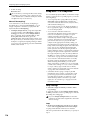
Note: In Media mode, there are some limitations on the
characters that can be entered.
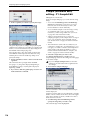
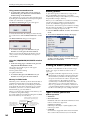
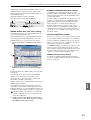
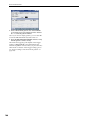
3. Press the OK button to close the dialog box.
Effect
Song
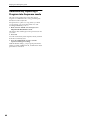
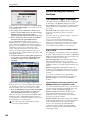
You will return to the page in which you were before
accessing the text edit dialog box.
KARMA
Combination
Shift button
Switches
between
uppercase and
lowercase
characters.
Drum Track
Program
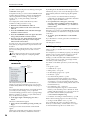
Page
Prog P0…9 menu command: Write
Program
Combi P0…9 menu command: Write
Combination
Seq P0…5 menu command: Rename
Song
Seq P6: Track Name
Seq P10: Pattern Name
Seq P11: menu command: Cue List
Sampling P0…4 menu command:
Rename MS
Sampling P0…4 menu command:
Rename Sample
Sampling Sequencer Combination Program
Character
buttons
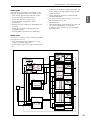
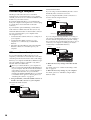
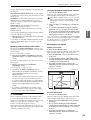
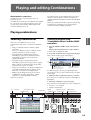
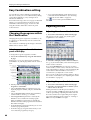
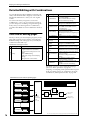
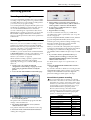
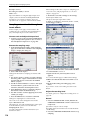
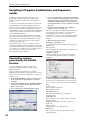
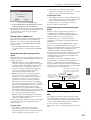
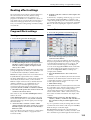
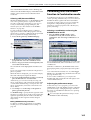
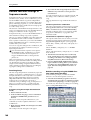
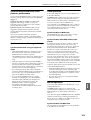
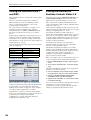
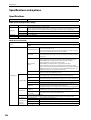
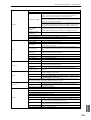
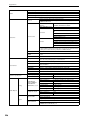
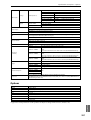
These renaming operations can be performed in the
following pages.
Item
Setup
Text
Other
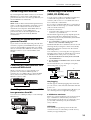
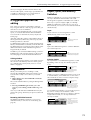
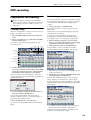
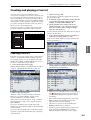
You can modify the name of an edited program,
combination, song, drum kit, multisample or sample
etc.
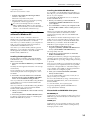
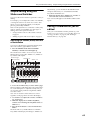
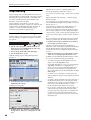
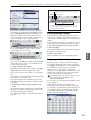
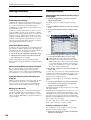
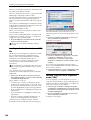
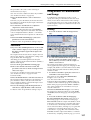
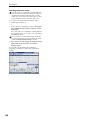
1. In the pages listed above, or after selecting a menu
command in these pages, press the text edit button
to access the text edit dialog box.
Appendices
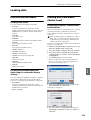
Editing names
Introduction Quick Start
Other functions common to all modes
197