1
Using Effects
AUDIO OUTPUT (INDIVIDUAL) 1–8, select 1–4, 1/2,
or 3/4.
• “Modulation and Pitch Shift (Mod./P.Shift)” on
page 485 of the Parameter Guide
Send 1, Send 2: Sets the send levels to the master
effects. For this example, set this to 127.
• “Delay” on page 496 of the Parameter Guide
Ctrl Bus: The FX Control Buses lets you create effects
“sidechains.” Sidechains let you control an effect with
one audio signal (the sidechain), while the effect
processes a completely different audio signal. This is
convenient for use with vocoders, compressors and
limiters, gates, etc. For details, please see “FX Control
Buses” on page 443 of the Parameter Guide.
AUX Bus: The sound processed by the insert effect will
be sent to the AUX bus. In the P0: Play– Sampling/
Audio In page, you can set the Sampling Setup Source
Bus to a AUX bus, and sample the signal that is sent to
the AUX bus. Use this if you want to sample only the
sound of an audio input source being processed by an
insert effect (and not sample the sound of the oscillator
output). Alternatively, the direct sound from the audio
inputs can be mixed with the sound processed by an
insert effect, sent to a AUX bus, and sampled.
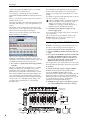
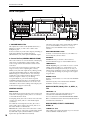
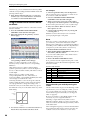
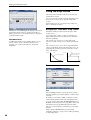
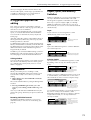
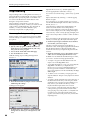
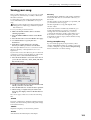
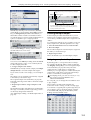
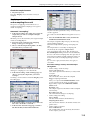
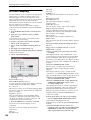
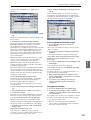
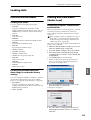
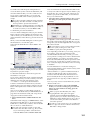
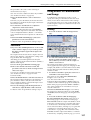
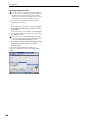
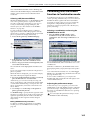
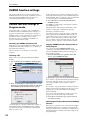
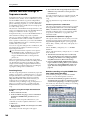
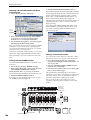
11.Access the P8: IFX– IFX page, and edit the
parameters of the insert effect you selected.
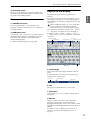
Press the IFX 1–5 tabs and edit the parameters.
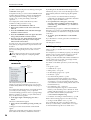
Effect Parameters
Effect On/Off
P (Effect Preset)
• “Reverb and Early Reflections (Reverb ER)” on
page 506 of the Parameter Guide
• “Mono-Mono Serial (Mono-Mono)” on page 508 of
the Parameter Guide
• “Mono/Mono Parallel (Mono//Mono)” on
page 524 of the Parameter Guide
• “Double Size” on page 534 of the Parameter Guide
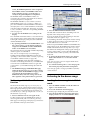
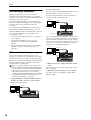
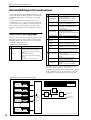
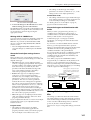
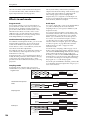
Double-size effects
Double-size effects (154: St.Mltband Limiter – 170:
Early Reflections) use twice as much space as other
effects.
You can use double-size effects for insert effects IFX1–
IFX4 and master effect MFX1. However, the effect of
the number that follows it will be unavailable. For
example if you’ve selected a double-size effect for
IFX1, you won’t be able to use IFX2. If you’ve selected
a double-size effect for MFX1, you won’t be able to use
MFX2.
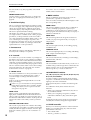
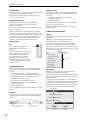
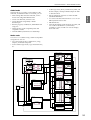
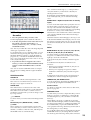
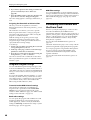
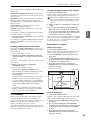
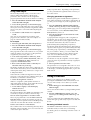
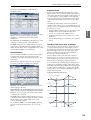
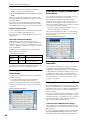
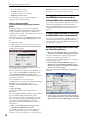
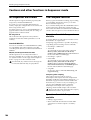
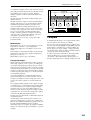
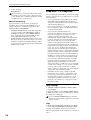
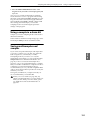
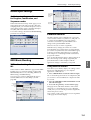
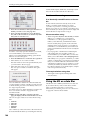
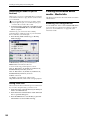
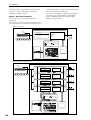
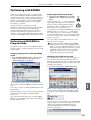
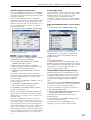
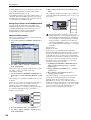
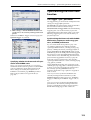
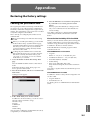
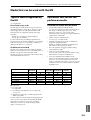
An example of when a double-size effect is selected for IFX1
and IFX4
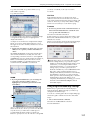
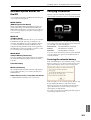
Wet/Dry
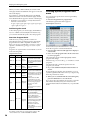
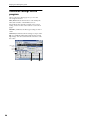
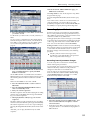
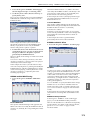
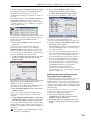
Effect 1 On/Off: Turns the insert effect on/off. This is
linked with the on/off setting in the Insert FX Setup
page.
P (Effect Preset): Selects an effect preset. The M3’s
internal memory contains “effect presets” which are
parameter settings for each effect from 001: Stereo
Compressor through 170: Early Reflections.
Effect parameters you edit are saved as part of each
program, but effect presets allow you to save favorite
parameter settings for each effect. If you’ve come up
with an effect setting you like, use the menu command
Write FX Preset to save it as a preset so that you can
easily recall it in a different program or mode.
Master effects
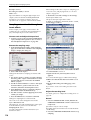
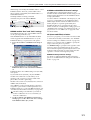
12.The input levels to the master effects are set by the
“Send 1, 2” levels (step 3 or 10). If “Send 1, 2” are
zero, the master effects will not apply. “Send 1”
corresponds to MFX1, and “Send 2” corresponds to
MFX2.
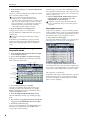
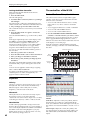
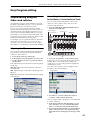
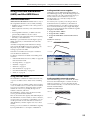
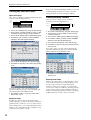
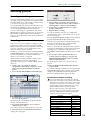
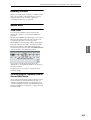
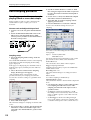
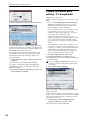
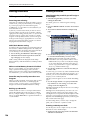
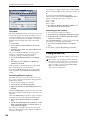
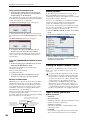
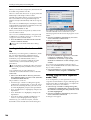
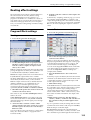
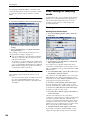
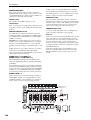
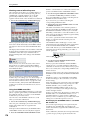
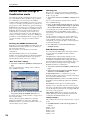
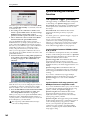
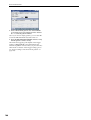
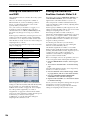
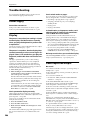
13.Access the Prog P9: MFX/TFX– Routing page.
For details on the individual effects, please see:
• “Dynamics (Dynamic)” on page 461 of the
Parameter Guide
• “EQ and Filters (EQ/Filter)” on page 465 of the
Parameter Guide
• “Overdrive, Amp models, and Mic models (OD
Amp Mic)” on page 473 of the Parameter Guide
• “Chorus, Flanger, and Phaser (Cho/Fln Phaser)” on
page 478 of the Parameter Guide
156
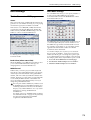
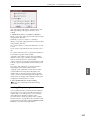
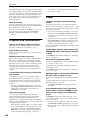
14.In MFX1 and MFX2, select the type of each master
effect.