1
Polycom IP 300/301 User Guide
Call Forward Busy
Enable a user to redirect calls to another destination when the user’s line is busy. Normally, a call would be directed
to a user’s voicemail.
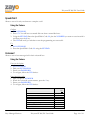
Using the Feature
Activate:
1. GO OFF HOOK
2. Press *90
3. Follow the IVR instructions.
Deactivate
1. GO OFF HOOK
2. Press *91
Call Forward No Answer
Enable a user to redirect calls to another destination when an incoming call is not answered within a specified
number of rings. Normally, a call would be directed to a user’s voicemail.
Using the Feature
Activate: Using the Feature Code
1. GO OFF HOOK
2. Press *92
3. Follow the IVR instructions.
Deactivate: Using the Feature Code
1. GO OFF HOOK
2. Press *93
Call Park
Enables a user to place a call on hold and allow a user to pick up the call at another phone.
Using the Feature
1.
2.
3.
4.
During an active call, press the HOLD soft key. This will place the caller on hold.
Press the NEWCALL soft key.
Press *68.
Follow the IVR instructions.
Zayo Managed Services
Polycom IP 300/301 User Guide
Page 8 of 14