1
Respond to OHVA
At five quick tone bursts, speak toward the microphone opening in your station’s
console. The outside party will hear the original announcement, but may be
prevented from hearing the response if you press and hold the MUTE key.
Respond to SOHVA
At five quick tone bursts and announcement, either,
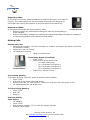
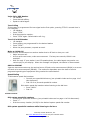
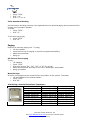
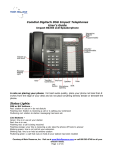
Comdial 6614T-FB
• Respond verbally by pressing and holding the mute key and speaking in
to the handset.
• Respond via softkey message by pressing the programmed softkey to display a message to
the announcing station and to disconnect that station.
Making Calls
Outside Line Calls
• Press line key to select. (If prime line feature is enabled, your station will select a line when
the handset is lifted).
• At dial tone, dial the number.
• Lift handset to converse.
• Hang up to disconnect.
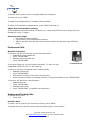
Comdial 6620E-PG
Trunk Group Access (if enabled)
• Press “ITCM”
• Dial the trunk group access code
o 9 = main trunk group
o 81 = secondary trunk group 1
o 82 = secondary trunk group 2
o 83 = secondary trunk group 3
• At dial tone, dial the number.
Trunk Group Queuing
If all trunks are busy, enter the queue to await the next available.
• Press “ITCM”
• Dial trunk group access code (see above)
• At busy tone, dial “*8” and hand up. Station will ring when the trunk group is free.
• Lift handset and place call at dial tone.
To Cancel Group Queuing
• Press “ITCM”
• Dial “#8”
• Hang up .
Intercom Calling
Voice Calling
• Lift handset.
• Press “ITCM”
• Dial extension number (“0”) to reach the system operator.
• Speak to called agent.
Courtesy of Main Resource, Inc.
Visit www.MainResource.com for all your Comdial needs.
Page 2 of 14