1
Adding Printers in UNIX/Linux
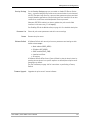
AXIS axinstall Script
Having performed the basic TCP/IP setup procedures as defined earlier in this
manual, you are now able to print in interactive mode using PROS, LPR, FTP or
Reverse Telnet protocols.
However, if you want to integrate the AXIS 5400+/AXIS 5600+ with your host
spooler, you can use the Axis automatic installation script axinstall. This utility
software is resident in the print server and can be downloaded to your host
using FTP, so no disks are required. The axinstall script is also available from
www.axis.com
Having completed this operation, the printer connected to the print server will
appear as though it is directly connected to the host printer spooler.
If you intend to use the print server in a multi-protocol environment, refer to
the chapters pertaining to the respective operating systems in this manual.
Integration with the
Host Printer Spooler
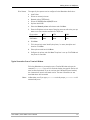
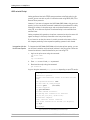
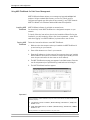
To integrate the AXIS 5400+/AXIS 5600+ with the host printer spooler, you can
use the auto installation script axinstall, resident in the print server. Follow the
instructions below to install axinstall onto your host using FTP:
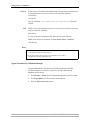
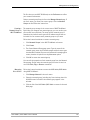
1. Login to the print server using the command:
ftp <host name>
-orftp <IP address>
2. Enter root as user id and pass as password.
3. Download the script using the command:
get axinstall
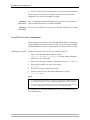
Log out using the command quit, bye or exit depending on your FTP version.
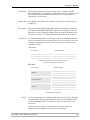
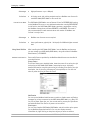
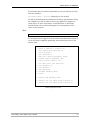
> ftp npserver
connected to npserver.
220 AXIS 5600P FTP Print Server v6.43 March 23 2003
ready.
Name (npsserver:thomas): root
331 User name ok, need password
Password: pass
(not visible)
230 User logged in
ftp> get axinstall
200 PORT command successful.
150 Opening data connection for axinstall
(192,36,253,4,13,223), (mode ascii).
226 Transfer complete.
local: axinstall remote: axinstall
61187 bytes received in 14 seconds (4.2 kbytes/s)
ftp> bye
221 Goodbye.
Typical FTP session for downloading the axinstall script
72
AXIS 5400+ / AXIS 5600+ User’s Manual