1
Using the Handset - Page 13
Using the Handset
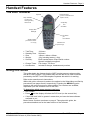
Switching On/Off
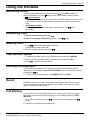
To switch the handset on press and hold down
until INDeX appears. To
switch the handset off, press until you hear a tone and the display clears.
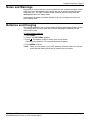
Signal Symbol
•
Indicates a base station in range and that your 20DT handset is ready for use.
If the symbol flashes the base station is busy with its maximum number of
calls.
•
Off-Hook Symbol
key to
Shown when making calls and during conversations. Use
disconnect.
Answering Calls
To answer an incoming call: Press
.
To cancel a message waiting lamp: Press ∗, 2 and
twice.
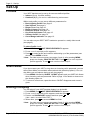
Making Calls
1. Press
and then dial the number required
(prefix external calls with 9). Or
.
2. Dial the number required and press
Last Number Redial
1. To access the redial stack (up to 10 different numbers) press REDIAL.
2. Press > until the required number appears (from newest to oldest).
3. Press
to call the desired number.
Locking the Keyboard
You can lock the handset keys. This stops calls being accidentally started.
Whilst locked the handset displays KEY LOCKED. You can still answer calls by
pressing the
key.
1. To lock or unlock the keyboard, press MENU and then LOCK.
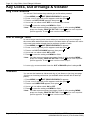
Recall
The R key produces a 'recall' signal and is used to Hold calls. When a call is
held, you will hear a dial tone. In addition, some PBX's may need this 'recall'
signal to access specific functions.
Call Waiting
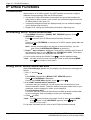
If your phone has the call waiting feature set (consult your system manager),
then when someone else calls you during a call, the display will show CALL
WAITING.
to end your current call and press
,
1. To answer a Call Waiting, press
again.
2. You will be connected to the waiting call.
IP Office - 20DT Handset User's Guide
40DHB0002UKCH Issue 4 (27th October 2003)
Switching On/Off - Page 13