1
PARTNER® Advanced Communications System Installation, Programming, and Use
Changing Settings and Adding Lines, Pools,
and Extensions
01
As your business grows or changes, so do your needs for your PARTNER ACS. As you upgrade to
newer releases, you must program for new features. As you expand, you can add lines, pools, and
extensions to your system.
If you replace a module with a different type, be sure you check the telephone and line
connections and verify system and telephone programming. In many cases, you may need
to rearrange the connections and/or change telephone or system programming.
Changing System Settings
01
CAUTION:
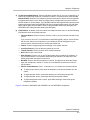
Remove all other PC Cards from the processor before initiating an upgrade.
For more information on using the PC Card Software Upgrade, see “Using a PC Card” on page
10-2.
For more information on using the PARTNER Voice Messaging PC card, see PARTNER Voice
Messaging PC Card Installation, Programming, and Use.
Changing the System Clock
01
You may need to change the system clock for daylight savings time after a prolonged power
failure, or after a system reset. Use System Date (#101) and System Time (#103) to set the
current date and time.
Adding New Lines
01
How you add new lines to the system depends upon the type of extension you are adding them to.
Key Extensions
01
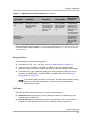
You can add individual lines to pooled extensions or add new lines to key extensions (all
extensions in Key mode; in Hybrid mode, extension 10 and any extensions set to Key using Line
Access Mode (#301) are key extensions).
If you add an outside line to your system, you may need to adjust some line settings:
■
Dial Mode (#201) if the new line is a rotary line
■
Line Assignment (#301) to assign the line to specific extensions
Changing Settings and Adding Lines, Pools, and Extensions
10-16