1
Troubleshooting
Problem
A feature doesn’t work
as noted in this guide.
Solution
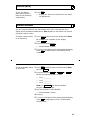
1 Reread the procedure and try again.
2 For many features you must lift the handset before
you can use the feature.
3 Check with your system manager to be sure this
feature is administered on your voice terminal.
4 You may have an older version of System 75; thus,
some features may operate differently from the
procedures described in this guide. Check the section
below on “System 75 Version Notes” for ways in which
these features work differently.
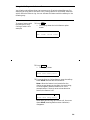
There are no feature
access codes written in
the appropriate blanks
in this guide.
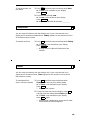
See your system manager for a list of feature access codes
for features assigned to your voice terminal.
Then, write the codes in this guide.
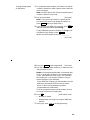
Problem
Solution
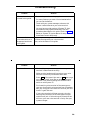
There’s no dial tone.
1 Check with your system manager to be sure your voice
terminal is administered correctly.
2 Make sure the handset and line cords at your voice
terminal are securely connected at both ends.
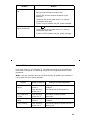
3 Press
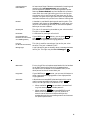
Test . If the green light next to Test does not go
on or flashes rather than goes on steadily, the voice
terminal is not communicating with the DEFINITY
switch or with System 75.
4 Find a working voice terminal of the same type as
your own. Unplug this voice terminal from its modular
wall jack. Plug your voice terminal into that jack and
check if it gets dial tone.
5 If your voice terminal still does not work, plug the
working voice terminal (of the same type) into your
modular wall jack. If the working voice terminal has
dial tone, your own voice terminal is faulty. See your
system manager.
50