1
28
Your High-Speed Internet Service
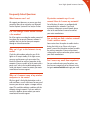
Managing Your Email
Configuring Your Email
Your Atlantic Broadband service comes with
ability to have multiple email addresses based
on your service level. To set up your first email
address, you must call Atlantic Broadband.
There are 3 ways to configure your email.
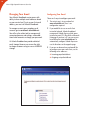
To manage or create new secondary email
accounts go to: emailtools.atlanticbb.net.
You will use the online tool to manage email
account preferences and settings, create additional email accounts or change your password.
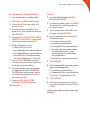
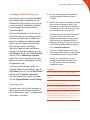
2 If you would like to use an email client
At Atlantic Broadband we provide unlimited
email storage. However, we reserve the right
to charge customers using in excess of 500 MB
storage.
1 The easiest way is to use webmail at:
www.atlanticbb.net. There is no
configuration required.
instead of webmail, Atlantic Broadband
recommends Outlook Express which comes
installed on most PC’s, Mac Mail or Microsoft
Entourage. If you have a PC you can use our
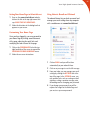
Install Wizard at: start.atlanticbb.net. To
automatically configure Outlook Express or
use the directions on the opposite page.
3 If you are an advanced user and would like
to configure your own email client, use the
following server addresses:
Incoming: pop.atlanticbb.net
Outgoing: smtp.atlanticbb.net