1
software using normal Atari joystick.
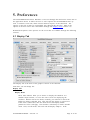
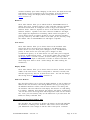
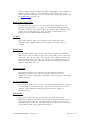
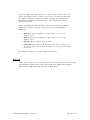
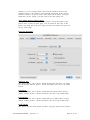
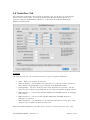
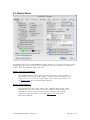
There are extra parameters available to adjust the function of some of the emulated
devices. They are:
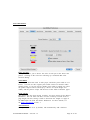
Speed of Emulated Device
If the controller moves too slow or too fast, use the Speed of emulated
device option. Also, in Full Screen mode, libSDL on the Macintosh does not
allow the Mouse to be grabbed. This may cause the emulated device to not
be able to reach the full limits of the Atari Screen. To fix this, increase this
value. On my system, using Kensington Mouse Works with a fair amount
of acceleration, a value of 15 in this field works nicely for full screen.
Minimum and Maximum Values
For Paddles, the Atari touch tablet and the Koala Pad you can specify the
range of controller values.
Horizontal and Vertical Offset
You can calibrate the Light pen and the Light gun using Horz /Vert offsets.
You should change these values if the program you're using indicates the
pen / gun is in different location than the mouse pointer (right - click to
toggle displaying of mouse pointer).
Intertia of Emulated Joystick
The Inertia of emulated joystick option is available only for the emulated
Joystick. It indicates how far the pointer can move on a single mouse
movement. This is because the joystick is a digital device (moved in a
certain direction or not), while the mouse is analog and can move in a
direction faster or slower. This will set how far you have to move the
device to get a digital indication of movement in that direction.
Use X- Axis of Joystick /Mouse Emulation for Both Paddles in a Paddle Set
Checking this box allows X- Axis motion on an analog joystick or the
mouse emulation to be used for both Paddle 1 and Paddle 2. This
overcomes the unusual motion required for the second player to move the
joystick or mouse vertically to control a horizontal paddle in games such
as Super Breakout. In the unchecked mode, Horizontal (x- axis) motion is
tied to paddle 1, and Vertical (y- axis) motion is tied to paddle 2.
Atari800MacX Manual – Version 3.5
Page 34 of 95