1
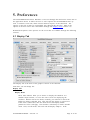
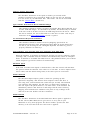
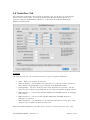
Emulation. On the Epson emulation, this sets both the internal page length
in the emulated printer, as well as determining the length of a page in the
PDF output file from the Printer Emulation. For more details, see
the Printer Emulation section, 7.
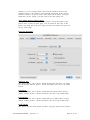
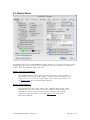
Auto Linefeed:
This option, which is set by default, will automatically add a linefeed
character to every carriage return sent from the emulated Atari to the
emulated Printer. This function was normally performed by the printer
hardware interface or driver on the Atari (Atari 850 or other). If you get
blank lines in your output, you may need to turn this option off.
Print Slashed Zero:
This option allows you to choose if zero characters are printed with a slash
by default with the printer. On the real Epson, this was set by a DIP switch.
Auto Skip Perforation:
This option, sets the printer to automatically skip 6 lines at the end of the
page. This is very useful for program listings and other non - page
formated output. On the real Epson, this was set by a DIP switch. Also, if
you choose this option, you may additionally choose to split the 6 lines
between the top and bottom of the page, giving a 3 line margin at the top,
and a 3 line margin at the bottom of the page. This additional option was
not available on the original printer.
Atari800MacX Manual – Version 3.5
Page 26 of 95