1
00.Cover.book Page 125 Monday, January 21, 2002 5:47 PM
Internet Settings 125
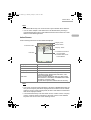
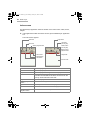
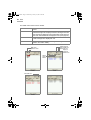
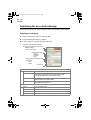
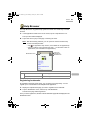
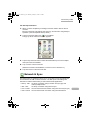
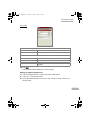
10. Tap “Next”.
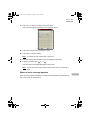
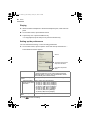
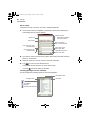
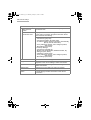
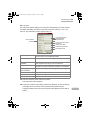
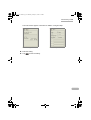
The next screen appears telling you to set up the e-mail settings if you have checked
the “Make mail setting” checkbox on the New Connection screen (p. 115). If you
have not, the confirmation screen appears (step 12).
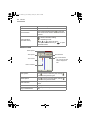
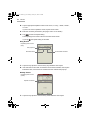
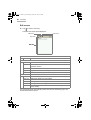
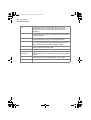
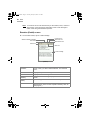
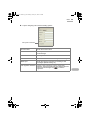
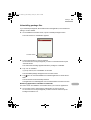
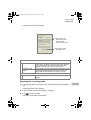
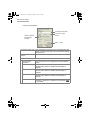
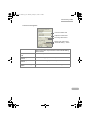
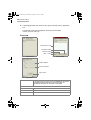
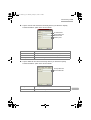
Account Name field
User Name field
Password field
Save password
checkbox
Account Type drop-down
list button
SMTP server field
POP/IMAP server field
Mail address field
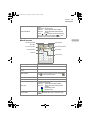
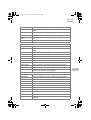
Account Name field
Enter the account name, which will be displayed in the
Accounts menu of the EMail application.
User Name field
Enter the login name used to log in to an e-mail server.
Save password
checkbox
Check if you want to save the password. If checked, you
need no password to log in to an e-mail server.
Password field
Enter the password.
Dimmed if the “Save Password” checkbox is unchecked.
Account Type dropdown list button
Select the receiving mail server type (POP or IMAP).
SMTP server field
Enter the sending mail server.
POP/IMAP server field Enter the receiving mail server name.
Mail address field
Enter the e-mail address.
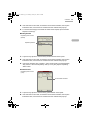
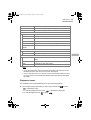
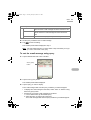
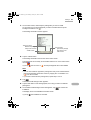
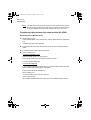
11. Enter the necessary items and then tap “Next”.
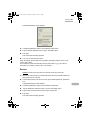
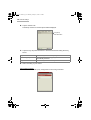
The confirmation screen appears.
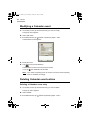
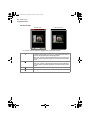
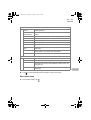
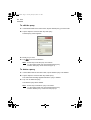
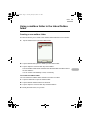
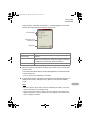
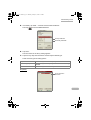
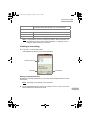
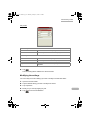
12. Confirm the contents of the setting and then tap “Register” to save the setting.
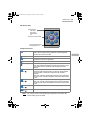
The display turns to the main screen (Internet Setting Wizard screen).
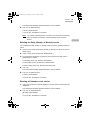
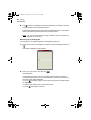
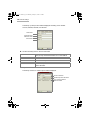
Tapping the Select Connection drop-down list button displays the new dial-up
setting.