1
DSLPipe/CellPipe
User’s Guide
Part Number: 7820-0518-003
For software version 7.10.6
November 1999
Copyright© 1999 Lucent Technologies. All Rights Reserved.
This material is protected by the copyright laws of the United States and other countries. It may not be reproduced, distributed, or
altered in any fashion by any entity (either internal or external to Lucent Technologies), except in accordance with applicable
agreements, contracts, or licensing, without the express written consent of Lucent Technologies.
Notice
Every effort was made to ensure that the information in this document was complete and accurate at the time of printing. However,
information is subject to change.
Trademarks
DSLPipe, CellPipe and DSLTNT are trademarks of Lucent Technologies. Other trademarks and trade names mentioned in this
publication belong to their respective owners.
Ordering Information
To order copies of this document, contact your Lucent Technologies representative or reseller.
Support Telephone Numbers
For a menu of support and other services, call (800) 272-3634. Or call (510) 769-6001 for an operator.
Lucent Technologies
Ascend Customer Service
Ascend Customer Service
Ascend Customer Service provides a variety of options for obtaining technical
assistance, information about Ascend products and services, and software
upgrades.
Obtaining technical assistance
You can obtain technical assistance by telephone, email, fax, or modem, or over
the Internet.
Enabling Ascend to assist you
If you need to contact Ascend for help with a problem, make sure that you have
the following information when you call or that you include it in your
correspondence:
•
Product name and model.
•
Software and hardware options.
•
Software version.
•
Whether you are routing or bridging with your Ascend product.
•
Type of computer you are using.
•
Description of the problem.
Calling Ascend from within the United States
In the U.S., you can take advantage of Priority Technical Assistance or an Ascend
Advantage Pak service contract, or you can call to request assistance.
Priority Technical Assistance
If you need to talk to an engineer right away, call (900) 555-ASND (2763) to
reach Ascend’s Priority Call queue. The charge of $2.95 per minute does not
begin to accrue until you are connected to an engineer. Average wait times are
less than three minutes.
DSLPipe/CellPipe User’s Guide
iii
Ascend Customer Service
Other telephone numbers
For a menu of Ascend’s services, call (800) ASCEND-4 (272-3634). Or call
(510) 769-6001 for an operator.
Calling Ascend from outside the United States
You can contact Ascend by telephone from outside the United States at one of the
following numbers:
Telephone outside the United States
(510) 769-8027
Austria/Germany/Switzerland
(+33) 492 96 5672
Benelux
(+33) 492 96 5674
France
(+33) 492 96 5673
Italy
(+33) 492 96 5676
Japan
(+81) 3 5325 7397
Middle East/Africa
(+33) 492 96 5679
Scandinavia
(+33) 492 96 5677
Spain/Portugal
(+33) 492 96 5675
UK
(+33) 492 96 5671
For a list of support options in the Asia Pacific Region, you can find additional
support resources at http://apac.ascend.com
Obtaining assistance through correspondence
Ascend maintains two email addresses for technical support questions. One is for
customers in the United States, and the other is for customers in Europe, the
Middle East, and Asia. If you prefer to correspond by fax, BBS, or regular mail,
please direct your inquiry to Ascend’s U.S. offices. Following are the ways in
which you can reach Ascend Customer Service:
iv
•
Email from within the U.S.—[email protected]
•
Email from Europe, the Middle East, or Asia—[email protected]
•
Fax—(510) 814-2312
DSLPipe/CellPipe User’s Guide
Ascend Customer Service
•
Customer Support BBS (by modem)—(510) 814-2302
•
Write to Ascend at the following address:
Attn: Customer Service
Ascend Communications, Inc.
One Ascend Plaza
1701 Harbor Bay Parkway
Alameda, CA 94502-3002
Finding information and software on the Internet
Visit Ascend’s Web site at http://www.ascend.com for technical
information, product information, and descriptions of available services.
Visit Ascend’s FTP site at ftp.ascend.com for software upgrades, release
notes, and addenda to this manual.
DSLPipe/CellPipe User’s Guide
v
Contents
Ascend Customer Service................................................................................ iii
Introducing the DSLPipe.............................................. 1-1
Overview of DSL ..........................................................................................
Types of DSLPipes/CellPipes supported.......................................................
DSL facilities are built into the hardware ..............................................
Voice integration ....................................................................................
Transport protocols supported................................................................
Applications ...........................................................................................
DSLPipe/CellPipe features............................................................................
About this guide ............................................................................................
DSLPipe/CellPipe manual set ................................................................
Documentation conventions ...................................................................
1-1
1-2
1-3
1-3
1-4
1-4
1-4
1-5
1-6
1-6
Using the on-board software ....................................... 2-1
How to use the on-board software.................................................................
The Main Edit Menu .....................................................................................
Opening and navigating menus ..............................................................
Setting parameters with predefined values.............................................
Changing parameters with text entries ...................................................
Saving or discarding your changes.........................................................
Description of the DSLPipe/CellPipe status windows ..................................
Line status window .........................................................................
System Events status window .........................................................
Sessions status window ...................................................................
Dynamic Statistics status window...................................................
WAN status window .......................................................................
DSLPipe/CellPipe User’s Guide
2-1
2-3
2-4
2-5
2-5
2-5
2-6
2-6
2-7
2-7
2-7
2-8
vii
Contents
Ethernet status window ................................................................... 2-8
Systems Option status window ....................................................... 2-8
Hardware Configuration status window ......................................... 2-9
Choosing Encapsulation.............................................. 3-1
About Wide Area Network (WAN) connections .......................................... 3-1
Link encapsulation......................................................................................... 3-2
Nailed groups................................................................................................. 3-3
Data compression options.............................................................................. 3-4
Configuration method.................................................................................... 3-5
Connection profiles ....................................................................................... 3-5
Configuring PPP connections (for DSLPipe units) ....................................... 3-5
Configuring Frame Relay connections (for DSLPipe units) ....................... 3-10
Configuring a connection profile for Frame Relay .............................. 3-10
Configuring a Frame Relay profile ...................................................... 3-13
Inverse ARP for Frame Relay or ATM................................................ 3-15
Configuring ATM connections (for CellPipe units).................................... 3-16
Configuring an ATM connection profile ............................................. 3-16
Configuring additional Connection profiles......................................... 3-18
Traffic shaping options......................................................................... 3-19
Configuring IP Routing ................................................ 4-1
Introduction to IP routing on the DSLPipe/CellPipe..................................... 4-1
Subnet mask notation ............................................................................. 4-2
Connection profiles and IP routes .......................................................... 4-6
How the DSLPipe/CellPipe uses its routing table .......................... 4-6
RIP-v2 and RIP-v1 routing ............................................................. 4-7
Interface-based routing........................................................................... 4-8
System behavior with a numbered interface ................................... 4-9
Configuring interface-based routing ............................................... 4-9
Specifying the remote interface address ....................................... 4-10
Managing the routing table.......................................................................... 4-11
Parameters that affect the routing table................................................ 4-12
Static and dynamic routes .................................................................... 4-13
Configuring static routes ...................................................................... 4-13
Creating a Static Rtes profile ........................................................ 4-15
Configuring the default route........................................................ 4-16
Specifying default routes on a per-user basis....................................... 4-17
viii
DSLPipe/CellPipe User’s Guide
Contents
Enabling the DSLPipe/CellPipe to use dynamic routing .....................
If you are using RIP-v1 .................................................................
Configuring RIP-v2 on Ethernet ...................................................
Configuring RIP for a particular connection.................................
Route preferences.................................................................................
Displaying the routing table .................................................................
Fields in the routing table.....................................................................
Removing down routes to a host ..........................................................
Specifying a Temporary Route .....................................................
Identifying Temporary routes in the routing table ........................
Configuring IP routing connections ............................................................
Router-to-router connection .................................................................
Connection between local and remote subnets ....................................
4-18
4-18
4-19
4-20
4-20
4-21
4-23
4-26
4-27
4-27
4-27
4-28
4-30
IP Address Management .............................................. 5-1
Connecting to a local IP network .................................................................. 5-1
Assigning the Ethernet interface IP address........................................... 5-2
Creating a subnet for the DSLPipe/CellPipe................................... 5-3
Assigning two addresses: Dual IP................................................... 5-4
Using Ping to verify the address ............................................................ 5-5
Enabling proxy mode in the DSLPipe/CellPipe..................................... 5-6
Enabling DNS on the DSLPipe/CellPipe ............................................... 5-7
Updating other routers on the backbone ................................................ 5-7
BOOTP Relay................................................................................................ 5-8
DHCP services............................................................................................... 5-9
How IP addresses are assigned............................................................. 5-10
Configuring DHCP services................................................................. 5-10
Setting up a DHCP server ............................................................. 5-13
Setting up Plug and Play support .................................................. 5-13
Setting up DHCP spoofing............................................................ 5-14
DNS server assignments.............................................................................. 5-14
Configuring DNS servers in the Ethernet profile................................. 5-14
Configuring DNS servers in a Connection profile ............................... 5-16
Local DNS host address table...................................................................... 5-17
Configuring the local DNS table.......................................................... 5-17
Creating the local DNS table................................................................ 5-18
Editing the local DNS table.................................................................. 5-19
Deleting an entry from the local DNS table.................................. 5-20
Restrictions for names in the local DNS table .............................. 5-20
DSLPipe/CellPipe User’s Guide
ix
Contents
Network Address Translation (NAT) for a LAN ........................................
Single-address NAT and port routing ..................................................
Outgoing connection address translation ......................................
Incoming connection address translation ......................................
Translation table size ....................................................................
Multiple-address NAT..........................................................................
Configuring single- or multiple-address NAT .....................................
NAT for Frame Relay or ATM ............................................................
Configuring NAT port routing (Static Mapping submenu) .................
Routing all incoming sessions to default server............................
Routing incoming sessions to multiple servers.............................
Disabling routing for specific ports ..............................................
Well-known ports..........................................................................
5-21
5-21
5-22
5-22
5-23
5-23
5-25
5-26
5-27
5-27
5-28
5-30
5-30
Configuring IPX Routing .............................................. 6-1
How the DSLPipe/CellPipe performs IPX routing ....................................... 6-1
IPX Service Advertising Protocol (SAP) tables..................................... 6-2
IPX Routing Information Protocol (RIP) tables..................................... 6-2
Extensions to standard IPX .................................................................... 6-3
IPX Route profiles .......................................................................... 6-4
IPX SAP filters................................................................................ 6-5
IPX Type 20 packet propagation support ....................................... 6-6
Watchdog spoofing ......................................................................... 6-6
Automatic SPX spoofing ................................................................ 6-7
WAN considerations for NetWare client software ................................ 6-7
Adding the DSLPipe/CellPipe to the local IPX network .............................. 6-8
Checking local NetWare configurations ................................................ 6-9
Configuring IPX on the DSLPipe/CellPipe Ethernet interface.............. 6-9
Using IPXping to check the configuration ........................................... 6-11
Working with the RIP and SAP tables ........................................................ 6-11
Viewing the RIP and SAP tables.......................................................... 6-12
Configuring RIP in a Connection profile ............................................. 6-13
Configuring a static IPX route ............................................................. 6-14
Configuring SAP in a Connection profile ............................................ 6-16
Managing IPX SAP filters.................................................................... 6-17
Defining an IPX SAP filter ........................................................... 6-17
Applying an IPX SAP filter .......................................................... 6-18
Configuring IPX routing connections ......................................................... 6-18
An example with NetWare servers on both sides of the link ............... 6-19
x
DSLPipe/CellPipe User’s Guide
Contents
Configuring the DSLPipe/CellPipe as a Bridge.......... 7-1
Introduction to Ascend bridging.................................................................... 7-1
How the DSLPipe/CellPipe initiates a bridged WAN connection......... 7-2
Physical addresses and the bridge table .......................................... 7-2
Broadcast addresses ........................................................................ 7-3
How bridged connections are established .............................................. 7-3
About IPX bridging ................................................................................ 7-4
When the local network has no servers........................................... 7-4
When the remote network has no servers ....................................... 7-5
When the networks support servers ................................................ 7-5
IPX routing and bridging on the same connection.......................... 7-5
Enabling bridging .......................................................................................... 7-6
Managing the bridge table ............................................................................. 7-6
Parameters that affect the bridge table ................................................... 7-6
Transparent bridging .............................................................................. 7-7
Static bridge-table entries....................................................................... 7-8
Configuring bridged connections .................................................................. 7-9
Example of an AppleTalk bridged connection..................................... 7-10
Example of an IPX client bridge (local clients) ................................... 7-12
Example of an IPX server bridge (local servers) ................................. 7-14
Example of an IP bridged connection .................................................. 7-15
Defining Filters and Firewalls...................................... 8-1
Introduction to filters..................................................................................... 8-1
Data filters for dropping or forwarding certain packets ......................... 8-2
Applying a data filter to a WAN interface ...................................... 8-2
Applying a data filter to the Ethernet interface............................... 8-3
Overview of Filter profiles ............................................................................ 8-3
Defining generic filter conditions .......................................................... 8-5
Defining IP filter conditions................................................................... 8-6
Defining filters............................................................................................... 8-8
A generic filter for handling AppleTalk broadcasts............................... 8-8
An IP filter for preventing address spoofing ........................................ 8-12
SecureConnect Firewalls ............................................................................. 8-15
Determining whether SecureConnect is present .................................. 8-15
Firewall profiles ................................................................................... 8-15
Assigning firewalls to a Connection profile......................................... 8-16
Assigning firewalls to the Mod Config profile .................................... 8-17
DSLPipe/CellPipe User’s Guide
xi
Contents
Filter and firewall persistence ..................................................................... 8-17
Setting Up DSLPipe/CellPipe Security........................ 9-1
Recommended security measures.................................................................. 9-1
Changing the Full Access security level password ................................ 9-3
Activating the Full Access security level............................................... 9-4
Making the default security level restrictive .......................................... 9-5
Assigning a Telnet password.................................................................. 9-5
Changing the SNMP read and write community string ......................... 9-6
Turning off ICMP Redirects .................................................................. 9-7
DSLPipe/CellPipe Security profiles .............................................................. 9-7
Default security level ............................................................................. 9-8
Security profile passwords ..................................................................... 9-8
Using the Full Access profile ................................................................. 9-9
Customized Security profile................................................................. 9-10
Connection security ..................................................................................... 9-10
Authentication protocols ...................................................................... 9-11
Using filters to secure the network.............................................................. 9-11
Using security cards .................................................................................... 9-12
Configuring the DSLPipe/CellPipe to recognize the APP Server utility 9-13
Invoking password mode in the DSLPipe/CellPipe............................. 9-14
DSLPipe/CellPipe System Administration................ 10-1
Overview of administrative functions ......................................................... 10-1
Activating administrative privileges............................................................ 10-3
Configuring administrative options............................................................. 10-4
Setting system values ........................................................................... 10-4
Configuring the DSLPipe/CellPipe to interact with Syslog................. 10-5
Syslog messages................................................................................... 10-7
Using the DSLPipe/CellPipe status windows.............................................. 10-9
Performing system administration operations ........................................... 10-10
Using DO commands ......................................................................... 10-10
Saving the DSLPipe/CellPipe configuration...................................... 10-10
Restoring the DSLPipe/CellPipe configuration ................................. 10-13
Resetting the DSLPipe/CellPipe ........................................................ 10-14
Using the terminal server interface............................................................ 10-16
Invoking and quitting the terminal server interface ........................... 10-16
Terminal-server commands................................................................ 10-16
xii
DSLPipe/CellPipe User’s Guide
Contents
Accessing a local DSLPipe/CellPipe through Telnet................................ 10-20
Configuring the RADSL Voice Splitter........................ A-1
Introduction ..................................................................................................
DSLVSP for customer premises...................................................................
DSLVSO for the Central Office ...................................................................
Installing the DSLVSP .................................................................................
Specifications ...............................................................................................
A-1
A-2
A-3
A-5
A-7
APP Server Utility ......................................................... B-1
About the APP Server utility......................................................................... B-1
Downloading the software............................................................................. B-2
Configuring the DSLPipe/CellPipe to use the APP Server utility ......... B-2
Using Application Server with Axent SecureNet.......................................... B-3
Creating banner text for the password prompt .............................................. B-3
Installing and using the UNIX APP Server............................................ B-6
Installing and using the APP Server utility for Windows ...................... B-8
Installing the APP Server utility for Windows 3.1 ......................... B-9
Installing the APP Server utility for Windows 95 .......................... B-9
Installing the APP Server utility for Windows NT ....................... B-10
Installing the APP Server utility on a Macintosh................................. B-11
Troubleshooting ........................................................... C-1
Cabling problems: Rule these out first .......................................................... C-1
Common problems and their solutions.......................................................... C-2
Hardware configuration problems.......................................................... C-2
Problems configuring the DSLPipe/CellPipe................................................ C-3
Problems accessing the remote network........................................................ C-6
Check the installation ............................................................................. C-6
Configuration problems.......................................................................... C-6
Upgrading system software......................................... D-1
Obtaining the software and preparing to upgrade ........................................
Obtaining a new release of your current software.................................
Identifying the type of file.....................................................................
Saving your configuration.....................................................................
DSLPipe/CellPipe User’s Guide
D-1
D-2
D-2
D-3
xiii
Contents
Using the serial console......................................................................... D-3
Using TFTP to upgrade with a standard load........................................ D-4
Upgrading system software with an extended load ...................................... D-5
Warranties and FCC Regulations................................ E-1
Hardware Specifications .............................................. F-1
Glossary ........................................................... Glossary-1
Index ....................................................................... Index-1
xiv
DSLPipe/CellPipe User’s Guide
Introducing the DSLPipe
1
Overview of DSL . . . . . . . . . . . . . . . . . . . . . . . . . . . . . . . . . . . . . . . . . . . . . . 1-1
Types of DSLPipes/CellPipes supported . . . . . . . . . . . . . . . . . . . . . . . . . . . . 1-2
DSLPipe/CellPipe features . . . . . . . . . . . . . . . . . . . . . . . . . . . . . . . . . . . . . . 1-4
About this guide . . . . . . . . . . . . . . . . . . . . . . . . . . . . . . . . . . . . . . . . . . . . . . . 1-5
Overview of DSL
Digital Subscriber Line (DSL) is a dedicated, digital service between your
DSLPipe or CellPipe and DSL equipment at the phone company.
You can utilize an existing phone line to connect your DSLPipe/CellPipe to the
Central Office of the phone company. (In telephone company parlance, this line
is referred to as the local loop. It is usually an unshielded twisted-copper pair.)
The telephone company connects one end of the line to DSL equipment (referred
to as Central Office Equipment, or COE), and you connect the other end to your
DSLPipe/CellPipe (referred to as Customer Premises Equipment, or CPE).
DSL services can transmit data much faster than is otherwise possible over an
ordinary telephone line. Depending on the type of DSL service you subscribe to,
SDSL or ADSL (described in the next section), you can achieve data
transmission rates that are over 8 Mbps downstream.
How is that possible? DSL signals use a higher frequency to transmit data. While
voice transmissions use between 300 and 3,400 Hz, DSL uses up to 1.2 MHz.
DSLPipe/CellPipe User’s Guide
1-1
Types of DSLPipes/CellPipes supported
(Hz stands for Hertz, which is one cycle per second. MHz refers to millions of
cycles per second.)
Your DSLPipe/CellPipe and the DSL equipment at the phone company are
designed to handle the high frequencies. Ordinary phone equipment is not, and
that is why the equipment at both ends of the service must work together. In fact,
when you subscribe to DSL, your data is not carried on the public telephone
network until it leaves the Central Office and enters the packet-switched
telephone network. It does not consume the resources of the local phone network.
The connection between your DSLPipe/CellPipe and the DSL equipment (such
as an Ascend DSLTNT) at the phone company’s Central Office is independent of
the phone company’s normal phone service (which uses the Public Switched
Telephone Network —PSTN).
The distance between your premises and the phone company’s Central Office is
critical when planning for DSL service. The high frequency signals used for DSL
deteriorate if they have to travel too far over an ordinary telephone line. The
resulting errors decrease the speed of the data transmission as the length of the
line increases.
Types of DSLPipes/CellPipes supported
The DSLPipe/CellPipe family of products supports two general types of service:
•
Symmetric Digital Subscriber Line (SDSL).
•
Asymmetric Digital Subscriber Line (ADSL). ADSL comes with Rate
Adaption and Carrierless Amplitude and Phase Modulation (RADSL-CAP).
and Discrete Multi-Tone (RADSL-DMT).
The terms symmetric and asymmetric correspond to the rate of incoming and
outgoing data. In SDSL both the incoming and the outgoing data rates are the
same (symmetric). In ADSL, downstream data (data to the DSLPipe/CellPipe) is
faster than upstream data (data from the DSLPipe/CellPipe), so it is called an
1-2
DSLPipe/CellPipe User’s Guide
Types of DSLPipes/CellPipes supported
asymmetric digital subscriber line. Table 1-1 shows the DSLPipes/CellPipes that
are currently available.
Table 1-1. DSLPipe/CellPipe models
DSLPipe/Cell
Pipe model
Description
Voice?
DSL-Cell-50A
ADSL CellPipe that supports ATM over ADSL
No
DSL-Cell-50S
SDSL CellPipe that supports ATM over SDSL
No
DSL-Cell-20A
ADSL CellPipe that only supports bridging over
ATM
No
DSL-HSTB
SDSL DSLPipe that only supports bridging over
Frame Relay
No
DSL-HST
SDSL High Performance 2.3 Mb Multi-rate
DSLPipe
No
DSL-HS
SDSL High Performance 1.5 MB Multi-rate
DSLPipe
No
DSL-S
SDSL DSLPipe, 1 port
No
DSL-2S
SDSL DSLPipe, 2 ports
No
DSL-ACAP
RADSL-CAP DSLPipe
Yes, with
voice splitter*
DSL-DMT
RADSL-DMT DSLPipe
No
*To set up the voice splitter, see Appendix A.
DSL facilities are built into the hardware
Each of the DSLPipe models supports a different type of DSL service. You
cannot change the type of service by downloading different software. The model
type is listed on the bottom of the unit.
DSLPipe/CellPipe User’s Guide
1-3
DSLPipe/CellPipe features
Voice integration
By using a device to split the line, you can integrate voice and ADSL data service
over the same wire. (This is not an option with SDSL.) A splitter must be used at
both ends of the line (the end at your premises and the end at the Central Office).
Splitters only work in pairs. At your end, the splitter divides the line and provides
an analog jack. At the Central Office, the splitter divides the line and connects to
the Public-Switched Telephone Network (PSTN). For details, see Appendix A.
Transport protocols supported
DSL technology is based on the physical layer (Layer 1) of the OSI model. It can
use any of the available transport protocols, including Point-to-Point Protocol
(PPP), MP (Multilink PPP), MP+, Frame Relay (FR), and Asynchronous
Transfer Mode (ATM).
Applications
You can use your DSLPipe/CellPipe for Internet access, telecommuting, remote
office connectivity, multimedia, and video conferencing. All of these applications
can be efficiently served with the data transmission rates supplied by DSL.
Additionally, you can add SecureConnect Firewall to a DSLPipe unit by
obtaining a hash code to enable the software. (For more information, contact the
Technical Assistance Center.)
DSLPipe/CellPipe features
Following are some of the unique features of DSLPipes/CellPipes:
•
1-4
Remote Management. Your corporate administrator can manage your
DSLPipe/CellPipe, troubleshoot connections, and update the on-board
software from the central site. Remote management can be accomplished
through any or all of the following means:
–
SNMP
–
Telnet
DSLPipe/CellPipe User’s Guide
About this guide
•
•
–
Ascend remote management protocol
–
Syslog (system event logs)
–
On-board flash memory (enabling downloadable software upgrades)
Multiple networking protocols. You can configure the DSLPipe/CellPipe to
route or bridge traffic. All models support:
–
IP, IPX, and Appletalk
–
Standard multiprotocol bridging
–
PPP, MP, and MP+
Security. The built-in authentication protocols for securing your network are:
–
PAP, CHAP, and MS-CHAP
–
Token-based security with support for hand-held personal security
cards, such as those provided by Enigma logic.
–
Transmit and Receive packet filtering
–
Optional inclusion of the SecureConnect software
–
Telnet password protection
–
Settable SNMP read-only and read/write community strings
•
Bandwidth optimization
•
Multiple compression options
•
Ascend bandwidth-on-demand transport protocol
•
Ascend Inverse Multiplexing (AIM)
About this guide
This manual is part of a set that describes all the standard features of a
DSLPipe/CellPipe. The contents include basic information about setting up
connections, followed by more specific information about administering the unit.
Read this manual to learn how to configure the DSLPipe/CellPipe unit or to
refine the way the unit handles traffic. If you want to use the default settings that
come with the DSLPipe/CellPipe, see the DSLPipe/CellPipe Quick Setup for the
information you need.
DSLPipe/CellPipe User’s Guide
1-5
About this guide
If you are a network administrator, use this manual to set up filters, set
authentication methods, manage local or remote units, and upgrade your unit’s
on-board software.
See the Reference Guide for information about possible values for any setting, for
examples, and to find out which settings depend on others when enabling
features.
DSLPipe/CellPipe manual set
This manual is part of a set that includes the following publications:
•
DSLPipe/CellPipe Quick Setup explains how to install the
DSLPipe/CellPipe and how to navigate within the on-board software. It
describes the default configuration for DSLPipes and shows some sample
configurations.
•
DSLPipe/CellPipe User’s Guide explains how to configure the
DSLPipe/CellPipe as a router or bridge, and how to manage inbound and
outbound traffic over the unit.
•
DSLPipe/CellPipe Reference Guide contains alphabetical listings of all the
parameters and all of the fields in the status menus. It also includes a section
that explains how to use the DO (diagnostic) commands.
Documentation conventions
The following are all the special characters and typographical conventions used
in this manual.
1-6
Convention
Meaning
Monospace text
Represents text that appears on your computer’s screen, or that
could appear on your computer’s screen.
Boldface
monospace text
Represents characters that you enter exactly as shown (unless the
characters are also in italics — see Italics, below). If you
could enter the characters, but are not specifically instructed to,
they do not appear in boldface.
DSLPipe/CellPipe User’s Guide
About this guide
Convention
Meaning
[]
Square brackets indicate an optional argument you might add to a
command. To include such an argument, type only the information
inside the brackets. Do not type the brackets unless they appear in
bold type.
>
Points to the next level in the path to a parameter or menu item.
The item that follows the angle bracket is one of the options that
appears when you select the item that precedes the angle bracket.
italics
Italics represent variable information. Do not enter the words
themselves. Enter the information they represent.
Press Enter
Means press the Enter, or Return, key or its equivalent on your
computer.
Note:
Introduces important additional information.
DSLPipe/CellPipe User’s Guide
1-7
Using the on-board software
2
How to use the on-board software . . . . . . . . . . . . . . . . . . . . . . . . . . . . . . . . . 2-1
The Main Edit Menu . . . . . . . . . . . . . . . . . . . . . . . . . . . . . . . . . . . . . . . . . . . 2-3
Description of the DSLPipe/CellPipe status windows. . . . . . . . . . . . . . . . . . 2-6
How to use the on-board software
You can change the settings in the on-board software to modify the functionality
of the DSLPipe/CellPipe. After you connect all the DSLPipe/CellPipe cables and
confirm the activity of the LED lights (refer to the DSLPipe/CellPipe Quick
Setup), you can access the on-board software through a serial connection or an
Ethernet connection.
To use a serial connection, you connect a serial cable between your computer and
the DSLPipe/CellPipe. You then use any communications program that supports
vt100 emulation (HyperTerminal or Zterm) to communicate directly with the
DSLPipe/CellPipe through the computer’s COM port. For details, see the
DSLPipe/CellPipe Quick Setup.
Once the DSLPipe/CellPipe has been configured with an IP address, you can use
the IP address to open a Telnet session with the unit from any workstation on the
same Ethernet network. (If the unit is connected to just one computer, the
Ethernet network comprises that computer and the DSLPipe/CellPipe unit.)
DSLPipe/CellPipe User’s Guide
2-1
How to use the on-board software
When you establish a connection, the user interface appears. The interface is
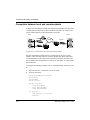
similar to the following example:
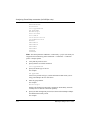
Main Edit Menu
>Configure...
00-000 System
20-000 Ethernet
10-100 Line Status
Unit Type:CPE
State: UP
Up Rate:784000
00-200 17:20:50
> M1 Line Ch
LAN Session Up
TNT1
20-100 Sessions
> 1 Active
0 TNT1
20-500 Dyn Stat
Link Up 12:1:32
Rx Signal Present
Up Down Cnt: 6
20-300 WAN Stat
>Rx Pkt: 34357
Tx Pkt: 37895
CRC: 5
20-400 Ether Stat
>Rx Pkt:
Tx Pkt:
Col:
00-100 Sys Option
>Security Prof: 1
Software +7.2
S/N: 1234567
00-400 HW Config
>ADSL DMT Interface
Adrs: 00c07b12f1df
Enet I/F: UTP
The Main Edit Menu (the window at the far left) is where you add, change, or
remove settings. The other windows (in the middle and far right columns) are the
status windows. Some status windows contain lists of information. Use the Tab
key to move from window to window. The currently selected window has a thick
black border. To scroll through the entries in the currently selected window, use
the up and down arrow keys or Ctrl-N (next) or Ctrl-P (previous) to scroll
through the lists and menus. To open a menu, place the cursor (>) next to the
menu name and press Enter.
With the exception of parameters designated N/A (not applicable), you can edit
all parameters in any menu. N/A means that the parameter is dependent on
another parameter that is set to a value that is causing this parameter not to be
used.
2-2
DSLPipe/CellPipe User’s Guide
The Main Edit Menu
The Main Edit Menu
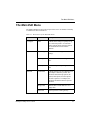
The Main Edit Menu occupies the left part of the screen. It contains a hierarchy
of submenus as shown in Table 2-1.
Table 2-1. The Structure of the Main Edit Menu
Menu
Submenu
Description
Configure
None
Contains basic settings to quickly set up
the Connection profile. A Connection
profile contains all the settings required
for communication with a remote
machine.
System
Sys Config
Contains remote management and other
settings.
Sys Diag
Used to save and restore configuration
files.
Security
Used to set up access privileges on the
unit.
Connections
Contains settings you can configure to set
up multiple Connection profiles. The
submenus include Encaps options, IP
options, IPX options, Session options,
and Telco options. For CellPipes, the
submenus include the Interface options
submenu.
Bridge Adrs
Matches MAC and IP addresses for a
bridge table.
Static Rtes
If used, specifies a static gateway.
Ethernet
DSLPipe/CellPipe User’s Guide
2-3
The Main Edit Menu
Table 2-1. The Structure of the Main Edit Menu (Continued)
Menu
Submenu
Description
Filters
Contains parameters for defining your
call and data filters.
Frame Relay
If used, contains parameters for defining
your Frame Relay profile.
Answer
N/A
SNMP Traps
Specifies where to send SNMP traps
packets.
IPX Routes
Defines up to two IPX servers.
IPX SAP
Filters
Defines input and output SAP filters.
NAT
Specifies how you obtain a dynamic IP
address.
Mod Config
A number of global Ethernet interface
settings. For example, you choose
Ethernet > Mod Config > Ether options to
turn off Proxy Mode.
Opening and navigating menus
To open a menu, select it by placing the cursor (>) in front of the item. Then press
Enter. For example, position the cursor as follows to open the Configure menu:
Main Edit Menu
>Configure...
00-000 System
20-000 Ethernet
Press Ctrl-N (next) or the Down Arrow key to move the cursor up. Press Ctrl-P
(previous) or the Up Arrow key to move it up.
2-4
DSLPipe/CellPipe User’s Guide
The Main Edit Menu
With the exception of parameters designated N/A (not applicable), you can edit
all parameters in any menu. N/A indicates that a parameter does not apply, based
on the value of parameter it is subordinate to, or based on a service not currently
available on your system.
Setting parameters with predefined values
Some parameters have a predefined value from which you select a setting. Place
the cursor beside the parameter and press Enter until the correct value appears. To
select the currently displayed value, move to the next field or exit the menu.
Changing parameters with text entries
If a parameter does not have a predefined value, an edit field appears when you
move the cursor to the parameter and press Enter. A blinking text cursor appears
inside a pair of brackets, indicating that you can type in text. If the field already
contains text, it is cleared when you type a character. To modify only a few
characters of existing text, use the arrow keys to position the cursor, then delete
or overtype the characters. To close the edit field and accept the new text, press
Enter.
Saving or discarding your changes
When you have finished editing, press the Esc key. If you have entered or
changed any parameters, the Exit menu appears:
EXIT
>0=ESC (Don’t exit)
1=Exit and discard
2=Exit and save
To save your changes, select the Exit and Save option and press Enter, or press 2.
DSLPipe/CellPipe User’s Guide
2-5
Description of the DSLPipe/CellPipe status windows
Description of the DSLPipe/CellPipe status
windows
The main window of the DSLPipe/CellPipe interface includes eight status
windows to the right of the Main Edit Menu. Depending on the
DSLPipe/CellPipe, these status windows display different kinds of information.
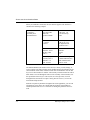
Table 2-2 shows the name and location of each of the eight status windows:.
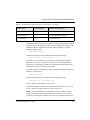
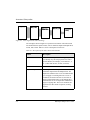
Table 2-2. Location of the DSLPipe/CellPipe status windows
Main Edit Menu
Configure...
00-000 System
20-000 Ethernet
Line status window
System Events status
window
Session status window
Dynamic Statistics
status window
WAN status window
Ethernet status window
System Options status
window
Hardware
Configuration status
window
Note: See the DSLPipe/CellPipe Reference Guide for detailed descriptions of
the fields in the eight status windows. The Reference Guide also contains
descriptions of all the parameters in the DSLPipe/CellPipe software.
Line status window
The top-left status window displays the kind of information shown in the
following example:
00-100 Line Status
Unit Type: CPE
State: Up
Firmware Rel: 232
Hardware Ver: 2
The information includes the type of DSLPipe/CellPipe (CPE or COE), the state
of the DSL link, and the unit’s firmware version.
2-6
DSLPipe/CellPipe User’s Guide
Description of the DSLPipe/CellPipe status windows
System Events status window
The top-right status window displays the kind of information shown in the
following example:
M31 Line Ch
LAN Session Up
Remote3
This window provides a log of up to 32 of the most recent system events the
DSLPipe/CellPipe unit has recorded. Press the up Arrow or down Arrow keys to
scroll through the log.
Sessions status window
In the second row of status windows, the left window displays the kind of
information shown in the following example:
20-100 Sessions
2 Active
0 Remote2
This window shows the number of Connection profiles that are currently active.
Dynamic Statistics status window
The right window in the second row displays the kind of information shown in
the following example:
20-500 Dyn Stat
Link Up: 00:00:22
Rx Signal Present
Line Q: 45 db
The Dynamic Statistics window displays information about the xDSL physical
line. For example, it shows whether a receive signal is present, the number of
times the DSL link went up or down, and the quality level of the line.
DSLPipe/CellPipe User’s Guide
2-7
Description of the DSLPipe/CellPipe status windows
WAN status window
In the third row of status windows, the left window displays the kind of
information shown in the following example:
20-300 WAN Stat
Rx Pkt: 2698
Tx Pkt: 2689
CRC: 0
This window displays the current count of received frames, transmitted frames,
and frames with errors for each active WAN link. It also indicates the overall
count for all data packets received or transmitted across the WAN.
Ethernet status window
The right window in the third row displays the kind of information shown in the
following example:
20-300 Ether Stat
Rx Pkt: 8
Tx Pkt: 5772
Col:
This information includes the number of Ethernet frames received and
transmitted and the number of collisions at the Ethernet interface.
Systems Option status window
In the bottom row of status windows, the left window displays the kind of
information shown in the following example:
00-100 Sys Option
Security Profile: 1
Software +7.2
S/N: 8165594
Switched Installed
Frm Rel Installed
The information includes your DSLPipe/CellPipe unit’s serial number, and the
features with which it is equipped.
2-8
DSLPipe/CellPipe User’s Guide
Description of the DSLPipe/CellPipe status windows
Hardware Configuration status window
The bottom right status window displays the kind of information shown in the
following example:
00-400 HW Config
ADSL CAP Interface
Adrs: 00c07b7cb432
ENET I/F: UTP
The information includes the type of DSLPipe/CellPipe unit and the unit’s MAC
address. (The MAC address is the unique identifier for the unit’s Ethernet port).
DSLPipe/CellPipe User’s Guide
2-9
Choosing Encapsulation
3
About Wide Area Network (WAN) connections . . . . . . . . . . . . . . . . . . . . . . 3-1
Link encapsulation . . . . . . . . . . . . . . . . . . . . . . . . . . . . . . . . . . . . . . . . . . . . . 3-2
Nailed groups . . . . . . . . . . . . . . . . . . . . . . . . . . . . . . . . . . . . . . . . . . . . . . . . . 3-3
Data compression options . . . . . . . . . . . . . . . . . . . . . . . . . . . . . . . . . . . . . . . 3-4
Configuration method . . . . . . . . . . . . . . . . . . . . . . . . . . . . . . . . . . . . . . . . . . 3-5
Configuring PPP connections (for DSLPipe units) . . . . . . . . . . . . . . . . . . . . 3-5
Configuring Frame Relay connections (for DSLPipe units) . . . . . . . . . . . . 3-10
Configuring ATM connections (for CellPipe units). . . . . . . . . . . . . . . . . . . 3-16
About Wide Area Network (WAN) connections
In order to connect to the Wide Area Network, the DSLPipe/CellPipe unit needs
to know what attributes to apply to each incoming or outgoing link. For example,
it needs to know how to negotiate the initial handshake with the remote end, what
kind of authentication is required, what kind of compression needs to be agreed
upon, what data rates are available end-to-end, how much bandwidth can be
allocated and which end will add it, what kind of encapsulation can be supported,
and other information.
DSLPipe/CellPipe User’s Guide
3-1
Link encapsulation
To supply this information, you set up a Connection profile. A profile is a group
of settings that defines the attributes needed to set up a connection.
Note: All DSLPipe units ship with a default Connection profile (CellPipe units
do not ship with a default configuration). For details, see the DSLPipe/CellPipe
Quick Setup.
Link encapsulation
The DSLPipe/CellPipe and the remote device must agree upon the type of link
encapsulation used. The DSLPipe/CellPipe unit must encapsulate all outbound
packets before sending them across the WAN, and the remote device must
unencapsulate them before forwarding the packets to the local network. The
DSLPipe/CellPipe supports the following types of link encapsulation:
Method
Connection description and attributes
PPP
Point-to-Point Protocol (PPP) is a single connection that connects
to any other device running PPP.
PPP connections support password authentication using Password
Authentication Protocol (PAP), Challenge Handshake
Authentication Protocol (CHAP), and Microsoft CHAP
(MS-CHAP).
The connection can support IP routing, IPX routing, or
protocol-independent bridging.
MP or MPP Multilink PPP (MP) supports the use of two connections. You can
only use MP or MPP with the DSLPipe-2S unit.
MPP and MP+ are enhancements for supporting multiport links.
If a connection is set up for MP+, the DSLPipe/CellPipe first
requests MP+. If the other side of the connection does not support
MP+, the unit requests MP. If that protocol is refused, PPP is used
instead.
Frame
Relay
3-2
The Frame Relay RFC 1490 standard does not support
authentication.
A Frame Relay gateway connection supports routing and bridging
to and from the switch across a nailed connection.
All DSLPipe units ship with a default Frame Relay configuration.
DSLPipe/CellPipe User’s Guide
Nailed groups
Method
Connection description and attributes
ATM
All CellPipe units currently support RFC1483, “Multiprotocol
Encapsulation over ATM Adaption Layer 5” and RFC2364, “PPP
over AAL5.”
Encapsulating PPP within ATM allows the CellPipe units to offer
key existing PPP services, such as authentication. These units also
offer the choice of a nailed PPP connection or an on-demand PPP
connection. With on-demand PPP, network traffic starts to flow
only when the unit initiates a connection. On-demand PPP gives
you the option of controlling when you start and stop your session.
Nailed groups
A nailed connection is a permanent circuit that is always up as long as the
physical connection persists. It can be either a a permanent virtual circuit, which
is not a single physical connection, but a dedicated, switched link.) If the
DSLPipe/CellPipe or the remote unit resets or if the link is terminated for any
reason, the DSLPipe/CellPipe unit attempts to restore the link at 10-second
intervals. If the DSLPipe/CellPipe or the far-end unit is powered off, the link is
restored when power is restored.
Note that DSLPipe/CellPipe units support a nailed PPP or an on-demand PPP
connection (in the Configure menu, set Chan Usage to Switch/Unused). An ATM
or Frame Relay connection must always be nailed (in the Configure menu, set
Chan Usage to Leased/Unused).
DSLPipe/CellPipe User’s Guide
3-3
Data compression options
Data compression options
For data compression to take effect, both sides of a connection must support it.
All DSLPipe/CellPipe units support the following types of data compression:
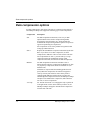
3-4
Compression
Description
Stac
For PPP-encapsulated connections, refers to a pre-RFC
implementation of the Stacker compression algorithm,
developed by Stac Electronics, Inc., which modifies the
standard LZS compression algorithm to optimize for speed (as
opposed to optimizing for compression).
Stac compression is one of the parameters negotiated when
setting up a PPP connection.
Stac-9
Requests the standard Stac compression described by the Stac
RFC. If you choose to use Stac compression, set Link
Compression to MS-Stac or Stac-9. If the remote COE does
not accept MS-Stac or Stac-9, your unit will try to set up
compression using the standard Stac setting. If this
compression also fails, the unit runs the link uncompressed.
MS-Stac
For PPP-encapsulated connections. MS-Stac refers to
Microsoft LZS Coherency compression for Windows 95. This
is a proprietary compression scheme for Windows 95 (not
Windows NT).
If MS-Stac is requested and the matching profile does not
specify MS-Stac compression, the connection appears to
come up correctly but no data is routed. If the profile is
configured with MS-Stac and the remote COE does not
acknowledge that compression scheme, the DSLPipe/CellPipe
attempts to use standard Stac compression, and if that does
not work, it uses no compression.
VJ Comp
For TCP/IP connections. VJ Comp applies only to packets in
TCP applications, such as Telnet. When you turn it on, the
DSLPipe/CellPipe unit applies TCP/IP header compression
for both ends of the link.
DSLPipe/CellPipe User’s Guide
Configuration method
Configuration method
To configure the DSLPipe/CellPipe unit, you must enter settings directly into the
unit’s on-board software. You can access the on-board software through a serial
connection or an Ethernet connection.
To use a serial connection, you connect a serial cable between your computer and
the DSLPipe/CellPipe, then communicate directly with the DSLPipe/CellPipe
unit through the computer’s COM port. You then use any communications
program that supports VT100 emulation (HyperTerminal or Zterm, for example)
to establish a connection with the DSLPipe/CellPipe.
Once the DSLPipe/CellPipe unit has been configured with an IP address, you can
use the IP address to open a Telnet session with the unit from any workstation on
the same Ethernet network. If the unit is connected to just one computer, the
Ethernet network comprises the computer and the DSLPipe/CellPipe unit.
Connection profiles
Connection profiles contain parameters that define individual connections. Your
unit must be configured with at least one Connection profile. All DSLPipe units
ship with a default connection profile (CellPipe units do not ship with a default
configuration profile). For details and sample connection profiles, refer to the
DSLPipe/CellPipe Quick Setup.
Configuring PPP connections (for DSLPipe
units)
Note: This example PPP configuration does not apply for CellPipes.
Before you begin configuring a PPP connection, ask your service provider
whether your unit should support proxy mode over a PPP connection. If not, set
the Proxy Mode parameter to Off in the Ethernet > Mod Config > Ether Options
profile. Also, before you begin, make sure that all your cables are properly
connected, and that you have correctly configured a communications program on
DSLPipe/CellPipe User’s Guide
3-5
Configuring PPP connections (for DSLPipe units)
your computer for VT100 emulation (this procedure is described in the
DSLPipe/CellPipe Quick Setup).
Note: All DSLPipe units are configured for Frame Relay by default. To use a
PPP connection, you must disable Frame Relay encapsulation. Open the Ethernet
> Frame Relay menu to display a list of all the Frame Relay profiles. Open each
profile and set its Active parameter to No.
To configure a PPP connection, proceed as follows:
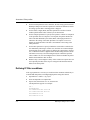
1
From the Main Edit menu, choose Configure. (You use the Configure menu
to choose values for your first Connection profile.) The Configure menu
appears. For example:
Configure
>Chan Usage = Leased/Unused
My Num A = N/A
My Num B = N/A
My Name = DSLPipe
My Addr =
Rem Name =
Rem Addr =
Dial # = N/A
Route = IP
Bridge = Yes
Send Auth = N/A
Send PW = None
Recv Auth = N/A
Recv PW = None
3-6
2
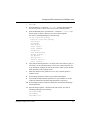
(Optional) If you are requesting on-demand PPP, you must set Chan
Usage to Switch/Unused. If you are uncertain about this setting, consult
your service provider.
3
Set the following parameters to the values specified by your service
provider:
•
My Name (When you are configuring a PPP connection, My Name
represents the User Name. You must enter the correct name in order to log
in.)
•
My Addr
•
Rem Name
DSLPipe/CellPipe User’s Guide
Configuring PPP connections (for DSLPipe units)
•
Rem Addr
4
Open the Ethernet > Connection > profile from the Main Edit menu.
Use the first profile to choose values for your first connection profile.
5
From the Main Edit menu, open Ethernet > Connection > profile. Use
the first profile to choose values for your first connection profile.
You will see something analogous to the following:
20-101 Corporate-gateway
>Station= Corporate-gateway
Active=Yes
Encaps=FR
Dial #=N/A
Route IP=Yes
Route IPX=N/A
Bridge=Yes
Dial Brdcast=N/A
Encaps options...
Ip options...
Ipx options...
Session options...
Telco options...
6
Verify that the Station parameter is set to the name of the remote system, or
if necessary, set the Station parameter. For the first Connection profile you
set up, the Station setting is the same as the value to which you set the Rem
Name parameter in the Configure menu.
7
Make sure that the Active parameter is set to Yes, so that the profile is
available for use.
8
Set the Encaps parameter to PPP to specify PPP encapsulation.
9
Set the Route IP and Route IPX parameters to specify whether or not the
connection should route IP packets and IPX packets, respectively.
10 Set the Bridge parameter to specify whether the connection should bridge
unrouted protocols.
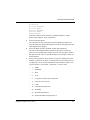
11 Open the Encaps Options... submenu of the same profile. You will see
something analogous to the following:
Send Auth=CHAP
Send Name=
Send PW=******
DSLPipe/CellPipe User’s Guide
3-7
Configuring PPP connections (for DSLPipe units)
Recv PW=******
MRU=1524
LQM=No
LQM Min=600
LQM Max=600
Link Comp=Stac
VJ Comp=Yes
IPX Header Compression=N/A
Split Code.User=N/A
12 Set the Send Auth parameter to PAP, CHAP, or MS-CHAP. Both sides of the
connection must support the selected protocol.
13 Enter the password sent from the DSLPipe to the remote COE in the Send
PW parameter’s edit field.
14 Enter the password the remote COE sends to the DSLPipe in the Recv PW
parameter’s edit field.
15 Leave the MRU parameter to its default value unless the remote system
cannot support it. The value specifies the Maximum Receive Unit (MRU),
which is the maximum number of bytes in a packet received by the DSLPipe
unit.
Note: If you are configuring a Frame Relay profile, the MRU option is
configured in Ethernet > Frame Relay > connection profile.
16 Specify if Link Quality Management (LQM) is to be used on the link, and if
so, set the minimum and maximum reporting periods. Both sides of the
connection must agree to use the utility.
17 Set the Link Comp parameter to specify the type of data compression, if any,
to be used in the connection.
18 Set the VJ Comp parameter to specify whether the connection uses Van
Jacobson compression on TCP/IP headers.
To set the IP options, see Chapter 4, “Configuring IP Routing.” To set the IPX
options, see Chapter 6, “Configuring IPX Routing.” The Session Options
submenu provides parameters for management of WAN sessions. Following is an
example:
1
3-8
From the Main Edit menu, open Ethernet > Connection > profile >
Session Options.
You will see something analogous to the following:
DSLPipe/CellPipe User’s Guide
Configuring PPP connections (for DSLPipe units)
Session options...
>Data Filter=0
Call Filter=N/A
Filter Persistence=No
Idle=N/A
Preempt=N/A
IPX SAP Filter=0
BackUp=
Secondary=
Block calls after=0
Blocked duration=0
2
Set the Data Filter parameters to prevent routine network traffic from
keeping a connection active. (For a discussion of how to create filters, see
Chapter 8, “Defining Filters and Firewalls.”)
3
If a filter or firewall is applied, and you want the filter to persist even if the
connection is timed out or disconnected, set Filter Persistence to Yes. (For
more information, see Chapter 8, “Defining Filters and Firewalls.”)
4
If you set Chan Usage to “Switched,” set the Idle parameter to a value in
seconds.
For example:
Idle=120
This setting specifies that the DSLPipe unit will wait 120 seconds before
clearing a connection when a session is inactive. If the timer expires, the
DSLPipe clears the connection. If the parameter is set to zero, the unit does
not enforce a time limit.
The most common value is 120 seconds.
Note: If you set Chan Usage to “Leased,” the Idle paramter defaults to N/A.
5
Optionally, set the IPX SAP Filter parameter to the data filter, but prevents
Netware SAP packets from unnecessarily initiating or keeping alive a
connection.
6
Optionally, set the Backup and Secondary parameters to name other profiles
that can be used if the connection cannot be established. The Secondary
profile is used if the Backup profile is unavailable.
7
Press Esc to save and close the profile.
DSLPipe/CellPipe User’s Guide
3-9
Configuring Frame Relay connections (for DSLPipe units)
Configuring Frame Relay connections (for
DSLPipe units)
Note: All DSLPipe units support Frame Relay connections. (CellPipe units do
not.)
Frame Relay profiles define connections between the DSLPipe unit and Frame
Relay switches. You need at least one Frame Relay profile and one Connection
profile to define a logical link to the Frame Relay network. The connections are
almost always nailed. (Frame Relay switches currently have no dial-out
connection capability.)
Connection profiles define logical links to an end-point on the Frame Relay
network. Each Connection profile must specify a Data Link Connection Identifier
(DLCI) for that link. A DLCI is a number from 16 to 991, which is assigned by
the Frame Relay administrator. A DLCI is not an address, but a local label that
identifies a logical link between a device and a Frame Relay switch. (That is, the
DLCIs enable the Frame Relay switch to identify each logical link associated
with a Connection profile.) The switch uses the DLCI to route frames through the
network, and the DLCI may change as frames are passed through multiple
switches.
To configure a Frame Relay connection, you must perform the following tasks:
•
Obtain the DLCIs you need from the Frame Relay administrator (at the
telephone company, or your network administrator). Each connection
requires its own DLCI.
•
Obtain the routing/bridging information for the remote network.
•
Configure a Connection profile.
•
Configure a Frame Relay profile.
Configuring a connection profile for Frame Relay
Before you begin configuring a Frame Relay connection, ask your service
provider whether your unit should support proxy mode over a Frame Relay
connection. If not, set the Proxy Mode parameter to Off in the Ethernet > Mod
Config > Ether Options profile. Also, before you begin, make sure that all your
cables are properly connected, and that you have correctly configured a
3-10
DSLPipe/CellPipe User’s Guide
Configuring Frame Relay connections (for DSLPipe units)
communications program on your computer for VT100 emulation (this procedure
is described in the DSLPipe/CellPipe Quick Setup).
Note: The CellPipes do not support Frame Relay.
To configure a Connection profile for a Frame Relay connection, proceed as
follows:
1
From the Main Edit menu, choose Configure. The Configure menu appears.
For example:
Configure
>Chan Usage = Leased/Unused
My Num A = N/A
My Num B = N/A
My Name = DSLPipe
My Addr =
Rem Name =
Rem Addr =
Dial # = N/A
Route = IP
Bridge = Yes
Send Auth = N/A
Send PW = None
Recv Auth = N/A
Recv PW = None
2
Set the following parameters to the values specified by your service
provider:
•
My Name
•
My Addr
•
Rem Name
•
Rem Addr
3
From the Main Edit menu, open Ethernet > Connection > profile. Use
the first profile to choose values for your first connection profile.
You will see something analogous to the following:
20-101 Corporate-gateway
>Station=Corporate-gateway
Active=Yes
Encaps=FR
DSLPipe/CellPipe User’s Guide
3-11
Configuring Frame Relay connections (for DSLPipe units)
Dial #=N/A
Route IP=Yes
Route IPX=N/A
Bridge=Yes
Dial Brdcast=N/A
Encaps options...
Ip options...
Ipx options...
Session options...
Telco options...
4
Verify that the Station parameter is set to the name of the remote system, or
if necessary, set the Station parameter. For the first Connection profile you
set up, the Station setting is the same as the value to which you set the Rem
Name parameter in the Configure menu.
For example:
5
Verify that the Active parameter is set to Yes.
6
Set the Encaps parameter to FR.
7
Set the Route IP and Route IPX parameters to specify whether or not the
connection should route IP packets and IPX packets, respectively.
8
Set the Bridge parameter to specify whether the connection should bridge
unrouted protocols.
9
Choose Encaps options to choose a name for the Frame Relay profile. The
name can contain up to 15 alphanumeric characters. You also set the value
for the DLCI using this menu. Enter the correct DLCI value for the remote
connection you are trying to establish.
For example:
FR Prof = DSLFrame
DLCI = 16
To set the IP options, see Chapter 4, “Configuring IP Routing.” To set the IPX
options, see Chapter 6, “Configuring IPX Routing.” The Session Options
submenu provides parameters for management of WAN sessions. Following is an
example:
1
3-12
From the Main Edit menu, open Ethernet > Connection > profile >
Session Options.
You will see something analogous to the following:
DSLPipe/CellPipe User’s Guide
Configuring Frame Relay connections (for DSLPipe units)
Session options...
>Data Filter=0
Call Filter=N/A
Filter Persistence=No
Idle=N/A
Preempt=N/A
IPX SAP Filter=0
BackUp=
Secondary=
Block calls after=0
Blocked duration=0
2
Set the Data Filter parameters to prevent routine network traffic from
keeping a connection active. (For a discussion of how to create filters, see
Chapter 8, “Defining Filters and Firewalls.”)
3
If a filter is applied, and you want the filter to persist even if the connection
is timed out or disconnected, set Filter Persistence to Yes. (For more
information, refer to Chapter 8, “Defining Filters and Firewalls.”)
4
The Idle parameter defaults to N/A when you are configuring for Frame
Relay encapsulation. Since the Chan Usage is set to Leased/Unused, this link
is never idle.
5
Optionally, set the IPX SAP Filter parameter to the data filter, but prevents
Netware SAP packets from unnecessarily initiating or keeping alive a
connection.
6
Optionally, set the Backup and Secondary parameters to name other profiles
that can be used if the connection cannot be established. The Secondary
profile is used if the Backup profile is unavailable.
7
Press Esc to save and close the profile.
Configuring a Frame Relay profile
After defining a Connection profile for a Frame Relay connection, you must also
define a Frame Relay profile. To define a Frame Relay profile, proceed as
follows:
1
From the Main Edit menu, open Ethernet > Frame Relay > profile.
For example, the following profile displays if you select Ethernet > Frame
Relay > DSLFrame:
DSLPipe/CellPipe User’s Guide
3-13
Configuring Frame Relay connections (for DSLPipe units)
Name=DSLFrame
Active=Yes
Call Type=Nailed
FR Type=DTE
Nailed Grp=1
Data Svc=64k
Dial #=N/A
Link Status Dlci=0
Link Mgmt=T1.617D
N391=6
DTE N392=3
DTE N393=4
DCE N392=
DCE N393=
T391=10
T392=N/A
Note: The Name parameter in Ethernet > Frame Relay > profile is the name you
assigned to the Frame Relay profile in Ethernet > Connections > Connection
profile > Encaps Options.
2
Verify that the profile is active.
3
Specify that this is a nailed connection.
Call Type=Nailed
4
Specify the Frame type of service.
For example:
FR Type=DTE
Your service provider will give you this information. DTE means you are
using your DSLPipe unit as a CPE device.
5
Enter the group number.
For example:
Nailed Grp=1
Nailed is the default for Frame Relay connections. Frame Relay networks
currently have no dial-out connection capability.
6
3-14
Specify the link management protocol used between the DSLPipe/CellPipe
unit and the Frame Relay switch.
For example:
DSLPipe/CellPipe User’s Guide
Configuring Frame Relay connections (for DSLPipe units)
Link Mgmt=T1.617D
If you specify Link Mgmt=T1.617D, set the following additional
parameters:
N391
DTE N392
DTE N393
T391
T392
N391 specifies how many polling cycles the DSLPipe/CellPipe unit waits
before requesting a full status report. DTE N392 is the maximum number of
error events that can occur in the sliding window defined by DTE N393.
DTE N393 specifies the width of the sliding window used by the DTE N392
parameter.
T391 specifies the number of seconds between Status Enquiry messages.
T392 specifies the number of seconds that the DSLPipe/CellPipe unit waits
for a Status Enquiry message before recording an error.
For more details, see the Reference Guide.
7
Press Esc to save and close the Frame Relay profile.
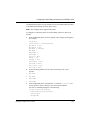
Inverse ARP for Frame Relay or ATM
Inverse Address Resolution Protocol (InARP) enables a device to resolve the
protocol address of another device when the hardware address is known. In the
case of Frame Relay, the hardware address is the DLCI. In the case of CellPipes,
the hardware address is the VPI and the VCI. The Ascend implementation of
Inverse ARP responds to Frame Relay (for DSLPipe units), and ATM (for
CellPipe units).
The ARP protocol type for Inverse ARP requests must be IP(0x8000). ARP
hardware address type must be the 2-byte Q.922 address. All other types are
discarded.
The Inverse ARP response supplies the following data:
•
ARP source protocol address is the IP address of the DSLPipe/CellPipe unit,
specified by the Ethernet > Mod Config > Ether Options > IP Adrs
parameter.
DSLPipe/CellPipe User’s Guide
3-15
Configuring ATM connections (for CellPipe units)
•
ARP source hardware address is the Q.922 address of the local DLCI.
Note: The DSLPipe/CellPipe unit does not issue any Inverse ARP requests. It
only responds to Inverse ARP requests.
For details of Inverse ARP, refer to RFCs 1293 and 1490.
Configuring ATM connections (for CellPipe
units)
All CellPipe units support RFC1483, “Multiprotocol Encapsulation over ATM
Adaption Layer 5” and RFC2364, “PPP over AAL5.” Encapsulating PPP within
ATM enables the unit to offer key existing PPP services, such as authentication.
In addition to ATM over ADSL or SDSL,a CellPipe unit offers the choice of a
nailed PPP connection or an on-demand PPP connection. With on-demand PPP,
network traffic starts to flow only when the unit initiates a connection.
On-demand PPP gives you the option to control when you start and stop your
session.
You can configure an ATM Connection profile by setting parameters in the
Configure profile. By doing so, you create a Connection profile. You can
configure additional Connection profiles (to define additional connections). You
can also apply traffic-shaping options to each profile.
Configuring an ATM connection profile
The following example takes you through the steps required to configure a
CellPipe. For examples of on-demand PPP over ATM Connection profiles and
other ATM profiles, see the DSLPipe/CellPipe Quick Setup.
To configure a Connection profile for a CellPipe unit, proceed as follows:
1
From the Main Edit Menu, choose Configure. The Configure menu appears.
For example:
Chan Usage=Switch/Unused
My Name=
My Addr=
Rem Name=
3-16
DSLPipe/CellPipe User’s Guide
Configuring ATM connections (for CellPipe units)
Rem Addr=
Encaps=ATM
MUX Type=ATM-LLC
Vpi=8
Vci=35
Route=None
Bridge=Yes
Send Auth=N/A
Send PW=N/A
Recv Auth=N/A
Recv PW=N/A
* Save
Note: You can use the Configure menu to configure all the parameters for the
first Connection profile. To configure multiple connection profiles, choose
Ethernet > Connection > another Connection profile from the Main Edit menu.
2
If you are configuring a PPP over ATM connection, leave Chan Usage set
to Switch/Unused. If you are configuring an ATM connection, change
Chan Usage to Leased/Unused.
3
Enter values for the following:
•
My Name,
•
My Addr
•
Rem Name
•
Rem Addr
4
In the Encaps field, you can choose ATM or PPP. If you choose ATM, you
must change the Chan Usage value to Leased/Unused.
5
In the Mux Type field, you can choose ATM-LLC or ATM-VC. In VC
multiplexing, only one protocol is allowed per session. Up to eight sessions
can be set up, each with a unique VPI (Virtual Path Identifier) and VCI
(Virtual Circuit Identifier). In LLC encapsulation, the LLC header specifies
the protocol being transmitted. The CellPipe units defaults to the LLC
setting.
6
Specify a Virtual Path Identifier number in the VPI field. Enter the correct
value for the remote connection you are trying to establish.
7
Specify a Virtual Circuit Identifier in the VCI field. Enter the correct value
for the remote connection you are trying to establish. The default is 35.
DSLPipe/CellPipe User’s Guide
3-17
Configuring ATM connections (for CellPipe units)
8
In the Route field, you can specify IP, IPX, or IP+IPX. The default is None.
9
In the Bridge field, you can specify Yes or No. The default is Yes.
10 If you chose PPP in the Encaps field, you can specify values for the Send
Auth, Send PW, Recv Auth, and Recv PW fields.
11 Choose Save to save your values.
Configuring additional Connection profiles
After you have created the first Connection profile by setting parameters in the
Configure menu, you can create additional profiles.
To create another profile, proceed as follows:
1
Choose Configure > Ethernet > connections from the Main Edit Menu. A list
of Connection profiles appear. The profiles that have not yet been configured
do not have names. Open an available profile to display its parameters. For
example:
Station=
Active=No
Encaps=
Route IP=
Route IPX=
Bridge=Yes
Dial Brdcst=Yes
Encaps Options...
IP options...
IPX options...
Session options...
Telco options...
Interface options...
Note: The value for the Station parameter is the same as the value you
assigned for the Rem Name parameter in the Configure menu. This is also the
name of the Connection profile.
2
Activate the profile by setting the Active parameter to Yes.
3
Specify the kind of encapsulation. For example:
Encaps=PPP
3-18
DSLPipe/CellPipe User’s Guide
Configuring ATM connections (for CellPipe units)
4
Open the Encaps Options menu and specify the authentication:
Send Auth=PAP
Send PW=****
Interface Type=AAL5
5
Press Esc to go up one level. Then, choose Ip Options, and set the LAN Adrs
parameter to specify the address of the remote unit. For example:
LAN Adrs=10.10.10.11
6
Press Esc to go up one level. Then, choose Telco Options and specify the call
type. For example:
CallType=Switched
7
Press Esc to go up one level. Then, choose Interface Options and set the
following parameters (the values shown are examples):
MUX Type=ATM-LLC
vpi=8
vci=35
Service Type=Unspecified
Service Rate=0
A service type of Unspecified means that the CellPipe unit will attempt to
transmit at the fastest possible speed. For a discussion of traffic shaping
options, see “Traffic shaping options” on page 3-19.
8
Choose Save to save your values.
Traffic shaping options
The traffic-shaping feature of the CellPipe units enables you to specify the
transmit rate and priority for each VC you define. You specify traffic shaping by
specifying a Service Type and Service Rate setting in each Connection profile.
The Service Rate is the number of cells per second. The Service Type can be
either Unspecified or Constant.
If you specify Constant, the unit transmits traffic at a predefined constant bit rate.
The default Service Type is Unspecified and the default Service Rate is 0. With
this default, transmission is based on a best-effort method.
DSLPipe/CellPipe User’s Guide
3-19
Configuring ATM connections (for CellPipe units)
For example, you can set up a Connection profile with the Service Type set to
Constant and the Service Rate set to 1000 cells/per second. You can set up a
second profile in which the Service Type is Unspecified but the service rate is set
to 500 cells per second.
For ATM connections, you specify the Service Type and Service Rate from the
Configure > Ethernet > Encaps Options menu. For PPP connections, you specify
the Service Type and Service Rate from the Configure > Ethernet > Interface
Options menu.
Note: If you are setting up multiple Connection profiles and you specify the
Service Type setting as Constant for each profile, make sure the total service rate
for the profiles is less than or equal to the maximum upstream rate.
3-20
DSLPipe/CellPipe User’s Guide
Configuring IP Routing
4
Introduction to IP routing on the DSLPipe/CellPipe . . . . . . . . . . . . . . . . . . . 4-1
Managing the routing table . . . . . . . . . . . . . . . . . . . . . . . . . . . . . . . . . . . . . 4-11
Configuring IP routing connections . . . . . . . . . . . . . . . . . . . . . . . . . . . . . . . 4-27
Introduction to IP routing on the
DSLPipe/CellPipe
An IP router moves data toward its destination over the most efficient path it
knows. The router keeps track of the source and destination addresses of packets
it handles, builds tables with this information, collects information from the
routing tables of other routers, and can advertises its own routes. (For
information about routing packets with the Internet Packet eXchange protocol
used in NetWare LANs, see Chapter 6, “Configuring IPX Routing.”)
The most common uses for IP routing connections in the DSLPipe/CellPipe are
to:
•
Enable IP connections to the Internet (through Internet Service Providers).
•
Connect distributed IP subnets to a corporate backbone (telecommuting and
remote office hubs).
The DSLPipe/CellPipe supports IP routing over PPP, MP, MP+, Frame Relay,
and ATM connections. The DSLPipe/CellPipe is fully interoperable with
DSLPipe/CellPipe User’s Guide
4-1
Introduction to IP routing on the DSLPipe/CellPipe
non-Ascend products that conform to the TCP/IP protocol suite and associated
RFCs.
Note: Currently, the DSLPipe-2S is the only model that supports MP or MP+
encapsulation.
IP routing connections have a level of built-in authentication, because the
DSLPipe/CellPipe matches the IP address of a Connection profile to the source
IP address. For most sites, however, this level of security is not enough and a
form of password authentication is used as well. (For more information, see
Chapter 9, “Setting Up DSLPipe/CellPipe Security.”)
Note: IP routing can be configured along with protocol-independent bridging
and IPX routing in any combination. However, you cannot bridge and route IP
packets across the same connection. When you configure the DSLPipe/CellPipe
as an IP router, IP packets are no longer bridged at the link layer. They are always
routed at the network layer. All other protocols continue to be bridged unless you
turn off bridging. (For more information about bridging, see Chapter 7,
“Configuring the DSLPipe/CellPipe as a Bridge.”)
Subnet mask notation
In the DSLPipe/CellPipe, IP addresses are specified in decimal format (not
hexadecimal). For example:
198.5.248.40
If no subnet mask is specified, the DSLPipe/CellPipe assumes a default mask
based on the class of the address. The default mask identifies the number of
network bits for the address class, as shown in Table 4-1.
Table 4-1. IP address classes and default subnet masks
4-2
Class
Address range
Network bits
Class A
0.0.0.0 to 127.255.255.255
8
Class B
128.0.0.0 to 191.255.255.255
16
Class C
192.0.0.0 to 223.255.255.255
24
DSLPipe/CellPipe User’s Guide
Introduction to IP routing on the DSLPipe/CellPipe
Table 4-1. IP address classes and default subnet masks (Continued)
Class
Address range
Network bits
Class D
224.0.0.0 to 239.255.255.255
N/A
Class E
(reserved)
240.0.0.0 to 247.255.255.255
N/A
For example, a class C address such as 198.5.248.40 has 24 network bits, as
shown in Figure 4-1, so the DSLPipe/CellPipe assumes that the address has a
24-bit subnet mask. That leaves eight bits for the host portion of the address. A
class C network can support up to 255 hosts.
Figure 4-1. A class C address
To specify a subnet mask, the DSLPipe/CellPipe does not use dotted decimal
format, as in:
IP Address=198.5.248.40
Netmask=255.255.255.248
Instead, it includes a modifier that specifies the total number of network bits in
the address. For example:
198.5.248.40/29
In the sample address shown above, the /29 specification indicates that an
additional five bits of the address will be interpreted as a subnet number.
DSLPipe/CellPipe User’s Guide
4-3
Introduction to IP routing on the DSLPipe/CellPipe
Figure 4-2. A 29-bit subnet mask and number of supported hosts
The remaining three bits provide up to eight bit-combinations. Of those eight
possible host addresses, two are reserved:
000 — Reserved for the network base (the cable)
001
010
100
110
101
011
111 — Reserved for the broadcast address of the subnet
Table 4-2 shows how standard subnet address format relates to Ascend notation
for a class C network number.
Table 4-2. Standard subnet masks and subnet mask notation
Subnet mask
Ascend notation
Number of host addresses
255.255.255.0
/24
254 hosts + 1 broadcast, 1 network base
255.255.255.128
/25
126 hosts + 1 broadcast, 1 network base
255.255.255.192
/26
62 hosts + 1 broadcast, 1 network base
255.255.255.224
/27
30 hosts + 1 broadcast, 1 network base
255.255.255.240
/28
14 hosts + 1 broadcast, 1 network base
255.255.255.248
/29
6 hosts + 1 broadcast, 1 network base
4-4
DSLPipe/CellPipe User’s Guide
Introduction to IP routing on the DSLPipe/CellPipe
Table 4-2. Standard subnet masks and subnet mask notation (Continued)
Subnet mask
Ascend notation
Number of host addresses
255.255.255.252
/30
2 hosts + 1 broadcast, 1 network base
255.255.255.254
/31
invalid subnet mask (no hosts)
255.255.255.255
/32
1 host (a host route)
The broadcast address of any subnet is always all ones. The network base address
represents the network cable itself, which is always address 0. For example, if the
DSLPipe/CellPipe configuration assigns the following address to a remote
DSLPipe/CellPipe router:
198.5.248.120/29
the Ethernet attached to that router has the following address range:
198.5.248.120 — 198.5.248.127
The 0 address (198.5.248.120) is reserved for the cable itself. The broadcast
address is 198.5.248.127, and the router itself uses one of the host addresses.
That leaves five remaining host addresses on that remote subnet, which can be
assigned in any order to five hosts on that subnet.
As another example, if the DSLPipe/CellPipe configuration assigns the following
address to a remote router:
192.168.8.64/26
the Ethernet attached to that router has the following address range:
192.168.8.64 – 192.168.8.127
The zero address for this subnet is 192.168.8.64.
The broadcast address must be the network base address plus six ones (six ones
in base 2 equals 63 decimal, and 64+63=127) 192.168.8.127.
Note: Early implementations of TCP/IP did not allow zero subnets. That is,
subnets could not have the same base address that a class A, B, or C network
would have. For example, the subnet 192.168.8.0/30 was illegal because it had
DSLPipe/CellPipe User’s Guide
4-5
Introduction to IP routing on the DSLPipe/CellPipe
the same base address as the class C network 192.168.8.0/24, while
192.168.8.4/30 was legal. (The 192.168.8.0/30 subnet is called a zero subnet,
because like a class C base address, its last octet is zero.) Modern
implementations of TCP/IP allow subnets to have base addresses that might be
identical to the class A, B, or C base addresses. Ascend’s implementations of RIP
2 treats these so-called zero subnetworks the same as any other network.
However, it is important that you treat zero subnets consistently throughout your
network. Otherwise, you will encounter routing problems.
Connection profiles and IP routes
The DSLPipe/CellPipe creates a routing table when it powers up. It adds all
known routes to the table, including connected routes (such as Ethernet) and
routes configured in its resident Connection profiles and Static Rtes profiles. If
RIP is enabled in the Ethernet network, it supplies the routing table with
information about routes learned from local routers. If RIP is enabled on an
active connection, it supplies information about the routes received from the
far-end of that connection.
There are some static routes that the DSLPipe/CellPipe cannot read at power-up.
They do not become part of the routing table until they are up and usable. Such
routes include those added by the Iproute add terminal server command.
How the DSLPipe/CellPipe uses its routing table
When the DSLPipe/CellPipe receives an IP packet whose destination address is
not on the local network, it checks its routing table for the destination network
and:
•
If it finds a route to that network, it forwards the packet to the gateway
indicated by that route. If the gateway is not local, the DSLPipe/CellPipe
opens a WAN connection to forward the packet.
•
If it does not find a route to that network, it forwards the packet to the default
router.
•
If it does not find a route to that network and no default route has been
configured, it drops the packet.
When the DSLPipe/CellPipe receives an incoming IP call, it examines the source
IP address and looks for a matching profile. If the source matches a resident
4-6
DSLPipe/CellPipe User’s Guide
Introduction to IP routing on the DSLPipe/CellPipe
Connection profile, the DSLPipe/CellPipe updates its routing table, if necessary,
with the route to the source network.
RIP-v2 and RIP-v1 routing
The DSLPipe/CellPipe includes a Routing Information Protocol (RIP) version 2
implementation (RIP-v2), which includes a set of improvements to RIP-v1. You
can configure the DSLPipe/CellPipe to send, receive, or send and receive RIP-v1
or RIP-v2 on Ethernet or any WAN interface.
Note: RIP-v2 is a compatible upgrade to RIP-v1, but do not run RIP-v2 and
RIP-v1 on the same network in such a way that the routers receive each other’s
advertisements. RIP-v1 “guesses” subnet masks, while RIP-v2 handles them
explicitly. Running the two versions on the same network can result in RIP-v1
“guesses” overriding accurate subnet information obtained through RIP-v2.
RIP-v2 includes the following improvements to RIP-v1:
Function
Improvement
Subnet routing
The biggest difference between RIP-v1 and RIP-v2 is the
inclusion of subnet mask information in RIP-v2 routes.
RIP-v1 recognized subnet information only within the subnet
and purposely did not advertise subnet masks to other routers.
There was no way to distinguish between a subnet and a host
entry, unless it was for a router directly connected to the
subnet. When a RIP-v1 router receives an IP address, it
assumes the default subnet mask.
RIP-v2 passes the subnet mask in parallel with the address.
This enables support not only of reliable subnet routing, but
also of variable length masks within the same network and
Classless Inter-Domain Routing (CIDR).
If a RIP-v1 router receives a RIP-v2 update that includes
subnet masks, it ignores the subnet information.
DSLPipe/CellPipe User’s Guide
4-7
Introduction to IP routing on the DSLPipe/CellPipe
Authentication
RIP-v1 provided no way of authenticating its routing
advertisements. Any program that transmitted packets on
UDP port 520 was considered a router with valid distance
vectors.
RIP-v2 packets include an authentication field that can
contain a simple password. If a RIP-v1 router receives a
RIP-v2 packet that contains a password, it ignores the field.
Routing
domains
To enable multiple networks to share a common backbone,
RIP-v2 uses a routing domain number that enables routers to
recognize packets bound for a particular domain number in
the router’s networks.
Multicasting
RIP-v1 uses a broadcast address for sending updates, so its
tables are received not only by routers but also by all hosts on
the cable.
RIP-v2 uses an IP multicast address or MAC addresses for
periodic multicasts to RIP-v2 routers.
Interface-based routing
All DSLPipe/CellPipe units implement what is referred to as system-based or
box-based routing. With system-based routing, the entire box is addressed with a
single IP address. For systems that have a single backbone connection,
system-based routing is by far the simplest form of routing from both a
configuration and trouble-shooting perspective. The alternative form of routing is
referred to as interface-based routing. With interface-based routing, each physical
or logical interface on the box is remembered and has its own IP address.
For some applications, you might want to number some interfaces but have the
DSLPipe/CellPipe operate as a system-based router for the other interfaces.
Reasons for using numbered interfaces include troubleshooting leased
point-to-point connections and forcing routing decisions between two links going
to the same final destination. More generally, interface-based routing allows the
DSLPipe/CellPipe to operate more nearly the way a multihomed Internet host
behaves.
Interfaced-based routing lets you configure each link as numbered
(interface-based) or unnumbered (system-based). If no interfaces are specified as
4-8
DSLPipe/CellPipe User’s Guide
Introduction to IP routing on the DSLPipe/CellPipe
numbered, then the unit operates exactly as it does when using unnumbered
routing. Configure interface numbering in the Connection profile.
System behavior with a numbered interface
If a DSLPipe/CellPipe is using a numbered interface, the following differences in
operation, compared to unnumbered (system-based) routing should be noted:
•
IP packets generated in the DSLPipe/CellPipe and sent to the remote address
use an IP source address corresponding to the numbered interface, not to the
default (Ethernet) address of the DSLPipe/CellPipe.
•
During authentication of a call placed from a DSLPipe/CellPipe using a
numbered interface, the DSLPipe/CellPipe reports the address of the
interface as its IP address.
•
The DSLPipe/CellPipe adds, as host routes to its routing table, all numbered
interfaces listed in Connection profiles.
•
The DSLPipe/CellPipe accepts IP packets whose destination are a numbered
interface listed in a Connection profile, considering them to be destined for
the DSLPipe/CellPipe itself. (A packet might actually arrive over any
interface, and the numbered interface corresponding to the packet’s
destination address need not be in the active state.)
Configuring interface-based routing
Configure interface-based routing in the IP Options submenu of the Connection
profile. The IF Adrs parameter specifies the IP address of the interface. If you
leave the field at its default value (0.0.0.0/0), the interface is unnumbered.
The profile, in the following example, shows the settings for a numbered
interface. The WAN Alias parameter specifies the address of the remote end, and
the IF Adrs parameter specifies the interface number of the near end.
Ip options...
LAN Adrs=192.168.6.29/24
WAN Alias=192.1.1.17
IF Adrs=192.1.1.8/30
Preference=60
Metric=0
DownPreference=120
DownMetric=0
DSLPipe/CellPipe User’s Guide
4-9
Introduction to IP routing on the DSLPipe/CellPipe
Preference=2
Private=No
RIP=Off
Client Pri DNS=0.0.0.0
Client Sec DNS=0.0.0.0
Client Assign DNS=Yes
Client Gateway=0.0.0.0
Specifying the remote interface address
The parameter you set to specify the interface address depends on whether or not
you know the system address.
If both the system and interface addresses are known
If you are adding interface-based routing to a system set up for system-based
routing, set the Connection profile’s alias parameter to specify the remote
interface address. WAN Alias identifies the remote end of the link. If a WAN
Alias is set, the following processes occur:
•
Host routes to LAN Adrs and WAN Alias are created, and the WAN Alias is
listed in the routing table as a gateway (next hop) to the Lan Adrs.
•
A route is created to the remote system's subnet, showing the WAN Alias as
the next hop.
•
Incoming PPP/MPP calls must report their IP addresses as the WAN Alias
(rather than the Lan Adrs). That is, the caller must be using a numbered
interface, and its interface address must agree with the WAN Alias on the
receiving side.
To create static routes to hosts at the remote end, enter the WAN Alias address in
the “next hop” (gateway) field. (The Lan Adrs address will also work, as it is for
system-based routing.)
If only the interface address is known
You can omit the remote side’s system address from the profile and use
interface-based routing exclusively. This is an appropriate mechanism if, for
example, the remote system is on a backbone net that might be reconfigured
4-10
DSLPipe/CellPipe User’s Guide
Managing the routing table
periodically by its administrators, and you want to refer to the remote system
only by its mutually agreed-upon interface address.
In this case, set he Lan Adrs parameter, and leave the WAN Alias as default
(0.0.0.0). Note that Lan Adrs must always be filled in, so if the only known
address is the interface address, it must be placed in the Lan Adrs parameter
rather than the WAN Alias parameter.
If the remote interface address is placed in the Lan Adrs parameter, the following
events take place:
•
A host route is created to the Lan Adrs (interface) address.
•
A net route is created to the subnet of the remote interface.
•
Incoming PPP/MP+ calls must report their IP addresses as the Lan Adrs
(interface) address.
If the remote interface address is not specified
If interface-based routing is in use and the local interface is numbered, the remote
address will usually be known (in practice, the subnet must be agreed upon by
administrators of both sites). It is possible, but not recommended, to number the
local interface, and omit the interface address of the remote site, using only its
system or LAN address. In that case, do not use the (supposedly unknown)
remote interface address in any static routes.
When a local interface is numbered but no corresponding remote interface
address is set, the remote interface must have an address on the same subnet as
the local, numbered interface. Incoming PPP will be rejected if the Connection
profile numbers the local interface and the (remote) caller supplies an address not
on the same subnet.
Managing the routing table
The DSLPipe/CellPipe routing table is created when the DSLPipe/CellPipe
powers up. (Which routes are included and when is discussed in “Connection
profiles and IP routes” on page 4-6.) To manage the routing table, you can
perform one or more of the following tasks:
•
Configure static routes in the IP Options menu of a Connection profile.
DSLPipe/CellPipe User’s Guide
4-11
Managing the routing table
•
Configure a default route for packets with an unknown destination.
•
Turn off ICMP Redirects.
•
Configure RIP-v1 or RIP-v2 on Ethernet.
•
Turn off RIP on WAN connections.
•
Assign a preference for RIP or static routes (known as route preferences).
•
Display the routing table.
Parameters that affect the routing table
The following list shows parameters that affect the DSLPipe/CellPipe IP routing
table:
•
Ethernet > Mod Config
RIP Policy=Poison Rvrs
RIP Summary=Yes
ICMP Redirects=Accept
•
(RIP-v1 only)
(RIP-v1 only)
Ethernet > Mod Config > Ether Options
IP Adrs=10.2.3.2/245
2nd Adrs=0.0.0.0/0
RIP=Both-v2
Ignore Def Rt=No
•
Ethernet > Connections > any profile
Route IP=Yes
•
Ethernet > Connections > any profile > IP Options
LAN Adrs=10.9.8.10/22
WAN Alias=0.0.0.0
Metric=1
Preference=100
Private=No
RIP=Off
•
Ethernet > Static Rtes > any profile
Name=SITEBGW
Active=Yes
4-12
DSLPipe/CellPipe User’s Guide
Managing the routing table
Dest=10.2.3.0/24
Gateway=10.2.3.4
Metric=2
Preference=100
Private=No
For details about each parameter, see the Reference Guide.
Static and dynamic routes
A static route is a path from one network to another, which specifies the
destination network and the router to use to get to that network. For routes that
must be reliable, the administrator often configures more than one path (adds a
secondary route), in which case the DSLPipe/CellPipe chooses the primary route
on the basis of an assigned metric.
A dynamic route is a path to another network that is “learned” dynamically rather
than configured in a profile. A router that uses RIP broadcasts its entire routing
table every 30 seconds, updating other routers about which routes are usable.
Hosts that run ICMP can also send ICMP Redirects to offer a better path to a
destination network.
Note: A dynamic route can overwrite or hide a static route to the same network
if the dynamic route’s metric is lower than that of the static route. However,
dynamic routes age and if no updates are received, they eventually expire. In that
case, the hidden static route reasserts itself and is reinstated in the routing table.
Configuring static routes
Every Connection profile that specifies an explicit IP address is a static route.
(For the details of configuring connections, see “Configuring IP routing
connections” on page 4-27.)
The network diagram in Figure 4-3 shows a static route to a subnet specified in
the LAN Adrs parameter (10.9.8.10/22) of a Connection profile. With this LAN
Adrs parameter setting, the implied static route is defined with the following
addresses:
•
Dest=10.9.8.10/22
DSLPipe/CellPipe User’s Guide
4-13
Managing the routing table
•
Gateway=10.9.8.10
Remote
CPE Router
WAN
IP
IP
Figure 4-3. An IP routing connection serving as a static route
Note: If you do not specify the subnet mask in the LAN Adrs setting, the
DSLPipe/CellPipe inserts a default mask that assumes the entire far-end network
is accessible. Normally, if the far-end router’s address includes a subnet mask,
you should include it.
When RIP is turned off in a Connection profile, the DSLPipe/CellPipe does not
listen to RIP updates across that connection. To route to other networks through
that connection, it must rely on a Static Rtes profile. The network diagram in
Figure 4-4 shows a remote network that does not have its own Connection profile
but can be reached through an existing Connection profile.
Site
Site B
Site C
Etherne
Etherne
WAN
IP
Subnet=10.4.5.
Figure 4-4. When a two-hop static route is required with RIP off
In the sample network shown in Figure 4-4, if RIP is off in the Connection profile
for Site B, the DSLPipe/CellPipe must have a Static Rtes profile to site C. A
Static Rtes profile could be configured as in the following example:
Name=sitec-net
Active=Yes
Dest=10.4.5.6/22
Gateway=10.9.8.10
4-14
DSLPipe/CellPipe User’s Guide
Managing the routing table
Metric=2
Private=Yes
Creating a Static Rtes profile
To configure a Static Rtes profile:
1
Open the Ethernet > Static Rtes > any profile.
2
Assign the route a name.
For example:
Name=sales-gw
3
Specify that the route should be added to the routing table.
Active=Yes
4
Specify the destination network.
For example:
Dest=10.210.1.30/12
The DSLPipe/CellPipe must have a Connection profile that specifies this
address.
If the address includes a subnet mask, the remote router is seen as a gateway
to that subnet rather than to a whole remote network. To specify the entire
remote network, you would use a network address such as:
Dest=10.0.0.0
5
Specify the address of the router to use for that destination.
For example:
Gateway=10.9.8.10
This parameter states that the path to the destination subnet is through the IP
router at 10.9.8.10.
6
Specify a metric for this route.
For example:
Metric=1
RIP uses distance vector metrics, so the metric is interpreted as a hop count.
If the DSLPipe/CellPipe has more than one possible route to a destination
network, it chooses the one with the lower metric.
7
Specify whether this route is private.
DSLPipe/CellPipe User’s Guide
4-15
Managing the routing table
For example:
Private=No
This setting specifies that the DSLPipe/CellPipe will disclose the existence
of the route when queried by RIP or another routing protocol.
8
Close and save the profile.
Configuring the default route
If no routes exist for the destination address of a packet, the DSLPipe/CellPipe
forwards the packet to the default route. Most sites use the default route to
specify a local IP router (such as a UNIX host running the route daemon).
Note: If there is no default route, the DSLPipe/CellPipe drops packets for which
it has no route.
To configure the default route:
1
Open the Ethernet > Static Rtes > Default profile.
The name of that profile is always Default, and its destination is always
0.0.0.0 (you cannot change these values).
2
Specify that the route should be added to the routing table.
Active=Yes
3
Specify the address of the router to use for packets with unknown
destinations.
For example:
Gateway=10.9.8.10
By default, the DSLPipe/CellPipe uses the value you
entered for the Rem Adr parameter in the Configure
profile as the default gateway.
4
Specify a metric for this route.
For example:
Metric=1
5
Specify whether this route is private.
For example:
Private=Yes
4-16
DSLPipe/CellPipe User’s Guide
Managing the routing table
This setting specifies that the DSLPipe/CellPipe will not disclose the
existence of the route when queried by RIP or another routing protocol.
6
Close and save the Default profile.
Specifying default routes on a per-user basis
You can specify a default route on a per-user basis by setting the parameter in
Ethernet > Connection > profile > IP Options > Client Gateway. When the IP
address of the user’s default route is set, the DSLPipe/CellPipe routes IP packets
as follows:
1
The DSLPipe/CellPipe consults its routing table to find a next-hop address.
2
If the next hop is the default route for the system (destination 0.0.0.0), the
DSLPipe/CellPipe uses the per-user default address as a next hop instead of
the system-wide default route.
The unit also uses the per-user default if the normal routing logic fails to find
a route and there is no system-wide default route.
The Client Gateway IP address applies to the routing of all packets received on an
interface using the profile, regardless of the specific IP source address. Therefore,
you can set this parameter when the profile belongs to another access router and
all hosts behind that router use the default gateway. While all packets arriving on
the interface using the given profile are affected, the DSLPipe/CellPipe handles
packets from other users or from the Ethernet normally. In addition, this feature
does not alter the global routing table.
To configure a per-user route in the DSLPipe/CellPipe configuration interface,
you must set the Client Gateway parameter in the IP Options menu of the
Connection profile.
For example:
Ip options...
LAN Adrs=nnn.nnn.nnn.nnn/nn
WAN Alias=0.0.0.0
IF Adrs=0.0.0.0/0
Preference=60
Metric=1
DownPreference=120
DownMetric=7
DSLPipe/CellPipe User’s Guide
4-17
Managing the routing table
Private=No
RIP=Off
Client Pri DNS=0.0.0.0
Client Sec DNS=0.0.0.0
Client Assign DNS=Yes
>Client Gateway=10.0.0.3
Enabling the DSLPipe/CellPipe to use dynamic routing
In addition to RIP, the DSLPipe/CellPipe can use Internet Control Message
Protocol (ICMP) Redirects to acquire routes dynamically. ICMP dynamically
determines the best IP route to a destination network or host and uses ICMP
Redirect packets to transfer packets over a more efficient route. ICMP Redirect
packets are one of the oldest route discovery methods on the Internet and one of
the least secure, because of the possibility of receiving counterfeit ICMP
redirects. To enhance security, you can configure the DSLPipe/CellPipe to ignore
ICMP Redirects.
To ignore ICMP Redirects:
1
Open the Ethernet > Mod Config menu.
2
Make sure that ICMP Redirects are not accepted.
ICMP Redirects=Ignore
3
Close and save the profile.
If you are using RIP-v1
The Internet Engineering Task Force (IETF) voted to move RIP-v1 into the
historic category, so its use is no longer recommended. You can upgrade all
routers and hosts to RIP-v2. If you need to maintain RIP-v1, create a separate
subnet and place all RIP-v1 routers and hosts on that subnet.
Note: RIP Policy and RIP Summary are relevant only to RIP-v1 and should not
be set when interacting with RIP-v2 routers.
To use dynamic routing when the DSLPipe/CellPipe Ethernet interface is on a
RIP-v1 subnet:
1
4-18
Open the Ethernet > Mod Config > Ether Options menu.
DSLPipe/CellPipe User’s Guide
Managing the routing table
2
Turn on RIP-v1.
For example:
RIP=Both-v1
With this setting, that the DSLPipe/CellPipe transmits and receives RIP-v1
updates on the local Ethernet. If you do not want the DSLPipe/CellPipe to be
informed about local routing changes (for example, if all local routing is
handled by a default router), you can use the following setting instead:
RIP=Send-v1
Alternatively, if you prefer that the DSLPipe/CellPipe not transmit its WAN
connections to the RIP-v1 routers on the local subnet:
RIP=Recv-v1
3
Set Ignore Def Rt to Yes.
The default route specifies a static route to another IP router, which is often a
local router such as another DSLPipe/CellPipe. When the Ignore Def Rt
parameter is set to Yes (recommended), RIP updates do not modify the
default route in the DSLPipe/CellPipe routing table.
4
Close and save the profile.
Configuring RIP-v2 on Ethernet
To turn on RIP-v2 on the local Ethernet:
1
Open the Ethernet > Mod Config > Ether Options menu.
2
Turn on the RIP parameter.
For example:
RIP=Both-v2
With this setting, the DSLPipe/CellPipe transmits and receives RIP-v2
updates on the local Ethernet. If you do not want the DSLPipe/CellPipe to be
informed about local routing changes (for example, if all local routing is
handled by a default router), you can use the following setting instead:
RIP=Send-v2
3
Set Ignore Def Rt to Yes.
The default route specifies a static route to another IP router, which is often a
local router such as another DSLPipe/CellPipe. When the Ignore Def Rt
DSLPipe/CellPipe User’s Guide
4-19
Managing the routing table
parameter is set to Yes (recommended), RIP updates will not modify the
default route in the DSLPipe/CellPipe routing table.
4
Close and save the profile.
Configuring RIP for a particular connection
You can turn RIP on or off for a particular connection by configuring it in the
Connection profile.
Note: RIP traffic resets the idle timer and updates are sent every 30
seconds.Therefore, you should turn off RIP for WAN connections that have the
Idle (timer) set 30 seconds or less. Otherwise, the connections will never
disconnect.
To configure a Connection profile for RIP and IP routing:
1
Open Ethernet > Connections > any profile.
2
Turn on IP routing:
Route IP=Yes
3
Open the IP Options submenu of the same profile.
4
Turn on the RIP parameter.
For example:
RIP=Recv-v2
With this setting, the DSLPipe/CellPipe receives RIP-v2 updates from the
other IP router.
If the remote router is running RIP-v1 and the local network is running
RIP-v2, or if you do not want the DSLPipe/CellPipe to send or receive RIP
updates on this connection, use the following setting:
RIP=None
5
Close and save the Connection profile.
Route preferences
Route preferences provide additional control over which types of routes take
precedence over others. For each IP address and subnet mask combination, the
4-20
DSLPipe/CellPipe User’s Guide
Managing the routing table
routing table holds one route per protocol. The routes assigned preferences are
defined as follows:
•
Connected routes, such as Ethernet, have Preference=0.
•
Routes learned from ICMP Redirects have Preference=30.
•
Routes placed in the table by SNMP MIB II have Preference=100.
•
Routes learned from RIP have a default of Preference=100.
(You can modify the default in the Route Preferences submenu of the
Ethernet profile).
•
A statically configured IP Route or Connection profile has a default
Preference=100.
When choosing which routes should be put in the routing table, the router first
compares the Preference values, preferring the lowest number. If the Preference
values are equal, the router compares the Metric field, and uses the route with the
lowest Metric.
If multiple routes exist for a given address and mask combination, the route with
the lowest Preference is best. If two routes have the same Preference, the lower
Metric is better. The best route by these criteria is the one used by the router. The
others remain latent, or hidden, and are used in the event that the best route is
removed.
To control route preferences, you can enter a lower (better) preference value by
setting any of the following parameters:
•
Ethernet > Connections > any profile > IP options > Preference=[]
•
Ethernet > Static Rtes > any profile > Preference=[]
•
Ethernet > Mod Config > Route Pref
Static Preference=100
Rip Preference=100
Rip Queue Depth=50
Displaying the routing table
The Iproute show terminal-server command displays information relevant to
multiple IP routing protocols. To display the IP routing table, invoke the
terminal-server interface and at the prompt, enter:
DSLPipe/CellPipe User’s Guide
4-21
Managing the routing table
iproute show
The output is similar to the following example:
Destination
Gateway
IF
Flg Pref
Met
Use
Age
0.0.0.0/0
10.207.76.0/24
10.207.76.1/32
10.207.77.0/24
127.0.0.1/32
10.0.0.0/24
10.0.0.100/32
10.1.2.0/24
10.1.2.1/32
255.255.255.255/32
1
7
7
8
0
1
1
0
0
0
0
0
2
0
0
21387
153
19775
389
0
20887
20887
20887
20887
20887
20887
20887
20887
20887
20887
10.0.0.100
10.207.76.1
10.207.76.1
10.207.76.1
10.0.0.100
10.0.0.100
-
wan0
wanidle0
wanidle0
wanidle0
lo0
wan0
wan0
ie0
ie0
ie0
SG
SG
S
SG
CP
SG
S
C
CP
CP
1
100
100
100
0
100
100
0
0
0
The column headings shown here are described in “Fields in the routing table” on
page 4-23. Following are explanations of the router shown in the example:
Destination
Gateway
IF
Flg Pref Met
Use
Age
0.0.0.0/0
10.0.0.100
wan0
SG
1
1
0
20887
This is the default route, pointing through the active Connection profile. The
Static Rtes profile for the default route specifies a Preference value of 1, so this
route is preferred over dynamically learned routes.
Destination
Gateway
IF
Flg Pref Met
Use
Age
10.207.76.0/24
10.207.76.1/32
10.207.76.1
10.207.76.1
wanidle0 SG
wanidle0 S
100
100
7
7
0
2
20887
20887
These routes are specified in a Connection profile. Note that there are two routes:
a direct route to the gateway itself and a route to the larger network.
Destination
Gateway
IF
Flg Pref Met
Use
Age
10.207.77.0/24
Destination
127.0.0.1/32
4-22
10.207.76.1
wanidle0 SG
100
8
0
This is a static route that points through an inactive gateway.
Gateway
IF
Flg Pref Met
Use
-
lo0
CP
0
0
0
20887
Age
20887
DSLPipe/CellPipe User’s Guide
Managing the routing table
This is the loopback route, which says that packets sent to this special address
will be handled internally. The C flag indicates a Connected route, and the P flag
indicates that the router will not advertise this route.
Destination
Gateway
IF
Flg Pref Met
Use
Age
10.0.0.0/24
10.0.0.100/32
10.0.0.100
10.0.0.100
wan0
wan0
SG
S
100
100
1
1
21387
153
20887
20887
These routes are created by a Connection profile that is currently active. They are
similar to the 10.207.76.0 routes shown above, but these routes are on an active
interface.
Destination
Gateway
IF
Flg Pref Met
Use
Age
10.1.2.0/24
-
ie0
C
0
0
19775
20887
This route describes the connection to the Ethernet interface. It is directly
connected, with a Preference and Metric of zero.
Destination
Gateway
IF
Flg Pref Met
Use
Age
10.1.2.1/32
-
ie0
CP
0
0
389
20887
This is another loopback route, that is, a host route with the local Ethernet
address. It is private, so it will not be advertised.
Destination
Gateway
IF
Flg Pref Met
Use
Age
255.255.255.255/32
-
ie0
CP
0
0
0
20887
This is a private route to the broadcast address. It is used in cases in which the
router needs to broadcast a packet but is otherwise unconfigured. The route is
typically used when trying to locate a server on a client machine to handle
challenges for a token security card.
Fields in the routing table
The columns in the routing table display the following information:
DSLPipe/CellPipe User’s Guide
4-23
Managing the routing table
Column
Information
Destination
Target address of a route. To send a packet to this address, the
DSLPipe/CellPipe will use this route. Note that the router will use the
most specific route (having the longest subnet mask) that matches a
given destination.
Gateway
Address of the next hop router that can forward packets to the given
destination. Direct routes (without a gateway) do not have a gateway
address.
4-24
DSLPipe/CellPipe User’s Guide
Managing the routing table
Column
Information
IF
Name of the interface through which a packet addressed to this
destination will be sent. Following are the possible names:
•
bh0 —The black-hole interface. It has an IP address of 127.0.0.3.
Packets routed to this interface are discarded silently.
•
ie0 —The Ethernet interface.
•
lo0 —The loopback interface.
•
local — Routes pointing to local machines are labeled local,
with a single w.x.y.z route for each local IP address:
127.0.0.1/32 — local CP 0 0
0 59593
224.0.0.1/32 — local CP 0 0
0 59593
224.0.0.2/32 — local CP 0 0
0 59593
w.x.y.z/32 — local CP 0 0
0
59593
•
mcast — mcast refers to multicast. All multicast addresses
(except for addresses 224.0.0.1/32 and 224.0.0.2/32) point to the
mcast interface. Multicast is the ability to reach all members of a
group with a single reference or address. In IP, members register
to be part of a multicast IP address. Once registered, the member
will receive all IP packets addressed to the multicast IP address.
Routes to 224.0.0.1 and 224.0.0.2 represent the multicast
addresses for all systems on the local subnet and all routers on the
local subnet, respectively, and are never forwarded.
224.0.0.0/4 — mcast CP 0 0 0
59593
•
rjo — Reject interface. Has an IP address of 127.0.0.2. Packets
routed to this interface are sent back to the source address with the
ICMP “host unreachable” message.
•
wann — One of the active WAN interfaces
•
wanidle0 — The inactive interface (the
special interface to which all routes point
when their WAN connections are down.)
DSLPipe/CellPipe User’s Guide
4-25
Managing the routing table
Column
Information
Flg
The Flg column can contain the following values:
C —Connected (A directly connected route. For example, the
Ethernet.)
I —ICMP (ICMP Redirect dynamic route
N —NetMgt (Placed in the table through SNMP MIP II.)
R —RIP dynamic route
S —Static (A locally configured Static Rtes profile or Connection
profile route.)
? —Unknown. (Indicates an error)
G —Gateway (A gateway is required in order to reach this route)
P —Private (This route will not be advertised via RIP.)
T —Temporary (This route will be destroyed when its interface goes
down.)
* —Hidden (The table contains a better route to the same destination
so this route is hidden behind the better route. If the better route goes
down, this route might be used.)
Pref
Preference value of the route. Note that all routes that come from RIP
have a Preference value of 100, while the Preference value of each
individual static route may be set independently. (To set a route
independently, see “Route preferences” on page 4-20.)
Metric
The RIP-style metric for the route, with a valid range of zero to 16.
Use
Count of the number of times the route has been referenced since it
was created. (Many of the references are internal, so this is not a count
of the number of packets sent through this route.)
An unused route has a 0 in the Use column.
Age
Age of the route in seconds. Used for troubleshooting, to determine
when routes are changing rapidly (referred to as flapping).
Removing down routes to a host
The DSLPipe/CellPipe advertises addresses associated with Connection profiles
as routes to which it can connect. For a nailed connection, it is assumed that the
connection is always up. If it is not, the routes to that connection are not
necessary until the connection comes back up. For example, assume that:
•
4-26
DSLPipe/CellPipe 1 and DSLPipe/CellPipe 2 are on the same local LAN.
DSLPipe/CellPipe User’s Guide
Configuring IP routing connections
–
DSLPipe/CellPipe 1 has a nailed connection to the remote COE. The
Connection profile has a metric of 4.
–
DSLPipe/CellPipe 2 is a backup connection. Its connection profile for
the remote COE has a metric of 7.
Traffic goes through DSLPipe/CellPipe 1 because of the lower metric. If its
connection goes down, its route to the remote network is still advertised by
default. Therefore, the connection specified by DSLPipe/CellPipe 2 never comes
up. To avoid this situation, make the DSLPipe/CellPipe route temporary.
Specifying a Temporary Route
To have a nailed connection, set the Temporary parameter in the Ethernet >
Connection > profile > IP Options to Yes. If the link is down, all of its routes,
including dynamically learned routes, are removed from the routing table and are
no longer advertised. The routes are advertised and reappear in the routing table
only when you reestablish the connection.
Identifying Temporary routes in the routing table
The T flag appears in the IP routing display to indicate temporary routes. In the
following example, the Show IP Routes command displays two temporary
routes:
ascend% show ip routes
Destination
192.168.252.0/30
192.168.252.1/32
Gateway
192.168.252.1
192.168.252.1
IF
wan10
wan10
Flg Pref
rGT 60
rT
60
Met
7
7
Use
0
1
Age
7
7
Configuring IP routing connections
Note: If you configure a routing configuration to a second destination, be sure
to specify routing information for both sides. Specify the remote network
information in the Connection profile for that network. This section shows how
to configure a Connection profile to specify information about the destination.
Make sure that network information for the local Ethernet is correctly specified
in the Ethernet > Mod Config profile.
DSLPipe/CellPipe User’s Guide
4-27
Configuring IP routing connections
Two basic types of connections are router-to-router connection and a connection
between local and remote subnets.
Note: The most common cause of trouble in initially establishing an IP
connection is incorrect configuration of the IP address or subnet specification for
the remote host or calling device.
Router-to-router connection
Figure 4-5 shows a DSLPipe/CellPipe unit connected to a corporate IP network.
The IP network provides a WAN connection to another company that has its own
IP configuration.
Site A
Site B
IP Adrs=10.2.3.1/22
LAN Adrs=10.9.8.10/22
WAN
Figure 4-5. A router-to-router IP connection
To set up the configuration shown in Figure 4-5, proceed as follows. On the
DSLPipe/CellPipe unit for Site A:
1
Open Ethernet > Connections and open the profile for site B. For example,
the Connections menu would list the following profile as
DSLPipe/CellPipeB.
2
Set these parameters:
Station=DSLPipe/CellPipeB
Active=Yes
Encaps=PPP
Route IP=Yes
Encaps options...
Send Auth=CHAP
Recv PW=*SECURE*
Send PW=*SECURE*
4-28
DSLPipe/CellPipe User’s Guide
Configuring IP routing connections
IP options...
LAN Adrs=10.9.8.10/22
3
If you are configuring a new profile for the remote site, set the Station
parameter to the name to be used for this Connection profile.
4
Set the Active parameter to Yes.
5
Specify the type of encapsulation (PPP in the example under step 1)
6
Set Route IP to Yes.
7
Open the Encaps options submenu, and specify the authentication method
(CHAP in this example) to request when initiating a connection to the remote
site. Also specify the password to expect from the remote site and the
password to send to the remote site.
8
Open the IP options submenu, and set the LAN Adrs parameter to specify
the address of the remote unit.
9
Close and save the profile.
At Site B, configure the DSLPipe/CellPipe unit. For example:
Station=DSLPipe/CellPipeA
Active=Yes
Encaps=MPP
Route IP=Yes
Encaps options...
Send Auth=CHAP
Recv PW=*SECURE*
Send PW=*SECURE*
IP options...
LAN Adrs=10.2.3.1/22
DSLPipe/CellPipe User’s Guide
4-29
Configuring IP routing connections
Connection between local and remote subnets
In Figure 4-6, the DSLPipe/CellPipe unit connects telecommuters who have their
own Ethernet networks to the corporate backbone. The unit is on a subnet, and
assigns subnet addresses to the telecommuters’ networks.
Site B
Site A
Router
WAN
DSLPipe
10.4.4.133/24
10.7.8.200/24
10.4.5.1/24
Figure 4-6. A connection between local and remote subnets
Because the DSLPipe/CellPipe unit has a subnet mask as part of its own IP
address, it must use other routers to reach any IP addresses outside that subnet.
To forward packets to other parts of the corporate network, the unit must either
have a default-route configuration to a router in its own subnet, or it must enable
RIP on Ethernet.
To configure the DSLPipe/CellPipe at site A with an IP routing connection to site
B:
1
Open the Ethernet > Connection > profile for site B.
2
Set these parameters:
Station=DSLPipe/CellPipeB
Active=Yes
Encaps=MPP
Route IP=Yes
Encaps options...
Send Auth=CHAP
Recv PW=*SECURE*
Send PW=*SECURE*
IP options...
LAN Adrs=10.7.8.200/24
RIP=Off
4-30
DSLPipe/CellPipe User’s Guide
Configuring IP routing connections
3
If you are configuring a new profile for the remote site, set the Station
parameter to the name to be used for this Connection profile.
4
Set the Active parameter to Yes.
5
Specify the type of encapsulation (
6
Set Route IP to Yes.
7
Open the Encaps options submenu, and specify the authentication method
(CHAP in this example) to request when initiating a connection to the remote
site. Also specify the password to expect from the remote site and the
password to send to the remote site.
8
Open the IP options submenu, and set the LAN Adrs parameter to specify
the address of the remote unit.
9
Close and save the profile.
10 Open the Ethernet > Static Rtes > Default profile.
11 Set these parameters:
Active=Yes
Gateway=10.4.4.133/24
Metric=1
Preference=100
Private=Yes
12 Close and save the profile.
On the site B DSLPipe:
1
Open Ethernet > Connection > profile for site A.
2
Set these parameters:
Station=MAXA
Active=Yes
Encaps=MPP
Route IP=Yes
Encaps options...
Send Auth=CHAP
Recv PW=*SECURE*
Send PW=*SECURE*
IP options...
LAN Adrs=10.4.5.1/24
RIP=Off
DSLPipe/CellPipe User’s Guide
4-31
Configuring IP routing connections
3
If you are configuring a new profile for the remote site, set the Station
parameter to the name to be used for this Connection profile.
4
Set the Active parameter to Yes.
5
Specify the type of encapsulation
6
Set Route IP to Yes.
7
Open the Encaps options submenu, and specify the authentication method
(CHAP in this example) to request when initiating a connection to the remote
site. Also specify the password to expect from the remote site and the
password to send to the remote site.
8
Open the IP options submenu, and set the LAN Adrs parameter to specify
the address of the remote unit.
9
Close and save the profile.
10 Open the Ethernet > Static Rtes > Default profile on the site B
DSLPipe/CellPipe.
11 Set these parameters:
Active=Yes
Gateway=10.4.5.1/24
Metric=1
Preference=100
Private=Yes
12 Close and save the profile.
4-32
DSLPipe/CellPipe User’s Guide
IP Address Management
5
Connecting to a local IP network . . . . . . . . . . . . . . . . . . . . . . . . . . . . . . . . . . 5-1
BOOTP Relay . . . . . . . . . . . . . . . . . . . . . . . . . . . . . . . . . . . . . . . . . . . . . . . . 5-8
DHCP services . . . . . . . . . . . . . . . . . . . . . . . . . . . . . . . . . . . . . . . . . . . . . . . . 5-9
DNS server assignments . . . . . . . . . . . . . . . . . . . . . . . . . . . . . . . . . . . . . . . 5-14
Local DNS host address table . . . . . . . . . . . . . . . . . . . . . . . . . . . . . . . . . . . 5-17
Network Address Translation (NAT) for a LAN . . . . . . . . . . . . . . . . . . . . . 5-21
Connecting to a local IP network
To connect the DSLPipe/CellPipe to your local IP network, you need to assign
the DSLPipe/CellPipe Ethernet interface an IP address. In addition, you might
want to perform one or more of the following tasks:
•
Enable proxy ARP to let the DSLPipe/CellPipe respond to ARP requests for
remote nodes.
•
Configure DNS or WINS information to enable users to Telnet by supplying
hostnames instead of IP addresses.
•
Configure the DSLPipe/CellPipe to generate UDP checksums.
•
Update other IP routers on the backbone.
Following are the relevant configuration parameters:
Ethernet > Mod Config > Ether Options
DSLPipe/CellPipe User’s Guide
5-1
Connecting to a local IP network
IP Adrs=10.2.3.1/24
2nd Adrs=10.128.8.55/24
RIP=Both-v2
Ignore Def Rt=Yes
Proxy Mode=Off
Ethernet > Mod Config > DNS
>Domain Name=abc.com
Sec Domain Name=Yes
Allow As Client DNS=Yes
List Attempt=Yes
List Size=6
Client Pri DNS=0.0.0.0
Client Sec DNS=0.0.0.0
If the DNS system is set up to return lists of host addresses in response to a
query, the List Attempt parameter enables a user to attempt a login to one
entry in the DNS list of hosts, and if that connection fails, to try the next
entry, and so on. This helps to avoid tearing down physical links when a host
is unavailable, which is especially important for immediate services such as
immediate Telnet or Rlogin.
The List Size parameter specifies the number of addresses that will be listed.
The maximum is 35. You can also specify the timeout period as described in
“Network Address Translation (NAT) for a LAN” on page 5-21.
Ethernet > Static Rtes > any profile
Name=xyz.com
Active=Yes
Dest=198.2.3.0/24
Gateway=198.2.3.4
Metric=2
Preference=100
Private=No
For details about each parameter, see the Reference Guide. For information about
using RIP on Ethernet, see “Enabling the DSLPipe/CellPipe to use dynamic
routing” on page 4-18.
Assigning the Ethernet interface IP address
The DSLPipe/CellPipe Ethernet interface must have a unique IP address that is
consistent with the addresses of other hosts and routers on the same network.
5-2
DSLPipe/CellPipe User’s Guide
Connecting to a local IP network
To assign the DSLPipe/CellPipe an IP address on the Ethernet:
1
Open the Ethernet > Mod Config > Ether Options menu.
2
Set the IP Adrs parameter to specify the IP address for the Ethernet interface.
For example:
IP Adrs=10.2.3.1
3
Close and save the profile.
After you have configured the IP address, you can Ping the DSLPipe/CellPipe
from a host to verify that it is up and running on the network. (For use of the Ping
command, see “Using Ping to verify the address” on page 5-5.)
Creating a subnet for the DSLPipe/CellPipe
On a large corporate backbone, administrators often configure subnets to increase
the network address space, segment a complex network, and control routing in
the local environment. For example, suppose the main backbone IP network is
10.0.0.0, and it supports a router at 10.0.0.17.
router
10.0.0.17
COE device
DSLPipe
10.0.0.0
WAN
10.2.3.1/24
Figure 5-1. Creating a subnet for the DSLPipe/CellPipe
You can place the DSLPipe/CellPipe on a subnet of that network by entering a
subnet mask in its IP address specification. For example:
1
Open the Ethernet > Mod Config > Ether Options menu.
2
Set the IP Adrs parameter to specify the IP address for the Ethernet interface.
For example:
IP Adrs=10.2.3.1/24
3
Close and save the profile.
DSLPipe/CellPipe User’s Guide
5-3
Connecting to a local IP network
With this subnet address, the DSLPipe/CellPipe requires a static route to the
backbone router on the main network. Otherwise, it can only reach the subnets to
which it is directly connected.
To create the static route and make the backbone router the default route:
1
Open the Ethernet > Static Rtes > Default profile.
2
Specify the IP address of a backbone router in the Gateway field.
For example:
Gateway=10.0.0.17
3
Leave the other parameters at their default values.
For example:
Active=Yes
Dest=0.0.0.0/0
Metric=1
Private=Yes
4
Close and save the profile.
Assigning two addresses: Dual IP
The DSLPipe/CellPipe can assign two separate IP addresses to a single physical
Ethernet port and route between them—a feature often referred to as dual IP. The
two addresses provide logical interfaces to two networks or subnets on the same
backbone.
Usually, devices connected to the same physical wire belong to the same IP
network. With dual IP, one wire can support two IP networks. Devices on the
wire are assigned to one network or the other. They route information to each
other through the DSLPipe/CellPipe.
Dual IP is also used to distribute the load of routed traffic to a large subnet by
assigning IP addresses on that subnet to two or more routers on the backbone.
With a direct connection to the subnet as well as to the backbone network, each
of the routers routes packets to devices on the subnet and includes each route in
the routing table updates.
Dual IP also allows you to make a smooth transition when changing IP addresses.
That is, a second IP address can act as a place holder while IP addresses are
changed on other network equipment.
5-4
DSLPipe/CellPipe User’s Guide
Connecting to a local IP network
Figure 5-2 shows two routers configured with a second address on the same
subnet.
IP Adrs=10.128.8.55/24
2nd Adrs=10.2.3.1/24
10.2.3.5/24
Router-1
10.2.3.120/24
10.128.8.130/24
10.2.3.121/24
10.128.8.131/24
10.2.3.122/24
Figure 5-2. Dual IP and shared subnet routing
To assign two addresses to the DSLPipe/CellPipe Ethernet interface:
1
Open the Ethernet > Mod Config > Ether Options menu.
2
Set the IP Adrs parameter to specify the IP address for the Ethernet interface.
For example:
IP Adrs=10.2.3.1/24
3
Set the 2nd Adrs parameter to specify the second IP Address.
For example:
2nd Adrs=10.128.8.55/24
After you have configured the IP addresses, you can Ping the addresses from
another IP host on each of the IP subnets to verify that both logical interfaces
are accessible.
Note: For other routers to recognize the DSLPipe/CellPipe on either of its
two networks, you must either turn on RIP on the Ethernet interface or
configure static routes in those routers.
4
Close and save the profile.
Using Ping to verify the address
The Ping command sends an Internet Control Message Protocol (ICMP)
mandatory echo request datagram, which asks the remote station “Are you
there?” If the echo request reaches the remote station, the station sends back an
ICMP echo response datagram, which tells the sender, “Yes, I am alive.” This
DSLPipe/CellPipe User’s Guide
5-5
Connecting to a local IP network
exchange verifies that the transmission path is open between the
DSLPipe/CellPipe and another station.
To verify that the DSLPipe/CellPipe is up on the local network, invoke the
terminal-server interface and enter the Ping command in the following format:
ping <host-name>
For example:
ping 10.1.2.3
You can terminate the Ping exchange at any time by pressing Ctrl-C. (For more
information about verifying that a device is on the network, see Chapter 10,
“DSLPipe/CellPipe System Administration.”)
Enabling proxy mode in the DSLPipe/CellPipe
When another host has an IP address on the same network as the
DSLPipe/CellPipe unit, the DSLPipe/CellPipe keeps track of packets addressed
to the host and transparently routes them across the WAN. To other local routers
and hosts, the address appears to be on the local network. Therefore, they might
broadcast Address Resolution Protocol (ARP) requests on the local network,
expecting the apparently local host to respond with its physical address. Because
the host is not really local, it cannot receive the requests. But if the
DSLPipe/CellPipe is in Proxy Mode, serving as a proxy for the remote host, it
responds with its own physical address.
To enable the DSLPipe/CellPipe to respond to ARP requests for remote devices
that have local IP addresses:
1
Open the Ethernet > Mod Config > Ether Options menu.
2
Turn on Proxy Mode.
If the IP addresses are assigned dynamically, use the following setting:
Proxy Mode=Active
If the IP addresses are assigned statically, use the following setting instead:
Proxy Mode=Always
3
5-6
Close and save the profile.
DSLPipe/CellPipe User’s Guide
Connecting to a local IP network
Enabling DNS on the DSLPipe/CellPipe
If the local network supports Domain Name System (DNS) servers, you can
configure the local domain name and the IP addresses of those servers in the
Ethernet profile.
If the DSLPipe/CellPipe is configured for DNS, users can execute TCP/IP
commands such as Telnet and Ping from the DSLPipe/CellPipe terminal-server
interface with hostnames instead of IP addresses. In addition, the List Attempt
parameter helps avoid tearing down physical links by enabling the user to try one
entry in the DNS list of hosts, and if that connection fails, to try the next entry,
and so on.
To configure the DSLPipe/CellPipe for DNS:
1
Open the Ethernet > Mod Config > DNS menu.
2
Enter the domain name of the server that you are configuring.
For example:
Domain Name=eng.abc.com
3
Specify the IP addresses of the primary and secondary DNS servers for the
domain.
For example:
Pri DNS=10.2.3.56
Sec DNS=10.2.3.107
4
If your site supports multiple addresses for a DNS host name, turn on List
Attempt:
List Attempt=Yes
5
Close and save the profile.
Updating other routers on the backbone
If you want to update the routing tables of other local routers whenever the
DSLPipe/CellPipe brings up a remote connection, configure the
DSLPipe/CellPipe to send RIP updates over the Ethernet interface. The
DSLPipe/CellPipe then broadcasts RIP packets containing information about
each route change. RIP updates are sent every 30 seconds, so within a minute or
so, all routers on the local network are informed about the new route. You can
also configure the DSLPipe/CellPipe to receive RIP updates on Ethernet, or to
DSLPipe/CellPipe User’s Guide
5-7
BOOTP Relay
both send and receive the updates. (For instructions, see “Configuring RIP-v2 on
Ethernet” on page 4-19.)
BOOTP Relay
The Boot Protocol (BOOTP) defines how a computer on a TCP/IP network can
get its Internet Protocol (IP) address and other needed startup information from
another computer. The computer that requests startup information is called the
BOOTP client, and the computer that supplies the startup information is called
the BOOTP server. A request for startup information is called a BOOTP request,
and the BOOTP server’s response is called a BOOTP reply.
When the BOOTP client and BOOTP server are not on the same Local-Area
Network, the BOOTP request must be relayed from one network to another. This
task, known as BOOTP relay, can be performed by a DSLPipe/CellPipe.
A device that relays BOOTP requests to another network is known as a BOOTP
relay agent. In addition to delivering BOOTP requests to servers, a BOOTP relay
agent is responsible for delivering BOOTP replies to clients. In most cases, the
agent is a router that connects the networks, such as a DSLPipe/CellPipe.
By default, a DSLPipe/CellPipe does not relay BOOTP requests to other
networks. To enable the BOOTP relay feature for BOOTP clients connected to
your DSLPipe/CellPipe, proceed as follows:
1
Obtain the IP address of up to two BOOTP servers to be used as servers.
2
Open the Ethernet > Mod Config. Following is an example of the parameters
that display:
20-A00 Mod Config
BOOTP Relay...
>BOOTP Relay Enable=No
Server=0.0.0.0
Server=0.0.0.0
5-8
3
Select BOOTP Relay Enable and set it to Yes.
4
Select Server and press Enter to open a text box. In the text box, enter the IP
address of the BOOTP server. Press Enter to close the text box.
DSLPipe/CellPipe User’s Guide
DHCP services
5
If there is another BOOTP server available, select the second menu item
named Server and enter its IP address.
You are not required to specify a second BOOTP server.
Note: If you specify two BOOTP servers, the DSLPipe/CellPipe that relays
the BOOTP request determines when each server is used. The order of the
BOOTP servers in the BOOTP Relay menu does not necessarily determine
which server is tried first.
Note: With either software versions, the DSLPipe/CellPipe could not enable
both BOOTP relay and DHCP spoofing at the same time because the two
functions attempted to respond to the same packets in different ways.With the
current software, if both features are enabled and no WAN links are active, the
DSLPipe/CellPipe performs DHCP spoofing.
DHCP services
A DSLPipe/CellPipe can perform a number of Dynamic Host Configuration
Protocol (DHCP) services, including:
•
DHCP Server functions, responding to DHCP requests for up to 43 clients at
any given time. A DHCP server response provides an IP address and subnet
mask. Two address pools of up to 20 IP addresses each can be defined.
Additionally, up to three hosts, identified by their MAC (Ethernet) addresses,
can each have an IP address reserved for its exclusive use.
•
Management of Plug and Play requests for TCP/IP configuration settings
from computers using Microsoft Windows 95/98 or Windows NT.
•
DHCP Spoofing responses, each supplying a temporary IP address for a
single host. The IP address supplied is always one greater than that of the
DSLPipe/CellPipe. The IP address is good for only 60 seconds, just long
enough to allow a security-card user to acquire the current password from an
ACE or Safeword server.
DSLPipe/CellPipe User’s Guide
5-9
DHCP services
How IP addresses are assigned
When a DSLPipe/CellPipe is configured to be a DHCP server and it receives a
DHCP client request, it uses one of the following methods to assign an IP
address:
Method
Description
Plug and Play
When the Plug and Play option is enabled (DHCP PNP Enabled=Yes),
the DSLPipe/CellPipe takes its own IP address, increments it by one,
and returns it in the BOOTP reply message along with IP addresses for
the Default Gateway and Domain Name Server. Plug and Play works
with Microsoft Windows 95/98 (and potentially other IP stacks) to
assign an IP address and other WAN settings to a requesting device
automatically. With Plug and Play, you can use the DSLPipe/CellPipe
to respond to distant networks without having to configure an IP
address first.
Reserved Address If there is an IP address reserved for the host, the DSLPipe/CellPipe
assigns the reserved address.
Address renewal
If the host is renewing the address it currently has, the
DSLPipe/CellPipe assigns the host the same address.
When a host gets a dynamically assigned IP address from one of the
address pools, it periodically renews the lease on the address until it
has finished using it, as defined by the DHCP protocol. If the host
renews the address before its lease expires, the DSLPipe/CellPipe
always provides the same address.
Assignment from If the host is making a new request and there is no IP address reserved
pool
for the host, the DSLPipe/CellPipe assigns the next available address
from its address pools.It can draw from up to two 20-address pools of
contiguous IP addresses. Address assignment uses the first available
address from the first pool or, if there are no available addresses in that
pool and there is a second pool, the first available address from the
second pool.
Configuring DHCP services
To configure a DHCP service, open Ethernet > Mod Config > DHCP Spoofing.
Following is an example of the menu that appears:
5-10
DSLPipe/CellPipe User’s Guide
DHCP services
20-A00 Mod Config
DHCP Spoofing...
DHCP Spoofing=Yes
DHCP PNP Enabled=Yes
Renewal Time=10
Become Def. Router=No
Dial If link down=No
Always Spoof=Yes
Validate IP=Yes
Maximum no reply wait=5
IP group 1=181.100.100.100/16
Group 1 count=1
IP group 2=0.0.0.0/0
Group 2 count=0
Host 1 IP=181.100.100.120
Host 1 Enet=0080c75Be95e
Host 2 IP=0.0.0.0/0
Host 2 Enet=000000000000
Host 3 IP=0.0.0.0/0
Host 3 Enet=000000000000
Note: Although the name of this menu is DHCP Spoofing, it contains
parameters for all DHCP services, including DHCP Spoofing, DHCP Server, and
Plug and Play.
Set each parameter according to the function it provides:
1
Set the DHCP Spoofing parameter to Yes to enable any DHCP service. This
parameter, which was included in earlier versions of the Ascend software,
now has a different meaning. It must be Yes for any DHCP service to be
enabled. If it is set to No, other settings in this menu are ignored.
2
Set the DHCP PNP Enabled parameter to Yes to enable Plug and Play.
Setting the DHCP Spoofing to Yes is all that is required to enable Plug and
Play support.
3
Renewal Time specifies how long a DHCP IP address lives before it needs to
be renewed. The parameter applies to DHCP spoofed addresses and DHCP
server replies. If the host renews the address before it expires, the
DSLPipe/CellPipe provides the same address. Plug and Play addresses
always expire in 60 seconds.
DSLPipe/CellPipe User’s Guide
5-11
DHCP services
4
Become Default Router is an option you can set to advertise the address of
your DSLPipe/CellPipe as the default router for all DHCP request packets.
5
Set Always Spoof to Yes or No, depending on whether or not you want
DHCP spooling to use the DHCP server feature:
–
Yes enables the DHCP server. A DHCP server always supplies an IP
address for every request, until all IP addresses are exhausted.
–
No enables DHCP spoofing. DHCP spoofing only supplies an IP
address for a single host on the network. It does not respond to all
requests.
If both DHCP Spoofing and Always Spoof are set to Yes, the DHCP-server
feature is enabled. If DHCP Spoofing is Yes and Always Spoof is No, DHCP
spoofing is enabled and works as it did in earlier releases when the value of
Always Spoof was Yes.
6
Set Validate IP to Yes to verify that a spoofed address that is about to be
assigned is not already in use, and, if it is, automatically assign another
address.
7
Set Maximum No-Reply Wait only if you are validating IP addresses. To
validate the IP address, DHCP sends an ICMP echo (ping) to determine
whether the address is in use. The maximum time it waits for a reply is
determined by this setting. The default is 10 seconds.
8
To assign IP addresses dynamically, set the IP Group 1 parameter to the first
address for the IP address pool.
9
Set the Group 1 Count parameter to the number of addresses in the pool. The
pool can contain up to 20 addresses.
10 To define an additional address pool for dynamic address assignment, set the
IP Group 2 parameter to the first address for the second IP address pool.
11 Set the Group 2 Count parameter to the number of addresses in the pool. The
second pool, which can also contain up to 20 addresses, is used only if no
addresses are available in the first pool.
12 To reserve an IP address for a particular host, set the Host 1 IP parameter to
the IP address for the host.
13 Set the Host 1 Enet parameter to the MAC (Ethernet) address of the host.
The MAC address is normally the Ethernet address of the network interface
card that the host uses to connect to the LAN. The DHCP server assigns this
5-12
DSLPipe/CellPipe User’s Guide
DHCP services
host the IP address you specify whenever it gets a DHCP request for an IP
address from the host with that MAC address.
14 To reserve an IP address for another host, set the Host 2 IP parameter to the
IP address for the host.
15 Set the Host 2 Enet parameter to the MAC (Ethernet) address of the second
host.
16 To reserve an IP address for another host, set the Host 3 IP parameter to the
IP address for the host.
17 Set the Host 3 Enet parameter to the MAC (Ethernet) address of the third
host.
Setting up a DHCP server
To set up a DHCP server, you have to set the following parameters as shown:
DHCP Spoofing...
DHCP Spoofing=Yes
Always Spoof=Yes
IP group 1=nnn.nnn.nnn.nnn/nn
Group 1 count=n
Additionally, you might set the following parameters:
Renewal Time=nn
IP group 2=0.0.0.0/0
Group 2 count=0
Host 1 IP=nnn.nnn.nnn.nnn/nn
Host 1 Enet=0080c75Be95e
Host 2 IP=0.0.0.0/0
Host 2 Enet=000000000000
Host 3 IP=0.0.0.0/0
Host 3 Enet=000000000000
Setting up Plug and Play support
To set up Plug and Play, you must set the following parameters as shown:
DHCP Spoofing...
DHCP Spoofing=Yes
DHCP PNP Enabled=Yes
DSLPipe/CellPipe User’s Guide
5-13
DNS server assignments
Setting up DHCP spoofing
To set up DHCP spoofing, you must set the following parameters:
DHCP Spoofing...
DHCP Spoofing=Yes
Always Spoof=No
Additionally, you might set the following parameters:
Renewal Time=nn
Become Def. Router=Yes|No
Dial If Link Down=Yes|No
Validate IP=Yes
Maximum no reply wait=n
DNS server assignments
If you specify IP addresses of Domain Name System (DNS) servers for users
who connect to the DSLPipe/CellPipe via PPP, the DSLPipe/CellPipe supplies
the DNS information on the basis of the following rules:
•
First, if Client PRI DNS and Client Sec DNS parameters are specified at the
profile level, their values are passed to the user.
•
Then, if the DNS information is defined in the Ethernet profile, the
DSLPipe/CellPipe passes these parameters to the user.
•
If no client DNS information is defined either at the Connection or Ethernet
profile level, and the parameter ‘Allow As Client DNS’ is set to Yes, the
DSLPipe/CellPipe passes the primary and secondary (PRI and SEC) DNS
information defined for the DSLPipe/CellPipe.
Note: To prevent the default DNS information of the DSLPipe/CellPipe from
being passed to a user when all other IPCP DNS negotiation fails, set ‘Allow As
Client DNS’ to No.
Configuring DNS servers in the Ethernet profile
To configure user-level DNS servers in the Ethernet profile:
5-14
DSLPipe/CellPipe User’s Guide
DNS server assignments
1
Open the Ethernet > Mod Config > DNS menu.
Following is an example of the menu:
20-800 Mod Config
DNS...
Domain Name=
Pri DNS=111.111.111.11
Sec DNS=0.0.0.0
Allow as Client DNS=Yes
List attempt=Yes
List Size=6
Client Pri DNS=101.10.10.1
Client Sec DNS=101.10.10.2
Enable Local DNS Table=Yes
Loc. DNS Tab Auto Update=Yes
2
Set the Pri DNS and Sec DNS parameters to specify the IP address of the
primary and secondary DNS servers, respectively, used by the
DSLPipe/CellPipe unit.
3
Set ‘Allow As Client DNS’ to Yes or No, depending on whether you want
DNS information passed to users if the Client DNS information is not
defined. The default for this field is Yes to provide backward compatibility.
Set ‘Allow As Client DNS’ to No to avoid sending the DSLPipe/CellPipe’s
DNS information to users when all other IPCP DNS negotiation fails.
4
Select values for List Attempt and List Size.
5
Set the Client Pri DNS parameter to specify the IP address of the primary
DNS server for this profile.
This address is passed to a user if a DNS server is not defined in the
Connection profile. It is considered not defined if set to 0.0.0.0.
6
Set the Client Sec DNS parameter to specify the IP address of the secondary
DNS server for this profile.
This is the IP address of the secondary DNS server, and is the one supplied if
a DNS server is not defined for the user. It is considered not defined if set to
0.0.0.0.
DSLPipe/CellPipe User’s Guide
5-15
DNS server assignments
Configuring DNS servers in a Connection profile
To configure DNS servers in a Connection profile:
1
Open the IP Options submenu of a Connection profile.
For example:
20-100 Connections
IP Options...
LAN Adrs=0.0.0.0/0
WAN Adrs=0.0.0.0
IF Adrs=0.0.0.0/0
Preference=100
Metric=7
DownPreference=120
DownMetric=7
Private=No
RIP=Off
Client Pri DNS=111.11.11.1
Client Sec DNS=111.11.11.2
Client Assign DNS=Yes
Client Gateway=0.0.0.0
5-16
2
Set the Client Pri DNS parameter to specify the primary DNS server for the
user with this profile.
This is the IP address that will be passed to the user when using a profile to
log in. The address is considered not defined if set to 0.0.0.0.
3
Set the Client Sec DNS parameter to specify the secondary DNS server for
this profile.
This is the second IP address that will be passed to the user using a profile to
log in. The address is considered not defined if set to 0.0.0.0.
4
Set the Client Assign DNS parameter to either Yes or No.
This value controls whether DNS information should be passed to the user or
not. The default is Yes.
DSLPipe/CellPipe User’s Guide
Local DNS host address table
Local DNS host address table
A local DNS table can provide a list of IP addresses for a specific hostname when
the remote DNS server fails to resolve the hostname successfully.
To create a local DNS table, you can enter, from the terminal-server, hostnames
and their IP addresses. A table can contain up to eight entries, with a maximum
of 35 IP addresses for each entry. You enter only the first IP address. Any other IP
addresses in the list are automatically added. The automatic updating occurs if
you enable automatic updating of the list.
When a connection to a host whose name matches one in the local DNS table is
successfully resolved by the remote DNS. When the table is updated, the returned
IP address list from the remote server replaces the stored IP addresses for that
hostname in the local DNS list.
You can check the list of hostnames and IP addresses in the table with the
terminal-server Show DNStab command.
Configuring the local DNS table
To enable and configure the local DNS table:
1
Open the Ethernet > Mod Config > DNS menu.
2
Set the List Attempt parameter to Yes to enable the List attempt feature.
Also, with List Attempt set to Yes, you can use the terminal-server DNStab
Entry command to display the list of IP addresses for each entry in the table.
3
Select List Size and enter the number of entries you want in the list.
The minimum value is 1. The maximum value is 35.
If List Attempt is set to Yes, and the name server returns a list of IP
addresses for a hostname, the list is copied into the local DNS table entry
that matches the hostname, up to the number of addresses you specify for
List Size. Any existing list for the entry is discarded.
For example:
–
If you set List Size to 4 and the remote DNS returns three entries, the
entire list of IP addresses in the local DNS table is cleared and replaced
by the three returned addresses.
DSLPipe/CellPipe User’s Guide
5-17
Local DNS host address table
–
If the local DNS table contains 35 IP addresses for an entry and the
remote DNS server returns only four, or if you set List Size parameter to
4, four IP addresses are entered into the table for the entry and the
remaining addresses are set to zero.
–
If you set List Size to 1, the list can contain only one IP address. Any
others returned by the remote DNS are ignored. If you change the List
Size parameter value from a number greater than one to one, only the
first IP address returned by the remote DNS is retained. All others are
set to zero the next time the table entry for that name is updated.
4
Set Enable Local DNS Table to Yes.
The default is No.
5
Set Loc DNS Tab Auto Update to Yes to enable automatic updating.
The default is No. When automatic updating is enabled, the list of IP
addresses for each entry is replaced with a list from the remote DNS when
the remote DNS successfully resolves a connection to a host named in the
table.
Creating the local DNS table
To create a local DNS table, use the terminal-server’s DNS-table editor. While
the editor is in use, the local DNS table is disabled for reading and updating.
Note: The following procedure defines a table entry as one of the eight table
indexes, which includes fields for the hostname and IP address (or addresses),
and an information field.
1
Use the DO Termserv command menu to open the terminal server. From the
DO command menu, press Ctrl-D and select E=Termserv.
2
At the terminal-server prompt, enter the DNStab Edit command:
ascend% dnstab edit
When the system first powers up, the table is empty. When the editor first
starts up, it displays zeros for each of the eight entries in the table. To exit the
table editor without making an entry, press Enter.
5-18
3
Type an entry number and press Enter.
A warning appears if you type an invalid entry number. If the entry exists,
the current name for that entry appears in the prompt.
4
Type the name for the current entry.
DSLPipe/CellPipe User’s Guide
Local DNS host address table
If the name is validated, it is entered into the table and a prompt requests the
IP address for the name that you just entered.
For the list of restrictions that apply to naming entries in the DNS table, see
“Restrictions for names in the local DNS table” on page 5-20.
5
Type the IP address for the entry.
The IP address is checked for format. If the format is correct, the address is
entered into the table and the editor prompts for another entry.
6
When you are finished making entries, type O (the letter “O”), and press
Enter when the editor prompts you for another entry.
Editing the local DNS table
You use the terminal server’s DNS-table editor to edit the DNS table entries.
While the editor is in use, the local DNS table is disabled for reading and
updating.
Note: This procedure defines a table entry as one of the eight table indexes,
which include the host name, IP address (or addresses), and information fields.
1
Use the DO command menu to open the terminal server. From the DO
command menu, press Ctrl-D and select E=Termserv.
2
At the terminal-server, enter the DNStab Edit command:
ascend% dnstab edit
If the table has already been created, the number of the entry last edited
appears in the prompt.
3
Type an entry number or press Enter to edit the entry number currently
displayed.
A warning appears if you type an invalid entry number. If the entry exists,
the current value for that entry appears in the prompt.
4
Type the new name for the current entry or leave the current entry, or clear it
by pressing the space bar. Press Enter.
If you enter a new name and it is accepted, or if you leave the existing name,
a prompt requests the IP address.
A list of restrictions that apply to naming entries in the DNS table can be
found in “Restrictions for names in the local DNS table” on page 5-20.
If you clear the existing name and do not replace it with a new name, all
information in all fields for that entry is discarded.
DSLPipe/CellPipe User’s Guide
5-19
Local DNS host address table
5
If you are changing the name of the entry but not the IP address, press Enter.
To change the IP address, type the new IP address and press Enter.
The IP address you enter is checked for format. If the format is correct, the
address is entered into the table and the editor prompts for another entry.
6
When you are finished making entries, type O and press Enter when the
editor prompts you for another entry.
Deleting an entry from the local DNS table
To delete an entry from the local DNS table:
1
Use the DO Termserv command menu to open the terminal server. From the
DO command menu, press Ctrl-D and select E=Termserv.
2
To display the table at the terminal-server prompt, enter the DNStab Edit
command:
ascend% dnstab edit
3
Type the number of the entry you want to delete and press Enter.
4
Press the space bar and then press Enter.
Restrictions for names in the local DNS table
Names in the local DNS table:
5-20
•
Must be unique in the table.
•
Must start with an alphabetic character, either upper case, or lowercase.
(from A to Z or a to z).
•
Must have no more than 256 characters.
•
Dots (periods) at the end of names are ignored.
•
Can be local names or fully qualified names that include the domain name.
The DSLPipe/CellPipe will automatically add the local domain name before
it is qualified (or the secondary domain name, if the qualification with the
domain name fails) from the DNS submenu of the Ethernet profile.
DSLPipe/CellPipe User’s Guide
Network Address Translation (NAT) for a LAN
Network Address Translation (NAT) for a LAN
To connect to the Internet or any other TCP/IP network, a host must have an IP
address that is unique within that network. The Internet and other large TCP/IP
networks guarantee the uniqueness of addresses by creating central authorities
that assign official IP addresses. However, many local networks use private IP
addresses that are unique only on the local network. To allow a host with a private
address to communicate with the Internet or another network that requires an
official IP address, a DSLPipe/CellPipe can perform a service known as Network
Address Translation (NAT). NAT works as follows:
•
When the local host sends packets to the remote network, the
DSLPipe/CellPipe automatically translates the host’s private address on the
local network to an official address on the remote network.
•
When the local host receives packets from the remote network, the
DSLPipe/CellPipe automatically translates the official address on the remote
network to the host’s private address on the local network.
NAT can be implemented to use a single address or multiple addresses. To use
multiple IP addresses, the unit must have access to a remote Network Access
Server (NAS) configured as a DHCP server.
Single-address NAT and port routing
A DSLPipe/CellPipe can perform single-address NAT in the following ways:
•
For more than one host on the local network, without borrowing IP addresses
from a DHCP server on the remote network.
•
When the remote network initiates the connection to the DSLPipe/CellPipe.
•
By routing packets it receives from the remote network, for up to 10 different
TCP or UDP ports, to specific hosts and ports on the local network.
With single-address NAT, the DSLPipe/CellPipe unit is the only host on the local
network that is visible to the remote network.
DSLPipe/CellPipe User’s Guide
5-21
Network Address Translation (NAT) for a LAN
Outgoing connection address translation
For outgoing calls, the DSLPipe/CellPipe performs NAT for multiple hosts on the
local network after getting a single IP address from the remote network during
PPP negotiation.
Any number of hosts on the local network can make any number of simultaneous
connections to hosts on the remote network. The number is limited only to the
size of the translation table. The translations between the local network and the
Internet or remote network are dynamic and do not need to be preconfigured.
Incoming connection address translation
For incoming calls, the DSLPipe/CellPipe can perform NAT for multiple hosts on
the local network by using its own IP address. The DSLPipe/CellPipe routes
incoming packets, for up to 10 different TCP or UDP ports, to specific servers on
the local network. Translations between the local network and the Internet or
remote network are static and need to be preconfigured. You need to define a list
of local servers and the UDP and TCP ports each server is to handle. You can also
define a local default server to handle UDP and TCP ports that are not listed.
For example, you can configure the DSLPipe/CellPipe to route all incoming
packets for TCP port 80 (the standard port for HTTP) to port 80 of a World Wide
Web server on the local network. The port you route to does not have to be the
same as the port specified in the incoming packets. For example, you can route
all packets for TCP port 119, the well-known port for Network News Transfer
Protocol, to port 1119 on a Usenet News server on the local network. You can
also specify a default server to receive any packets that are not sent to one of the
routed ports. If you do not specify any routed ports but do specify a default
server, the default server receives all packets that the DSLPipe/CellPipe unit
receives from the remote network.
When you configure the DSLPipe/CellPipe to route incoming packets for a
particular TCP or UDP port to a specific server on the local network, multiple
hosts on the remote network can connect to the server at the same time. The
number of connections is limited by the size of the translation table.
Note: NAT automatically turns RIP off, so the address of the DSLPipe/CellPipe
is not propagated to the Internet or remote networks.
5-22
DSLPipe/CellPipe User’s Guide
Network Address Translation (NAT) for a LAN
Translation table size
NAT has an internal translation table limited to 500 addresses. A
translation-table entry represents one TCP or UDP connection.
Note: A single application can generate many TCP and UDP connections.
A translation table entry is reused as long as traffic includes packets that
match an entry. All the entries for a connection are freed (expire) when the
connection disconnects. For nailed connections, the connection is designed
not to disconnect.
The DSLPipe/CellPipe unit removes entries from the translation table entries
on the basis of the following timeouts:
•
Non-DNS UDP translations time-out after five minutes.
•
DNS times out in one minute.
•
TCP translations time out after 24 hours.
Multiple-address NAT
Multiple-address NAT can translate addresses for more than one host on the
local network. The DSLPipe/CellPipe borrows an official IP address for each
host from a Dynamic Host Configuration Protocol (DHCP) server that is on
the remote network or accessible from the remote network.
When you use multiple-address NAT, hosts on the remote network can
connect to any of the official IP addresses that the DSLPipe/CellPipe
borrows from the DHCP server. If the local network must have more than
one IP address that is visible to the remote network, you must use
multiple-address NAT. If hosts on the remote network need to connect to a
specific host on the local network, you can configure the DHCP server to
always assign the same address when that local host requests an address. An
advantages of multiple-address NAT is that hosts on the remote network can
connect to specific hosts on the local network, not just specific services such
as Web or FTP service. Also, network service providers might require
multiple-address NAT for networks with more than one host.
DSLPipe/CellPipe User’s Guide
5-23
Network Address Translation (NAT) for a LAN
When multiple-address NAT is enabled, the DSLPipe/CellPipe attempts to
perform IP address translation on all packets received. (It cannot distinguish
between official and private addresses.)
The DSLPipe/CellPipe acts as a DHCP client on behalf of all hosts on the
LAN and relies on a DHCP server to provide addresses suitable for the
remote network from its IP address pool. On the local network, the
DSLPipe/CellPipe and the hosts all have local addresses, which are only
used for local communication between the hosts and the DSLPipe/CellPipe
over the Ethernet.
When the first host on the LAN requests access to the remote network, the
DSLPipe/CellPipe obtains the address through PPP negotiation. When
subsequent hosts request access to the remote network, the
DSLPipe/CellPipe asks for an IP address from the DHCP server by sending a
DHCP request packet. The server then sends an address to the
DSLPipe/CellPipe from its IP address pool. The DSLPipe/CellPipe uses the
dynamic addresses it receives from the server to translate IP addresses on
behalf of local hosts.
As packets are received on the LAN, the DSLPipe/CellPipe determines
whether the source IP address has been assigned a translated address. If so,
the packet is translated, and forwarded to the WAN. If no translation has
been assigned (and none is pending), the DSLPipe/CellPipe issues a new
DHCP request for the packet’s source address. While waiting for an IP
address to be offered by the server, the unit drops corresponding source
packets. Similarly, for packets received from the WAN, the
DSLPipe/CellPipe checks the destination address against its table of
translated addresses. If the destination address is in the table and is active,
the DSLPipe/CellPipe forwards the packet. If the destination address is not
in the table, or is not active, the unit drops the packet.
IP addresses are typically offered by the DHCP server only for a limited
time, but the DSLPipe/CellPipe automatically renews the leases on these
addresses. If the connection to the remote server is dropped, all leased
addresses are considered revoked.
The DSLPipe/CellPipe itself does not have an address on the remote
network. Therefore, the DSLPipe/CellPipe can only be accessed from the
5-24
DSLPipe/CellPipe User’s Guide
Network Address Translation (NAT) for a LAN
local network, not from the WAN. For example, you can Telnet to the
DSLPipe/CellPipe from the local network, but not from a remote network.
In some installations, the DHCP server handles both NAT DHCP requests
and ordinary DHCP requests. In this situation, if the ordinary DHCP clients
connect to the server over a nonbridged connection, you must have a
separate DHCP server to handle the ordinary DHCP requests.
Configuring single- or multiple-address NAT
To configure NAT on the DSLPipe/CellPipe:
1
Open the menu Ethernet > NAT > NAT menu.
Following is an example of this menu:
20-A01 NAT...
>Routing=Yes
Profile=NATprofile
FR address=0.0.0.0
Static Mappings...
Def Server=N/A
Reuse last addr=N/A
Reuse addr timeout=N/A
2
Enable NAT by setting Routing to Yes. Without this setting, no other
setting is valid.
3
Set Profile to the name of a Connection profile you want to use to
connect to the Network Access Server (NAS).
4
If applying NAT to Frame Relay or ATM connections, set FR Address
and other parameters as described in “NAT for Frame Relay or ATM”
on page 5-26.
5
Optionally, configure NAT port routing in the Statitc Map nn submenus,
as described in “Configuring NAT port routing (Static Mapping
submenu)” on page 5-27. The Static Mappings menu includes 10 Static
Mapping nn submenus, where nn is a value from 01 to 10. Each of these
submenus contains parameters for controlling the translation of a private
IP address to a TCP or UDP port number when operating in
single-address NAT mode. You only need to specify static mappings for
connections initiated by devices calling into the private LAN. For
DSLPipe/CellPipe User’s Guide
5-25
Network Address Translation (NAT) for a LAN
sessions initiated by hosts on the private LAN, the DSLPipe/CellPipe
generates a mapping dynamically if one does not already exist in the
Static Mappings profiles.
Each Static Mapping nn submenu includes the following parameters:
20-A01 Static Mapping...
Static Map 01
Valid=Yes
Dst Port#=21
Protocol=TCP
Loc Port#=21
Loc Adrs=181.100.100.102
6
Optionally set Def Server to the IP address of a local server to which the
DSLPipe/CellPipe routes incoming packets that are not routed to a
specific server and port. (For more information, see “Routing all
incoming sessions to default server” on page 5-27.)
7
Optionally set Reuse Last Addr to Yes to continue to use a dynamically
assigned IP address. The Reuse Addr Timeout value specifies the time
for which use the address. Set it to a number of minutes (up to 1440).
Limitations apply, as described in the Reference Guide.
8
Exit and save the profile.
Note: If you have additional routers on your LAN, open Ethernet > Mod
Config > Ether Options and set the value of Ignore Def Rt to Yes. This
setting ensures that a default route from the ISP will not overwrite the NAT
route.
NAT for Frame Relay or ATM
The single-IP address implementation of NAT extends to Frame Relay and
ATM. Connections using Frame Relay or ATM encapsulation translate the
local addresses into a single, official address specified by the FR address or
ATM Address parameter.
You must set the Routing parameter in the NAT profile to enable NAT. Set
the Lan parameter to Single IP addr.
5-26
DSLPipe/CellPipe User’s Guide
Network Address Translation (NAT) for a LAN
20-A00 NAT
20-A01 NAT...
Routing=Yes
Profile=max4
FR address=0.0.0.0 [or ATM address=0.0.0.0]
Static Mapping...
Def Server=181.81.8.1
Reuse last addr=No
Reuse addr timeout=N/A
When Routing=Yes and a valid, official IP address is entered for FR address
(or ATM address), NAT is enabled for Frame Relay (or ATM) connections.
Configuring NAT port routing (Static Mapping submenu)
You can configure NAT port routing to route all incoming sessions:
•
to define a default server on the local private LAN
The DSLPipe/CellPipe routes incoming packets whose destination port
number does not match a a Static Map or match a a port number
dynamically assigned when a local host initiates a TCP / UDP session.
•
to define a list of up to 10 servers and services on the local private LAN
The DSLPipe/CellPipe routes incoming packets to hosts on the local
private LAN when their destination port matches one of the 10
destination ports specified in Static Mappings.
You need to configure port routing only for sessions initiated by hosts
outside the private LAN. For sessions initiated by hosts on the private LAN,
the DSLPipe/CellPipe generates the port mapping dynamically.
Note: For port routing in single-address NAT to work, if firewalls are
present, they must be configured to allow the DSLPipe/CellPipe to receive
packets for the routed ports.
Routing all incoming sessions to default server
To configure the DSLPipe/CellPipe to perform NAT:
1
Open the Ethernet > NAT > NAT menu.
2
Set the Routing parameter to Yes.
DSLPipe/CellPipe User’s Guide
5-27
Network Address Translation (NAT) for a LAN
3
Set the Profile parameter to the name of an existing Connection profile.
The DSLPipe/CellPipe performs NAT whenever a connection is made
with this Connection profile. The connection can be initiated either by
the DSLPipe/CellPipe or by the remote network.
4
To ensure that all incoming sessions are routed to the default server,
open each Ethernet > NAT > Static Mapping > Static Mapping nn
submenu (where nn is a number from 01 to 10) and make sure that the
Valid parameter in each menu is set to No.
5
Set the Def Server parameter to the IP address of the server on the local
network to receive all incoming packets from the remote network.
6
Press the Esc key to exit the menu.
7
Save the changes when prompted.
The changes take effect the next time the connection is made for the NAT
profile. To activate the changes immediately, close the connection specified
by the Profile parameter and then reopen it.
Routing incoming sessions to multiple servers
You can define up to 10 NAT servers an optional default server to handle
sessions initiated outside the private LAN:
1
Open the Ethernet > NAT > NAT menu.
2
Set the Routing parameter to Yes.
3
Set the Profile parameter to the name of an existing Connection profile.
The DSLPipe/CellPipe performs NAT whenever a connection is made
with this Connection profile. The connection can be initiated either by
the DSLPipe/CellPipe or by the remote network.
4
Open the Ethernet > NAT > NAT > Static Mapping menu.
5
Open a Static Mapping nn submenu, where nn is a number from 01 to
10.
You use the parameters in each Static Mapping nn submenu to specify
routing for incoming packets sent to a particular TCP or UDP port.
6
5-28
Set the Valid parameter to Yes.
DSLPipe/CellPipe User’s Guide
Network Address Translation (NAT) for a LAN
The Yes setting enables the port routing specified by the remaining
parameters in the submenu. Setting this parameter to No disables
routing for the specified port.
7
Set the Dst Port # parameter to the number of a TCP or UDP port that
users outside the private network can access.
Each Dst Port # setting corresponds to a service provided by a server on
the local private network. You can use the actual port number as
specified by the Loc Port # parameter as long as that address is unique
for the local private network. For information on obtaining port
numbers, see “Well-known ports” on page 5-30.
The DSLPipe/CellPipe routes incoming packets it receives from the
remote network for this port to the local server and port you are about to
specify.
8
Set the Protocol parameter to TCP or UDP.
This parameter determines whether the Dst Port # and Loc Port #
parameters specify TCP ports or UDP ports.
9
Set the Loc Port # parameter to a port corresponding to a service
provided by the local servers.
10 Set the Loc Adrs parameter to the address of the local server providing
the service specified by Loc Port #.
11 Exit and save the profile.
Repeat step 6 through step 12 for any additional ports whose packets
you want to route to a specific server and port on the local network.
12 Optionally, open the Ethernet > NAT > NAT menu and set the Def
Server parameter to the IP address of a server on the local network that
is to receive any remaining incoming packets from the remote network,
that is, any that are not for ports you have specified in the Static
Mapping nn submenus.
13 Exit and save the profile.
The changes take effect the next time the connection is made for the NAT
Profile. To activate the changes immediately, close the connection specified
by the Profile parameter and then reopen it.
DSLPipe/CellPipe User’s Guide
5-29
Network Address Translation (NAT) for a LAN
Disabling routing for specific ports
To disable routing of incoming packets destined for specific TCP or UDP
ports:
1
Open the Ethernet > NAT > NAT > Static Mapping menu.
2
Open a Static Mapping nn menu, where nn is a number from 01 and 10.
The parameters in each Static Mapping nn submenu specify the routing
for incoming packets sent to a particular TCP or UDP port.
3
Set the Valid parameter to No.
This setting disables routing for the port specified by the Dst Port# and
Protocol parameters in this submenu.
4
Exit and save the profile.
Repeat step 2 through step 4 to disable routing for any additional ports.
5
Exit and save the profile.
The changes take effect the next time a connection is made for the NAT
profile. To activate the changes immediately, close the connection specified
by the NAT profile’s Profile parameter and then reopen it.
Well-known ports
TCP and UDP ports numbered 0-1023 are called Well Known Ports. These
ports, which include the ports for the most common services available on the
Internet, are assigned by the Internet Assigned Numbers Authority (IANA).
In almost all cases, the TCP and UDP port numbers for a service are the
same.
You can obtain current lists of Well Known Ports and Registered Ports (ports
in the range 1024-4915 that have been registered with the IANA) by means
of FTP from:
ftp://ftp.isi.edu/in-notes/iana/assignments/port-numbers
5-30
DSLPipe/CellPipe User’s Guide
Configuring IPX Routing
6
How the DSLPipe/CellPipe performs IPX routing . . . . . . . . . . . . . . . . . . . . 6-1
Adding the DSLPipe/CellPipe to the local IPX network . . . . . . . . . . . . . . . . 6-8
Working with the RIP and SAP tables . . . . . . . . . . . . . . . . . . . . . . . . . . . . . 6-11
Configuring IPX routing connections . . . . . . . . . . . . . . . . . . . . . . . . . . . . . 6-18
How the DSLPipe/CellPipe performs IPX
routing
To support Internet Packet Exchange (IPX) routing between sites that run Novell
NetWare version 3.11 or later, the DSLPipe/CellPipe operates as an IPX router,
with one interface on the local Ethernet and the other across the Wide Area
network (WAN). Each IPX Connection profile is an IPX WAN interface.
The most common uses for IPX routing in the DSLPipe/CellPipe are to:
•
Integrate multiple NetWare Local Area Networks (LANs) to form an
interconnected WAN.
•
Allow NetWare clients to access local NetWare services.
The DSLPipe/CellPipe supports IPX routing over Point-to-Point Protocol (PPP),
Multilink PPP (MP), Frame Relay, and ATM connections. Support for both the
IPXWAN and PPP Internet Protocol Control Protocol for IPX (IPXCP) makes
DSLPipe/CellPipe User’s Guide
6-1
How the DSLPipe/CellPipe performs IPX routing
the DSLPipe/CellPipe fully interoperable with other vendors’ products that
conform to these protocols and associated RFCs.
Note: IPX packets can be transmitted in different frame types. The
DSLPipe/CellPipe routes only one IPX frame type, and it routes and spoofs IPX
packets only if they are encapsulated in that type of frame. If bridging is enabled
in the same Connection profile as IPX routing, the DSLPipe/CellPipe will bridge
any other IPX-packet frame types. (For more information see Chapter 7,
“Configuring the DSLPipe/CellPipe as a Bridge.”)
IPX Service Advertising Protocol (SAP) tables
The DSLPipe/CellPipe follows standard IPX SAP behavior for routers. However,
when the connection is to another DSLPipe configured for IPX routing, both
ends of the connection exchange their entire SAP tables, so all remote services
are immediately added to each unit’s SAP table.
NetWare servers broadcast SAP packets every 60 seconds to make sure that
routers know about their services. A router builds a SAP table with an entry for
each service advertised by each known server. When a router stops receiving
SAP broadcasts from a server, it ages the SAP-table entry and eventually
removes it from the table.
Routers use SAP tables to respond to client queries. When a NetWare client
sends a SAP request to locate a service, the DSLPipe/CellPipe consults its SAP
table and replies with its own hardware address and the internal address of the
requested server (similar to the operation described in “Enabling proxy mode in
the DSLPipe/CellPipe” on page 5-6).
The client can then transmit packets whose destination address is the internal
address of the server. When the DSLPipe/CellPipe receives those packets, it
consults its RIP table. If it finds an entry for the destination address, it brings up
the connection or forwards the packet across the active connection.
IPX Routing Information Protocol (RIP) tables
IPX RIP is similar to the routing information protocol in the TCP/IP protocol
suite, but it is a different protocol. In this chapter, RIP always refers to IPX RIP.
6-2
DSLPipe/CellPipe User’s Guide
How the DSLPipe/CellPipe performs IPX routing
The DSLPipe/CellPipe follows standard IPX RIP behavior for routers when
connecting to other-vendor units. However, when it connects to another
DSLPipe/CellPipe configured for IPX routing, both ends of the connection
immediately exchange their entire RIP tables. In addition, the DSLPipe/CellPipe
maintains those RIP entries as static until the unit is reset or power-cycled.
The destination of an IPX route is the internal network of a server. For example,
NetWare file servers are assigned an internal IPX network number by the
network administrator and typically use the default node address of
000000000001. This is the destination network address for file read/write
requests. (If you are not familiar with internal network numbers, see your
NetWare documentation.)
IPX routers broadcast RIP updates periodically and whenever a WAN connection
is established. The DSLPipe/CellPipe receives RIP broadcasts from a remote
device, adds 1 to the hop count of each advertised route, updates its own RIP
table, and broadcasts updated RIP packets on connected networks in a
split-horizon fashion.
The DSLPipe/CellPipe recognizes network number –2 (FFFFFFFE hex) as the
IPX RIP default route, and forwards any packet with an unrecognized address to
the IPX router advertising the default route.For example, if the
DSLPipe/CellPipe receives an IPX packet destined for network 77777777 and it
does not have a RIP table entry for that destination, it forwards the packet toward
network number FFFFFFFE, if available, instead of simply dropping the packet.
If more than one IPX router is advertising the default route, the
DSLPipe/CellPipe bases its routing decision on the Hop and Tick counts.
Extensions to standard IPX
NetWare uses dynamic routing and service location to let clients locate a server
dynamically, regardless of the server’s physical address. This scheme is designed
for LAN environments. For WAN functionality, the DSLPipe/CellPipe provides
the following extensions to standard IPX:
•
IPX Route profiles
•
IPX SAP filters
•
Watchdog spoofing
DSLPipe/CellPipe User’s Guide
6-3
How the DSLPipe/CellPipe performs IPX routing
IPX Route profiles
Static IPX routes are specified in IPX Route profiles. After the
DSLPipe/CellPipe unit’s RIP and SAP tables are cleared by a reset or
power-cycle, the static routes are added when the unit initializes. Each static
route contains the information needed to reach one server.
When the DSLPipe is connecting to another DSLPipe after a power-cycle or
reset, you can choose not to configure a static route.
Static routes need manual updating whenever the specified server is removed or
has an address change. However, static routes are one way to ensure that the
DSLPipe/CellPipe can bring up the appropriate connection in response to clients’
SAP requests and they prevent timeouts when a client takes a long time to locate
a server on the WAN. (For more information, see “Configuring a static IPX
route” on page 6-14.)
You can also specify a route to a destination IPX network without defining an
IPX server in the IPX Routes profile. You can reach an IPX network by entering
the Network number (for example, Network=00123456) without specifying the
Server Name and Server Type.
To configure IPX routes, open Ethernet > IPX Routes > any profile.
Following is an example of an IPX Route profile:
Server Name=server-name
Active=Yes
Network=CC1234FF
Node=000000000001
Socket=0000
Server Type=0004
Hop Count=2
Tick Count=12
Connection #=0
Note: The DSLPipe/CellPipe cannot support more than 300 server and route
entries. To stay operational with IPX enabled on a large network, the
DSLPipe/CellPipe enforces a maximum limit of 300 server and route entries,
including limit checking for both server and route entries. When the
DSLPipe/CellPipe reaches its limit of 300, it drops all IPX route and SAP
packets containing additional routes and services. This limit results in an
6-4
DSLPipe/CellPipe User’s Guide
How the DSLPipe/CellPipe performs IPX routing
incomplete network map, so you need to activate a size-limiting feature, such as
enabling IPX SAP Proxy or IPX filtering. (For information about how to use the
IPX SAP Proxy parameter, see the Reference Guide, and also see “Some
networks are designed to prevent the propagation of RIP and SAP packets so you
might have to specify an IPX SAP proxy server to ensure that remote users can
connect. The Ether options submenu includes the IPX SAP Proxy parameter and
three IPX SAP Proxy Net # N parameters with which you can specify a default
proxy server.” on page 6-10. For information about setting up IPX filtering, see
“Managing IPX SAP filters” on page 6-17.)
IPX SAP filters
You might not want the DSLPipe/CellPipe SAP table to include long lists of all
servers available at a remote site. IPX SAP filters let you exclude services from
the SAP table or explicitly include certain services.
SAP filters can be applied to inbound or outbound SAP packets. Inbound filters
control which services are added to the DSLPipe/CellPipe unit’s SAP table from
advertisements on a network link. Outbound filters control which services the
DSLPipe/CellPipe advertises on a particular network link. (For more
information, see “Managing IPX SAP filters” on page 6-17.)
Configure IPX SAP filters in Ethernet > IPX SAP Filters > any profile:
Following is an example of an IPX SAP Filter Profile with an output subfilter
selected:
Name=optional
Input SAP filters...
Output SAP filters
Valid=Yes
Type=Exclude
Server Type=0004
Server Name=SERVER-1
For a discussion of each parameter, see “Managing IPX SAP filters” on
page 6-17.
DSLPipe/CellPipe User’s Guide
6-5
How the DSLPipe/CellPipe performs IPX routing
IPX Type 20 packet propagation support
Some applications, such as NetBIOS, use IPX Type 20 packets to broadcast
names over a network. By default, these broadcasts are not propagated over
routed links (as Novell recommends), and are not forwarded over links that have
less than 1 Mbps throughput.
Since the DSLPipe/CellPipe cannot support these types of applications, you can
change the setting of IPX Type 20 packet propagation to Yes if required.
To support IPX Type 20 propagation:
1
Open Ethernet > Mod Config > Ether Options.
2
Set Handle IPX Type20 to Yes.
Watchdog spoofing
NetWare servers send out NCP watchdog packets to monitor client connections.
Clients that respond to watchdog packets remain logged into the server. If a client
does not respond to watchdog packets for a certain amount of time, the server
logs the client out.
Repeated watchdog packets can cause a WAN connection to stay active. But if
the DSLPipe/CellPipe filters out the packets, the remote server drops client
logins. To prevent repeated client logouts while allowing WAN connections to be
brought down in times of inactivity, the DSLPipe/CellPipe responds to watchdog
requests as a proxy for remote IPX routed or bridged clients. Responding to NCP
requests is commonly called watchdog spoofing. To the server, a spoofed
connection looks like a normal, active client login session, so it does not log the
client out.
When a remote client link goes down, the DSLPipe/CellPipe starts a timer. When
the timer reaches the value of the Netware T/O (timeout) field, the
DSLPipe/CellPipe stops responding to watchdog packets for the client, and the
server releases the connection. If the WAN session reconnects before the timeout
value is reached, the timer is reset.
The DSLPipe/CellPipe software filters IPX watchdog packets automatically on
all IPX routing and IPX bridging connections that have watchdog spoofing
enabled.
6-6
DSLPipe/CellPipe User’s Guide
How the DSLPipe/CellPipe performs IPX routing
Automatic SPX spoofing
NetWare applications that require guaranteed packet delivery use the NetWare
SPX protocol. Such applications include Print Server (PSERVER), Remote
Printer (RPRINTER), and Remote Console (RCONSOLE). The client’s SPX
watchdog monitors the connection with the server while the connection is idle.
To monitor the connection, the SPX watchdog sends a query that brings up the
WAN connection every 14 seconds while an SPX application is running.
To let Netware SPX clients stay logged in but not the WAN connection up in
times of inactivity, the DSLPipe/CellPipe automatically responds to SPX
watchdog requests from the LAN by sending spoofed SPX-watchdog-reply
packets. It also and drops any SPX-watchdog keep-alive packets from the LAN,
without sending them to the WAN. You do not need to set any parameters to
enable this function. However, note that routers on both ends of the connection
must support this feature for it to function.
WAN considerations for NetWare client software
In most cases, NetWare clients on a WAN do not need special configuration. But
the following issues sometimes affect NetWare clients in an IPX routing
environment:
Issue
Recommendation
Preferred Servers
If the local IPX network supports NetWare servers, configure
NetWare clients with a preferred server on the local network, not
at a remote site. If the local Ethernet does not support NetWare
servers, configure local clients with a preferred server on the
network that has the least expensive connection costs. (For more
information, see your NetWare documentation.)
Local copy of LOGIN.EXE
Because of possible performance issues, executing programs
remotely is not recommended. You should put LOGIN.EXE on
each client’s local drive.
DSLPipe/CellPipe User’s Guide
6-7
Adding the DSLPipe/CellPipe to the local IPX network
Issue
Recommendation
Packet Burst (NetWare 3.11)
Packet Burst lets servers send a data stream across the WAN
before a client sends an acknowledgment. This feature is included
automatically in server and client software for NetWare 3.12 or
later. If local servers are running NetWare 3.11, they should have
PBURST.NLM loaded. (For more information, see your NetWare
documentation.)
Macintosh or UNIX clients
Both Macintosh and UNIX clients can use IPX to communicate
with servers but their native protocols are AppleTalk (Macintosh)
and TCP/IP (UNIX), respectively.
If Macintosh clients need to access NetWare servers across the
WAN by means of AppleTalk (rather than MacIPX), the WAN
link must support bridging.
If UNIX clients need to access NetWare servers by means of
TCP/IP (rather than UNIXWare), the DSLPipe/CellPipe must be
configured as a bridge or an IP router.
Adding the DSLPipe/CellPipe to the local IPX
network
To connect the DSLPipe/CellPipe to your local IPX network, you must perform
the following tasks:
•
Turn on IPX routing.
•
Specify the IPX frame type the DSLPipe/CellPipe will route and watchdog
spoof.
•
Specify the DSLPipe/CellPipe IPX network number (or allow it to learn the
number from other routers). You might also need to specify a SAP proxy
server.
Check your local Netware configurations to determine the correct settings. After
you configure the IPX settings for the Ethernet interface, use the IPXping
command to check the configuration.
6-8
DSLPipe/CellPipe User’s Guide
Adding the DSLPipe/CellPipe to the local IPX network
Checking local NetWare configurations
IPX packets are supported in more than one Ethernet frame type on an Ethernet
segment. However, the DSLPipe/CellPipe can route and perform watchdog
spoofing only for the IPX frame type you specify. (It will bridge other IPX packet
types if bridging is enabled.)
To check the IPX configuration of a NetWare server on the local Ethernet:
1
Go to the NetWare server’s console.
2
Enter LOAD INSTALL to display the AUTOEXEC.NCF file.
3
Look for lines similar to the following:
internal network 1234
Bind ipx ipx-card net=CF0123FF
Load 3c509 name=ipx-card frame=ETHERNET_8023
The first line specifies the internal network number of the server. If you are not
familiar with internal network numbers, see your NetWare documentation. The
DSLPipe/CellPipe does not require internal network numbers.
The Bind line specifies the IPX network number in use on the Ethernet. The
DSLPipe/CellPipe must use the same IPX network number for its Ethernet
interface. You can specify the number explicitly in the DSLPipe/CellPipe
Ethernet profile, or leave the DSLPipe/CellPipe number set to zero to enable it to
learn the number from other routers.
The Load line specifies the packet frame being used by this server’s Ethernet
controller (in this example, 802.3 frames). If you are not familiar with the
concept of packet frames, see your NetWare documentation.
Note: The IPX network numbers must be unique for each network segment, and
internal network within any server, on the entire WAN. You should know the
external and internal network numbers in use at all sites.
Configuring IPX on the DSLPipe/CellPipe Ethernet interface
By default, when you turn on IPX routing in the DSLPipe/CellPipe and close the
Ethernet profile, the DSLPipe/CellPipe comes up in IPX routing mode, uses the
default frame type 802.2 (which is the suggested frame type for NetWare 3.12 or
DSLPipe/CellPipe User’s Guide
6-9
Adding the DSLPipe/CellPipe to the local IPX network
later), and listens on the Ethernet to acquire its IPX network number from other
IPX routers on that segment.
To turn on IPX routing in the DSLPipe/CellPipe:
1
Open the Ethernet > Mod Config profile.
2
Turn on IPX routing:
IPX Routing=Yes
To specify the IPX frame type:
1
Open Ethernet > Mod Config > Ether Options.
2
Select the IPX frame type.
For example:
IPX Frame=802.2
Note: Make sure that the type you choose is consistent with the frame type
in use by most servers on the local network.
To allow the DSLPipe/CellPipe to learn its IPX network number:
1
Set the IPX Enet number to zero.
IPX Enet #=00000000
This setting causes the DSLPipe/CellPipe to listen for its network number
and acquire it from another router. Or you can enter an IPX network number
other than zero. For example:
IPX Enet #=C90AB997
Note: If you specify an IPX network number other than zero, the
DSLPipe/CellPipe becomes a seeding router and other routers can learn their
numbers from the DSLPipe/CellPipe. In that case, make sure that the
number you enter is the same one used by other IPX routers on the same
network. (For more information about seeding routers, see your NetWare
documentation.)
2
Close and save the Ethernet > Mod Config profile.
Some networks are designed to prevent the propagation of RIP and SAP packets
so you might have to specify an IPX SAP proxy server to ensure that remote
users can connect. The Ether options submenu includes the IPX SAP Proxy
6-10
DSLPipe/CellPipe User’s Guide
Working with the RIP and SAP tables
parameter and three IPX SAP Proxy Net # N parameters with which you can
specify a default proxy server.
Using IPXping to check the configuration
The IPXping command enables you to verify the transmission path to NetWare
stations at the network layer. It works on the same LAN as the DSLPipe/CellPipe
or across a WAN connection that has IPX routing enabled.
Enter the IPXping command in the following format:
ipxping hostname
where hostname is either the IPX address of the NetWare workstation or the
advertised name of a server. The IPX address consists of the IPX network and
node numbers for a station, as in:
ipxping CFFF1234:000000000001
If you are using IPXping to verify connectivity with an advertised NetWare
server, you can simply enter the name of the server, as in:
ipxping server-1
You can terminate IPXping at any time by pressing Ctrl-C.
Working with the RIP and SAP tables
In managing the RIP and SAP tables, you might want to perform one or more of
the following tasks:
•
Obtain information from the RIP and SAP tables.
•
Configure RIP in a Connection profile.
•
Configure a static route.
•
Configure SAP in a Connection profile.
•
Define and apply an IPX SAP filter.
DSLPipe/CellPipe User’s Guide
6-11
Working with the RIP and SAP tables
Additionally, you might want to define standard data filters to control WAN
traffic and connections. Data filters are discussed in Chapter 8, “Defining Filters
and Firewalls.”
Viewing the RIP and SAP tables
To display the current RIP table, invoke the terminal server (described on
page 10-16) and enter:
show netware networks
The current RIP table appears. Following is an example:
network
next router
hops
ticks
origin
22222222
A30E0A04
A30E1347
A30E0EB8
A304B294
EE000001
AA000002
000000000000
0080A30E0A04
0080A30E1347
0080A30E0EB8
0080A304B294
00608CB24081
000000000000
2
1
1
1
1
1
0
12
3
3
3
3
3
1
nov12-m2 S
Ethernet
Ethernet
Ethernet
Ethernet
Ethernet
Ethernet S
The RIP table includes the following fields:
•
Network —Internal network number of a NetWare server.
•
Next Router —Address of an IPX router used to forward packets to that
server.
•
Hops —Hop count to the destination network (server).
•
Ticks —Tick count (18 ticks/second) to the destination network (server).
Best routes are calculated on the basis of tick count, not hop count.
•
Origin —Name of the Connection profile used to reach the server.
To display the current IPX SAP table, in the terminal server, enter:
show netware servers
6-12
DSLPipe/CellPipe User’s Guide
Working with the RIP and SAP tables
The current SAP table appears. Following is an example:
IPX address
EE000001:000000000001:0040
EE000001:000000000001:4510
EE000001:000000000001:4005
A30E0A04:000000000001:8060
A30E1347:000000000001:8060
A30E0EB8:000000000001:8060
A30EB294:000000000001:8060
type
026b
0004
0278
0047
0047
0047
0047
server name
SERVER1__
NOVL1
SERVER2__
EPS_0E0A04
EPS_0E1347
EPS_0E0EB8
EPS_04B294
The SAP table includes the following fields:
•
IPX Address —IPX address of one server.
The IPX address has the following format:
network number:node number:socket number
•
Service Type —Hexadecimal value representing a type of NetWare service.
For example, the number for file servers is 0004.
•
Server Name —Server’s name (up to 35 characters).
Configuring RIP in a Connection profile
By default, the IPX RIP parameter in a Connection profile is set to Both,
specifying the exchange of RIP broadcasts in both directions. You can disable the
exchange of RIP broadcasts across a WAN connection, or specify that the
DSLPipe/CellPipe only send or only receive RIP broadcasts on that connection.
(If the DSLPipe/CellPipe does not receive RIP broadcasts from a remote unit,
you should configure a static route to at least one server on that network, as
described in “Configuring a static IPX route” on page 6-14.)
To restrict RIP exchanges across a WAN connection:
1
Open a Connection profile that has IPX routing enabled.
2
Open the IPX Options submenu.
3
Set the IPX RIP parameter to a value other than the default setting of Both.
For example:
IPX RIP=Recv
DSLPipe/CellPipe User’s Guide
6-13
Working with the RIP and SAP tables
This setting specifies that the DSLPipe/CellPipe receives the RIP table from
the other IPX router but will not upload its RIP table. To disable IPX RIP,
set:
IPX RIP=None
4
Close the Connection profile.
Configuring a static IPX route
Each static IPX route contains all of the information needed to reach one
NetWare server on a remote network. When the DSLPipe/CellPipe receives an
outbound packet for that server, it finds the referenced Connection profile and
makes the connection.
Note: You do not need to create IPX routes to servers on the local Ethernet.
Most sites configure only a few IPX routes and rely on RIP for most other
connections. If you have servers on both sides of the WAN connection, you
should define a static route to the remote site even if your environment requires
dynamic routes. If you have one static route to a remote site, it should specify a
master NetWare server that knows about many other services. NetWare
workstations can then learn about other remote services by connecting to that
remote NetWare server.
Note: Remember that static IPX routes are manually administered, so they must
be updated if there is a change to a remote server.
To define a static IPX Route:
1
Open Ethernet > IPX Routes > any profile.
Following is an example of a profile opened from the IPX Routes menu:
Server Name=SERVER-1
Active=Yes
Network=ccccfff1
Node=000000000001
Socket=0000
Server Type=0004
Hop Count=2
Tick Count=12
Connection #=1
6-14
DSLPipe/CellPipe User’s Guide
Working with the RIP and SAP tables
2
Specify the name of the remote NetWare server.
For example:
Server Name=SERVER-1
3
Specify that the route should be added to the RIP table:
Active-Yes
4
Enter the remote server’s internal network number.
For example:
Network=ABC01FFF
5
Enter the remote server’s node number.
For example:
Node=0000000000001
The default 0000000000001 is typically the node number for NetWare file
servers.
6
Specify the remote server’s socket number.
For example:
Socket=0451
Typically, Novell file servers use socket 0451.
The number you specify must be a well-known socket number. Services that
use dynamic socket numbers might use a different socket each time they
load and will not work in IPX Route profiles. To bring up a connection to a
remote service that uses a dynamic socket number, specify a master server
with a well-known socket number on that network.
7
Set the SAP Service Type parameter to specify the type of SAP service.
For example:
Service Type=0004
NetWare file servers are SAP Service type 0004.
8
Specify the distance in hops to the server.
For example:
Hop count=2
Usually the default of 2 is appropriate.
9
Specify the distance to the server in ticks (18 ticks/second).
For example:
DSLPipe/CellPipe User’s Guide
6-15
Working with the RIP and SAP tables
Tick count=12
Usually the default of 12 is appropriate, but you might need to increase this
value for very distant servers.
10 Specify the number of the Connection profile that defines the WAN
connection.
A Connection profile is referenced by the unique part of the number it is
assigned in the Connections menu (For example: 1, 2, 3, and so forth).
Connection #=2
11 Close the IPX Route profile.
Configuring SAP in a Connection profile
By default, the IPX SAP parameter in a Connection profile is set to Both,
specifying the exchange of SAP broadcasts in both directions. If SAP is enabled
to both send and receive broadcasts on the WAN interface, the DSLPipe/CellPipe
broadcasts its SAP table to the remote network and listens for service updates
from that network. Eventually, both networks have a table of all services on the
WAN.
To control which services are advertised and where, you can disable the
exchange of SAP broadcasts across a WAN connection, or specify that the
DSLPipe/CellPipe only send or only receive SAP broadcasts on that connection.
To restrict SAP broadcasts across a WAN connection:
1
Open a Connection profile that has IPX routing enabled.
2
Open the IPX Options submenu.
3
Set the IPX RIP parameter to a value other than the default setting of Both.
For example:
IPX SAP=Recv
This setting specifies that the DSLPipe/CellPipe receives SAP table updates
from the remote router. If you do not want the DSLPipe/CellPipe to send or
receive SAP broadcasts on this connection, use the following setting:
IPX SAP=None
4
6-16
Close the Connection profile.
DSLPipe/CellPipe User’s Guide
Working with the RIP and SAP tables
Managing IPX SAP filters
IPX SAP filters include or exclude specific NetWare services from the
DSLPipe/CellPipe unit’s SAP table.
IPX SAP filters control which services are added to the local SAP table or passed
on in SAP response packets across IPX routing connections (not IPX bridging
connections). IPX SAP filters are used to manage connectivity costs, unlike
filters that prevent periodic RIP and SAP broadcasts from keeping a connection
up unnecessarily.
Defining an IPX SAP filter
To define an IPX SAP filter:
1
Open Ethernet > IPX SAP Filters > any profile.
Following is an example of a profile in the IPX SAP Filters menu:
Name=
Input SAP filters...
Output SAP filters...
Valid=Yes
Type=Exclude
Server Type=0004
Server Name=SERVER-5
2
Set the name for the profile.
3
Open the Input Filters submenu.
Input filter conditions are applied to all SAP packets received by the
DSLPipe/CellPipe. They screen advertised services.
Following is an example of the submenu that appears when you open one of
the filters:
Filter name
In SAP filter 01
Valid=Yes
Type=IPX
Server Type=
Server Name=
DSLPipe/CellPipe User’s Guide
6-17
Configuring IPX routing connections
Applying an IPX SAP filter
You can apply an IPX SAP filter to the local Ethernet or to WAN interfaces, or to
both.
•
On the Ethernet interface, a SAP filter includes or excludes specific servers
or services from the SAP table. You can apply the filter from the Ethernet >
Mod Config > Ether Options menu.
If the directory services function is not supported, servers or services that are
not in the DSLPipe/CellPipe table will be inaccessible to clients across the
WAN.
•
In a Connection profile, a SAP filter screens service advertisements to and
from a specific WAN connection. You specify the filter from the Ethernet >
Connections > any profile > Sessions Options menu.
To apply an IPX SAP filter profile, open the Session Options submenu
(Connection profile) or Ether Options submenu (Ethernet profile) and set the IPX
SAP Filter parameter to the number of the IPX SAP Filter profile you want to
apply.
You apply an IPX SAP Filter profile by specifying the unique part the profile
is assigned in the IPX SAP Filters menu. For example, to apply the filter
defined as 20-801:
IPX SAP Filter=1
When you close the profile, a filter applied to the Ethernet interface takes effect
immediately.
Configuring IPX routing connections
This section describes typical host software requirements in the context of two
sample configurations:
6-18
•
Servers on both sides of the link
•
Servers on only one side of the link
DSLPipe/CellPipe User’s Guide
Configuring IPX routing connections
An example with NetWare servers on both sides of the link
In Figure 6-1, the DSLPipe/CellPipe at Site A is connected to an IPX network
that supports both servers and clients. The example shows how it will make the
connection to a remote site that also supports both servers and clients.
Site A
Site B
DSLTNT
DSLTNT
DSLPipe
DSLPipe
WAN
NET:1234ABCD
NET:9999ABFF
NetWare servers
and clients
NetWare servers
and clients
Figure 6-1. A connection with NetWare servers on both sides
In this example, Site A and Site B are both existing Novell LANs that implement
NetWare 3.12 and NetWare 4 servers, NetWare clients, and a DSLPipe/CellPipe.
The NetWare server at Site A is configured with the following information:
Name=SERVER-1
internal net CFC12345
Load 3c509 name=ipx-card frame=ETHERNET_8023
Bind ipx ipx-card net=1234ABCD
The NetWare server at Site B is configured as follows:
Name=SERVER-2
internal net 013DE888
Load 3c509 name=net-card frame=ETHERNET_8023
Bind ipx net-card net=9999ABFF
To configure the DSLPipe/CellPipe at Site A:
1
Assign the DSLPipe/CellPipe a name if it does not already have one.
To assign the DSLPipe/CellPipe a name, open the System profile and set the
Name parameter. For example:
DSLPipe/CellPipe User’s Guide
6-19
Configuring IPX routing connections
Name=SITEA
2
Open the Connection profile for Site B.
For sake of example, the Connection profile for Site B is profile #5. A
profile’s number is the unique part of the number the profile is assigned in
the Connections menu. For example, the Connection profile defined as
20-105 is #5.
Configure the Connection profile as follows:
Station=SITEB
Active=Yes
Encaps=MP
Dial #=1
Route IP=No
Route IPX=Yes
Bridge=No
Dial brdcast=N/A
Encaps options...
Send Auth=CHAP
Send Name=
Send PW=ABC3
Aux Send PW=N/A
Recv PW=JOE4
IPX options...
IPX RIP=None
IPX SAP=Both
NetWare t/o=30
3
Close Connection profile #5.
4
Open the Ethernet profile and make sure that it is set up for IPX routing.
For example:
IPX Routing=Yes
Mod Config > Ether options...
IPX Frame=802.2
IPX Enet #=1234ABCD
5
Close the Ethernet profile.
Because IPX RIP is set to None in the Connection profile, configure a static route
to the remote server:
6-20
DSLPipe/CellPipe User’s Guide
Configuring IPX routing connections
6
Open an IPX Route profile.
7
Set up a route to the remote NetWare server. Use the following settings:
Server Name=SERVER-2
Active=Yes
Network=013DE888
Node=000000000001
Socket=0451
Server Type=0004
Hop Count=2
Tick Count=12
Connection #=5
Note: The Connection # parameter in the IPX Route profile must match the
number of the Connection profile you configured for connection to that site.
8
Close the IPX Route profile.
To configure the DSLPipe/CellPipe at Site B:
1
Assign the DSLPipe/CellPipe a name if it does not already have one.
To assign the DSLPipe/CellPipe a name, open the System profile and set the
Name parameter. For example:
Name=SITEB
2
Open the Connection profile for Site A.
For sake of example, the Connection profile for Site A is profile #2. A
profile’s number is the unique part of the number the profile is assigned in
the Connections menu. For example, the Connection profile defined as
20-102 is #2.
Set up the Connection profile as follows:
Station=SITEA
Active=Yes
Encaps=MP
Dial #=2
Route IP=No
Route IPX=Yes
Bridge=No
Dial brdcast=N/A
DSLPipe/CellPipe User’s Guide
6-21
Configuring IPX routing connections
Encaps options...
Send Auth=CHAP
Send Name=
Send PW=ABC3
Aux Send PW=N/A
Recv PW=JOE4
IPX options...
IPX RIP=None
IPX SAP=Both
NetWare t/o=30
3
Close Connection profile #2.
4
Open the Ethernet profile and make sure that it is set up for IPX routing.
For example:
IPX Routing=Yes
Ether options...
IPX Frame=802.2
IPX Enet #=9999ABFF
5
Close the Ethernet profile.
Because IPX RIP is set to None in the Connection profile, configure a static route
to the remote server:
6
Open an IPX Route profile.
7
Set up a route to the remote NetWare server. Use the following:
Server Name=SERVER-1
Active=Yes
Network=CFC12345
Node=000000000001
Socket=0451
Server Type=0004
Hop Count=2
Tick Count=12
Connection #=2
Note: The Connection # parameter in the IPX Route profile must match the
number of the Connection profile you configured for that site.
8
6-22
Close the IPX Route profile.
DSLPipe/CellPipe User’s Guide
Configuring the DSLPipe/CellPipe
as a Bridge
7
Introduction to Ascend bridging . . . . . . . . . . . . . . . . . . . . . . . . . . . . . . . . . . 7-1
Enabling bridging. . . . . . . . . . . . . . . . . . . . . . . . . . . . . . . . . . . . . . . . . . . . . . 7-6
Managing the bridge table . . . . . . . . . . . . . . . . . . . . . . . . . . . . . . . . . . . . . . . 7-6
Configuring bridged connections. . . . . . . . . . . . . . . . . . . . . . . . . . . . . . . . . . 7-9
Introduction to Ascend bridging
Bridging is useful primarily in providing connectivity for protocols other than IP
and IPX (Frame Relay, for example) although it can be used to join segments of
an IP or IPX network. Because a bridging connection forwards packets at the
hardware-address level (link layer), it does not distinguish between protocol
types, and it requires no protocol-specific network configuration.
Bridging is very easy to configure. It is commonly used to:
•
Provide non routed protocol connectivity with another site
•
Link two sites so that their nodes appear to be on the same LAN
•
Support protocols, such as BOOTP, that depend on broadcasts to function
Be aware that bridges examine all packets on the LAN (in what is called
promiscuous mode), so they incur greater processor and memory overhead than
do routers. On heavily loaded networks, the increased overhead can result in
slower performance.
DSLPipe/CellPipe User’s Guide
7-1
Introduction to Ascend bridging
Routing is much faster than bridging, and has the following advantages:
•
Routers examine packets at the network layer, so you can filter on logical
addresses, providing enhanced security and control.
•
Routers support multiple transmission paths to a given destination,
enhancing the reliability and performance of packet delivery.
From a practical point of view, you should always route if possible, as routing is
more efficient. Bridging is necessary when you cannot subnet your IP network,
and when you need to use nonroutable protocols such as AppleTalk, NetBIOS, or
DECnet.
How the DSLPipe/CellPipe initiates a bridged WAN
connection
When you configure the DSLPipe/CellPipe for bridging, it accepts all packets on
the Ethernet and forwards only those that have one of the following:
•
A physical address that is not on the segment connected to the
DSLPipe/CellPipe
•
A broadcast address
Bridging uses physical or broadcast addresses, not logical (network) addresses.
Physical addresses and the bridge table
A physical address is a unique, hardware-level address associated with a specific
network controller. A device’s physical address is also called its Media Access
Control (MAC) address. On Ethernet, the physical address is a six-byte
hexadecimal number assigned by the Ethernet hardware manufacturer, as in:
0000D801CFF2
If the DSLPipe/CellPipe receives a packet whose destination MAC address is not
on the local network, it checks its internal bridge table. If it finds the packet’s
MAC address, the DSLPipe/CellPipe bridges the packet. If it does not find the
address, the DSLPipe/CellPipe checks for active sessions that have bridging
enabled. If there are active bridging links, the DSLPipe/CellPipe forwards the
packet across all active sessions that have bridging enabled. Otherwise, it drops
the packets.
7-2
DSLPipe/CellPipe User’s Guide
Introduction to Ascend bridging
Broadcast addresses
A broadcast address is recognized by multiple nodes on a network. For example,
the Ethernet broadcast address at the physical level is FFFFFFFFFFFF. All
devices on the same network receive all packets with the destination address.
As a router, the DSLPipe/CellPipe discards broadcast packets. As a bridge, it
forwards packets with the broadcast destination address across all active sessions
that have bridging enabled, and initiates a session for all Connection profiles in
which the Dial Brdcast parameter is set to Yes.
ARP broadcast packets that contain an IP address in the bridge table are a special
case. For details, see “Static bridge-table entries” on page 7-8.
How bridged connections are established
Figure 7-1 show how station names and passwords sync a bridging connection.
Site A
Site B
Remote device (COE)
DSLPipe
WAN
DSLPipe
Remote device (COE)
Name=sitea
(Remote) Station=siteb
Name=siteb
(Remote) Station=siteb
Send PW=*noknok*
Send PW=*comein*
Recv PW=*comein*
Recv PW=*noknok*
Bridging=yes
Bridging=yes
Figure 7-1. Negotiating a bridge connection (PPP encapsulation)
The system name assigned to the DSLPipe/CellPipe in the Name parameter of
the System profile must exactly match the device name specified in the
Connection profile on the remote bridge. The match is case sensitive. Similarly,
DSLPipe/CellPipe User’s Guide
7-3
Introduction to Ascend bridging
the name assigned to the remote bridge must exactly match the name specified in
the Station parameter of that Connection profile.
Note: The most common cause of trouble when initially setting up a PPP
bridging connection is specifying the name for the DSLPipe/CellPipe or the
remote device. Errors often include not specifying case changes or not entering a
dash, space, or underscore.
About IPX bridging
IPX bridging has special requirements for facilitating NetWare client/server
logins across the WAN and preventing IPX RIP and SAP broadcasts from
keeping a bridged connection up indefinitely.
Like all options in the IPX Options submenu, the Handle IPX parameter is set to
N/A if an IPX frame type is not specified in the Ethernet profile. Also, if Route
IPX is set to Yes in the Connection profile, the Handle IPX parameter is set to
N/A, but acts as if it is set to Server.
With Handle IPX set to Client, the DSLPipe/CellPipe applies a data filter that
discards RIP and SAP periodic broadcasts at its WAN interface, but forwards RIP
and SAP queries. As a result, local clients can locate a NetWare server across the
WAN, but routine broadcasts do not keep the connection up unnecessarily.
With Handle IPX set to Server, the DSLPipe/CellPipe applies a data filter that
discards RIP and SAP broadcasts at its WAN interface, but forwards RIP and
SAP queries. It also uses the value specified in the NetWare t/o parameter as the
time limit for responding to NCP watchdog requests on behalf of clients on the
other side of the bridge, a process called watchdog spoofing.
When the local network has no servers
If the local Ethernet supports NetWare clients only and no NetWare servers, the
bridging connection should enable a local client to establish the WAN connection
by querying (broadcasting) for a NetWare server on a remote network. However,
broadcast of RIP or SAP packets should not cause the connection to stay up
indefinitely.
In this situation, open Ethernet > Connections > profile > IPX Options and set
Handle IPX to Client.
7-4
DSLPipe/CellPipe User’s Guide
Introduction to Ascend bridging
When the remote network has no servers
If the local network supports NetWare servers (or a combination of clients and
servers) and the remote network supports NetWare clients only, the bridging
connection should enable the DSLPipe/CellPipe to respond to NCP watchdog
requests for remote clients, but to bring down inactive connections whenever
possible.
In this situation, open Ethernet > Connections > profile > IPX Options set a
timeout value. Set the Handle IPX parameter to Server, and set Netware t/o to
specify a timeout value (for example, NetWare t/o= 30).
When the networks support servers
If NetWare servers are supported on both sides of the WAN connection, it is
strongly recommended that you use an IPX routing configuration instead of
bridging IPX. If you bridge IPX in this type of environment, client/server logins
are lost when the DSLPipe/CellPipe brings down an inactive WAN connection.
IPX routing and bridging on the same connection
When IPX routing is enabled for a connection, the DSLPipe/CellPipe routes only
one packet frame type across that connection. For example, if the IPX frame type
is set to 802.3, only 802.3 packets are routed. If some NetWare servers on the
local network use a different frame type, such as 802.2, those packets are bridged
if bridging is enabled, or discarded if bridging is not enabled.
Examples
If IPX Frame=802.3, Route IPX=Yes, and Bridge=No in the Connection profile,
only 802.3 IPX packets are routed. All other packets are dropped.
If IPX Frame=802.3, Route IPX=Yes, and Bridge=Yes in the Connection profile,
802.3 IPX packets are routed and all other packets are bridged, including IPX
packets in other frame types, AppleTalk packets, NetBios packets, DECnet, and
so forth. If, with the same settings, the DSLPipe/CellPipe receives an IPX packet
in the 802.2 packet frame, it uses the physical address in that packet to bridge it
across all active bridging sessions.
DSLPipe/CellPipe User’s Guide
7-5
Enabling bridging
Enabling bridging
The DSLPipe/CellPipe has a global bridging parameter that must be enabled for
any bridging connection to work. The Bridging parameter causes the
DSLPipe/CellPipe unit’s Ethernet controller to run in promiscuous mode. In
promiscuous mode, the Ethernet driver accepts all packets, regardless of address
or packet type, and passes them up the protocol stack for a higher-layer decision
on whether to route, bridge, or reject the packets.
Note: Running in promiscuous mode incurs greater processor and memory
overhead than the standard mode of operation for the Ethernet controller. On
heavily loaded networks, this increased overhead can result in slower
performance, even if no packets are actually bridged.
To enable bridging on Ethernet:
1
Open the Ethernet > Mod Config > Ether Options profile.
2
Turn on the global bridging parameter:
Bridging=Yes
3
Close the Ethernet profile.
Managing the bridge table
To forward bridged packets to the right network destination, the
DSLPipe/CellPipe uses a bridge table that associates end nodes with particular
connections. It builds this table dynamically, in a process called transparent
bridging. It also incorporates the entries found in its Bridge Adrs profiles. Bridge
Adrs profiles are analogous to static routes in a routing environment. You can
define up to eight destination nodes and their connection information in Bridge
Adrs profiles.
Parameters that affect the bridge table
Following are the parameters (shown with simple values) directly related to the
bridge table:
Ethernet
Mod Config
7-6
DSLPipe/CellPipe User’s Guide
Managing the bridge table
Ether options...
Bridging=Yes
Ethernet
Connections
profile
Bridge=Yes
Dial Brdcast=No
Ethernet
Bridge Adrs
Enet Adrs=CFD-12367
Net Adrs=10.0.0.12
Connection #=7
For details about each parameter, see the Reference Guide.
Transparent bridging
As a transparent (or learning) bridge, the DSLPipe/CellPipe keeps track of where
addresses are located as it forwards packets by recording each packet’s source
address in a bridging table.
Figure 7-2 shows the physical addresses of some nodes on the local Ethernet and
one at a remote site. The DSLPipe/CellPipe at Site A, configured as a bridge,
gradually learns addresses on both networks by looking at each packet’s source
address.
Site A
Site B
WAN
0000D801CFF2
080045CFA123
DSLPipe
08009FA2A3CA
DSLPipe
Remote device
(COE)
08002B25CC11
Figure 7-2. How the DSLPipe/CellPipe creates a bridging table
DSLPipe/CellPipe User’s Guide
7-7
Managing the bridge table
The resulting bridging table includes the following entries:
0000D801CFF2
080045CFA123
08002B25CC11
08009FA2A3CA
SITEA
SITEA
SITEA
SITEB (Connection Profile #5)
Entries in the DSLPipe/CellPipe unit’s bridge table must be relearned within a
fixed aging time limit, or they are removed from the table.
Static bridge-table entries
An administrator can specify up to eight static bridge-table entries in Bridge Adrs
profiles. Each connection that has a static bridge table entry can have the Dial
Brdcast parameter set to No in the Connection profile.
Dial Brdcast is a very convenient way of bridging packets if the
DSLPipe/CellPipe has only a few bridging connections. It can be expensive,
however, in an environment where many profiles support bridging. (For more
information, see “Broadcast addresses” on page 7-3.) If Dial Brdcast is turned off
in a Connection profile, the DSLPipe/CellPipe does not initiate the connection in
response to broadcast requests. Instead, it relies on its bridging table to recognize
which Connection profile to use.
Note: If you turn off Dial Brdcast for a bridged connection, and the
DSLPipe/CellPipe does not have a bridge-table entry for the destination address,
the DSLPipe/CellPipe will not bring up that connection.
To define a static bridge-table entry:
1
Open one of the eight Bridge Adrs profiles.
2
Specify the physical address of the remote host.
For example:
Enet Adrs=0080AD12CF9B
Obtain this address from the administrator of the far-end device. For more
information, see “Physical addresses and the bridge table” on page 7-2.
3
If the far end is a segment of the local IP network, specify an address on that
segment. For example:
Net Adrs=10.2.3.133
7-8
DSLPipe/CellPipe User’s Guide
Configuring bridged connections
For more details, see “Example of an IP bridged connection” on page 7-15.
4
Specify the number of the Connection profile for this connection.
For example:
Connection #=2
You do not have to specify the whole number, just the unique portion of it.
5
Exit and save the profile.
Configuring bridged connections
This section uses examples to show how to configure bridging for a
DSLPipe/CellPipe connecting to a remote site. The configurations focus on
bridging. They do not show the link-specific settings (such as Telco options,
MP+, or Frame Relay configuration), or additional routing settings that might be
appropriate at your site.
Connection profiles must enable bridging, and if the remote network is not
recorded as a static bridge-table entry, Dial Brdcast must also be enabled.
Parameters related to protocol-independent bridging are set in the following
menus:
Ethernet
Connections
Connection profile
Station=SITEB
Bridge=Yes
Dial Brdcast=No
Ethernet
Connections
Connection profile
Send Auth=None
Recv PW=N/A
Send PW=N/A
Ethernet
Connections
DSLPipe/CellPipe User’s Guide
7-9
Configuring bridged connections
Connection profile
IPX options...
Handle IPX=Client
For details about each parameter, see the DSLPipe/CellPipe Reference Guide.
Example of an AppleTalk bridged connection
An AppleTalk connection at the link level requires a bridge at either end of the
connection. Be careful when specifying names. Names are case sensitive, and
dashes, spaces, underscores and other details must be retained. The most
common cause of trouble when initially setting up a bridging connection is
specifying the wrong name for the DSLPipe/CellPipe or the remote device. Make
sure you type the name exactly as it appears in the remote device.
The following example assumes that Bridging has been enabled on the Ethernet
interface (as discussed in “Enabling bridging” on page 7-6).
Note: In this example, Dial Brdcast is turned off in the Connection profiles and
a Bridge Adrs profile is specified. If you prefer, you can turn on Dial Brdcast and
omit the Bridge profile.
To configure the local DSLPipe/CellPipe for a bridged connection:
1
Open the System profile.
2
If the DSLPipe/CellPipe does not already have a system name, assign one.
For example:
Name=SITEA
Bridged connections use system names for part of the authentication process.
3
Close the System profile.
4
Open Connection profile #5 (assuming the profile is not already in use).
5
Set the Station parameter to the name of the remote site (we will name it
SITEB in the second part of this example), and set the other Connection
profile parameters. For example:
Station=SITEBGW
Active=Yes
Encaps=PPP
7-10
DSLPipe/CellPipe User’s Guide
Configuring bridged connections
Bridge=Yes
Dial Brdcast=No
Encaps options...
Send Auth=CHAP
Recv PW=ABC3
Send PW=JOE4
6
Close Connection profile #5.
7
Open a Bridge Adrs profile.
8
Specify the remote device’s physical address (Enet Adrs) and IP address
(Net Adrs). For example:
Enet Adrs=0080AD12CF9B
Net Adrs=0.0.0.0
Connection #=5
9
Close the Bridge Adrs profile.
To configure the remote DSLPipe/CellPipe unit for a bridged connection:
1
Open the System profile (on the remote DSLPipe/CellPipe).
2
If the DSLPipe/CellPipe does not already have a system name, assign one.
For example:
Name=SITEBGW
3
Close the System profile.
4
Open Connection profile #2 on the remote DSLPipe/CellPipe (assuming this
profile is not already in use).
5
Set the required Connection profile parameters for connection to SITEA
(unless you assigned a different name to the other site):
Station=SITEA
Active=Yes
Encaps=PPP
Bridge=Yes
Dial Brdcast=No
Encaps option...
Send Auth=CHAP
Recv PW=ABC
Send PW=DEF
DSLPipe/CellPipe User’s Guide
7-11
Configuring bridged connections
6
Close Connection profile #2.
7
Open a Bridge Adrs profile.
8
Specify the far-end device’s physical address (Enet Adrs) and IP address
(Net Adrs). For example:
Enet Adrs=0CFF1238FFFF
Net Adrs=0.0.0.0
Connection #=2
9
Close the Bridge Adrs profile.
Example of an IPX client bridge (local clients)
In this example, the local Ethernet supports NetWare clients, and the remote
network supports NetWare servers and clients.
DSLPipe
WAN
DSLPipe
Site A
Site B
Figure 7-3. Example of an IPX client bridging connection
To configure the DSLPipe/CellPipe in this example:
1
Open the System profile.
2
If the DSLPipe/CellPipe does not already have a system name, assign one.
For example:
Name=SITEA
7-12
3
Close the System profile.
4
Open the Ethernet profile.
5
Open the Ether Options submenu.
6
Set the IPX Frame parameter to specify the frame type. For example:
DSLPipe/CellPipe User’s Guide
Configuring bridged connections
IPX Frame=802.3
7
Close the Ethernet profile.
8
Open a Connection profile.
9
Set the required Connection profile parameters for connection to the other
site. For example:
Station=SITEBGW
Active=Yes
Encaps=PPP
Route IPX=No
Bridge=Yes
Dial Brdcast=Yes
Encaps options...
Send Auth=CHAP
Recv PW=PW2
Send PW=PW3
IPX options...
Handle IPX=Client
For an explanation of Handle IPX=Client, see “About IPX bridging” on
page 7-4.
10 Close the Connection profile.
Enabling Dial Brdcast allows service queries to bring up the connection.
DSLPipe/CellPipe User’s Guide
7-13
Configuring bridged connections
Example of an IPX server bridge (local servers)
In Figure 7-4, the local network supports a combination of NetWare clients and
servers, and the remote network only supports clients.
WAN
DSLPipe
DSLPipe
Site A
Site B
Figure 7-4. Example of an IPX server bridging connection
To configure the DSLPipe/CellPipe in this example:
1
Open the System profile.
2
If the DSLPipe/CellPipe does not already have a system name, assign one.
For example:
Name=SITEA
3
Close the System profile.
4
Open the Ethernet profile.
5
Open the Ether Options submenu.
6
Set the IPX Frame parameter to specify the frame type.
For example:
IPX Frame=802.3
7
Close the Ethernet profile.
8
Open a Connection profile.
9
Set the required Connection profile parameters for connection to the other
site. For example:
Station=SITEB
Active=Yes
Encaps=PPP
Route IPX=No
7-14
DSLPipe/CellPipe User’s Guide
Configuring bridged connections
Bridge=Yes
Dial Brdcast=Yes
Encaps options...
Send Auth=CHAP
Recv PW=PW1
Send PW=PW2
IPX options...
NetWare t/o=30
Handle IPX=Server
10 Close the Connection profile.
For an explanation of Handle IPX=Server, see “About IPX bridging” on
page 7-4.
Note: The DSLPipe/CellPipe performs watchdog spoofing for the IPX frame
type specified in the Ethernet profile. For example, if IPX Frame=802.3, only
connections to servers using that packet frame type will be spoofed. (For more
information, see Chapter 6, “Configuring IPX Routing.”)
Example of an IP bridged connection
If you are bridging between two segments of the same IP network, you can use
the Net Adrs parameter in a Bridge Adrs profile to enable the DSLPipe/CellPipe
to respond to ARP requests while bringing up the bridged connection.
If an ARP packet contains an IP address that matches the Net Adrs parameter of a
Bridge Adrs profile, the DSLPipe/CellPipe responds to the ARP request with the
Ethernet (physical) address specified in the Bridge Adrs profile, and brings up the
specified connection. In effect, the DSLPipe/CellPipe acts as a proxy for the node
that actually has that address.
DSLPipe/CellPipe User’s Guide
7-15
Configuring bridged connections
In this example, two segments of an IP network are connected across the WAN.
COE
COE
DSLPipe
DSLPipe
WAN
10.2.3.4/24
10.2.3.75/24
10.2.3.8/24 (Site A)
10.2.3.100/24
(Site B)
Figure 7-5. An IP bridging connection
To configure the Site A DSLPipe/CellPipe shown in Figure 7-5:
1
Open the System profile.
2
If the DSLPipe/CellPipe does not already have a system name, assign one.
For example:
Name=SITEA
3
Close the System profile.
4
Open Connection profile #7 (for example).
5
Set the required Connection profile parameters for connections to Site B
(unless you assigned a different name to the other site):
Station=SITEBGW
Active=Yes
Encaps=PPP
Route IP=No
Bridge=Yes
Dial Brdcast=No
Encaps options...
Send Auth=CHAP
Recv PW=1PW
Send PW=2PW
7-16
6
Close Connection profile #7.
7
Open a Bridge Adrs profile.
8
Specify the remote device’s physical address (Enet Adrs) and IP address
(Net Adrs). For example:
DSLPipe/CellPipe User’s Guide
Configuring bridged connections
Enet Adrs=0CFF1238FFFF
Net Adrs=10.2.3.100/24
Connection #=7
9
Close the Bridge Adrs profile.
DSLPipe/CellPipe User’s Guide
7-17
Defining Filters and Firewalls
8
Introduction to filters . . . . . . . . . . . . . . . . . . . . . . . . . . . . . . . . . . . . . . . . . . . 8-1
Overview of Filter profiles. . . . . . . . . . . . . . . . . . . . . . . . . . . . . . . . . . . . . . . 8-3
Defining filters . . . . . . . . . . . . . . . . . . . . . . . . . . . . . . . . . . . . . . . . . . . . . . . . 8-8
SecureConnect Firewalls . . . . . . . . . . . . . . . . . . . . . . . . . . . . . . . . . . . . . . . 8-15
SecureConnect Firewalls . . . . . . . . . . . . . . . . . . . . . . . . . . . . . . . . . . . . . . . 8-15
Filter and firewall persistence . . . . . . . . . . . . . . . . . . . . . . . . . . . . . . . . . . . 8-17
Introduction to filters
Filters inspect packets to determine whether or not to prevent them from entering
or leaving your network. When a filter is in use, the DSLPipe/CellPipe examines
every packet in the packet stream and takes action if the defined filter conditions
are present. The action the DSLPipe/CellPipe takes depends both on the
conditions specified within the filter and how the filter is applied.
The default action when no filter is used is to forward (accept) all packets and
allow all packets to reset the idle timer, which is used to determine when to
disconnect inactive sessions.
You can define conditions in filters to drop (reject) all packets except the ones
you explicitly allow, or forward (accept) all packets except the ones you
explicitly drop. Additionally, you can specify whether to apply the filter to
inbound packets, outbound packets, or all packets.
DSLPipe/CellPipe User’s Guide
8-1
Introduction to filters
A Data filter affects the flow of data. Packets are dropped (rejected) or forwarded
(accepted) as specified in the filter conditions. Mainly used for security.
Data filters for dropping or forwarding certain packets
Data filters are commonly used for security, but they can be used for any purpose
that requires the DSLPipe/CellPipe to drop or forward specific packets. For
example, you can use data filters to drop packets addressed to particular hosts, or
to prevent broadcasts from going across the WAN. You can also use data filters to
allow only specified devices to be accessed by users across the WAN.
In Figure 8-1, the vertical bar represents a barrier blocking specified packets.
Remote device (COE)
WAN
Data filter
Figure 8-1. Data filters
Applying a data filter to a WAN interface
To control which packets will be allowed to cross the WAN interface, apply a
data filter to each Connection profile. Proceed as follows:
1
Open Ethernet > Connection profile
2
Open the Session Options submenu.
3
Apply a data filter.
For example:
Data Filter=4
If this parameter is set to zero, the default, no data filter is applied. To apply
a filter, specify its profile number. You can display the profile number by
opening the Filters menu. You do not have to specify the whole number, just
the unique portion of it (for example, 1, 2, or 3).
4
8-2
Close and save the profile.
DSLPipe/CellPipe User’s Guide
Overview of Filter profiles
Applying a data filter to the Ethernet interface
To control which packets will be allowed to cross the Ethernet interface, apply a
data filter to the Connection profile. Proceed as follows:
1
Open Ethernet > Mod Config > Ether Options.
2
Apply the data filter.
For example:
Data Filter=4
If this parameter is set to zero, the default, no data filter is applied. To apply
a filter, specify its profile number. You can display the profile number by
opening the Filters menu. You do not have to specify the whole number, just
the unique portion of it (for example, 1, 2, or 3).
3
Close and save the profile.
A filter applied to the Ethernet interface takes effect immediately. If you change
any of the conditions in the Filter profile definition, new or changed conditions
are applied as soon as you save the Filter profile.
For an example of a data filter, see “Defining filters” on page 8-8.
Overview of Filter profiles
You apply a filter to an interface by specifying the filter’s profile number. The
DSLPipe/CellPipe applies all filter conditions defined in a Filter profile to the
interface specified in the Connection profile.
Figure 8-2 shows how filters are organized in the menu interface, and the
terminology used to describe each part of a filter.
DSLPipe/CellPipe User’s Guide
8-3
Overview of Filter profiles
Figure 8-2. Filter organization and terminology
The rectangles shown in Figure 8-2 represent nested menus. The Filters menu
lists numbered Filter profile menus, each of which lists Input and Output filters
menus, and so forth. Table 8-1 shows a description of each level:
Table 8-1. Description of the Filters menu and submenus
8-4
Menu
Description
Filters
A list of numbered profiles. When applying a filter,
you identify it by the unique portion of its Filter
profile number (for example, you would use 1, 2,
or 3, rather than 20-401, 20-402, or 20-403).
Filter Profile
A set of filter conditions
Input or Output Filters
At the top level of a Filter profile are two
submenus: Input Filters and Output Filters. The
Input Filter submenu lists 12 sets of conditions that
you can apply to incoming data. The 12 sets of
conditions are listed in In Filter 01, In Filter 02,
and so on through In Filter 12. The Output filter
submenu lists 12 sets of output filter conditions to
apply to ongoing data. The sets of conditions are
applied to the data stream in sequence, starting
with 01.
DSLPipe/CellPipe User’s Guide
Overview of Filter profiles
Table 8-1. Description of the Filters menu and submenus (Continued)
Menu
Description
Generic or IP filters
In the submenu that appears when you select an In
Filter or Out Filter, set the Type parameter to
specify either a Generic or an IP filter. After
assigning a type, you define a set of filter
conditions applicable to that type of packet.
Filter conditions
When you select Generic or IP, the set of filter
conditions appears. The filter conditions specify
the actual packet characteristics that will be
examined in the data stream. Generic filter
conditions specify locations and values that can be
found within any packet. IP filter conditions
specify packet characteristics that apply only to
TCP/IP/UDP packets (address, mask, and port, for
example).
Defining generic filter conditions
If the Type parameter in an In Filter or an Out Filter is set to Generic, you can
define generic conditions. To create a generic filter:
1
Open Ethernet > Filters > any profile and assign the profile a name.
2
Select Input or Output Filters.
3
Open a filter, from 01 to 12, and select Generic.
The Generic parameters appear. For example:
Generic...
Forward=No
Offset=14
Length=8
Mask=ffffffffffffffff
Value=aaa030000000080f3
Compare=Equals
More=No
DSLPipe/CellPipe User’s Guide
8-5
Overview of Filter profiles
4
Set the Forward parameter. For a data filter, the Yes setting specifies that the
DSLPipe/CellPipe will forward a packet if it matches the definition, and the
No setting specifies that a matching packet is dropped.
5
Set the Offset, Length, Mask, and Value parameters to define a location
within a packet and the value of those bytes at that location.
6
Set the Compare parameter to specify how a packet’s contents are compared
to the specified value. If Compare is set to Equals, the packet matches the
filter if the data identified by the Offset, Mark, and Length parameters is
identical to the setting of the Value parameter. If Compare is set to Not
Equals, the packet matches if the data is not identical to the setting of the
Value parameter.
7
Set the More parameter to specify whether the current filter is linked to the
one immediately following it. If More=Yes, the filter can examine multiple
noncontiguous bytes within a packet, by linking the current filter to the next
one, so that the next filter is applied before the forwarding decision is made.
The match occurs only if both noncontiguous bytes contain the specified
values. If More=No, the forwarding decision is based on whether the packet
matches the definition in this one filter.
8
Return to Step 3, and configure as many of the 12 filters as required. You can
also repeat the procedure from step 2 to configure both In Filters and Out
FIlters in the same profile.
Defining IP filter conditions
If the Type parameter is set to IP, you can define filter conditions related only to
TCP/IP/UDP data packets, including bridged packets using these menus:
1
Open Ethernet > Filters > any profile.
2
Select an Input Filter or Output Filter.
3
Open a filter, from Filters 01 to 12, and select IP.
The IP parameters appear. For example:
IP...
Forward=Yes
Src Mask=255.255.255.192
Src Adrs=192.100.40.128
Dst Mask=0.0.0.0
Dst Adrs=0.0.0.0
8-6
DSLPipe/CellPipe User’s Guide
Overview of Filter profiles
Protocol=0
Src Port Cmp=None
Src Port #=N/A
Dst Port Cmp=None
Dst Port #=N/A
TCP Estab=N/A
An IP filter examines source addresses, destination addresses, and IP
protocol types and ports, in any combination.
4
Set the Forward parameter.
For a data filter, the Yes setting specifies that the DSLPipe/CellPipe will
forward a packet if it matches the definition, and the No setting specifies that
a matching packet is dropped.
5
Set the Src Mask, Src Adrs, Dst Mask, and Dst Adrs parameters.
The source and destination address parameters specify the contents of a
packet’s source and destination fields respectively. You can apply a mask to
hide portions of the source or destination address (for example, to mask out
the host number).
6
Set the protocol parameter to the number of a specific TCP/IP protocol (for
example, 6 specifies TCP packets). Common protocols are listed below. For
a complete list, see the section on Well-Known Port Numbers in RFC 1700,
Assigned Numbers, by Reynolds, J. and Postel, J., October 1994.
–
1 — ICMP
–
5 — STREAM
–
8 — EGP
–
6 — TCP
–
9 — Any private Interior Gateway Protocol
–
11 — Network Voice Protocol
–
17 — UDP
–
20 — Host Monitoring Protocol
–
22 — XNS IDP
–
27 — Reliable Data Protocol
–
28 — Internet Reliable Transport Protocol
DSLPipe/CellPipe User’s Guide
8-7
Defining filters
–
29 — ISO Transport Protocol Class 4
–
30 — Bulk Data Transfer Protocol
–
61 — Any Host Internal Protocol
–
89 — OSPF
7
Specify the source and destination numbers and the methods for comparing
them to the port data in the packets. The comparison may match a protocol
port number that is less than, greater than, equal, or not equal to. Similarly,
you can set Dst Port # and Dst Port Comp.
8
Set the TCP Estab parameter to specify whether the filter should only be
applied to a TCP session that is already established.
Defining filters
This section uses examples to show how to create Filter profiles.
A generic filter for handling AppleTalk broadcasts
This example shows how to define a generic data filter whose purpose is to
prevent local AppleTalk AEP and NBP traffic from crossing the WAN. The data
filter first defines the types of packets that should not be filtered:
•
AppleTalk Address Resolution Protocol (AARP) packets
•
AppleTalk packets that are not addressed to the AppleTalk multicast address
(for example, regular traffic related to an actual AppleTalk File Server
connection)
•
All non-AppleTalk traffic
The filter then defines the packets that should be dropped:
•
AppleTalk Echo Protocol (AEP)
•
Name Binding Protocol (NBP)
To define a generic data filter:
1
8-8
Select an unnamed Filter profile in the Filters menu (for example, select
20-408) and press Enter.
DSLPipe/CellPipe User’s Guide
Defining filters
2
Assign a name to the Filter profile.
For example:
Name=AppleTalk Data
3
Open the Output Filters submenu.
4
Open Output filter 01 and set Valid to Yes and Type to Generic.
For example:
>Valid=Yes
Type=GENERIC
Generic...
IP...
IPX...
5
Open the Generic submenu and set the following values:
Generic...
>Forward=No
Offset=14
Length=8
Mask=ffffffffffffffff
Value=aaaa0300000080f3
Compare=Equals
More=No
These conditions define a location within a packet and the hexadecimal
value that AARP packets contain within that location, protocol type 0x80f3.
Outbound AARP packets will not be forwarded.
6
Close Out Filter 01, and open Out Filter 02.
7
Set Valid to Yes and Type to Generic. Then open the Generic submenu and
set the following values:
Generic...
>Forward=Yes
Offset=14
Length=8
Mask=ffffffffffffffff
Value=aaaa03080007809b
Compare=NotEquals
More=No
DSLPipe/CellPipe User’s Guide
8-9
Defining filters
These settings define non-AppleTalk traffic. AppleTalk has the protocol type
0x809b. Outbound packets that are not AppleTalk packets will be forwarded.
Because all non-AppleTalk packets are forwarded, subsequent filters can
assume that a packet is AppleTalk.
8
Close Out Filter 02, and open Out Filter 03.
9
Set Valid to Yes and Type to Generic. Open the Generic submenu and set the
following values:
Generic...
>Forward=Yes
Offset=32
Length=3
Mask=ffffff0000000000
Value=0404040000000000
Compare=Equals
More=No
These settings filter AEP packets.
10 Close Out Filter 03, and open Out Filter 04.
11 Set Valid to Yes and Type to Generic. Then open the Generic submenu and
set the following values:
Generic...
>Forward=Yes
Offset=32
Length=6
Mask=ffffffffffff0000
Value=090007ffffff0000
Compare=NotEquals
More=No
AppleTalk broadcast traffic uses a multicast address. These settings specify
the multicast address. Any AppleTalk packet that does not use the multicast
address will be forwarded.
12 Close Out Filter 04, and open Out Filter 05.
13 Set Valid to Yes and Type to Generic. Then open the Generic submenu and
set the following values:
Generic...
>Forward=Yes
Offset=32
8-10
DSLPipe/CellPipe User’s Guide
Defining filters
Length=4
Mask=ff00fff000000000
Value=0200022000000000
Compare=Equals
More=Yes
Together, Out Filter 05 and Out Filter 06 specify NBP lookup packets with a
wildcard entity name. NBP lookups are transmitted by the Chooser and other
applications that look up entities on AppleTalk networks.
14 Close Out Filter 05, and open Out filter 06.
15 Set Valid to Yes and Type to Generic. Then open the Generic submenu and
specify the following values:
Generic...
>Forward=Yes
Offset=42
Length=2
Mask=ffff000000000000
Value=013d000000000000
Compare=Equals
More=No
16 Close Out Filter 06, then open Out Filter 07.
17 Set Valid to Yes.
This setting discards all other packets because the default settings are as
follows:
Generic...
>Forward=No
Offset=0
Length=0
Mask=0000000000000000
Value=0000000000000000
Compare=Equals
More=No
18 Close and save the Filter profile.
DSLPipe/CellPipe User’s Guide
8-11
Defining filters
An IP filter for preventing address spoofing
This example shows how to define an IP data filter that prevents spoofing of local
IP addresses. Spoofing of IP addresses—not to be confused with watchdog or
DHCP spoofing described elsewhere in this manual—is a technique whereby
outside users pretend to be on the local network in order to obtain unauthorized
access to the network.
The filter first defines In filters that drop packets whose source address is on the
local IP network or is the loopback address (127.0.0.0). The third In Filter
accepts all remaining source addresses by specifying a source address of 0.0.0.0
and forwards them to the local network.
The data filter then defines an Out Filter that defines the following rule: If an
outbound packet has a source address on the local network, forward it; otherwise,
drop it. The DSLPipe/CellPipe drops all outbound packets with a nonlocal source
address.
This example assumes a local IP network address of 192.100.50.128, with a
subnet mask of 255.255.255.192. Of course, you will use your own local IP
address and subnet when defining a Filter profile.
Because the DSLPipe/CellPipe only supports three filters, this example modifies
the predefined IP filter.
To define an IP data filter:
1
Select a Filter profile in the Filters menu and press Enter.
For example, select 20-401.
20-400
20-401
20-402
20-403
2
Filters
IP Call
NetWare Call
AppleTalk Call
Assign a name to the Filter profile.
For example:
Name=no spoofing
8-12
3
Open the Input Filters submenu.
4
Open In Filter 01.
DSLPipe/CellPipe User’s Guide
Defining filters
In filter 01
>Valid=Yes
Type=IP
Generic...
IP...
IPX...
5
Set Valid to Yes and Type to IP. Then open the IP submenu.
6
Set the following values:
Ip...
>Forward=No
Src Mask=255.255.255.192
Src Adrs=192.100.50.128
Dst Mask=0.0.0.0
Dst Adrs=0.0.0.0
Protocol=0
Src Port Cmp=None
Src Port #=N/A
Dst Port Cmp=None
Dst Port #=N/A
TCP Estab=N/A
The Src Mask parameter specifies the subnet mask for the local IP address,
and the Src
Adrs parameter specifies the address. If an incoming packet has the local
address, the DSLPipe/CellPipe does not forward it.
7
Close this filter, and open In Filter 02.
8
Set Valid to Yes and Type to IP. Then open the IP submenu and set the
following values:
Ip...
>Forward=No
Src Mask=255.0.0.0
Src Adrs=127.0.0.0
Dst Mask=0.0.0.0
Dst Adrs=0.0.0.0
Protocol=0
Src Port Cmp=None
Src Port #=N/A
Dst Port Cmp=None
DSLPipe/CellPipe User’s Guide
8-13
Defining filters
Dst Port #=N/A
TCP Estab=N/A
These settings specify the loopback address in the Src Mask and Src Adrs
fields and drop any incoming packet that has this address. The
DSLPipe/CellPipe will not forward it.
9
Close the current Input Filter, and open In Filter 03.
10 Set Valid to Yes and Type to IP. Then open the IP submenu and set the
following values:
Ip...
>Forward=Yes
Src Mask=0.0.0.0
Src Adrs=0.0.0.0
Dst Mask=0.0.0.0
Dst Adrs=0.0.0.0
Protocol=0
Src Port Cmp=None
Src Port #=N/A
Dst Port Cmp=None
Dst Port #=N/A
TCP Estab=N/A
These settings specify every other source address (0.0.0.0) and forward onto
the Ethernet every incoming packet that has not been dropped by a previous
filter.
11 Close this filter, and return to the top level of the Filter profile (named “no
spoofing” in this example).
12 Open the Output Filters submenu, and select Out Filter 01.
13 Set Valid to Yes and Type to IP. Then open the IP submenu and set the
following values:
Ip...
>Forward=Yes
Src Mask=255.255.255.192
Src Adrs=192.100.40.128
Dst Mask=0.0.0.0
Dst Adrs=0.0.0.0
Protocol=0
Src Port Cmp=None
Src Port #=N/A
8-14
DSLPipe/CellPipe User’s Guide
SecureConnect Firewalls
Dst Port Cmp=None
Dst Port #=N/A
TCP Estab=N/A
The Src Mask parameter specifies the subnet mask for the local IP
address, and the Src Address parameter specifies the address. If an
outbound packet has a local source address, the DSLPipe/CellPipe
forwards it.
14 Close the Filter profile.
SecureConnect Firewalls
Determining whether SecureConnect is present
All software that includes SecureConnect includes the Sec Acc field in the
Sys Options menu. If the feature has not yet been enabled, the option is
marked as Not Inst. If the feature has been enabled, the option is marked
as Installed.
00-100 Sys Options
>Switched Installed^
Frm Rel Installed
Sec Acc Installed V
Firewall profiles
When SecureConnect Firewall software is present, you can determine
whether any firewalls are in place on your DSLPipe/CellPipe by opening
Ethernet > Firewalls > any profile. Note the settings of the following
parameters:
Table 8-2. Parameters in the Firewalls menu
Menu
Description
Name
Name of the firewall. Originally created with the
SecureConnect Manager (SM) graphical user
interface.
DSLPipe/CellPipe User’s Guide
8-15
SecureConnect Firewalls
Table 8-2. Parameters in the Firewalls menu (Continued)
Menu
Description
Version
Ensures that any firewall that is uploaded to the
router will be compatible with the firewall
software on the router. SecureConnect Manager
(SM) checks the version number before
uploading a firewall. In the event that a router
with a stored firewall profile receives a code
update that make the existing firewall
incompatible, a default firewall is enabled,
permitting only Telnet access to the
DSLPipe/CellPipe. You cannot edit this setting.
Length
Specifies the length of the firewall uploaded to
the DSLPipe/CellPipe from SecureConnect
Manager (SM). Cannot be edited.
Assigning firewalls to a Connection profile
You can assign firewalls to a Connection profile to filter incoming or
outgoing traffic on a WAN connection. Firewalls assigned to a Connection
profile are activated whenever the WAN session comes online.
To assign a firewall to a Connection profile:
8-16
1
Use SM to create a firewall.
2
Download the firewall to the DSLPipe/CellPipe.
3
Open Ethernet > Connections > any profile > Session Options.
4
In the Data filter field, enter the number of the firewall filter you want to
use.
This number is derived from the number in the Firewall menu by adding
100 to the last 2 digits of the firewall index. For example, if the firewall
is number 20-503, enter number 103 in the Data Filter field.
5
Exit and save the Connection profile.
DSLPipe/CellPipe User’s Guide
Filter and firewall persistence
Assigning firewalls to the Mod Config profile
You can assign firewalls to the Ethernet > Mod Config profile to filter
incoming or outgoing traffic on the Ethernet interface. The firewalls you
assign to the Mod Config profile are activated as soon as you save the
changes to the Mod Config profile.
To assign a firewall to the Mod Config profile, proceed as follows:
1
Use SM to create a firewall.
2
Download the firewall to the DSLPipe/CellPipe.
3
Open Ethernet > Mod Config > Ether Options.
4
In the Data Filter field, enter the number of the firewall you want to use.
This number is derived from the number in the Firewall menu. For
example, if the firewall is number 20-503, enter number 103 in the Data
Filter field.
5
Exit and save the profile.
Filter and firewall persistence
In a Connection profile for a connection that uses firewalls, the Filter
Persistence parameter must be set to Yes to allow the connection’s firewalls
to persist if the connection is torn down, such as by connection timeout.
With the Yes setting, a firewall typically persists for about an hour after its
associated connection has been torn down.
The idea of persistence is to allow a DSLPipe/CellPipe to preserve its filter
or firewall specifications throughout the lifetime of its connections.
Firewalls differ from filters in that firewalls are designed to alter their
behavior as traffic passes through them, but filters remain unchanged
through their lifetimes. The DSLPipe/CellPipe creates and destroys filters
during connection state changes without any reference to the states of the
filters.
When SecureConnect firewalls are present, it is necessary to preserve the
firewall state across the many transitions that connections may experience.
DSLPipe/CellPipe User’s Guide
8-17
Filter and firewall persistence
Where as filters can be built or destroyed at any time to accommodate
changes due to Multilink and idle-inactivity conditions, firewalls cannot.
A persistent filter or firewall is maintained even when its associated
connection becomes inactive. Additionally, the filter or firewall can be
applied when an additional session becomes associated with a connection, as
is the case with additional channels of an MP+ connection.
Firewalls need to use persistence to work correctly, but filters do not need to
use persistence to work as designed.
8-18
DSLPipe/CellPipe User’s Guide
Setting Up DSLPipe/CellPipe
Security
9
Recommended security measures . . . . . . . . . . . . . . . . . . . . . . . . . . . . . . . . . 9-1
DSLPipe/CellPipe Security profiles. . . . . . . . . . . . . . . . . . . . . . . . . . . . . . . . 9-7
Connection security . . . . . . . . . . . . . . . . . . . . . . . . . . . . . . . . . . . . . . . . . . . 9-10
Using filters to secure the network . . . . . . . . . . . . . . . . . . . . . . . . . . . . . . . 9-11
Using security cards . . . . . . . . . . . . . . . . . . . . . . . . . . . . . . . . . . . . . . . . . . . 9-12
Recommended security measures
When the DSLPipe/CellPipe is shipped from the factory, its security features are
set to defaults that enable you to configure and set up the unit without any
restrictions. Before you make the DSLPipe/CellPipe generally accessible, you
should change the default settings to protect the configured unit from
unauthorized access.
Before putting the DSLPipe/CellPipe online, set the following important security
features:
DSLPipe/CellPipe User’s Guide
9-1
Recommended security measures
Security measure
Reason for
Change the Full Access password A user who knows the password to the Full
Access level can perform any operation on
the DSLPipe/CellPipe, including changing
the configuration. By default, the Full
Access password is set to Ascend. You
should assign your own password.
Activate the Full Access password After you change the password, activate the
Full Access security level for your own use
in performing the rest of the basic security
measures.
9-2
Make the default security level
very restrictive.
The DSLPipe/CellPipe provides terminal
services through Telnet. Any user who
Telnets to the unit is assigned the default
security level, which is initially without
restrictions. You should turn off all
privileges in the Default profile (the
Default profile is the first profile in the
Security menu).
Assign a Telnet password
Until you assign a Telnet password, any
local user who has the DSLPipe/CellPipe
unit’s IP address can Telnet into it. Once
you assign the password, all incoming
Telnet sessions (from the local network or
from across the WAN) are prompted to
enter that password.
DSLPipe/CellPipe User’s Guide
Recommended security measures
Change the SNMP community
strings.
The DSLPipe/CellPipe supports SNMP
traps. It can therefore send alarms and send
other management information to an
SNMP management station without being
polled. The DSLPipe/CellPipe default read
and write community strings should be
changed to prevent unauthorized access to
the DSLPipe/CellPipe by an SNMP
management station.
Turn off ICMP Redirects.
To secure the DSLPipe/CellPipe unit’s IP
routes, you should configure the unit to
ignore Internet Control Message Protocol
(ICMP) Redirect packets.
Changing the Full Access security level password
The Full Access profile is intended to provide unrestricted access so that you can
configure the unit, reset the unit, upgrade system software, and so forth.
Note: Write down the Full Access password and keep it in a safe place. When
you open the Full Access profile, make sure that you do not turn off the Edit
Security privilege, or you will be unable to edit privileges the next time Full
Access is activated.
To change the Full Access password:
1
Select System > Security. The Security menu appears:
00-300 Security
>00-301 Default
00-302
00-303 Full Access
2
Select the Full Access. The Full Access profile appears:
00-303 Full Access
Name=Full Access
>Passwd=Ascend
Operations=Yes
Edit Security=Yes
DSLPipe/CellPipe User’s Guide
9-3
Recommended security measures
Edit System=Yes
Field Service=Yes
3
Select the Passwd parameter and enter a new password.
For example:
Passwd=my-password
Note: Passwords are not case-sensitive. A user can specify the above
specified password my-password as My-Password or MY-PASSWORD.
4
Leave all other privileges enabled.
Note: Do not turn off the Edit Security privilege in this profile!
5
Close the Full Access profile.
Now, only users who have the password you assigned will be able to activate the
Full Access security level.
Activating the Full Access security level
To activate the Full Access security level, proceed as follows:
1
From the VT100 menus, press Ctrl-D to open the DO menu, and press P (or
select P=Password):
DO…
>0=ESC
P=Password
2
From the list of Security profiles, select Full Access.
The DSLPipe/CellPipe prompts for the password:
00-300 Security
Enter Password:
[]
3
Type the password you specified in the Full Access profile, and press Enter.
A message states that the password was accepted and the DSLPipe/CellPipe
is using the new security level. If the password you enter is incorrect, you are
prompted again to enter the password.
9-4
DSLPipe/CellPipe User’s Guide
Recommended security measures
Making the default security level restrictive
The default security level is assigned to all users who Telnet into the unit or
access the terminal-server interface in another way, and it is activated for the
console whenever the unit is reset. This security level is configured in the Default
profile. You cannot change the name of the Default profile or assign a password
to it, but you should restrict its operations privileges.
To configure the default profile to allow read-only privileges:
1
Open the System > Security > Default profile.
2
Set the Operations parameter to No.
When you restrict this privilege, all other parameters become N/A.
3
Close the Default profile.
Once the Operations parameter is set to No, users who access the
DSLPipe/CellPipe terminal server cannot make any changes to its configuration
or perform restricted operations. In the DSLPipe/CellPipe user interface,
passwords (including the null password) are hidden by the string *SECURE.*
!
Caution: Resetting or powering the unit on and off activates the new, restrictive
Default profile. Before you do so, make sure that you remember the password for
the Full Access profile, and that you have not restricted any privileges in the
profile.
Assigning a Telnet password
Assign a Telnet password to prevent unauthorized Telnet sessions.
To assign a Telnet password:
1
Open the Ethernet > Mod Config > Ether Options profile.
2
Select the Telnet PW parameter.
3
Enter a Telnet password up to 20 characters long.
For example:
Telnet PW=telnet-pwd
4
Close the Ethernet profile.
DSLPipe/CellPipe User’s Guide
9-5
Recommended security measures
Once you have assigned a Telnet password, any user who opens a Telnet session
to the DSLPipe/CellPipe will be prompted to supply the password.
Changing the SNMP read and write community string
An SNMP community string is an identifier that an SNMP-manager application
must specify before it can access the Management Information Base (MIB). The
DSLPipe/CellPipe has two community strings:
•
Read Comm —The read community string enables an SNMP manager to
perform read commands (for example, Get and Get Next) to request specific
information.
•
R/W Comm —The read-write community string enables an SNMP manager
to perform both read and write commands (for example, Get, Get Next, and
Set), which enables the SNMP application to access management
information, set alarm thresholds, and change some settings on the
DSLPipe/CellPipe.
Set the R/W Comm parameter to Yes. Also make sure that the SNMP manager
has the read and read-write strings. Proceed as follows:
1
Select the Ethernet > Mod Config > SNMP Options. The SNMP Options
submenu appears. For example:
Read Comm=public
>R/W Comm Enable=Yes
R/W Comm=write
Queue Depth=0
The default Read Comm password is public and the default R/W Comm
password is write.
2
To specify a different read community string, set the Read Comm parameter
to an alphanumeric value of up to 16 characters.
For example:
Read Comm=somename
3
Set the R/W Comm Enable parameter to Yes:
R/W Comm Enable=Yes
When the value is No, the R/W Comm parameter is N/A.
9-6
DSLPipe/CellPipe User’s Guide
DSLPipe/CellPipe Security profiles
4
To specify a different read-write community string, set the R/W Comm
parameter to an alphanumeric value of up to 16 characters.
For example:
R/W Comm=unique-string
5
Close and save the profile.
Note: To use a Set command, you must know the R/W Comm value, and R/W
Comm Enable must be set to Yes.
Turning off ICMP Redirects
Internet Control Message Protocol (ICMP) was designed to dynamically find the
most efficient IP route to a destination. It uses Redirect packets which are one of
the oldest route-discovery mechanisms on the Internet. ICMP Redirects can
compromise security because they can be counterfeited and used to change the
way a device routes packets. If the DSLPipe/CellPipe is routing IP, you should
turn off ICMP Redirects.
To configure the DSLPipe/CellPipe to ignore ICMP Redirect packets, do the
following:
1
Open the Ethernet > Mod Config profile.
2
Turn off ICMP Redirects:
ICMP Redirects=Ignore
3
Close and save the profile.
DSLPipe/CellPipe Security profiles
When the DSLPipe/CellPipe is shipped from the factory, its security privileges
are completely unrestricted so that you can configure the unit. To configure
security on the DSLPipe/CellPipe, you set parameters in Security profiles. The
default profile specifies the level of access granted to a user who accesses a
configuration interface without entering a password. A user who knows the
correct password can gain the privileges specified in the Full Access profile or in
DSLPipe/CellPipe User’s Guide
9-7
DSLPipe/CellPipe Security profiles
a customized profile. In any security profile, you can configure the following
privileges:
Privilege
Description
Operations
If set to Yes, users can change parameter settings and
access most DO commands to change security levels.
(To learn more about DO commands, see the Reference
Guide.)
Edit Security
If set to Yes, users can edit Security profiles. All
passwords in Security profiles are visible as text. Edit
Security is the most powerful privilege you can assign,
because it allows users to change their own privileges at
will. When Edit Security is set to No, all passwords are
hidden by the string *SECURE*.
Edit System
If Edit System is set to Yes, users can edit the System
profile and other system-wide settings.
Field Service
If Field Service is set to Yes, users can perform field
service operations, such as uploading new system
software to the DSLPipe/CellPipe unit. Field service
operations are special diagnostic routines not available
through DSLPipe/CellPipe menus.
Default security level
The Default security profile has no password. This security level is always
activated for all users who Telnet into the unit or access the terminal-server
interface in another way. The default security level is activated for the console
whenever the unit is reset, so that the privileges enabled in the Default profile are
generally available. To prevent unauthorized changes to other settings, set the
System > Security > Default profile, Operations parameter to No.
Security profile passwords
Passwords are not case-sensitive in the DSLPipe/CellPipe. For example, if you
specify the password, my password, the DSLPipe/CellPipe accepts that string
in any case combination (such as My-Password or MY-PASSWORD).
9-8
DSLPipe/CellPipe User’s Guide
DSLPipe/CellPipe Security profiles
Users who do not have Edit Security privileges can display the DSLPipe/CellPipe
menus, but all passwords appear as *SECURE* instead of the actual password. If
a user has Edit Security privileges, passwords in Security profiles are visible and
chan be changed.
Using the Full Access profile
The Full Access profile should be reserved for the superuser login: you and
anyone else who will be reconfiguring the DSLPipe/CellPipe, testing lines,
resetting the unit, or upgrading system software.
You should change the default password. Be sure you write down the new Full
Access password and store it in a safe place. If you restrict all other levels and
then forget the Full Access password, you will need to call Customer Support to
access the unit.
The default settings for the Full Access profile are as follows:
Name=Full Access
Passwd=Ascend
Operations=Yes
Edit Security=Yes
Note: Do not turn off the Edit Security privilege, or you will be unable to
edit privileges when Full Access is activated!
Edit System=Yes
Field Service=Yes
To make any changes or perform any administrative tasks, you must activate the
Full Access profile from the DO menu. (To learn more about DO commands, use
the Reference Guide.)
1
Press Ctrl-D to open the DO menu. The Do menu appears. The Do menu
appears:
DO…
>0=ESC
P=Password
2
Press P (or select P=Password). The Security profile menu appears.
3
Select the Full Access profile.
DSLPipe/CellPipe User’s Guide
9-9
Connection security
The DSLPipe/CellPipe prompts for the password.
4
Type the password for the Full Access profile and press Enter.
Customized Security profile
You can create a customized security profile for users who need more privileges
than granted by the Default profile but who do not need all the privileges granted
by the Full Access profile.
To define a Security profile:
1
Open the System > Security menu and select the unnamed profile.
2
Specify a name for the profile (up to 16 characters).
For example:
Name=Calabasas
3
Specify a new password, and then press Enter.
As soon as you press Enter, the DSLPipe/CellPipe hides the password string
you specified by displaying the string *SECURE*.
4
Set the privileges for this profile.
For example:
Name=Calabasas
Passwd=*SECURE*
Operations=Yes
Edit Security=No
Edit System=No
Field Service=No
5
Close and save the profile.
Connection security
Connection security has two levels: password authentication which regulates
authorized access, and network security which prevents unauthorized Wide Area
Network access.
The DSLPipe/CellPipe unit supports three protocols: password authentication,
including PAP, CHAP, and MS-CHAP. All three require entry of a name and
9-10
DSLPipe/CellPipe User’s Guide
Using filters to secure the network
password before access is granted. Additionally, CHAP encrypts the password
data.
Network security, the second level of connection security, generally relies on
filters and firewalls.
Authentication protocols
You can specify Password Authentication Protocol (PAP), Challenge Handshake
Authentication Protocol (CHAP) or Microsoft CHAP (MS-CHAP)
authentication. Each requires Point-to-Point Protocol (PPP) encapsulation. These
authentication protocols apply to PPP, and Multilink PPP (MP) connections to
the DSLPipe/CellPipe. Both sides of the connection must support the same
protocol.
PAP provides a simple way for a peer to establish its identity in a two-way
handshake when initially establishing a link. This protocol sends passwords in
the clear, so it is not a very strong authentication method. PAP provides baseline
security for systems that interoperate with equipment from other vendors.
CHAP is a stronger authentication method than PAP. During establishment of the
initial link, CHAP verifies the identity of a peer through a three-way handshake.
It sends passwords encrypted by means of a one-way hash function. This use of
an incrementally changing identifier and a variable challenge value protects
against playback attack.
MS-CHAP works with DES and MD4 encryption in Windows NT environments
only. The DSLPipe/CellPipe can authenticate a Windows NT system, and a
Windows NT system can authenticate a DSLPipe/CellPipe.
Using filters to secure the network
Network security is related to packets coming in from any Wide Area Network
(WAN) connection. One method of securing the network is to use filters.
Note: For recommendations about ICMP Redirect packets, see “Turning off
ICMP Redirects” on page 9-7.
DSLPipe/CellPipe User’s Guide
9-11
Using security cards
Network security filters are data filters, which may be applied to incoming or
outgoing data streams, or both. Data filters can prevent certain packets from
reaching the local network or going out from the local network to the WAN. For
example, you can use data filters to drop packets addressed to particular hosts, or
to prevent certain types of packets from reaching the local network.
Filters can also be used to prevent remote users from accessing information on
your local network, even if they know how to spoof a local source address that
would enable them to get past other filters. For example, you can define a filter
that drops inbound packets whose source address is on the local network or is the
loopback address.
Each filter consists of an ordered list of conditions (rules) based on either
IP-specific or protocol-independent information. For an IP filter, you can filter
packets based on the basis of any combination of the following elements:
•
Source address
•
Destination address
•
Protocol number
•
Source port
•
Destination port
•
A flag indicating if a TCP session is established
For a protocol-independent filter, you can specify data values and masks that the
DSLPipe/CellPipe uses when determining whether to drop or forward packets.
(For information about how to organize and create Filter profiles, see Chapter 8,
“Defining Filters and Firewalls.”)
Using security cards
A secure network site can be set up to change its password after a number of
minutes or hours. An external authentication server such as a Security Dynamics
(ACE) or Enigma Logic (Safeword) server changes the password and relies on a
combination of a Personal Identification Number (PIN) and a code generated by
a security card that must be in the possession of the user. A liquid crystal display
on the security card shows the code that enables enables access to the secure
network.
9-12
DSLPipe/CellPipe User’s Guide
Using security cards
Configuring the DSLPipe/CellPipe to recognize the APP
Server utility
The Ascend Password Protocol (APP) Server utility enables users to respond to
token password challenges received from a remote Network Access Server
(NAS). To enable the utility, you must configure the DSLPipe/CellPipe to
communicate with the host running APP. (For information about obtaining and
setting up the APP Server utility. See “Downloading the software” on page B-2.)
APP is a User Datagram Protocol (UDP) whose default port is 7001. The
communication between the DSLPipe/CellPipe and the host running the APP
Server can be unicast, if both the DSLPipe/CellPipe and the host have an IP
address; or it can be broadcast, in which case the host does not need an IP
address.
Following are the parameters (shown with sample values) for associating the
APP Server utility with the DSLPipe/CellPipe:
Ethernet
Mod Config
Auth...
APP Server=Yes
APP Host=10.65.212.1
APP Port=7001
To set up the DSLPipe/CellPipe to communicate with the APP Server utility,
proceed as follows:
1
Open the Ethernet > Mod Config > Auth menu.
2
Set the APP Server parameter to Yes.
APP Server=Yes
The Yes setting enables the DSLPipe/CellPipe to communicate password
challenges to the host running the APP Server utility.
3
Specify the IP address of the host running the APP Server utility.
For example:
APP Host=10.65.212.1
If the host obtains its IP address from a BOOTP or DHCP server, or if it has
no IP address, specify the IP broadcast address of 255.255.255.255.
DSLPipe/CellPipe User’s Guide
9-13
Using security cards
4
Specify the UDP port to use for communicating with the APP host.
For example:
APP Port=7001
7001 is the default UDP port for the APP Server utility. The
DSLPipe/CellPipe and the host running the APP Server utility must agree on
the UDP port number. If you use a port number other than 7001, be sure to
specify the UDP port number in the APP Server utility (DOS), the WIN.INI
file (Windows), or the /etc/services file (UNIX).
5
Close the Ethernet profile.
Invoking password mode in the DSLPipe/CellPipe
If required, you can bring up a connection to a secure remote site by using the
DO menu.
To invoke password mode in a terminal-server session, proceed as follows:
1
At the terminal-server prompt, enter the Set Password command:
set password
The following message appears:
Entering Password Mode...
The prompt changes to the following:
[^C to exit] Password Mode>
2
While the connection is being negotiated, the remote NAS returns a
challenge prompt similar to the following:
From: hostname
0-Challenge: challenge
Enter next password:
where hostname is the name of the NAS you called. (Not all systems
respond with their host name.)
Enter the password from your security card at the challenge prompt.
If the password is:
9-14
–
Entered correctly, the connection is established to the secure network.
–
Entered incorrectly, the challenge prompt is displayed again, up to three
times.
DSLPipe/CellPipe User’s Guide
Using security cards
–
Not entered within 60 seconds, the login attempt times out.
If the Send Auth parameter is configured incorrectly, no challenge prompt
appears, or you get an error message such as the following:
From: hostname
Received unexpected PAP Challenge!... check PPP Auth Mode
3
To return to normal terminal-server operations, press Ctrl-C at the Password
Mode prompt.
DSLPipe/CellPipe User’s Guide
9-15
DSLPipe/CellPipe System
Administration
10
Overview of administrative functions . . . . . . . . . . . . . . . . . . . . . . . . . . . . . 10-1
Activating administrative privileges . . . . . . . . . . . . . . . . . . . . . . . . . . . . . . 10-3
Configuring administrative options . . . . . . . . . . . . . . . . . . . . . . . . . . . . . . . 10-4
Using the DSLPipe/CellPipe status windows . . . . . . . . . . . . . . . . . . . . . . . 10-9
Performing system administration operations . . . . . . . . . . . . . . . . . . . . . . 10-10
Using the terminal server interface . . . . . . . . . . . . . . . . . . . . . . . . . . . . . . 10-16
Accessing a local DSLPipe/CellPipe through Telnet. . . . . . . . . . . . . . . . . 10-20
Overview of administrative functions
The DSLPipe/CellPipe has the following administrative features:
Features
Description
Security profiles Password security to protect the unit from unauthorized
access. (For more information, see “Activating administrative
privileges” on page 10-3.)
DSLPipe/CellPipe User’s Guide
10-1
Overview of administrative functions
System-adminis Include commands for rebooting, saving or restoring
tration
configuration information, upgrading system software, and
commands
displaying statistics and other conditions and settings. (For
more information, see “Performing system administration
operations” on page 10-10. Also see Appendix D,
“Upgrading system software.”)
DO commands
Pressing Ctrl-D in the VT100 interface displays the DO
menu, which contains commands for changing security levels
in the DSLPipe/CellPipe. When Full Access (or another
appropriate security level) has been activated, you can
perform all DO commands and other administrative
operations. (For more information, see the “DO Command
Reference” in the Reference Guide.)
Terminal server The command-line interface provides commands for testing a
connection, checking routing tables and other configuration
parameters, or configuring far-end Ascend units across the
WAN. Many of these commands are related to system
administration. (For more information, see “Using the
terminal server interface” on page 10-16 and “Terminal
Server Commands” in the Reference Guide.)
Status windows The status windows in the VT100 interface provide
information about what is currently happening in the
DSLPipe/CellPipe. Information includes the last 31 system
events, statistics about the currently active session, the
software version loaded on the unit, and the hardware
configuration. (For more information, see Chapter 2, “Using
the on-board software.”)
Syslog
10-2
If a Windows or UNIX host on the local network is running
the Syslog daemon, you can configure the DSLPipe/CellPipe
to write log messages to an ASCII file on that host. (For more
information, see “Configuring the DSLPipe/CellPipe to
interact with Syslog” on page 10-5.)
DSLPipe/CellPipe User’s Guide
Activating administrative privileges
SNMP
management
The DSLPipe/CellPipe supports SNMP on a TCP/IP network.
An SNMP management station that uses the Ascend
Enterprise MIB can query the DSLPipe/CellPipe, set some
parameters, sound alarms when certain conditions appear in
the DSLPipe/CellPipe, and so forth. An SNMP manager is
running on a host on the local IP network and the
DSLPipe/CellPipe has a static or dynamic route to that host.
In addition, SNMP has its own password security, which you
should set up to protect the DSLPipe/CellPipe from being
reconfigured from an SNMP station.
Remote
management
via Telnet
To configure or manage the DSLPipe/CellPipe from a local or
remote computer, you can establish a Telnet session from any
Telnet workstation and display the configuration menus in a
Telnet VT100 window.
From a Telnet session, you can perform all of the
configuration, diagnostic, management, and other functions
that could be performed from a computer connected to the
DSLPipe/CellPipe terminal port. For more information, see
“Using the terminal server interface” on page 10-16.
Activating administrative privileges
This section assumes that you have taken the recommended steps for securing the
DSLPipe/CellPipe unit, as described in Chapter 9, “Setting Up
DSLPipe/CellPipe Security.”
After you have taken the recommended steps, you cannot perform any system
administration operations without first supplying the required password. To
specify that password:
1
From the Main Edit Menu, press Ctrl-D. The DO menu appears:
DO…
>0=ESC
P=Password
DSLPipe/CellPipe User’s Guide
10-3
Configuring administrative options
E=Termsrv
D=Diagnostics
2
Press P (or select P=Password) to invoke the Password command.
A menu of Security profiles opens.
3
Select Full Access.
The DSLPipe/CellPipe prompts for the password for the Full Access profile:
00-300 Security
Enter Password:
[]
Press > to accept
4
Type the password and press Enter to accept it.
If you enter the correct password, a message states that the password was
accepted and the DSLPipe/CellPipe is using the new security level. If you
enter an incorrect password, you are prompted again to enter the password.
Configuring administrative options
Options for configuring system administration include:
•
Setting system values
•
Specifying administrative information in the System profile
•
Setting the Telnet password
•
Configuring the DSLPipe/CellPipe to interact with a Syslog daemon
Setting system values
The system name is used in negotiating bridged PPP connections. To set the
DSLPipe/CellPipe unit’s system name:
1
Select System > Sys Config. The Sys Config menu appears.
For example:
Name=LAB10GW
Location=LAB10
Contact=MIS
10-4
DSLPipe/CellPipe User’s Guide
Configuring administrative options
Term Rate=9600
Console=Standard
Remote Mgmt=No
Sub-Adr=None
Auto Logout=No
Idle Logout=0
Switch Usage=Unused
2
Specify a system name up to 16 characters long.
3
Enter the physical location of the DSLPipe/CellPipe.
You can enter up to 80 characters. An SNMP manager can read this field, but
its value does not affect the operation of the DSLPipe/CellPipe.
4
Specify a person to contact in case of error conditions.
You can enter up to 80 characters. An SNMP manager can read this field, but
its value does not affect the operation of the DSLPipe/CellPipe.
5
Specify the data transfer rate of the DSLPipe/CellPipe terminal port.
The default of 9600 is appropriate if you are accessing the VT100 interface
from a PC connected to the DSLPipe/CellPipe terminal port. If you are
managing a remote Ascend unit, you may want to increase the baud rate on
the local terminal to a higher speed for improved performance.
Note: Make sure the Term Rate setting matches the speed configured for
your computer’s COM port.
6
Specify the type of console interface to be displayed at power-up.
Currently the only supported value is standard.
7
Specify whether a remote device (across the WAN) will be allowed to
operate the DSLPipe/CellPipe.
8
Close the System profile.
Configuring the DSLPipe/CellPipe to interact with Syslog
To maintain a permanent log of DSLPipe/CellPipe system events and send Call
Detail Reporting (CDR) reports to a host that can record and process them,
configure the DSLPipe/CellPipe to report events to a Syslog host on the local IP
network. Note that the DSLPipe/CellPipe unit sends Syslog reports through the
Ethernet interface only.
DSLPipe/CellPipe User’s Guide
10-5
Configuring administrative options
To configure the DSLPipe/CellPipe to send messages to a Syslog daemon:
1
Select Ethernet > Mod Config. The Mod Config menu appears:
20-B00 Mod Config
Log...
Syslog=Yes
Log Host=206.65.212.205
Log Port=514
Log Facility=Local0
2
Set Syslog to Yes.
3
Specify the IP address of the host running the Syslog daemon.
The host running a Syslog daemon is typically a UNIX host, but it can be a
Windows system. If the log host is not on the same subnet as the
DSLPipe/CellPipe, the DSLPipe/CellPipe must have a route to that host. The
route can be static or dynamic.
4
Select Log Port and enter the port number at which you want the Syslog host
to listen for messages from this DSLPipe/CellPipe.
The default is port 514.
5
Set the Log Facility parameter, then close the Ethernet profile.
The Log Facility parameter specifies a value with which to flag messages
from the DSLPipe/CellPipe. You need to configure the syslog daemon to
write all messages flagged with the specified value to a particular log file
(the DSLPipe/CellPipe log file).
To configure the syslog daemon, you need to modify /etc/syslog.conf
on the log host. This file specifies which action the daemon will perform when it
receives messages flagged with a specified Log Facility. For example, if you set
Log Facility to Local5 in the DSLPipe/CellPipe, and you want to log its
messages in /var/log/DSLPipe/, add the following line to
/etc/syslog.conf:
local5.info<tab>/var/log/DSLPipe/CellPipe
Note: The syslog daemon must reread /etc/syslog.conf after the file
has been changed.
10-6
DSLPipe/CellPipe User’s Guide
Configuring administrative options
Syslog messages
In addition to the normal traffic logged by Syslog, information can be generated
for packets seen by a SecureConnect firewall, if specified by SCM. By default,
SCM will cause a Syslog message to be generated for all packets blocked by a
firewall.
All Syslog messages are in the following format:
date time router name ASCEND: interface message, where
•
date is the date the message was logged by Syslog.
•
time is the time the message was logged by Syslog.
•
router name is the router that sent the message.
•
interface is the name of the interface (ie0, wan0, and so on).
•
The message format has a number of fields, one or more of which may be
present:
Field
Description
protocol
Hexadecimal character Ether Type, or one of the network
protocol names: arp, rarp, ipx, appletalk.
For IP protocols, the field contains either the IP protocol
number (up to three decimal digits) or one of the following
names:
DSLPipe/CellPipe User’s Guide
•
ip-in-ip
•
tcp
•
icmp—The field includes the ICMP Code and Type
([Code]/[Type]/icmp).
•
udp
•
esp
•
ah
10-7
Configuring administrative options
local
For non-IP packets, local is the source Ethernet MAC
address of transmitted packets and the destination Ethernet
MAC address of received packets. For a non-bridged WAN
connection, the two MAC addresses are all zeros.
For IP protocols, local is the IP source address of
transmitted packets and the IP destination address of
received packets. In the case of TCP or UDP, it also
includes the TCP or UDP port number
([IP-address];[port]).
direction
An arrow <--> showing the direction (receive or send
respectively) in which the packet was traveling.
remote
For non-IP protocols, remote has the same format as
local non-IP packets but remote shows the destination
Ethernet MAC address of transmitted packets and the
source Ethernet MAC address of received packets.
For IP protocols, remote has the same format as local
but shows the IP destination address of transmitted packets
and the IP source address of received packets.
length
The length of the packet in octets (eight-bit bytes).
frag
Indicates that the packet has a nonzero IP offset or that the
IP More-Fragments bit is set in the IP header.
log
Reports one or more messages based on the packet status or
packet header flags. The packet status messages include:
tag
10-8
•
corrupt —Packet is internally inconsistent.
•
unreach —Packet generated by an unreach= rule in
the firewall.
•
!pass —Packet blocked by the data firewall
•
TCP flag bits displayed. syn is only displayed for the
initial packet which has the SYN flag set instead of the
ACK flag set.
Contains any user -defined tags specified in the filter
template used by SCM.
DSLPipe/CellPipe User’s Guide
Using the DSLPipe/CellPipe status windows
Using the DSLPipe/CellPipe status windows
The right side of the screen in the DSLPipe/CellPipe configuration interface
(Figure 10-1) displays eight status windows. These status windows provide a
great deal of read-only information about what is currently happening in the
DSLPipe/CellPipe.
This section provides an overview of the information contained in the eight
windows. For a complete description of each line item in each status window, see
the chapter entitled, “Status Windows Reference,” in the Reference Guide.
Figure 10-1. Status windows
Main Edit Menu
>Configure...
00-000 System
20-000 Ethernet
10-100 Line Status
Unit Type:CPE
State: UP
Up Rate:784000
00-200 17:20:50
> M1 Line
Ch
Ethernet Up
20-100 Sessions
> 0 Active
20-500 Dyn Stat
Link Up 12:1:32
Rx Signal Present
Line Q 15db Good
20-300 WAN Stat
>Rx Pkt:
Tx Pkt:
CRC:
20-400 Ether Stat
>Rx Pkt:
Tx Pkt:
Col:
00-100 Sys Option
>Security Prof:
Software
S/N:
00-400 HW Config
>ADSL CAP Interface
Adrs:
Enet I/F: UTP
To scroll through the information in a status window, you must make the window
active by pressing the Tab key until the window is highlighted by a thick border.
A lowercase v display in the lower-right corner of a window indicates that more
information is available and you can display additional lines by pressing the
Down-Arrow key. (For example, the Sys Option window contains more
information than is displayed initially.)
DSLPipe/CellPipe User’s Guide
10-9
Performing system administration operations
Performing system administration operations
System administration operations include:
•
Restoring and saving a configuration
•
Resetting the DSLPipe/CellPipe
•
Invoking the terminal-server interface
Using DO commands
The DO menu is a context-sensitive list of commands that appears when you
press Ctrl-D from the VT100 interface. The commands in the DO menu vary,
depending on the context in which you invoke the menu.
To initiate a DO command from the DO menu, press the number or letter of the
command.
Following is a complete list of DO commands:
•
0=ESC — Abort and exit the DO menu.
•
C=Close Telnet — Close the current Telnet session.
•
D=Diagostics window
•
E=Terminal Server
•
P=Password — Log into or out of a DSLPipe/CellPipe Security profile.
•
S=Save — Save parameter values into the specified profile.
For details on each of these commands, see the Reference Guide.
Saving the DSLPipe/CellPipe configuration
To save the DSLPipe/CellPipe configuration, you must have administrative
privileges that include Field Service and you must have a serial connection to the
DSLPipe/CellPipe. The configuration data is written to a text file on the disk of
the accessing host. Passwords are not saved. Send and Recv passwords, Security
profile passwords, and passwords specified in the Ethernet profile (Mod Config
menu), are all set to the null password when you restore a configuration from a
saved file. Be sure to record your passwords off-line if you need to restore them.
10-10
DSLPipe/CellPipe User’s Guide
Performing system administration operations
Before you start, verify that your terminal-emulation program has a disk capture
feature. Disk capture enables your emulator to capture to disk the ASCII
characters it receives at its serial port. You should also verify that the data rate of
your terminal-emulation program is set to 9600 bps or lower and that the Term
Rate parameter in the System profile (Sys Config menu) is also set to 9600.
Higher speeds might cause capture errors.
You can cancel the backup process at any time by pressing Ctrl-C.
To save the DSLPipe/CellPipe configuration (except passwords) to disk:
1
Open System > Sys Diag. The Sys Diag menu appears:
00-201 Restore Cfg
>00-202 Save Cfg
00-203 Sys Reset
00-204 Term Serv
00-205 System Tests
2
Select Save Cfg and press Enter.
The following message appears:
Ready to download - type any key to start...
3
Turn on the Capture feature of your communications program and supply a
filename for the saved profiles.
If you have any questions about how to turn on the Capture feature, consult
the documentation for your communications program.
4
Press any key to start saving your configured profiles.
Rows of configuration information appear on the screen as the file is
downloaded to your hard disk. Your communications program displays a
message to indicate the download is complete.
5
Turn off the Capture feature of your communications program.
6
Print a copy of your configured profiles for later reference.
If you examine the saved DSLPipe/CellPipe data file, notice that some of the
lines begin with START= and other lines begin with END=. Each of these lines is
the beginning or end, respectively, of a a profile. If a parameter in a profile is set
to its default value, it does not appear. In fact, a profile with all parameters at their
defaults has no data between the START= and the END= line. If the file includes
extra lines of text or characters either before START= or after END=, delete
DSLPipe/CellPipe User’s Guide
10-11
Performing system administration operations
them. They could cause problems when you try to upload the file to the
DSLPipe/CellPipe.
The tsave command with the -a option supplies a listing of all parameter
settings. Use of the command requires access to a host with a TFTP server. To
produce the listing, use Telnet to access the DSLPipe/CellPipe unit. From the DO
Command menu, select the Diagnostics mode, and use the following syntax to
enter the command:
tsave -a nnn.nnn.nnn.nnn file.name
Syntax element
Description
-a
Lists all the menu items in the software for the
unit.
nnn.nnn.nnn.nnn
Is the local IP address of a host with a TFTP server.
file.name
Is the name of an empty file you create first in the
TFTP boot directory of the host.
Be sure you have read/write access to the file. (Any
problems are usually due to lack of read/write
access.)
The output file is written to the TFTP boot
directory of the host.
Note: You can use the Diagnostics trestore command to restore a configuration
saved with tsave -a.
By default, the text configuration file you can create with the tsave command
contains the VT100 interface parameter names. Or you can use the -m option to
save the configuration file with the MIB field numbers instead.
To save the configuration of the DSLPipe/CellPipe with the MIB field numbers
instead of parameter names, enter this command line:
tsave -m <ipaddr> <filename>
For example:
tsave -m 200.253.164.100 all
10-12
DSLPipe/CellPipe User’s Guide
Performing system administration operations
This saves the entire configuration of the DSLPipe/CellPipe with an IP address of
200.253.164.100 to a file called all.
Values are saved in the following format:
OOOO:MMMM.FFFF
where:
•
OOOO represents the Occurrence number (if > 0),
•
MMMM represents MIB Type (if > 0),
•
FFFF represents the MIB field number (if MMMM > 0).
Note: You can use the Diagnostics trestore-m command to restore a
configuration.
Restoring the DSLPipe/CellPipe configuration
To restore the DSLPipe/CellPipe configuration, you must have administrative
privileges that include Field Service.
Before you start the restore procedure, verify that your terminal-emulation
program has an autotype (or ASCII file upload) feature. Autotype allows your
emulator to transmit a text file over its serial port. You should also verify that the
data rate of your terminal-emulation program is set to 9600 bps or lower and that
the Term Rate parameter in the System profile (Sys Config menu) is also set to
9600. Higher speeds might cause transmission errors.
You can use the Restore Cfg command to restore a full configuration that you
saved with the Save Cfg command. Or you can use Restore Cfg to upload more
specific configuration information (for example, a single filter stored in a special
configuration file).
To load configuration information from disk:
1
Connect the backup device to the DSLPipe/CellPipe terminal port.
The backup device is typically the PC through which you access the VT100
interface.
2
Open the Sys Diag menu.
3
Select Restore Cfg and press Enter.
DSLPipe/CellPipe User’s Guide
10-13
Performing system administration operations
The following message appears:
Waiting for upload data...
4
Use the Send ASCII File feature of the communications software to send the
DSLPipe/CellPipe the configuration file. (If you have any questions about
how to send an ASCII file, consult the documentation for your
communications program.)
When the restore has been completed, the following message appears:
Restore complete - type any key to return to menu
5
Press any key to return to the configuration menus.
If you restored a complete configuration, the passwords used in your Security
profiles have been wiped out. To reset the passwords:
1
Press Ctrl-D to invoke the DO menu, select Password, and choose the Full
Access profile.
2
When you are prompted to enter the password, press Enter (the null
password).
After you have restored your privileges by entering the null password, we
recommend that you immediately open the Connection profiles, Security
profiles, and Ethernet profile (Mod Config menu), and reset the passwords to
their previous values.
See Appendix D, “Upgrading system software,” for related information.
Resetting the DSLPipe/CellPipe
When you reset the DSLPipe/CellPipe, the unit terminates all active connections
and restarts. All users are logged out and the default security level is reactivated.
In addition, a system reset can cause a WAN line to temporarily be shut down as
a result of momentary loss of signaling or framing information.
To reset the unit:
1
Open the Sys Diag menu.
2
Select Sys Reset and press Enter.
The DSLPipe/CellPipe asks you to verify that you want to reset.
0=ESC
1=Reset
10-14
DSLPipe/CellPipe User’s Guide
Performing system administration operations
3
To confirm, press 1.
During a reset, the DSLPipe/CellPipe clears active connections and runs its
Power-On Self Test (POST), just as it would if the unit were power-cycled. If you
do not see the POST display, press Ctrl-L.
The yellow LED on the front panel illuminates and remains on while the
DSLPipe/CellPipe checks its memory, configuration, installed modules, and
lines. If any of the tests fail, the LED remains on or flashes.
The alarm relay remains closed while the POST is running and opens when the
DSLPipe/CellPipe successfully completes its POST. When you see the following
message:
Power-On Self Test PASSED
Press any key...
Press any key to display the Main Edit Menu.
DSLPipe/CellPipe User’s Guide
10-15
Using the terminal server interface
Using the terminal server interface
This section describes how to use the administrative commands that are available
in the terminal-server command-line interface.
Invoking and quitting the terminal server interface
To invoke the terminal-server command-line interface, you must have
administrative privileges. (To obtain them, see “Activating administrative
privileges” on page 10-3.)
To open the command-line interface:
1
Open the Sys Diag > Term Serv menu and press Enter or, from the DO
Command menu, select E=Termsrv.
The command-line prompt appears at the bottom of the VT100 window:
ascend%
2
To close the command-line, enter the Quit command at the prompt.
For example:
ascend% quit
The command-line interface closes and the cursor returns to the VT100 menus.
Terminal-server commands
To display the list of terminal-server commands, enter a question mark:
ascend% ?
For help with a particular command, type that command followed by a question
mark. For example:
show ?
10-16
DSLPipe/CellPipe User’s Guide
Using the terminal server interface
Table 10-1 lists the terminal-server commands, which are documented in
detail in the “Terminal Server Commands” chapter of the Reference Guide.
10-1. Terminal-server commands
Command
Description
?
Displays help information.
dnstab edit
Starts editor for local DNS table.
dnstab entry
Displays local DNS table entry.
dnstab show
Displays local DNS table.
help
Provides help for any named command.
iproute
Displays information about IP routes in the
unit’s routing table.
iproute add
Adds an IP route.
iproute delete
Deletes an IP route.
iproute show
Displays IP routes (same as show ip routes).
ipxping
Pings an IPX host.
local
Goes to local mode.
ping
Pings a remote host.
quit
Closes a terminal server session.
remote
Starts a remote management session.
set all
Displays current settings.
set arp clear
Clears ARP cache.
set fr
Frame Relay datalink control.
DSLPipe/CellPipe User’s Guide
10-17
Using the terminal server interface
10-1. Terminal-server commands (Continued) (Continued)
10-18
Command
Description
set password
Enables dynamic password settings.
set sessid [value]
Sets and stores [value] or current ID.
set term
Sets the telnet/rlogin terminal type.
show arp
Displays the ARP cache.
show dhcp
Displays DHCP configuration parameters.
show dhcp address
Displays DHCP Address Assignment
Information.
show dhcp lease
Displays DHCP lease Information.
show dnstab
Displays local DNS table.
show dnstab entry
Displays local DNS table entry.
show fr dlci [name]
Displays all DLCI information, or for
[name].
show fr lmi
Displays Frame Relay LMI information.
show fr stats
Displays Frame Relay statistics information.
show icmp
Displays ICMP information.
show if stats
Displays interface statistics.
show if totals
Displays interface total counts.
show igmp clients
Displays IGMP clients.
show igmp groups
Displays IGMP groups table.
show igmp stats
Displays IGMP statistics.
DSLPipe/CellPipe User’s Guide
Using the terminal server interface
10-1. Terminal-server commands (Continued) (Continued)
Command
Description
show ip address
Displays IP address assignments.
show ip routes
Displays IP routes.
show ip stats
Displays IP statistics.
show netw networks
Displays NetWare IPX networks.
show netw pings
Displays NetWare IPX Ping statistics
show netw servers
Displays NetWare IPX servers.
show netw stats
Displays NetWare IPX statistics.
show revision
Displays system revision.
show sessid
Displays current and base session ID.
show tcp connection
Displays TCP connection table.
show tcp stats
Displays TCP statistics.
show udp listen
Displays UDP listen table.
show udp stats
Displays UDP statistics
show uptime
Displays system uptime.
tcp
Opens a raw TCP/IP session to an IP host.
telnet
Establishes a Telnet session with another
host.
traceroute
Lets you trace a route to a host.
DSLPipe/CellPipe User’s Guide
10-19
Accessing a local DSLPipe/CellPipe through Telnet
Accessing a local DSLPipe/CellPipe through
Telnet
If a remote user Telnets to the DSLPipe/CellPipe and the Ethernet > Mod
Config > Telnet PW parameter has been set, the user is prompted for the
Telnet password. Local users Telnetting to the DSLPipe/CellPipe over the
Ethernet must also supply the specified password.
If the user cannot supply the correct password within a specified number of
attempts, an SNMP trap message is sent to all SNMP clients enabled for
SNMP security messages. The message includes the following information:
•
The session number for the attempted Telnet session.
•
The IP address of the host (the DSLPipe/CellPipe).
•
The associated IP address of the Telnet client that attempted the
connection.
The format of the message is as follows:
mm.mmm.mmm.mmm
Enterprise Specific Trap (15) Uptime: xx:xx:xx
Name.iso.org.dod.internet.private.enterprises.ascend.sessionStatus
Group.
IpAddress: ttt.ttt.ttt.ttt
sessionStatusTable.sessionStatusEntry.ssnStatusUserIPAddress%d
where:
10-20
mmm.mmm.mmm.mmm
is the host's IP address.
ttt.ttt.ttt.ttt
is the Telnet client's IP address.
%d
is the attempted Telnet session number.
DSLPipe/CellPipe User’s Guide
Configuring the RADSL Voice
Splitter
A
Introduction . . . . . . . . . . . . . . . . . . . . . . . . . . . . . . . . . . . . . . . . . . . . . . . . . A-1
DSLVSP for customer premises. . . . . . . . . . . . . . . . . . . . . . . . . . . . . . . . . . A-2
DSLVSO for the Central Office . . . . . . . . . . . . . . . . . . . . . . . . . . . . . . . . . . A-3
Installing the DSLVSP . . . . . . . . . . . . . . . . . . . . . . . . . . . . . . . . . . . . . . . . . A-5
Specifications . . . . . . . . . . . . . . . . . . . . . . . . . . . . . . . . . . . . . . . . . . . . . . . . A-7
Introduction
Rate Adaptive Asymmetric Digital Subscriber Line (RADSL) technology can
achieve very high speeds over a single pair of local-loop wires. Because the
majority of homes have only a single two-wire connection to the telephone
company’s Central Office and the homes, that pair is already in use for voice
services. Finding a way to integrate voice and data services over that existing
single pair of wires is the obvious way to maintain cost-effective service.
The MultiDSL voice splitter solution works in conjunction with DSLPipe unit to
integrate Plain Old Telephone Service (POTS) with ADSL data. The MultiDSL
voice splitter consists of the following components:
•
The DSLVSP—a standalone splitter for the customer premises side
•
The DSLVSO—a rack-mountable version for the Central Office
RADSL operates in the 26 KHz to 1.2 MHz frequency spectrum. Voice calls
operate between 300 Hz and 3,400 Hz. Because these frequency spectrums do
DSLPipe/CellPipe User’s Guide
A-1
DSLVSP for customer premises
not overlap, RADSL can integrate data and voice onto a single pair of wires.
RADSL voice splitters simply filter out the RADSL data frequency and permit
only the voice frequencies to reach the voice (PSTN) switch at the Central Office.
Figure A-1 shows a sample Central Office RADSL voice splitter setup.
Public
Switched
Telephone
Network
CO switch
Punch block
Binder group (local loop)
MultiDSLVSO
voice splitter
Main distribution
Packet
network
(IP, ATM,
Frame Relay)
DSLTNT
Figure A-1. Example Central Office RADSL voice splitter setup
The connection to the RADSL line card of a DSLTNT or a DSLPipe/CellPipe
from the main distribution frame does not require a voice splitter because the
RADSL line card ignores the voice-frequency spectrum.
DSLVSP for customer premises
The customer premises end of the voice splitter, the DSLVSP (Figure A-2), is
installed at the demarcation point where the telephone company’s local loop ends
and the inside wiring for telephones begins. Note that the DSLVSP for the
customer premise is available only with the DSL-ACAP and the DSL-DMT.
A-2
DSLPipe/CellPipe User’s Guide
DSLVSO for the Central Office
Figure A-2. DSLVSP
DSLVSO for the Central Office
The DSLVSO voice splitter (Figure A-3) is a rack -mountable, with up to 24
voice splitter modules per unit.
DSLPipe/CellPipe User’s Guide
A-3
DSLVSO for the Central Office
Figure A-3. DSLVSO dimensions
The rear of the unit has pins for connecting up to 48 pairs of wires to a punch
block.: 24-pairs of wires for incoming signals from the main distribution frame
and 24 pairs for connecting to the Central Office voice switch. See Figure A-4.
A-4
DSLPipe/CellPipe User’s Guide
Installing the DSLVSP
PIN SIGNAL
2
3
4
5
Line Tip
Line Ring
Voice Tip
Voice Ring
Figure A-4. DSLVSP rack pins
Installing the DSLVSP
The DSLVSP has three RJ-11 connectors, each of which uses pins 3 and 4:
•
The connector labeled Line connects to the telephone lines that provide the
local loop to the Central Office.
•
The connector labeled Voice connects to the telephone wires within the
residence.
•
The connector labeled Data connects to the Ascend DSL-ACAP or the
DSL-DMT customer premises ADSL equipment for the data connection.
Figure A-5 illustrates a typical wiring setup.
DSLPipe/CellPipe User’s Guide
A-5
Installing the DSLVSP
Figure A-5. Example of RADSL voice-splitter wiring
A-6
DSLPipe/CellPipe User’s Guide
Specifications
Specifications
The RADSL voice splitter specifications are as follows:
Voice port impedance
600 ohms (US)
900 ohms (International)
Line port impendance
600 ohms (US)
900 ohms (International)
Low pass frequency
8 KHz (US)
20 KHz (International)
Maximum loop current
100 mA (US)
100 mA (International)
The DSLVSO has a low pass frequency of 8 KHz (US) or 20 KHz
(International).
DSLPipe/CellPipe User’s Guide
A-7
APP Server Utility
B
About the APP Server utility . . . . . . . . . . . . . . . . . . . . . . . . . . . . . . . . . . . . B-1
Downloading the software . . . . . . . . . . . . . . . . . . . . . . . . . . . . . . . . . . . . . . B-2
About the APP Server utility
The Ascend Password Protocol (APP) Server utility enables the
DSLPipe/CellPipe unit to respond to token password challenges received from an
external Network Authentication Server (NAS). A NAS typically changes
passwords many times a day, and syncs up with hand-held personal security cards
to provide users with the current password in realtime. The LCD on a user’s
security card displays the current password required to gain access to the secure
network.
Whenever the DSLPipe/CellPipe and negotiates an initial session, the NAS
returns a password challenge, which the DSLPipe/CellPipe passes to the APP
Server utility. Once you answer the challenge correctly, you are connected to the
secure server.
You can obtain a copy of the APP Server utility from the Ascend FTP site. To use
it, install it on a computer that has an IP connection to your DSLPipe/CellPipe
unit. After the installation, each time your computer boots, the APP Server utility
starts and runs in the background.
Configure your DSLPipe/CellPipe to communicate with the APP Server utility.
You should also create a banner text with which to greet users when they receive
a challenge message.
DSLPipe/CellPipe User’s Guide
B-1
Downloading the software
Downloading the software
The APP Server utility is available for Macintosh, Windows 3.1, Windows 95/98,
Windows NT, and UNIX. You can download it from the Ascend FTP server at
ftp.ascend.com/pub/Software-Releases/AppServer. From this
location, select the folder for your operating platform and download the
self-extracting archive.
Configuring the DSLPipe/CellPipe to use the APP Server
utility
APP is a UDP protocol whose default port is 7001. The communication between
the DSLPipe/CellPipe and the host running the APP Server utility can be unicast
(when both the DSLPipe/CellPipe and the host have an IP address) or broadcast
(when the host might not have an IP address).
To set up the DSLPipe/CellPipe to communicate with the APP Server utility,
proceed as follows:
1
Open the Ethernet > Auth profile.
2
Set the APP Server parameter to Yes.
This setting enables the DSLPipe/CellPipe to communicate password
challenges to the host running the APP Server utility.
3
Specify the IP address of the host (that is, the computer) running the APP
Server utility.
For example:
APP Host=10.65.212.1
If the host obtains its address at boot time from a BOOTP or DHCP server,
or if it has no IP address, you can specify the IP broadcast address
(255.255.255.255).
4
Specify the UDP port to use for communicating with the host running the
APP Server utility.
For example:
APP Host=7001
The default UDP port for the APP Server utility is 7001.
B-2
DSLPipe/CellPipe User’s Guide
Using Application Server with Axent SecureNet
If you change this number, you must specify the new UDP port number in the
Password AppServer Control Panel (Macintosh), the Win.ini (Windows), or
/etc/services (UNIX). The DSLPipe/CellPipe and the host running the
APP Server utility must agree on the UDP port number.
5
Close the Ethernet profile.
Using Application Server with Axent
SecureNet
When using Axent SecureNet, you must install a Softkey either on your
computer’s hard drive, or on a diskette that you insert in your computer’s floppy
drive when logging onto a SecureNet system. If a Softkey is present when the
App Server is installed, the App Server utility’s INI file (or Password AppServer
Control Panel file on a Mac) is automatically modified to work with it. (If the
Softkey is installed after the App Server utility, you can manually modify the
Path key in the WinSNK section of the Appsrv.ini file.)
With use of a Softkey, the App Server utility functions as usual, except that
whenever the utility is started, it attempts to find the Softkey. If found, the Axent
SecureNet software prompts for a PIN. Once the number is entered, all
subsequent transactions between the authentication server and the App Server
utility are transparent, unless an error occurs or the Softkey expires.
Creating banner text for the password prompt
You can create a banner that greets users when a challenge message is received.
The APPSRVR.INI file, in the directory in which the APP Server utility is
installed, should contain banner text to be displayed along with the password
prompt when a challenge message is received. The banner consist of up to 200
characters and up to five lines of text. To set up the BANNER on a Macintosh,
use the information below and enter it in the Password AppServer Control Panel.
Also see “Installing the APP Server utility on a Macintosh” on page B-11.
In the APPSRVR.INI file, the first line of the file must contain the text
“[BANNER]”.
DSLPipe/CellPipe User’s Guide
B-3
Creating banner text for the password prompt
For example:
[BANNER]
line1=The security password has changed. Please consult your
line2=security card and enter the current password now.
line3=You have 60 seconds to enter the new password.
The banner is followed by the challenge prompt in the APP Server screen. A user
has 60 seconds to obtain the current password from the security card and enter it
correctly.
TheAppSrvr.ini file has three sections, as described in Table B-1:
Table B-1. APPserver.ini file contents
B-4
Section
Description
[BANNER]
Up to five line of text, each of which must begin with the
syntax line x=, where x is a number from 1 to 5. For
example
[BANNER]
line 1=First line of text
line 2=Second line of text
...
[PROFILE]
Allows for the following two key names:
Name=
User=
Name= precedes the name of the remote Ascend unit.
If you are using Axent SecureNet, this field is ignored
because the information is contained in the Softkey
authentication routine.)
User= precedes the profile name to use when
connecting.
DSLPipe/CellPipe User’s Guide
Creating banner text for the password prompt
Table B-1. APPserver.ini file contents (Continued)
Section
Description
[WinSNK]
Consists of 33 lines. The first line begins with the key
name, Path, and all remaining lines begin with a
number from 0 to 31.
The Path is the fully qualified path to the location of
the installed Axent SecureNet Softkey. The purpose of
this section is to maintain a list of text messages
received from the authentication server, thereby
allowing you to keep the App Server utility
synchronized with any change made by the SecureNet
administrator.
Lines 0-31 contain the text as entered on the
authentication server.
Additionally, installation of APP Server adds an App Server section to the
Win.ini file. The Win.ini section contains the APP Server utility’s default socket
data.
Note: Even though the data is listed, the values are actually stored in the
Windows Registry.
Two keys are included in the [App Server] section of Win.ini
•
udp_port
•
bcast_udp_port
The following shows a sample AppSrvr.ini file that illustrates the overall format:
[BANNER]
line1="This is a sample."
[PROFILE]
Name=hummer
User=administrator
[WinSNK]
Path=F:\WinSNK
0=Call intercepted by Defender Security Server
1=Unauthorized use of this system is prohibited
3=Enter ID:
DSLPipe/CellPipe User’s Guide
B-5
Creating banner text for the password prompt
4=SNK Challenge: %s ^M^JEnter Response:
5=Invalid Identification.
6=Invalid SNK Response^M^JSNK Challenge: %s ^M^JEnter
Response:
7=Access Approved. You are now connected to service.^M^J
8=Access Denied.^M^J
9=All Channels of Security Server are busy. Try again later
^M^J
10=Unexpected packet from Agent^M^J
11=Cannot start new call on active channel^M^J
12=Cannot start new call on active channel^M^J
13=Unexpected input from user.^M^J
14=Enter Password:
15=Invalid Identification.^M^JEnter ID:
16=Your password has expired.^M^JEnter New Password:
17=Enter New Password:
18=Enter New Password again:
19=Passwords didn’t match.^M^JEnter New Password:
20=Outside your time class.^M^J
21=Outside your date class.^M^J
22=New password must differ from old.^M^JEnter New Password:
23=New password is too short.^M^JEnter New Password:
24=New password must include numeric digit.^M^JEnter New
Password:
25=Request noted.^M^JEnter old password
26=Your account is locked due to excess violations.^M^J
27=Your ID is already active on another channel.^M^J
28=Your password has been changed.^M^J
29=Your account is locked due to non-usage.^M^J
30=You are not authorized for that host.^M^J
31=Inactivity Timeout.^M^J
Installing and using the UNIX APP Server
After the DSLPipe/CellPipe connects to the remote device, the remote ACE or
Safeword server returns a password challenge that looks similar to the following:
From: hostname
0-Challenge: challenge (or null challenge, depending on your setup)
Enter next password:
B-6
DSLPipe/CellPipe User’s Guide
Creating banner text for the password prompt
This prompt appears in the APP Server screen on the UNIX host. A user has 60
seconds to obtain the current dynamic password from the security card and enter
it correctly. If multiple users need to use the APP Server, the user can include a
name in the following format:
password.username
To install the APP Server utility on a UNIX host:
1
Edit the makefile appropriately for your operating system and compiler.
2
Compile the appsrvr source file (make).
3
Add a line to /etc/services assigning UDP port 7001 to the APP
Server utility.
If you can use the default UDP port 7001 (if it is not already assigned), add
the following line to the /etc/services file to document that the port is
now in use:
appServer 7001/udp
If port 7001 is already assigned to a different application, you can use a
different port for the APP Server utility by adding a line such as the
following to the services file:
appServer nnn/udp
where nnn is the port number to be used. Make sure that the
DSLPipe/CellPipe configuration agrees with this number.
4
If the UNIX host has an IP address, you can run the utility in unicast mode
by entering the following command at the UNIX prompt:
./appsrvr
When you run the utility in unicast mode, it transmits packets on the
specified UDP port with the source address set to the host’s IP address.
When the DSLPipe/CellPipe receives the packets on the specified UDP port,
it returns them to that IP address.
5
If the UNIX host does not have an IP address (for example, if it obtains its
address from a BOOTP or DHCP server), run the utility in broadcast mode
instead by entering the following:
./appsrvr –b
DSLPipe/CellPipe User’s Guide
B-7
Creating banner text for the password prompt
The –b option sets a socket option to allow broadcast transmissions and
inhibits the utility’s error messages about receiving invalid APP frame types
when it receives its own transmissions.
Note: On some UNIX systems, you need root privileges to run the APP Server
utility in broadcast mode. (Some hosts disallow broadcast transmissions without
root privileges.) If you are running the utility in broadcast mode, make sure that
the DSLPipe/CellPipe is configured with the broadcast address in the APP Host
parameter (APP Host=255.255.255.255).
Installing and using the APP Server utility for Windows
The user interface is the same for all Windows versions of the APP Server utility,
although the utility itself and the way in which it is installed.
To use the Windows utility:
B-8
1
If the utility is not already running, start it by using the Services applet on the
Control Panel.
2
Click Connect.
A Settings dialog box opens.
3
Enter the name of the Connection profile used to log into the remote secure
network.
4
Enter your user name.
The name you enter must be no longer than 32 characters and cannot contain
spaces. Once entered, it is saved to disk and appears as the default the next
time you log on.
5
Click OK.
After the initial session negotiation, the remote ACE or Safeword server
returns a password challenge, which is displayed in its own dialog box. A
user has 60 seconds to obtain the current dynamic password from the
security card and enter it correctly.
6
Type the current password and click OK.
7
To log out of the remote network, click Disconnect.
8
Type the name of the Connection profile that defines your connection to the
remote network, then click OK. Once entered, the name is saved to disk and
appears as the default the next time you log in.
DSLPipe/CellPipe User’s Guide
Creating banner text for the password prompt
Installing the APP Server utility for Windows 3.1
To install the APP Server utility on a Windows 3.1 system:
1
Create an \Ascend directory below the root directory.
2
Copy Appsrv31.exe into the Ascend directory.
3
If the Appsrvr.ini exists, copy it into the Ascend directory as well.
For details about the Appsrvr.ini file, see “Creating banner text for the
password prompt” on page B-3.
4
Copy Ctl3d.dll into the Windows System directory.
We recommend adding the APP Server utility to the Startup group (provided
that the network, including WINSOCK, is started as part of normal system
startup.
To create an icon and add the APP Server utility to the Startup group:
1
Create a new program group in the Program Manager.
Choose File > New > Program Group, and enter Ascend.
2
Create an icon for Appsrv31.exe in the Program Manager by choosing
File > New > Program Item.
3
To automatically launch the APP Server utility when you start
Windows, place the Appsrv31.exe icon in your Startup group.
If you prefer not to add the APP Server utility to your Startup group,
you can launch the utility manually by double-clicking its icon.
4
Reboot.
Installing the APP Server utility for Windows 95
To install the APP Server on a Windows 95 system:
1
Copy the Xas-w95.exe file into a temporary directory.
Xax-w95.exe is a self-extracting zip file.
2
Execute the file from the DOS shell.
It will expand to several files that constitute the Setup program.
3
From the Start menu, run the Setup program in the temporary directory.
4
Follow prompts and select the destination directory in which to install
the APP Server for Windows 95.
DSLPipe/CellPipe User’s Guide
B-9
Creating banner text for the password prompt
The APP Server utility for Windows 95 starts automatically whenever the
system reboots. You can close the APP Server utility in a session, but the
next time the system reboots, the utility starts up.
To permanently remove or disable the APP Server utility, you must edit the
Windows 95 Registry to remove the key that references Appsrv95.exe.
Installing the APP Server utility for Windows NT
To install the APP Server utility on a Windows NT system:
1
Copy the Xas-nt.exe file into a temporary directory.
Xax-nt.exe is a self-extracting zip file.
2
Execute the file from the DOS shell.
It will expand to several files that constitute the Setup program for
Windows NT.
3
Run the Setup program in the temporary directory.
4
Follow the prompts and select the destination directory in which to
install the APP Server utility for Windows NT.
The APP Server utility for Windows NT starts automatically whenever the
system reboots. You can close the APP Server utility in a session, but the
next you reboot the system the utility starts again.
During installation, you can use one of three icons to temporarily disable the
APP Server, manually control when it runs, or remove it from the system:
B-10
Icon
Function
Activate Service
Activates the service, or, if it is
running, stops and restarts it.
Remove Service
Stops the service (if it is running) and
removes it from the service database.
It no longer appears as a service in the
Services applet on the Control Panel.
Uninstall Service
Removes the files, icons, program
groups, and registry entries from the
system.
DSLPipe/CellPipe User’s Guide
Creating banner text for the password prompt
Installing the APP Server utility on a Macintosh
To install the AppServer utility on a Macintosh, execute the file Install
Password AppServer. Just click Install to complete the installation and start
the Password AppServer. The Password AppServer automatically starts up
each time you boot the system.
Open Transport is required for proper operation of the Password AppServer
for Macintosh.
Configure your DSLPipe/CellPipe as described in “Configuring the
DSLPipe/CellPipe to use the APP Server utility” on page B-2.
To use BANNER, start the Control Panel named Password AppControl and
enter the desired text for each line. Note that five lines or less may be
entered. Each line may contain text or be blank. The text entered here
appears with the password prompt.
DSLPipe/CellPipe User’s Guide
B-11
Troubleshooting
C
Cabling problems: Rule these out first. . . . . . . . . . . . . . . . . . . . . . . . . . . . . C-1
Common problems and their solutions . . . . . . . . . . . . . . . . . . . . . . . . . . . . C-2
Problems configuring the DSLPipe/CellPipe . . . . . . . . . . . . . . . . . . . . . . . C-3
Problems accessing the remote network . . . . . . . . . . . . . . . . . . . . . . . . . . . C-6
Cabling problems: Rule these out first
If you are unable to establish a connection with the remote device, first check
your Ethernet cabling. The crossover cable provided in the DSLPipe/CellPipe
package can be used only in a direct connection between the Ethernet adapter in
the computer (or external transceiver) and the DSLPipe/CellPipe. If you are
connecting the DSLPipe/CellPipe to a 10Base-T hub, you must use a regular
10Base-T cable between the hub and the DSLPipe/CellPipe, and between the hub
and the computer.
On Macintosh computers, sometimes the port you use for plugging the serial
cable into the computer doesn’t work. On a Macintosh, you can use either the
modem or printer port. If one does not work, try the other one.
For related information, see “Check the installation” on page C-6.
DSLPipe/CellPipe User’s Guide
C-1
Common problems and their solutions
Common problems and their solutions
This section lists problems you might encounter and describes ways to resolve
them.
Hardware configuration problems
If you cannot communicate with the DSLPipe/CellPipe through the VT100
control terminal, you might have a problem with a terminal configuration, the
control-port cable or the DSLPipe/CellPipe hardware.
Cannot access the VT100 interface
If the VT100 interface displays no data, verify that the unit completes all of the
Power-On Self Tests successfully:
1
Verify that the DSLPipe/CellPipe and your terminal are set at the same
speed.
2
Locate the LED labeled Con.
3
Switch on the DSLPipe/CellPipe.
The Con LED should remain off except during the Power-On Self Tests. If
you are using the Control Monitor, press Ctrl-L to refresh the screen.
If the Con LED remains on longer than a minute, there is a
DSLPipe/CellPipe hardware failure. A blinking Con LED also indicates a
hardware failure. Should these situations arise, contact Customer Service.
If the unit passed its Power-On Self Tests and you still cannot communicate
with the Control Monitor, press Ctrl-L to refresh the screen. If you still do
not see any data, check the cabling between the DSLPipe/CellPipe and your
terminal as follows:
1
Check the pin-out carefully on the 9-pin cable.
The control terminal plugs into the HHT-VT100 cable or 9-pin connector
labeled Terminal on the back of the DSLPipe/CellPipe. If you are connecting
to an IBM PC-like 9-pin serial connector, a straight-through cable is
appropriate. Otherwise, you might need a 9-to-25 pin conversion cable.
2
C-2
Check the flow control settings on your VT100 terminal.
DSLPipe/CellPipe User’s Guide
Problems configuring the DSLPipe/CellPipe
If you are not communicating at all with the DSLPipe/CellPipe, see whether
you can establish communication after you have turned off all transmit and
receive flow control at your terminal or terminal emulator.
3
Determine whether you need a null-modem cable converter.
Different cable and terminal configurations are available. Though generally
not needed, a a null-modem cable converter might be required for a few of
the large number of different cable and terminal configurations.
Random characters appear on the Control Monitor screen
If random or illegible characters appear on your display, you probably have a
communications-settings problem. Make sure that your communications
software is configured as follows:
•
9600 bps
•
8 data bits
•
1 stop bit
•
No flow control
•
No parity
If you have changed the data rate through the Sys Config menu, make certain that
your VT100 terminal matches that rate.
Also, make sure the Term Rate setting matches the speed configured for your
Com Port.
Use Ctrl-L to refresh the screen.
The start-up display indicates a Power-On Self Test failure
If the start-up display indicates a failure in any of its tests, a hardware failure has
occurred within the unit. In this case, contact Customer Service.
Problems configuring the DSLPipe/CellPipe
There are two common problems associated with the DSLPipe/CellPipe
configuration procedure:
DSLPipe/CellPipe User’s Guide
C-3
Problems configuring the DSLPipe/CellPipe
•
The communications program does not display a profile when you press
Ctrl-L.
•
A profile appears when you press Ctrl-L, but it is not the Configure profile
described in this manual.
If you see meaningless characters on the screen, make sure that VT100 emulation
is set to the right speed (9600 bps).
No profile appears in your communications program
If no profile appears when you press Ctrl-L in your communications program,
one of the following conditions could be the cause:
•
Your DSLPipe/CellPipe is not receiving power.
•
Your DSLPipe/CellPipe is not connected to the serial port of your computer.
•
Your communications program is not configured correctly for your
DSLPipe/CellPipe, or it is not communicating on the right port.
•
Your DSLPipe/CellPipe has a hardware problem.
To diagnose and solve the problem, proceed as follows:
C-4
1
Check the Pwr LED on the front panel of the DSLPipe/CellPipe.
If the Pwr LED is not on, the unit is not receiving power. It might not be
connected to a power source. Continue to step 2.
If the light is on, continue to step 4.
2
Connect your DSLPipe/CellPipe to a power source.
If your DSLPipe/CellPipe is plugged into a power strip or surge protector,
make sure the power strip or surge protector is plugged in and turned on.
Once you are sure the DSLPipe/CellPipe is connected to a power source, if
the Pwr LED is on, continue to step 3.
If the Pwr LED is still not on, contact the Ascend Technical Assistance
Center at 1-800-ASCEND-4.
3
Check the Con LED.
If the Con LED goes off within thirty seconds after you connect the
DSLPipe/CellPipe to a power source, continue to step 4.
If the Con LED is blinking or on more than thirty seconds after you have
connected the DSLPipe/CellPipe to a power source, contact the Ascend
Technical Assistance Center at 1-800-ASCEND-4.
DSLPipe/CellPipe User’s Guide
Problems configuring the DSLPipe/CellPipe
4
Press Ctrl-L to refresh the screen.
If no profile appears, continue to step 5.
If a profile appears, but it is not the Configure profile, go to “A profile
appears but it is not the Configure profile” on page C-5.
5
Check to see if your DSLPipe/CellPipe is connected to your computer’s
serial port.
If necessary, connect the DSLPipe/CellPipe to your computer and continue
to the next step.
6
Press Ctrl-L to refresh the screen.
If no profile appears, continue to step 7.
If a profile appears, but it is not the Configure profile, go to “A profile
appears but it is not the Configure profile” on page C-5.
7
Verify that your communications program is configured for the
DSLPipe/CellPipe.
Proper configuration is as follows:
8
–
VT100
–
9600 bps
–
8 data bits
–
No parity
–
1 stop bit
–
No flow control
–
Direct connect
Press Ctrl-L to refresh the screen.
If no profile appears, contact your network administrator.
If a profile appears but it is not the Configure profile, continue to the next
section.
A profile appears but it is not the Configure profile
If a profile appears, but it is not the Configure profile, your DSLPipe/CellPipe
might already have been configured. In this case, simply press Escape until you
reach the Main Edit Menu, then select Configure.
DSLPipe/CellPipe User’s Guide
C-5
Problems accessing the remote network
Problems accessing the remote network
If, when you attempt to access a remote network, the status window in the upper
right corner displays a message other than LAN Session Up, you should
disconnect the DSLPipe/CellPipe, reconnect it, then try accessing the remote
network again. If you still cannot access the remote network, one or a
combination of the following might be the problem:
•
DSLPipe/CellPipe not installed correctly.
•
DSLPipe/CellPipe not configured correctly.
Check the installation
To determine whether your DSLPipe/CellPipe is correctly installed, proceed as
follows:
1
Check the WAN LED on the front panel of your DSLPipe/CellPipe.
If the WAN LED is not blinking, skip to“Configuration problems” on
page C-6.
If the WAN LED is blinking, one of the following might be the cause:
–
If you do not have an integrated NT1 interface, your DSLPipe/CellPipe
might not be connected to an NT1.
–
You may have entered an incorrect switch type. Check the setting in the
Configure profile.
Configuration problems
If you are sure your DSLPipe/CellPipe is properly installed, your lines are
activated, and your service provider is not experiencing any problems with the
network, but the Wan LED is still blinking, you might have a configuration
problem. Proceed as follows:
C-6
1
Start your communications program and press Ctrl-L to refresh the screen.
The Configure profile appears in the Edit window:
2
Verify that you saved your Configure profile.
If an asterisk (*) appears next to Save, you have made changes to the
Configure profile but did not save them. Continue to step 3.
DSLPipe/CellPipe User’s Guide
Problems accessing the remote network
If an asterisk does not appear next to Save, continue to step 5.
3
Press Ctrl-N until the cursor moves to Save, then press Enter.
Your Configure profile is saved to the DSLPipe/CellPipe.
4
Try accessing the network again. If you still have problems, continue to
the next step.
5
Check the following parameters and correct any errors that you find:
–
Rem Name: You may have entered the wrong name for the remote
host.
–
Rem Addr: You may have entered the wrong IP address for the
remote host.
–
Send Auth: You may have selected the wrong authentication
protocol.
–
Send PW: You may have entered the password incorrectly.
–
My Name: The name you assigned to your DSLPipe/CellPipe does
not match the name expected by the remote host.
–
My Addr: The IP address you entered for your DSLPipe/CellPipe is
incorrect.
–
Check the parameters you specified in the Configure profile against
those you recorded in the Configuration tables. If they match, you
might need to verify the parameters with the network administrator.
6
If you find no errors, contact your network administrator to confirm
addresses, names, and the remote phone number.
7
Try accessing the network again. If you still have trouble, continue to
the next step.
8
If you are routing, verify that you have configured your computer’s IP
address accurately.
9
If you still cannot access the remote network, contact the administrator
of the network you are trying to access. If the network administrator (or
the Internet Service Provider) cannot provide assistance, contact
Customer Service at the sites listed at the front of this guide.
DSLPipe/CellPipe User’s Guide
C-7
Upgrading system software
D
Obtaining the software and preparing to upgrade . . . . . . . . . . . . . . . . . . . . D-1
Using TFTP to upgrade with a standard load. . . . . . . . . . . . . . . . . . . . . . . . D-4
Upgrading system software with an extended load . . . . . . . . . . . . . . . . . . . D-5
If a newer version of the software for your DSLPipe/CellPipe unit is available,
you can download it from the FTP server or request it from Technical Support.
Before installing the new software, be sure to perform any required preparatory
tasks. Be sure to determine whether the new software is a standard load or an
extended load. Installation of an extended load requires special procedures.
Obtaining the software and preparing to
upgrade
You can download the latest release of the software for your unit from the FTP
server at ftp.ascend.com, or you can request the software from Technical Support
(email [email protected]). For a list of available releases, see the
Web page at
http://ftp.ascend.com/pub/Software-Releases/DSLPipelin
e/. If you download the software yourself, make certain that you download the
correct file. If you upgrade with the wrong file, your unit can lose all or part of its
configuration. If that happens, you will have to restore your configuration from a
backup. Also, depending on how you install the new software, you might have to
record all passwords that you want to retain.
DSLPipe/CellPipe User’s Guide
D-1
Obtaining the software and preparing to upgrade
Caution: Do not “upgrade” to an earlier software version. If you attempt to use
older software with a newer unit, the unit will not function, and you will have to
return it for replacement.
Obtaining a new release of your current software
Lucent issues new software releases to accommodate requests for new features.
Typically, a release includes more than one load. A load is a file containing the
system software that you load into your unit. The various loads are identified by
their filenames. For example, the file named l.acp is the load for
DSL-ACAP-CPE units. To be sure that you get the correct load for your unit,
obtain a newer version of the file that is currently installed in your unit. Proceed
as follows:
1
From the Main Edit Menu, tab to the Sys Option status window, and write
down the Software number.
2
Scroll down to Load: and write down the characters that follow the colon
(:).
3
Connect to the FTP server.
4
Locate the latest release of the software for your type of unit. Make sure that
the version number is higher than the Software number you copied from you
Sys Option status window.
5
Download the file that has the filename that appeared in the Load field of
your Sys Option status window.
If you are not certain which file to download, request the correct file from
Technical Support. Procedures for installing the new load depend on the type of
file you have downloaded.
Identifying the type of file
Software loads for DSLPipe/CellPipe units are classified as standard, extended,
and restricted. A standard load has a file size that is no larger than 448 KB. A file
that is larger than 448 KB (when compressed) is an extended load. The filename
of an extended load begins with the letter f. Currently, only one extended load is
available: fl.acp. This file is available in software version 7.0 or later for
DSL-ACAP units.
D-2
DSLPipe/CellPipe User’s Guide
Obtaining the software and preparing to upgrade
You must not upgrade directly from a standard load to an extended load. If you
are running a standard load and wish to upgrade to an extended load, you must
first install a restricted load, which has a filename beginning with the letter r. If
you have a DSL-ACAP unit running l.acp, you can install the load named
rl.acp, and then install fl.acp.
Note: A restricted load provides only essential system software and is not
intended for use in a working environment. Its sole purpose is to prepare your
unit for an upgrade to an extended load. But it does provide Telnet access to the
unit.
Saving your configuration
Be sure to save your existing configuration in a secure location on your
computer’s hard drive. If you upgrade to a standard load, you have the option of
using the serial console to install the upgrade. However, when you save your
configuration files through the serial console, the saved files do not include
passwords, for security reasons. If you intend to upgrade through the serial
console, record any passwords you want to retain, so that you can restore them
manually.
Note: If you use the Tsave command to save the configuration, the
configuration file saves the system passwords. You can restore the Tsave
configuration file using the serial console.
Using the serial console
1
From the VT100 interface, access the diagnostics monitor by type the
following characters in rapid succession:
Press Ctrl-D to invoke the DO menu and select D=Diagnostics.
2
Enter fsave to save your current configuration to flash memory.
3
Enter quit to exit the Diagnostic interface.
4
Type the following four-key sequence in rapid succession (press each key in
the sequence shown, one after the other, as quickly as possible):
Esc [ Esc (Press the Escape key, the Left Bracket key, the Escape key, and the Minus
key, in that order, in rapid succession.) The following string of Xmodem
control characters appear:
DSLPipe/CellPipe User’s Guide
D-3
Obtaining the software and preparing to upgrade
CKCKCKCK
If you do not see these characters, you probably did not press the four-key
sequence quickly enough. Try again. Most people use both hands and keep
one finger on the Escape key.
5
Use the Xmodem file transfer protocol to send the load to the
DSLPipe/CellPipe unit.
6
Your communications program begins sending the file the unit. The transfer
normally takes anywhere from 5 to 15 minutes. The time displayed on the
screen does not represent real time.If your communication program displays
“bad batch” messages, ignore them.
7
When the upgrade process is completed, the DSLPipe/CellPipe unit resets.
When the self-test is complete, the unit’s initial menu appears in the Edit
window with all parameters set to default values.
8
Press Ctrl-D to invoke the DO menu and select D=Diagnostics.
9
Type nvramclear to clear any differences in NVRAM memory before and
after the upgrade. After the Ascend unit clears NVRAM memory, it
automatically resets.
10 The unit resets a second time to load the configuration from flash memory.
This completes the upgrade.
Using TFTP to upgrade with a standard load
1
Obtain the correct file from
ftp.ascend.com/pub/Software-Releases/DSLPipeline.
Place the file in a TFTP boot directory accessible via Ethernet. Be sure the
TFTP server is running and be sure you know the IP address or hostname of
the server.
2
From the DSLPipe/CellPipe VT100 interface, press Ctrl-D to invoke the DO
menu, and select D=Diagnostics.
3
At the > prompt, type:
tload hostname filename
where hostname is the name or IP address of your TFTP server (which is
your computer or a server on your LAN that has a TFTP server program
running), and filename is the name of the file that you placed in your
TFTP server’s boot directory.
For example:
D-4
DSLPipe/CellPipe User’s Guide
Upgrading system software with an extended load
tload hummer l.acp
or
tload 198.168.100.169 l.acp
loads l.acp into the DSLPipe from a host named hummer with an IP
address of 198.168.100.169.
4
Enter the following command to save your configuration to flash memory:
fsave
Caution: You must use the Fsave command immediately after executing
the Tload command. Failure to do so can cause your unit to lose its
configuration.
5
Enter the following command to clear any differences in NVRAM memory
before and after the upgrade.
nvramclear
After executing this command, the DSLPipe/CellPipe will be inaccessible
while it clears NVRAM and resets. Please wait for the unit to reset before
attempting to use it.
This completes the upgrade.
Upgrading system software with an extended
load
Your first upgrade to an extended load requires a preliminary procedure. You
must first upgrade to a restricted load. A restricted load contains only essential
system software and is not meant to be run in a working environment. It does not
have full functionality and is to be used only to upload to an extended load.
units
Warning: You cannot use an IP over X.25 connection to upgrade to extended
loads because restricted loads do not have X.25 support.
To upgrade your system with an extended load, proceed as follows:
1
Obtain the correct file and place it in the TFTP server home directory.
Extended loads are denoted by an f at the beginning of the filename.
2
If this is the first time you have upgraded to an extended load, obtain a
restricted load of the same build and place it in the directory.
DSLPipe/CellPipe User’s Guide
D-5
Upgrading system software with an extended load
For example, if you are upgrading a DSL-ACAP unit to an extended load
(fl.acp), obtain a DSLPipe restricted load (rl.acp).
3
From the unit’s VT100 interface, access the diagnostics monitor by typing
the following characters in rapid succession:
Esc [ Esc =
Or, press Ctrl-D to invoke the DO menu, and select D=Diagnostics.
4
At the > prompt, use the Tsave command to save your configuration. For
example, the following command saves the configuration named
DSLPip.cfg to the TFTP home directory of the server named
tftp-server. The file must exist and be readable.
> tsave tftp-server DSLPip.cfg
Normally, TFTP upgrades save the configuration. Tsave a precaution.
Caution: The file you save with the Tsave command contains all the
passwords in clear text. You should move this file from the TFTP directory
to a secure location after the upgrade procedure is complete.
!
5
At the > prompt, enter:
tloadcode hostname filename
where hostname is the name or IP address of your TFTP server, and
filename is the name of the system software on the server (relative to the
TFTP home directory).
!
Caution: If you want to upgrade your system for the first time to a software
version 7.20 or later, you must first upgrade your system to a restricted load.
Failure to do so can cause your Ascend unit to lose its configuration.
For example, the command:
> tloadcode tftp-server rl.cap
loads the restricted load rl.cap into flash memory from the machine
named tftp-server.
!
D-6
Caution: You must use the Fsave command immediately after executing the
Tload command. Failure to do so can cause your unit to lose its configuration.
DSLPipe/CellPipe User’s Guide
Upgrading system software with an extended load
6
Enter the following command to save your configuration to flash
memory:
> fsave
7
Enter the following command:
> nvramclear
After the Ascend unit clears NVRAM memory, it automatically resets.
If you have downloaded the extended load, the upgrade is complete.
If you have loaded a restricted load, your system boots up in restricted mode.
Restricted mode only allows you to load software. You cannot change or
save profiles. While in restricted mode, the Edit menu displays the following
banner:
* * RESTRICTED MODE * * *
If your system boots up in restricted mode, proceed as follows:
1
At the > prompt, enter:
> tloadcode hostname filename
where hostname is the name or IP address of your TFTP server, and
filename is the name of the extended load you have placed in TFTP
serve’s home directory.
For example, the command:
> tloadcode tftp-server fl.acp
loads the extended load fl.acp into flash from the machine named
tftp-server.
2
Enter the following command:
> nvramclear
After the Ascend unit clears NVRAM memory, it automatically resets.
Your system boots up with the new software version you are running.
DSLPipe/CellPipe User’s Guide
D-7
Warranties and FCC Regulations
E
Product warranty . . . . . . . . . . . . . . . . . . . . . . . . . . . . . . . . . . . . . . . . . . . . . E-1
FCC Part 15 . . . . . . . . . . . . . . . . . . . . . . . . . . . . . . . . . . . . . . . . . . . . . . . . . E-2
IC CS-03 Notice. . . . . . . . . . . . . . . . . . . . . . . . . . . . . . . . . . . . . . . . . . . . . . E-3
Product warranty
1
Lucent Technologies, Inc. warrants that the DSLPipe/CellPipe will be free
from defects in material and workmanship for a period of twelve (12)
months from date of shipment.
2
Lucent Technologies, Inc. shall incur no liability under this warranty if
–
the allegedly defective goods are not returned prepaid to Lucent
Technologies, Inc. within thirty (30) days of the discovery of the alleged
defect and in accordance with Lucent Technologies, Inc.'s repair
procedures; or
–
Lucent Technologies, Inc.'s tests disclose that the alleged defect is not
due to defects in material or workmanship.
3
Lucent Technologies, Inc.'s liability shall be limited to either repair or
replacement of the defective goods, at Lucent Technologies, Inc.'s option.
4
Lucent Technologies, Inc. MAKES NO EXPRESS OR IMPLIED
WARRANTIES REGARDING THE QUALITY, MERCHANTABILITY,
OR FITNESS FOR A PARTICULAR PURPOSE BEYOND THOSE THAT
APPEAR IN THE APPLICABLE Lucent Technologies, Inc. USER'S
DOCUMENTATION. Lucent Technologies, Inc. SHALL NOT BE
RESPONSIBLE FOR CONSEQUENTIAL, INCIDENTAL, OR PUNITIVE
DSLPipe/CellPipe User’s Guide
E-1
FCC Part 15
DAMAGE, INCLUDING, BUT NOT LIMITED TO, LOSS OF PROFITS
OR DAMAGES TO BUSINESS OR BUSINESS RELATIONS. THIS
WARRANTY IS IN LIEU OF ALL OTHER WARRANTIES.
FCC Part 15
Warning: This equipment has been tested and found to comply with the limits
for a Class B digital device, pursuant to Part 15 of the FCC rules. These limits are
designed to provide reasonable protection against harmful interference when the
equipment is operated in a commercial environment. This equipment generates,
uses, and can radiate radio frequency energy, and, if not installed and used in
accordance with the instruction manual, may cause harmful interference to radio
communications. Operation of this equipment in a residential area is likely to
cause harmful interference in which case the user will be required to correct the
interference at his or her own expense.
The authority to operate this equipment is conditioned by the requirement that no
modifications will be made to the equipment unless the changes or modifications
are expressly approved by Lucent Technologies, Inc.
FCC Part 15 Notice
Warning: This equipment has been tested and found to comply with the limits
for a Class B digital device, pursuant to Part 15 of the FCC rules. These limits are
designed to provide reasonable protection against harmful interference when the
equipment is operated in a residential environment. This equipment generates,
uses, and can radiate radio frequency energy, and, if not installed and used in
accordance with the instruction manual, may cause harmful interference to radio
communications. Operation of this equipment in a residential area is unlikely to
cause harmful interference. But if it does, the user will be required to correct the
interference at his or her own expense.
The authority to operate this equipment is conditioned by the requirement that no
modifications will be made to the equipment unless the changes or modifications
are expressly approved by Lucent Technologies, Inc.
E-2
DSLPipe/CellPipe User’s Guide
IC CS-03 Notice
IC CS-03 Notice
The Industry Canada label identifies certified equipment. This certification
means that the equipment meets certain telecommunications network protective,
operational and safety requirements as prescribed in the appropriate Terminal
Equipment Technical Requirements document(s). The Department does not
guarantee the equipment will operate to the user’s satisfaction.
Before installing this equipment, users should ensure that it is permissible to be
connected to the facilities of the local telecommunications company. The
equipment must also be installed using an acceptable method of connection. The
customer should be aware that compliance with the above conditions may not
prevent degradation of service in some situations.
Repairs to certified equipment should be coordinated by a representative
designated by the supplier. Any repairs or alterations made by the user to this
equipment, or equipment malfunctions, may give the telecommunications
company cause to request the user to disconnect the equipment.
Users should ensure for their own protection that the electrical ground
connections of the power utility, telephone lines and internal metallic water pipe
system, if present, are connected together. This precaution may be particularly
important to rural areas.
!
Caution: Users should not attempt to make such connections themselves, but
should contact the appropriate electric inspection authority, or electrician, as
appropriate.
DSLPipe/CellPipe User’s Guide
E-3
Hardware Specifications
F
DSLPipe/CellPipe Specifications
This table provides the specifications for the DSLPipe/CellPipe.
Physical Connectors
RJ11 for xDSL WAN
DB-25 to DB-9 adapter
Ethernet cable
Connector Requirements
Must meet JIS C 5973 standards
Dimensions
5.6 in high x 10.7 in long (14.2 cm x 27
cm)
Weight
About 2 lbs.
Humidity
0-90%, non-condensing
Operating Temperature
32-104° F(0-40° C)
DSLPipe/CellPipe User’s Guide
F-1
Glossary
AAL—ATM Adaptation Layer. The AAL enables engineers to adapt the
Asynchronous Transfer Mode (ATM) layer to particular services. The AAL
consists of two sublayers—the Convergence Sublayer (CS) and the Segmentation
And Reassembly (SAR) sublayer.
ATM—Asynchronous Transfer Mode. ATM is a packet-switched, broadband
network architecture. It provides very high bandwidth, enabling data, voice, and
multimedia transmissions to occupy the same line. ATM is based on connections,
not channels. The term asynchronous refers to the way in which ATM achieves
its unchannelized bandwidth allocation. ATM sends data associated with a
connection only when there is actual data to send. This functionality is in contrast
to that found in channelized or Time Division Multiplexing (TDM) networks, in
which a special bit pattern must be sent in every time slot representing a channel,
even when the connection is idle.
Bandwidth—The amount of information that can flow through a line, measured
in bits per second
Bridging—One method the DSLPipe/CellPipe can use to move data between
your network and a remote network. Bridging makes remote networks look like
one large network.
Compression—A method of reducing the size of data to increase performance.
Some algorithms maximize speed, some maximize data compression. The
compress is software must be present on both ends of a connection to be used.
Broadcast packets—Those sent to all users on a network, even if they are for
only one user. When the DSLPipe/CellPipe is defined as a bridge, they can cause
the unit to dial out.
DSLPipe/CellPipe User’s Guide
Glossary-1
DHCP Spoofing—Dynamic Host Configuration Protocol (DHCP), described
in RFC 1541, is an extension of the Bootstrap Protocol (BOOTP). DHCP allows
hosts on a TCP/IP network to dynamically obtain basic configuration
information. When a DHCP client starts up, it broadcasts a DHCP discovery
packet looking for DHCP servers. DHCP servers respond to this packet with a
DHCP offer packet. The client then chooses a server to obtain TCP/IP
configuration information (such as an IP address). The configuration information
is allocated (leased) to the client for a short period of time (such as seconds or
minutes). The client must periodically renew its lease in order
to continue to use the configuration. If a DHCP client needs to find a DHCP
server over the WAN, the DSLPipe/CellPipe initiates a connection to enable the
client to reach the DHCP server.
DLCI—Data Link Connection Indicator. A DLCI is a number between 16 and
991 that the Frame Relay administrator assigns. It identifies the logical endpoints
of a Virtual Circuit (VC). The Frame Relay switch uses the DLCI to route frames
through the network. The DLCI can change as frames pass through multiple
switches.
DSLPipe Plug & Play—A feature that enables a DSLPipe to obtain its
configuration through the Ascend unit by using the Dynamic Host Configuration
Protocol (DHCP) and Trivial File Transfer Protocol (TFTP). The DSLPipe ships
with the Plug & Play feature enabled, so it requires absolutely no configuration
(provided that the Ascend unit and servers have been configured properly).
Filter—Means to deliberately allow or disallow certain packets into the network.
Firewall—A firewall is a software program that works in conjunction with a
router, such as a DSLPipe/CellPipe, to let you control who accesses your
network. A firewall is a barrier that protects your network from uninvited
intruders, unauthorized users, and hackers. Firewall technology is a proven
method of securing all entry points to a network, while still allowing access from
authorized users. Firewall software monitors all access attempts and permits
access only by authorized users.
Frame Relay—A service provided by the telephone company to transport data,
where the line is always connected (nailed). Once the connection is established, it
remains connected until either end physically disconnects the line or loses power.
Glossary-2
DSLPipe/CellPipe User’s Guide
HDSL—High Data Rate Digital Subscriber Line. HDSL is a technology that
enables modems on either side of copper twisted-pair wires to transmit data at T1
or E1 speeds.
IP—Internet Protocol, an addressing standard used in TCP/IP networks.
IPX—Internetwork Packet Exchange, and is used in Novell networks.
LCD interface—A term used to refer to the menu-driven DSLPipe/CellPipe
software. Originally, the menus were viewable in a palm-top Liquid Crystal
Display (LCD) device. It is now referred to as the VT-100 interface because you
use a VT-100 terminal emulation window to view the menus.
NAT —Network Address Translation. NAT for LAN is a feature that allows a
DSLPipe/CellPipe to connect a LAN to a remote network, even if devices on the
LAN have addresses that are not valid for the remote network. The
DSLPipe/CellPipe translates between the local network addresses and the remote
network addresses.
Packet—Refers to a block of data that has a definite order of information. Each
packet contains a “packet header” that includes in it the sender’s and recipient’s
address, plus the data payload and other information. Surrounding a packet is a
frame, which includes information about the transport protocol.
Profile—A menu (including submenus) that defines a link or system.
RADSL—Rate-Adaptive Digital Subscriber Line. RADSL is the most flexible of
the current DSL technologies. It is normally set up for asymmetric rates with a
range of different speeds. The higher rates can be configured on either the
upstream or downstream paths. It also supports symmetric use of the circuit.
RADSL can use Carrierless Amplitude Phase (CAP) modulation or Discrete
MultiTone (DMT) modulation, two different line-encoding techniques. The
difference is in how data transmission rates are optimized.
Remote device or remote end—Refers to another network. Currently, the
remote end for the DSLPipe is always the DSLTNT.
Routing—A method of moving data between your local network and a remote
network. A router requires on-board software that enables it to deliver packets to
DSLPipe/CellPipe User’s Guide
Glossary-3
a precise network address. Routing has many advantages over bridging, the most
important being that is provides better performance.
SDSL—Symmetric Digital Subscriber Line. SDSL is a technology that transmits
data at the same rate upstream and downstream over a single copper twisted-pair
wire.
User Datagram Protocol (UDP)—Part of the TCP/IP protocol. It was
designed to provide a way for a packet to get to a particular application, rather
than to a network or a host on a network. UDP uses the IP address and an
additional address, called a port number. The port number for the APP Server
utility is 7001.
When the DSLPipe/CellPipe issues a UDP unicast packet to the APP server, it
sends a request to an application on a particular host, since it knows the IP
address of the host, and the port number of the application. If the host doesn’t
have a permanent IP address, then the DSLPipe/CellPipe broadcasts a request to
all hosts on the local network. When the APP server responds, it uses the IP
address of the DSLPipe/CellPipe and the same port number, which ensures that
the response goes to exactly the right process on the DSLPipe/CellPipe.
VCI—Virtual Channel Identifier. A VCI is a field in the Asynchronous Transfer
Mode (ATM) cell header. The VCI identifies a virtual channel between two
endpoints. An ATM switch uses the Virtual Path Identifier (VPI) and VCI values
when routing packets.
VPI—Virtual Path Identifier. A VPI is a field in the Asynchronous Transfer
Mode (ATM) cell header. The VPI identifies a Virtual Path (VP) to which the cell
belongs.
VT-100 terminal emulation—See LCD interface.
Wide Area Network (WAN)—All remote networks not attached to the local
network that you reach by connecting to a telecommunications service. The
Internet as well as a remote corporate network can be referred to as the wide area
network.
Voice splitter—For ADSL and RADSL services, a type of device that resides
at both the Central Office (CO) and customer premises, enabling high-speed DSL
data and ordinary telephone service to use the local loop simultaneously. At the
Glossary-4
DSLPipe/CellPipe User’s Guide
end-user location, the voice splitter supports one or more lines with one or more
analog connectors for voice equipment. Typically, at the CO, multiline POTS
splitters handle voice and data for multiple loops.
DSLPipe/CellPipe User’s Guide
Glossary-5
Index
Numerics
2nd Adrs parameter 4-12
A
ACE security 5-9
Active parameter 3-7, 3-11, 3-14
address pools 5-10
addresses
assigning IP 5-10
connecting bridge table to physical 7-2
netmask notation of 4-2
routing between two IP 5-4
spoofing local IP 8-12
subnet 4-2
administration
commands for performing tasks 10-10
commands/security levels of 10-3
features in the VT100 interface 10-1
from a Telnet session 10-3
ADSL, voice 1-3
advertised routes 4-26
prevented for down routes 4-27
APP Host parameter 9-13, B-2
DSLPipe/CellPipe User’s Guide
APP Port parameter 9-13
APP Server configuration
Axent SecureNet, with B-3
banner B-3
linking to the utility B-2
Macintosh installation B-11
Windows (all versions) installation B-8
APP Server parameter 9-13, B-2
AppleTalk bridged connection 7-10
AppleTalk data filter, functions of 8-8
AppleTalk Echo Protocol (AEP) 8-8
Ascend Password Protocol (APP) B-1
ATM 3-3
ATM connection profile 3-16
Auth profile B-2
authentication
Challenge Handshake Authentication Protocol (CHAP) 3-2
function described 3-2
how to assign 3-8
Microsoft CHAP (MS-CHAP) 3-2
PAP and CHAP 9-11
PAP/CHAP 9-11
Password Authentication Protocol (PAP) 3-2
AUTOEXEC.NCF file 6-9
July 13, 1999 Index-1
Index
B
B
backing up, configuration 10-10
BackUp parameter 3-9, 3-13
Block calls after parameter 3-9, 3-13
Blocked duration parameter 3-9, 3-13
BOOTP
client described 5-8
DHCP enabled at the same time 5-9
relay described 5-8
server described 5-8
BOOTP Relay profile 5-8
Bootstrap Protocol (BOOTP) 5-8
box-based routing 4-8
Bridge Adrs profile 7-7
configuring for bridging connection 7-8
Bridge parameter 3-7, 3-12
bridge tables 7-8
connecting to physical address 7-2
creating/maintaining 7-6
bridged connections
configuring 7-9
planning 7-9
bridging
globally enabling 7-2
IPX client, to 7-12
IPX servers, between 7-14
parameters for 7-6
planning connection for 7-9
transparent 7-7
used with routing 7-15
Bridging parameter 7-6
broadcast address described 4-5
C
Call Type parameter 3-14
Calling-line ID 9-11
calls 10-14
Index-2July 13, 1999
authenticating using PAP and CHAP 9-11
See also
Connection profile
connections
CellPipe
configuring 3-16
documentation 1-6
features 1-4
status windows 2-6
traffic shaping 3-19
types supported 1-2
CHAP described 9-11
Client Gateway parameter 4-17
COM port, setting Term Rate to same as 10-5,
C-3
commands
accessing administration 10-3
displaying terminal server 10-16
for administrative tasks 10-10
security/manual tasks of DO 10-3
Sys Reset 10-14
terminal server 10-2
Compare parameter 8-5
compression methods supported 3-4
configuration
APP Server utility B-2
ATM connection profile 3-16
bridged connections 7-9
Filter profiles 8-4
Frame Relay connection profile 3-10
IPX SAP filters 6-5
NetWare clients 6-7
NetWare LANs 6-19
of DNS addresses 5-7
PPP connection profile 3-5
restoring 10-13
system 10-4
configuration, saving D-3
Connection # parameter 6-4, 6-14, 7-7
connection cannot be reached
see Secondary and Backup parameters 3-9,
3-13
DSLPipe/CellPipe User’s Guide
Index
D
Connection profile
defining individual connections 3-5
Static Rte profiles and 4-14
connection security 9-11
connections
bridge IP 7-15
bridging AppleTalk 7-10
bridging IPX client 7-12
configuring IPX routing 6-18
configuring RIP for 4-20
network-to-network 4-28
processes following established 10-20
static IPX routes 6-14
See also bridged connections
console interface, type specified 10-5
Console parameter 10-5
Contact parameter 10-4
D
data compression
MS-Stac 3-4
Stac 3-4
VJ Comp 3-4
Data Filter parameter 3-9, 3-13, 8-2
data filters
described 8-2
used for security 9-12
Data Link Connection Identifier (DLCI) 3-10
Data Svc parameter 3-14
DCE N39n parameters 3-14
Default (security) profile 9-5
default gateway, Rem Adrs parameter and 4-16
default route
configuring 4-16
defining per user 4-17
setting RIP to ignore 4-19
usage 4-16
default security
changing 9-1
DSLPipe/CellPipe User’s Guide
level recommendations 9-5
Default security profile 9-5
Dest parameter 4-13, 4-15
DHCP
BOOTP enabled at the same time 5-9
client 5-24
Server 5-9, 5-21
how to set up 5-13
Spoofing
how to set up 5-14
menu 5-10
response 5-9
DHCP Spoofing profile 5-11
Dial 3-7, 3-12, 7-7
disable routing of incoming packets 5-30
DNS (Domain Name System)
configuring for 5-7
DNS host address table 5-17
DNS list attempt 5-7
DNS profile 5-2, 5-15
Dnstab edit command 10-17
Dnstab entry command 10-17
Dnstab show command 10-17
DO commands
accessing 10-3
for security/manual tasks 10-3
using 10-10
DO commands described 10-10
documentation 1-6
Domain Name Server (DNS), assigned 5-14
DSL, overview 1-1
DSLPipe
documentation 1-6
features 1-4
status windows 2-6
types supported 1-2
DSLVSO A-3
DSLVSP A-2
Dst Adrs parameter 8-6
Dst Mask parameter 8-6
July 13, 1999 Index-3
Index
E
Dst Port # parameter 8-7
Dst Port Cmp parameter 8-7
DTE N39n parameters 3-14
dual IP 5-4
Dynamic Host Configuration Protocol (DHCP)
5-9, 5-23
dynamic IP routing 5-4
dynamic routes
described 4-13, 4-28
enabling 4-18
E
Edit System parameter 9-8
Encaps parameter 3-7, 3-11
Enet Adrs parameter 7-7
Ether Options submenu 4-12, 5-1
Ethernet interface
assigning IP address to 5-2
configuring IP routing 5-1
configuring IPX routing 6-8
turning on bridging 7-6
extended load D-5
firewalls
assigned to a Connection profile 8-16
configured for port routing 5-27
Forward parameter 8-5
FR Type parameter 3-14
Frame 3-10
Frame Relay
configuring 3-13
planning for 3-10
status reports 3-15
Frame Relay connection profile 3-10
Full Access profile 9-3
Full Access profile, activating 10-3
G
g 2-5
Gateway parameter 4-14, 4-15
gateway, Rem Adrs parameter as default 4-16
Generic filter
conditions for 8-5
H
F
FCC regulations E-1
features 1-4
Field Service parameter 9-8
Filter Persistence parameter 3-9, 3-13, 8-17
Filter profile
defining/applying 8-12
filter vs. firewall persistence 8-17
filters
AppleTalk data filter 8-8
example generic 8-8
example IP filter 8-12
persistence described 3-9, 3-13
Index-4July 13, 1999
Help command 10-17
Hop Count parameter 6-4, 6-14
hosts
software requirements for IPX 6-7
I
ICMP (Internet Control Message Protocol)
Redirect packets, function of 4-18
ICMP redirects 9-7
ICMP Redirects parameter 4-12, 4-18, 9-7
Idle parameter 3-9, 3-13
idle timer
DSLPipe/CellPipe User’s Guide
Index
I
function described 3-9
reset by RIP updates 4-20
IF Adrs parameter 4-9, 4-10
Ignore Def Rt parameter 4-12, 4-19
impendance
line port A-7
voice port A-7
input filter
SAP filters 6-5
Interface options 3-18
interface-based routing
described 4-8, 4-11
Inverse Address Resolution Protocol (InARP)
response data described 3-15
supported for Frame Relay and ATM 3-15
IP address
assigned automatically 5-10
assigning to Ethernet interface 5-2
preventing spoofing in a filter 9-12
subnet mask notation 4-2
IP Adrs parameter 4-12
IP bridged connection 7-15
IP filter
conditions for 8-6
IP Options submenu 4-9, 4-17, 5-16
IP routing
and Ping command 5-5
and RIP version 2 4-7
assigning two interface addresses 5-4
authenticating 4-2
configurations 4-27
configured with bridging 4-2
configured with IPX routing 4-2
configuring subnet 5-3
Default route 4-16
overview of 4-1
parameters enabling 5-2
planning configuration for 4-28
second destination specified 4-27
sharing dynamic (dual IP) 5-4
static routes 4-13
DSLPipe/CellPipe User’s Guide
IP routing table
built at start up 4-6
choosing which routes go in the table 4-21
description of all fields 4-23
management 4-12
temporary routes 4-27
updating local router’s 5-7
usage described 4-6
viewing the routing table 4-22
IP subnet addresses 4-2
Iproute add command 4-6, 10-17
Iproute command 10-17
Iproute delete command 10-17
Iproute show command 4-21, 10-17
IPX
client bridging 7-12
filters 6-4
Ping command 6-11
RIP broadcasts, controlling 6-13
routes dropped 6-4
server bridging 7-14
IPX Enet# parameter 6-10
IPX Frame parameter 6-10
IPX network 6-4
configuration with servers and clients 6-19
IPX RIP parameter 6-13
IPX RIP table 6-12
IPX route and SAP packets dropped 6-4
IPX Routes profile 6-4, 6-14
IPX routing
client considerations 6-7
configuring 6-18
configuring IPX SAP on a WAN link 6-16
extensions for WAN links 6-3
filtering SAP packets 6-5
learning the Ethernet IPX number 6-10
local NetWare server issues 6-9
NetWare client software 6-7
NetWare server table 6-2
NetWare server table displayed 6-12
RIP default route 6-3
July 13, 1999 Index-5
Index
L
Routing table displayed 6-12
SAP filters 6-2
using IPX RIP for dynamic routes 6-3
watchdog spoofing 6-6
IPX Routing parameter 6-10
IPX SAP Filter parameter 3-9, 3-13
IPX SAP Filter profile 6-17
IPX SAP filters 6-17, 6-18
IPX SAP filters profile 6-5
IPX SAP parameter 6-16
IPX SAP Proxy Net#n parameter 6-11
IPX SAP table 6-12
IPX Type 20 packets 6-6
IPXping command 6-11, 10-17
configuration 5-17
creating 5-18
deleting 5-20
local management information, configuring for
10-4
Location parameter 10-4
Log Facility parameter 10-6
Log Host parameter 10-6
log messages, working with 10-9
Log Port parameter 10-6
Log profile 10-6
LQM parameters 3-8
L
M 3-15
MAC (Ethernet) addresses 5-9
main edit menu 2-3
Mask parameter 8-5
menu, main edit 2-3
messages, working with status/log 10-9
Metric parameter 4-15
More parameter 8-5
MRU parameter 3-8
Multilink PPP (MP), described 3-2
multiple-address NAT 5-23
MUX Type 3-17
LAN Adrs parameter 4-9, 4-10, 4-12, 4-13,
4-14, 4-29, 4-30
learning bridge 7-7
LEDs
troubleshooting blinking WAN C-6
Length parameter 8-5
Link Comp parameter 3-8
link encapsulation supported
ATM 3-2
Frame Relay RFC 1490 3-2
Multilink PPP (MP) 3-2
PPP 3-2
link management protocol 3-14
Link Mgmt parameter 3-14, 3-15
Link Quality Management (LQM) reporting
periods set 3-8
List attempt 5-7
load, extended D-5
load, standard D-4
Local command 10-17
local DNS table 5-17
Index-6July 13, 1999
M
N
N391 parameter 3-14
nailed connections
channel limits discussed 3-3
described 3-3
shown in routing table 4-26
Nailed Grp parameter 3-14
Name Binding Protocol (NBP) 8-8
DSLPipe/CellPipe User’s Guide
Index
O
Name parameter 3-14
NAT 5-21
for ATM 5-26
for Frame Relay 5-26
multiple-address translation 5-23
profile 5-28
single-address translation 5-27
translation table size 5-23
NAT profile 5-25
navigating, on-board software 2-4
Net Adrs parameter 7-7
netmask notation 4-2
netmask values of subaddresses 4-4
NetWare
see IPX routing
network address translation (NAT) 5-21
network base address described 4-5
network bits in subnet addresses 4-4
Network number, used to reach an IPX network 6-4
Network parameter 6-4, 6-14
Node parameter 6-4, 6-14
numbered interfaces 4-9
O
Offset parameter 8-5
on-board software
main edit menu 2-3
navigating 2-4
saving changes 2-5
status windows 2-6
using 2-1
output filter
SAP filters 6-5
DSLPipe/CellPipe User’s Guide
P
Packet Burst 6-8
packets
disable routing of 5-30
Passwd parameter 9-9
Password Authentication Protocol (PAP) 9-11
passwords
default full access 9-5
for establishing bridging 7-3
hidden in Security profiles 9-9
SNMP 9-6
physical addresses, keeping track of 7-7
physical specifications F-1
Ping command 10-17
Plug and Play 5-9
how to set up 5-13
Point-to-Point Protocol (PPP), described 3-2
port numbers of common ports 5-22
port routing 5-27
configuration 5-27
Power-On Self Test (POST) 10-15
PPP connection profile 3-5
PPP negotiation 5-22
PPP-encapsulated call authentication 9-11
Preempt parameter 3-9, 3-13
private addresses vs. official addresses 5-21
Private parameter 4-16
profile
propagating RIP and SAP packets 6-10
Protocol parameter 8-7
protocols
AARP (AppleTalk Address Resolution) 8-8
AEP (AppleTalk Echo Protocol) 8-8
IPX 6-1, 6-2, 6-3
link-level bridging 7-1
PPP IPXC 6-1
SAP (Service Advertising Protocol) 6-3
TCP/IP 8-7
July 13, 1999 Index-7
Index
Q
Q
Quit command 10-17
R
R/W Comm Enable parameter 9-6
R/W Comm parameter 9-6
Read Comm parameter 9-6
rebooting device 10-2
Recv PW parameter 3-8
Registered Ports 5-30
regulations E-1
Remote command 10-17
remote interface address 4-10
remote management
setting higher terminal rate for 10-5
via Telnet 10-3
Remote Mgmt parameter 10-5
reserved IP addresses 5-9
resetting the unit 10-14
Restore Cfg 10-11, 10-13
restoring saved configurations 10-13
RIP (Routing Information Protocol) 4-18
configuring for a connection 4-20
configuring on local Ethernet 4-19
default route for IPX 6-3
for dynamic IP routing 4-7
IPX RIP 6-3
recommendations for use 4-18
static routes and 4-14
RIP parameter 4-12, 4-19
RIP Policy parameter 4-12
Rip Preference parameter 4-21
RIP Summary parameter 4-12
RIP v1 as historic 4-18
RIP version 2 support 4-7
Route IP parameter 3-7, 3-12
Index-8July 13, 1999
Route IPX parameter 3-7, 3-12
route metrics discussed 4-21
route preferences
listed by route type 4-21
router
updating on the backbone 5-7
routing
between NetWare LANs 6-1
enabling dynamic 4-18
table limitations for IPX servers 6-4
using IP 4-1
routing, used with bridging 7-15
S
SAFEWORD 5-9
SAP 3-9, 3-13
SAP filters 6-2
SAP packets
dropped 6-4
SAP Service Type 6-15
Save Cfg 10-11
saving changes
to the on-board software 2-5
saving, configuration D-3
Secondary parameter 3-9, 3-13
Secure Access Firewall software 8-15
security
activating 9-4, 10-3
default enabled after reset 9-5
default level 9-5, 9-8
full access level 9-4
ICMP redirects off 9-7
password authentication features 9-11
passwords in Security profiles 9-4
recommended measures 9-1
Security menu 9-3
security profiles 9-8
activating 9-4
DSLPipe/CellPipe User’s Guide
Index
S
Send Auth parameter 3-7
Send PW parameter 3-7
serial console, upgrading with D-3
Server Name parameter 6-5, 6-14
Server Type parameter 6-4, 6-5, 6-14
service rate 3-19
service type 3-19
Service Type parameter 6-15
Set all command 10-17
Set ARP clear command 10-17
Set FR command 10-17
Set password command 9-14, 10-18
Set sessid command 10-18
Set term command 10-18
Show ARP command 10-18
Show DHCP address 10-18
Show DHCP command 10-18
Show DHCP lease 10-18
Show dnstab command 10-18
Show dnstab entry command 10-18
Show FR DLCI command 10-18
Show FR lmi command 10-18
Show FR stats command 10-18
Show ICMP command 10-18
Show IF stats command 10-18
Show if totals command 10-18
Show igmp clients command 10-18
Show igmp groups command 10-18
Show igmp stats command 10-18
Show ip address command 10-19
Show ip routes command 10-19
Show ip stats command 10-19
Show netw networks commands 10-19
Show netw pings command 10-19
Show netw servers command 10-19
Show netw stats command 10-19
Show netware command 6-12
DSLPipe/CellPipe User’s Guide
Show revision command 10-19
Show sessid command 10-19
Show tcp connection command 10-19
Show tcp stats command 10-19
Show udp listen command 10-19
Show udp stats command 10-19
Show uptime command 10-19
single-address NAT, configuring 5-27
slash notation of subnet masks 4-4
SNMP community strings 9-6
SNMP management, described 10-3
SNMP Options submenu 9-6
Socket parameter 6-4, 6-14
software, upgrading D-1
specifications
voice splitter A-7
specifications, physical F-1
splitter, voice A-1
spoofing, address 8-12
SPX spoofing 6-7
SPX watchdog 6-7
Src Adrs parameter 8-6
Src Mask parameter 8-6
Src Port # parameter 8-7
Src Port Cmp parameter 8-7
Stac data compression supported 3-4
standard load D-4
static bridge table entries 7-8
Static Mappings profile 5-25
Static Preference parameter 4-21
static route described 4-13
Static Rtes profile 4-14, 4-15
Connection profile and 4-14
station names, for establishing bridging 7-3
Station parameter 3-7, 3-11
status information, access to 10-2
status messages, working with 10-9
July 13, 1999 Index-9
Index
T
status windows 2-6, 10-9
subnet addresses
described 4-2
table of values 4-3
Sys Config menu 10-4
Sys Diag menu 10-11
Sys Diag menu, described 10-10
Sys Reset 10-11, 10-14
Sys Reset command, described 10-14
syslog messages
format 10-7
from the firewall 10-7
Syslog parameter 10-6
Syslog, configuring 10-2, 10-5
system device 10-2
system events, maintaining permanent log of
10-5
system security
activating 9-4
for Telnet 9-5
system-based routing 4-8
Term Serv 10-11
Term Serv menu 10-16
terminal server
accessing command-line 10-16
commands 10-16
commands for 10-2
TFTP, upgrading with D-5
Tick Count parameter 6-4, 6-14
token card authentication
configured with APP Server B-1
Traceroute command 10-19
traffic shaping 3-19
transparent bridging 7-7
troubleshooting problems
general types of C-2
tsave -a command 10-12
U
UDP ports 5-21
upgrading, software D-1
using, on-board software 2-1
T
T1.617D link management settings 3-15
T391 and T392 parameters 3-14
Tcp command 10-19
TCP Estab parameter 8-7
TCP ports 5-21
Telnet command 10-19
Telnet password required 10-20
Temporary parameter 4-27
Term Rate
setting to higher rate for remote management
10-5
setting to the same speed as COM port C-3
setting to the same speed as Com port 10-5
Term Rate parameter 10-5
Index-10July 13, 1999
V
Value parameter 8-5
vci 3-17
VJ Comp data compression supported 3-4
VJ Comp parameter 3-8
voice 1-3
voice splitter A-1
vpi 3-17
W
WAN Alias parameter 4-9, 4-12
DSLPipe/CellPipe User’s Guide
Index
Z
WAN connections
Filter profile connected to 8-12
warranty E-1
watchdog spoofing, described 6-6
Well Known Ports 5-30
windows, status 2-6
Z
zero address of a subnet mask 4-5
DSLPipe/CellPipe User’s Guide
July 13, 1999 Index-11