1
Contents
1
2
Introduction
1.1
Welcome to Minolta/QMS ............................................................1-1
1.2
Roadmap of this manual ..............................................................1-2
Where to find what in this User’s Manual........................................1-2
Brief explanation of special type styles and method of
presentation ....................................................................................1-3
1.3
Working safely with your laser printer........................................1-4
Notes on your safety and operating safety......................................1-4
Laser safety.....................................................................................1-6
Internal laser radiation.....................................................................1-6
CDRH regulations ...........................................................................1-7
Laser safety label............................................................................1-8
Laser caution label ..........................................................................1-9
Ozone emission ............................................................................1-10
Unpacking, installing and setting up the printer
2.1
Unpacking the laser printer..........................................................2-1
2.2
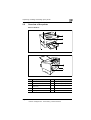
Overview of the printer.................................................................2-3
External features.............................................................................2-3
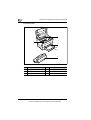
Inside the printer .............................................................................2-4
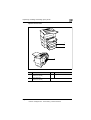
Optional accessories.......................................................................2-5
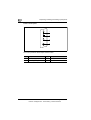
Printer control panel ........................................................................2-6
2.3
Installing your laser printer..........................................................2-7
Place of installation .........................................................................2-7
Storage of consumables and accessories ......................................2-7
Ambient conditions..........................................................................2-8
Space required................................................................................2-9
2.4
Setting up your laser printer ......................................................2-11
Fitting the paper output tray and paper feed tray 1 ......................2-11
Connecting the power cable .........................................................2-12
Switching the printer on and off.....................................................2-13
Printing a configuration page .......................................................2-14
Connecting the printer to a computer (parallel port) .....................2-15
Connecting the printer to a computer (USB port) .........................2-16
PagePro 4100E
EDNord - Istedgade 37A - 9000 Aalborg - telefon 96333500
TOC-1