1
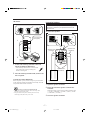
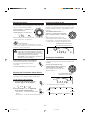
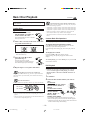
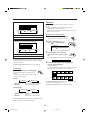
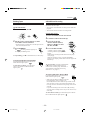
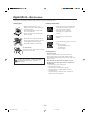
A-B Repeat
When a DVD is a played back.
While playing, you can also select a portion you want to
repeat.
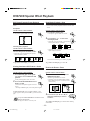
• During Program play, Random play or Repeat play
A-B Repeat play cannot be selected.
• A-B Repeat is not performed between different chapters or
different titles on a DVD.
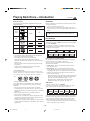
REPEAT A-B REPEAT TIME SEARCH CHAP. SEARCH
REPEAT
CHAPTER
TITLE
Canceled
CHAPTER
On the remote control ONLY:
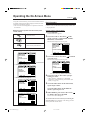
• TITLE:
Current title will be repeated.
• CHAPTER:
Current chapter will be repeated.
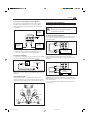
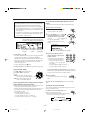
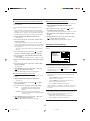
1 Press PLAY MODE during play.
The play mode screen appears on the TV.
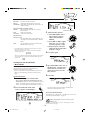
2 Press CONTROL + or − to
When a CD or VCD disc is played back.
move
to “A-B REPEAT.”
REPEAT A-B REPEAT TIME SEARCH
REPEAT
DVD CONTROL
ALL
REPEAT A-B REPEAT TIME SEARCH CHAP. SEARCH
1
ALL
Canceled
Ex.: When DVD is a playing source.
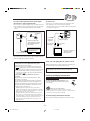
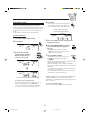
3 Press ENTER at the starting
• ALL:
All tracks on all discs will be repeated.
• 1:
Current track will be repeated.
point you want to repeat (point
A).
The A-B Repeat indication appears on the TV screen.
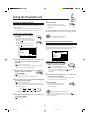
To cancel Repeat play, perform steps 1 and 2, then press
ENTER repeatedly until the REPEAT indications disappear
from the TV screen.
A 1:12 : 34
B :
:
4 Press ENTER again at the end point you
To erase the play mode screen, press PLAY MODE.
want to repeat (point B).
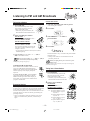
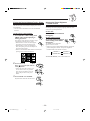
On the unit:
A-B Repeat begins.
The unit automatically locates point A and starts repeated
playback of the portion between points A and B.
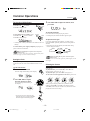
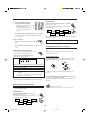
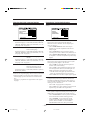
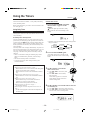
Press REPEAT before or during play.
The REPEAT indicators also light up on the
display.
• Each time you press the button, Repeat play
mode changes as follows:
A 1:12:34
For DVD
B 1:12:37
REPEAT 1
REPEAT
Canceled
REPEAT:
REPEAT 1:
Current chapter will be repeated.
Current title will be repeated.
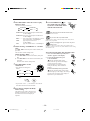
To cancel A-B Repeat play, press ENTER. A-B Repeat play
is canceled and normal playback starts.
To erase the play mode screen, press PLAY MODE.
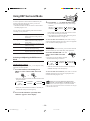
For VCD and CD
REPEAT 1
REPEAT ALL
Canceled
REPEAT ALL:
REPEAT 1:
All tracks on all discs will be
repeated.
Current track will be repeated.
To cancel Repeat play, press REPEAT repeatedly until the
REPEAT indicators go off from the display.
– 24 –
EN21-24.MX-DVA9[J]_1
24
01.7.3, 10:28 AM