1
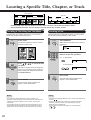
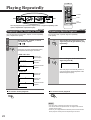
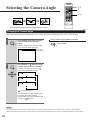
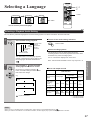
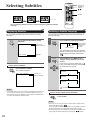
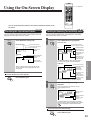
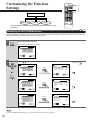
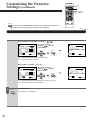
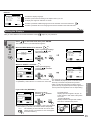
Locating a Specific Title, Chapter, or Track
DVD video disc
Title 1
Chapter 1
Chapter 2
Title 2
Audio CD
Chapter 1 Chapter 2 Chapter 3
Track 1
Track 2
Track 3
Track 4
Track 5
Normally, DVD video discs are divided into titles, and the titles are sub-divided into chapters. Audio
CDs are divided into tracks. You can quickly locate any specific title, chapter, or track.
DVD
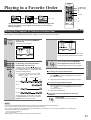
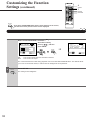
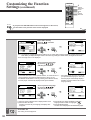
Locating a Title Using the Title Menu
DVD
Locating a Title
If a DVD video disc contains a title menu, you can locate a
specific title using the title menu function.
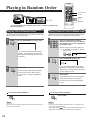
If a DVD video disc contains title numbers, you can locate a
specific title by directly selecting a title number.
1
1
TITLE
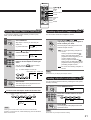
Press TITLE.
Press SEARCH.
SEARCH
The title menu appears on the TV screen.
Make sure that the space next to TITLE is
highlighted.
e.g.
Example of a title menu
TITLE 1
TITLE 2
TITLE 3
TITLE 4
T I T LE : 1
CHAPTER :
2
2
1
3
4
5
6
7
8
9
+10
0
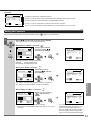
Press the corresponding number
buttons for the title you want.
e.g. To select title 2
T I T LE : 2
CHAPTER :
2
2
ENTER
Press /
you want.
/
/
1
to select the title
To select title 12
If the titles in the title menu are assigned a
number, you can directly locate a specific
title by pressing its assigned number with
the number buttons.
1
3
3
1
PLAY
2
T I T LE : 1 2
CHAPTER :
1
Press PLAY.
The DVD player starts playback from
chapter 1 of the selected title.
Press ENTER.
ENTER
The DVD player starts playback from
chapter 1 of the selected title.
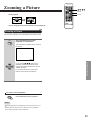
Notes:
• The instructions above describe the basic procedure. The
procedure varies depending on the contents of the DVD video disc.
If different instructions appear on the TV screen, follow those
instructions.
• If you display the title menu during playback and press the TITLE
button again without selecting any title, the DVD player resumes
playback from the point where you first pressed the TITLE button.
20
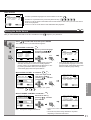
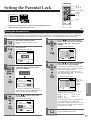
Notes:
• You can shift the highlight between next to TITLE and CHAPTER by
pressing /
.
• Pressing the CLEAR button resets the TITLE and CHAPTER
numbers. To clear the TITLE, CHAPTER display, press the
SEARCH button several times.
• You can select a preferred language for on-screen displays.
30 , 35