1
Using Other Equipment
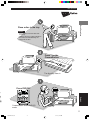
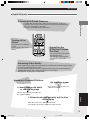
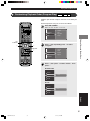
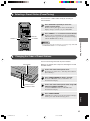
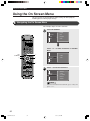
Dubbing from a Video Camera to a VCR
For video camera and VCR operations, be sure to read
their respective owner’s manuals.
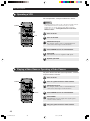
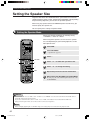
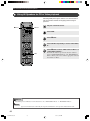
Turn on the TV.
DVR-S120 WB56650
POWER
POWER
POWER
TV
/DTS
NIGHT
AUDIO
ANGLE
SUBTITLE
SELECT
MATRIX 6.1
REPEAT
STEREO
A-B
SW
CENTER
Turn on the video camera and VCR.
SURR
SHIFT
AMP
DVD/CD
VIDEO
VCR
VIDEO
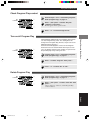
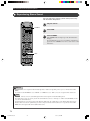
Switch the TV input.
For example, switch to video 1 if CinemaStation is
connected to video input 1 on the television.
TUNER
MOVIE
MUSIC
SPORTS
GAME
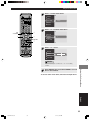
Press POWER to turn on CinemaStation.
Prepare to record with the VCR.
For example, switch the VCR input to external.
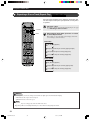
Start playback on the video camera, then start
recording with the VCR.
Using Other Equipment
Press VIDEO.
CinemaStation can now input video signal (video
camera).
CINEMA
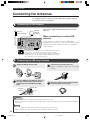
Connecting with SCART cable (U.K. and Europe models only)
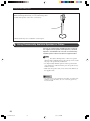
Do not connect CinemaStation to a monitor via a VCR. The copyright protection
technology incorporated in CinemaStation may not allow the video to play.
TV
CinemaStation
VCR
Note
• If you play a video source that uses scrambled or encoded signals to prevent it from being dubbed, the picture itself may be
disturbed due to those signals.
English
49
011DVX-S120-en
49
04.3.1, 9:27 AM