1
"
Preliminary knowledge
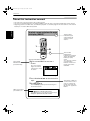
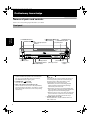
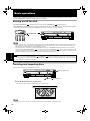
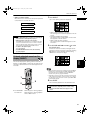
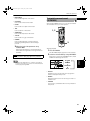
7 8 (PAUSE) button (29, 38, 54)
Pauses playback. Also, used to display
nine continuous still pictures (STROBE function).
8 Remote sensor (23)
Receives signals from the remote control unit.
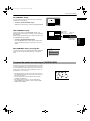
9 DVD AUDIO indicator
Lights when a DVD AUDIO disc is loaded.
0 PROGRESSIVE indicator (18)
Lights up when the Progressive scan mode is active.
It lights in green during playback of a film-source DVD
VIDEO disc when “PROGRESSIVE MODE” in
“PREFERENCE 1” is set to “SMART”, “FILM” or “AUTO.”
In other conditions when the Progressive scan mode is
active, it lights in red.
- Display window (7)
Indicates the current status of the unit.
English
= Disc tray carousel (26)
Used to set up to 7 discs.
~ 7 (STOP) button (29, 54)
Stops playback.
! 4/¢ (SKIP) buttons (29, 54)
Used to skip a chapter, title or track. Also, used for
the page selection of a menu screen (for Video CD).
Holding down 4 or ¢ during playback reverses or
advances playback rapidly (except MP3 disc).
Preliminary
knowledge
6 0 (OPEN/CLOSE) button (26, 27)
Used to open and close the carousel. You can also use
this button in the play exchange mode.
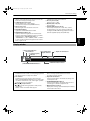
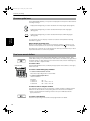
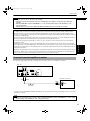
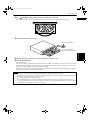
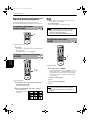
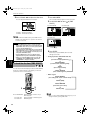
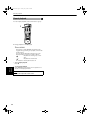
Display window
1 Audio format indicators
4 Group/title/track/
2 Disc indicator
chapter indicators
3 3 (play)/8 (pause)
indicators
LPCM
MPEG
DOLBY
DIGITAL
DTS
VCDVD
38
GROUP TITLE TRACK CHAP
5 Repeat mode indicators
1 A-B
PROGRAM
RANDOM
6 PROGRAM/RANDOM indicators
7 Multi-information window
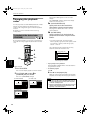
1 Audio format indicators
Indicates the format of audio currently being played back.
See “Audio formats” on page 15 for details.
4 Group/title/track/chapter indicators
One or more appropriate indicators illuminate
according to the disc inserted.
2 Disc indicator
Indicates the type of the disc set in the current tray.
When a DVD AUDIO/DVD VIDEO disc is set, “DVD” lights
up. When a Video CD disc is set, “VCD” lights up. When
an Audio CD is set, “CD” lights up.
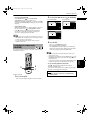
5 Repeat mode indicators
The appropriate indicator illuminates according to the
current repeat mode.
3 3 (play)/8
8 (pause) indicators
3 or 8 illuminates during playback or while paused,
respectively.
Neither of them illuminates while stopped.
6 PROGRAM/RANDOM indicators
The appropriate indicator illuminates while the unit is
in the Program or Random playback mode.
7 Multi-information window
Displays the current group/title/track/chapter number(s),
time and status information.
7