1
PLAYBACK
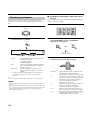
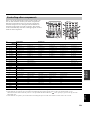
■ Remote control operation
CODE SET
TRANSMIT
TV VOL
TV CH
TV MUTE
TV INPUT
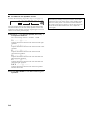
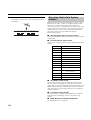
■ Enjoying multi-channel software
If you connected a surround back speaker, use this feature
to enjoy 6.1-channel playback for multi-channel sources
using the Dolby Pro Logic IIx, Dolby Digital EX or
DTS-ES decoders.
VOLUME
SYSTEM
STANDBY
POWER
TV
AV
CD
MD/CD-R
TUNER
SLEEP
DVD
DTV/CBL
V-AUX
MULTI CH IN
POWER
AMP
POWER
MUTE
AMP
VCR
STEREO
MUSIC
ENTERTAIN
MOVIE
1
2
3
4
STANDARD
SELECT
5
EXTD SUR.
6
A SPEAKERS B
9
8
STRAIGHT
10
Sound field
program
buttons
DIRECT ST.
7
NIGHT
0
ENT.
EFFECT
TV VOL
TV CH
TV MUTE
TV INPUT
VOLUME
LEVEL
PRESET/CH
TITLE
SET MENU
MENU
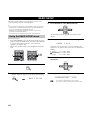
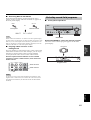
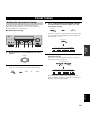
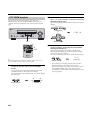
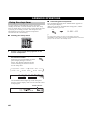
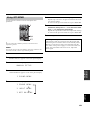
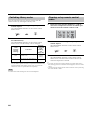
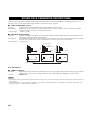
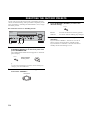
Press AMP on the remote control to select the
AMP mode, then press EXTD SUR. to switch
between 5.1 and 6.1-channel playback.
ENTER
EXTD SUR.
AMP
7
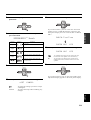
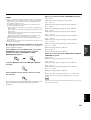
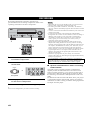
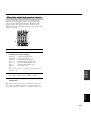
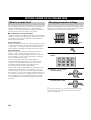
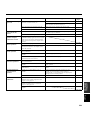
Press AMP to select the AMP mode, then press
one of the sound field program buttons to select
the desired program.
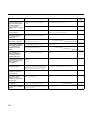
The name of the selected program appears in the front
panel display.
To select a decoder, press j / i repeatedly while
PLIIxMusic (etc.) is displayed.
PRESET/CH
STEREO
AMP
MUSIC
MOVIE
ENTERTAIN
1
2
3
4
STANDARD
SELECT
EXTD SUR.
DIRECT ST.
5
6
7
8
NIGHT
STRAIGHT
A SPEAKERS B
9
0
10
ENTER
A/B/C/D/E
ENT.
EFFECT
VCR
V-AUX
DTV/CBL
DVD
MD/CD-R
TUNER
CD
VOLUME
SP
A
HiFi DSP
TV Sports
dB
L
R
Program name
y
Feel free to choose a sound field program based on your listening
preference, and not purely on the name of the program itself.
Notes
• When you select an input source, this unit automatically selects
the last sound field program used with that source.
• Sound field programs cannot be selected when MULTI CH
INPUT is selected.
• Sampling frequencies higher than 48 kHz (except for DTS 96/
24 signals) will be sampled down to 48 kHz, then sound field
programs will be applied.
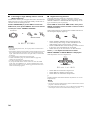
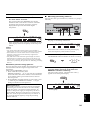
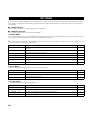
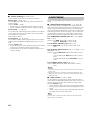
Auto (AUTO)
When a signal (flag) that can be recognized by the unit is
input, the unit selects the optimum decoder for playing
back the signal in 6.1 channels.
If the unit cannot recognize the flag or no flag is present in
the input signal, it cannot automatically be played in 6.1
channels.
Decoders (select with j / i)
You can select from the following decoders depending on
the format of the software you are playing.
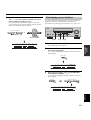
PLIIxMusic
For playing back Dolby Digital or DTS signals in 6.1
channels using the Pro Logic IIx music decoder.
EX/ES
For playing back Dolby Digital signals in 6.1 channels
using the Dolby Digital EX decoder.
DTS signals are played back in 6.1 channels using the
DTS-ES decoder.
EX
For playing back Dolby Digital or DTS signals in 6.1
channels using the Dolby Digital EX decoder.
Off (OFF)
Decoders are not used to create 6.1 channels.
28