1
Important Information
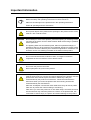
IMPORTANT Read all the safety and operating instructions before operating the product.
Retain the safety and operating instructions for future reference.
Adhere to all warnings on the product and in the operating instructions.
Follow all operating and user instructions.
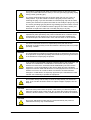
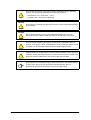
WARNING
Do not push objects of any kind into the openings in this product as this could
result in a fire or electric shock.
WARNING
Do not attempt to service this product yourself as opening or removing covers
can result in an electric shock or other hazards. Refer all servicing to qualified
service personnel.
The lightning flash with arrowhead symbol, within an equilateral triangle, is
intended to alert you to the presence of uninsulated “dangerous voltage” within
the product's enclosure that may be of sufficient magnitude to constitute a risk
of electric shock. This marking is located on the bottom of the product.
WARNING
Do not overload wall outlets, extension cords, or integral convenience
receptacles as this can result in a fire or electric shock.
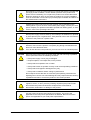
WARNING
Do not use this product near water.
Never spill liquid of any kind on the product.
WARNING
Do not place this product on an unstable surface. If the product falls, this could
result in serious injury to a person and serious damage to the product. Use this
product with carts, stands, tripods, brackets or tables only if they are
recommended by this product’s manufacturer. Follow the manufacturer's
instructions when you mount the product and use mounting accessories
recommended by the manufacturer.
Place the AC adapter cord and the video cable where they will not be pulled.
Take care to prevent the unit from falling or overturning.
Take care if you move the product on a cart. Quick stops, excessive force and
uneven surfaces may cause the product to overturn. If the product falls, this
could result in serious injury to a person and serious damage to the product.
99-00864-20 D0
Important Information
i