1
Image Adjustment
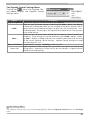
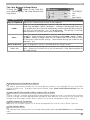
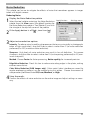
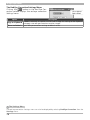
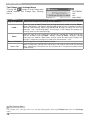
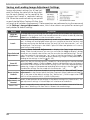
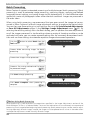
Saving and Loading Image Adjustment Settings
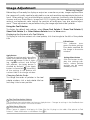
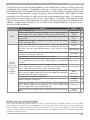
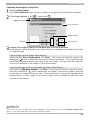
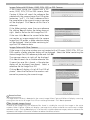
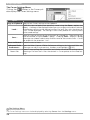
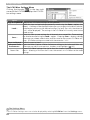
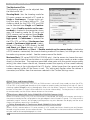
Image adjustment settings for all tool palettes (including the status of the Apply button for each palette) can be copied to the
clipboard and saved in combined settings
file. When the combined settings are pasted
or read into the Nikon Capture 4 Editor, they
will apply to all palettes simultaneously. These operations are performed using the commands
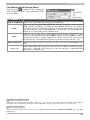
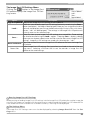
in the Settings > Image Adjustments menu, which also contains an option for restoring all
tool palettes to default settings.
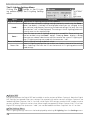
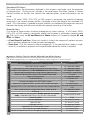
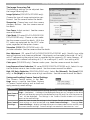
Option
Copy to
Clipboard
Load…
Save Selected
Adjustments…
Save All
Adjustments…
Reset to User
Default
Description
All image adjustment settings for the image in the ac tive window are copied to the
clipboard. You can paste them into the tool palettes for another window by selecting
Paste from the Edit menu when the window is active.
Select this item to load settings previously saved using the Save… option (see below). A dialog will be displayed where you can navigate to the drive (volume) and
direc tory containing the desired settings file (only files with the ex tension “.set” will
be displayed). The settings in the Nikon Capture 4 Editor tool palettes will instantly
revert to the saved settings.
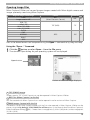
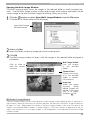
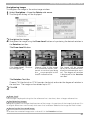
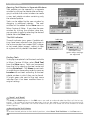
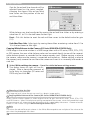
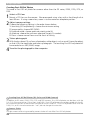
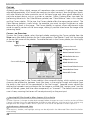
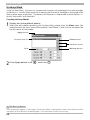
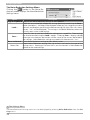
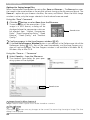
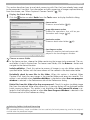
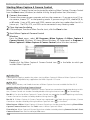
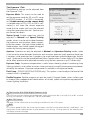
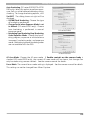
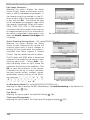
Choosing Save Selected Adjustments… displays the Copy Image Adjustment
dialog. Check the adjustments you want to save and click Copy to display a dialog
where you can choose a destination and file name for the selected settings. The settings are saved with the extension “.set” and can later be recalled with the Load…
option. If this file is later selected for batch processing, images will be processed according to the settings in the file ( 92, 116).
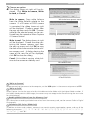
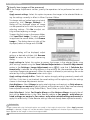
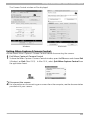
Select this item to save settings to a named file. These settings can later be recalled
using the Load… option. Choosing Save… displays a dialog where you can choose a
destination and file name for the current settings. If this file is later selected for batch
processing, images will be processed according to the settings in the file ( 92, 116).
Combination settings files are saved with the extension “.set”.
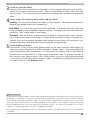
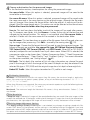
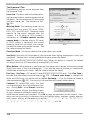
Select this option to restore the default settings selected for “User default” image
adjustments in the General tab of the Nikon Capture 4 Editor Preferences dialog (
98). In the case of the default settings file (“Neutral.set”), RAW images taken with
the D1X will be scaled to 100% (4,016 × 2,616 pixels).
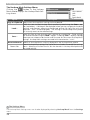
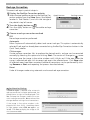
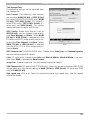
Reset All
Resets all tool palettes to the settings in the default settings file (“Neutral.set”). ImAdjustments to
age adjustment settings in PictureProject will also be reset to defaults.
Neutral
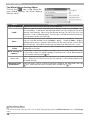
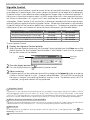
Recent image adjustment settings files (up to four) are listed at the end of the setRecent files
tings menu. Selecting a file from the list restores the saved settings.
82